00193687-03.pdf - 第58页
3 Installation des SIPLACE Explorer Installati ons- und Konfigurationsanleitung SIPLACE Explor er 3.6 Konfiguration von Tomcat Ausgabe 02/2005 DE 58 3 Abb. 3 - 45 Windows Firewall - Exeptions → Klicke n Sie im T omcat-I …
Installations- und Konfigurationsanleitung SIPLACE Explorer 3 Installation des SIPLACE Explorer
Ausgabe 02/2005 DE 3.6 Konfiguration von Tomcat
57
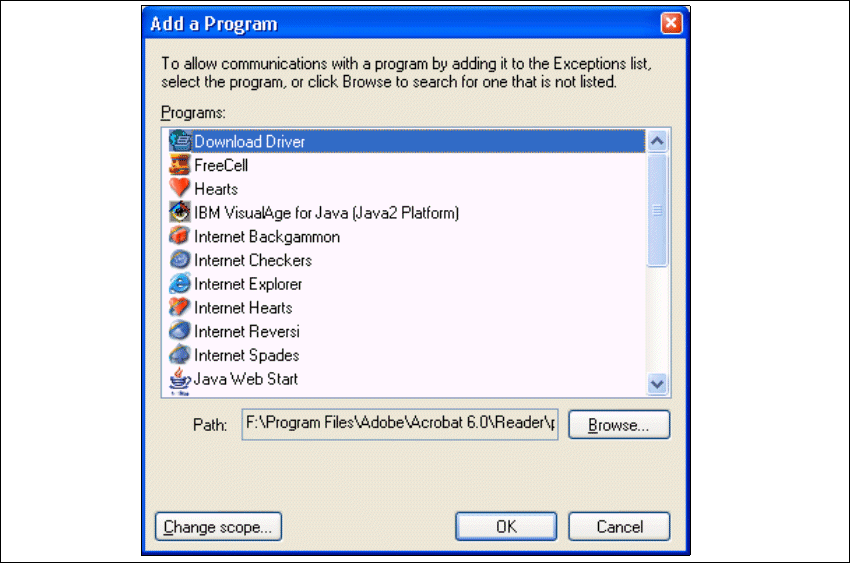
→ Das Dialogfenster Add a Program öffnet sich:
3
Abb. 3 - 44 Add a Programm
→ Geben Sie hier den Pfad an, in welchem sich die Tomcat.exe-Datei befindet. Dazu betätigen
Sie die Schaltfläche Browse.
3 Installation des SIPLACE Explorer Installations- und Konfigurationsanleitung SIPLACE Explorer
3.6 Konfiguration von Tomcat Ausgabe 02/2005 DE
58
3
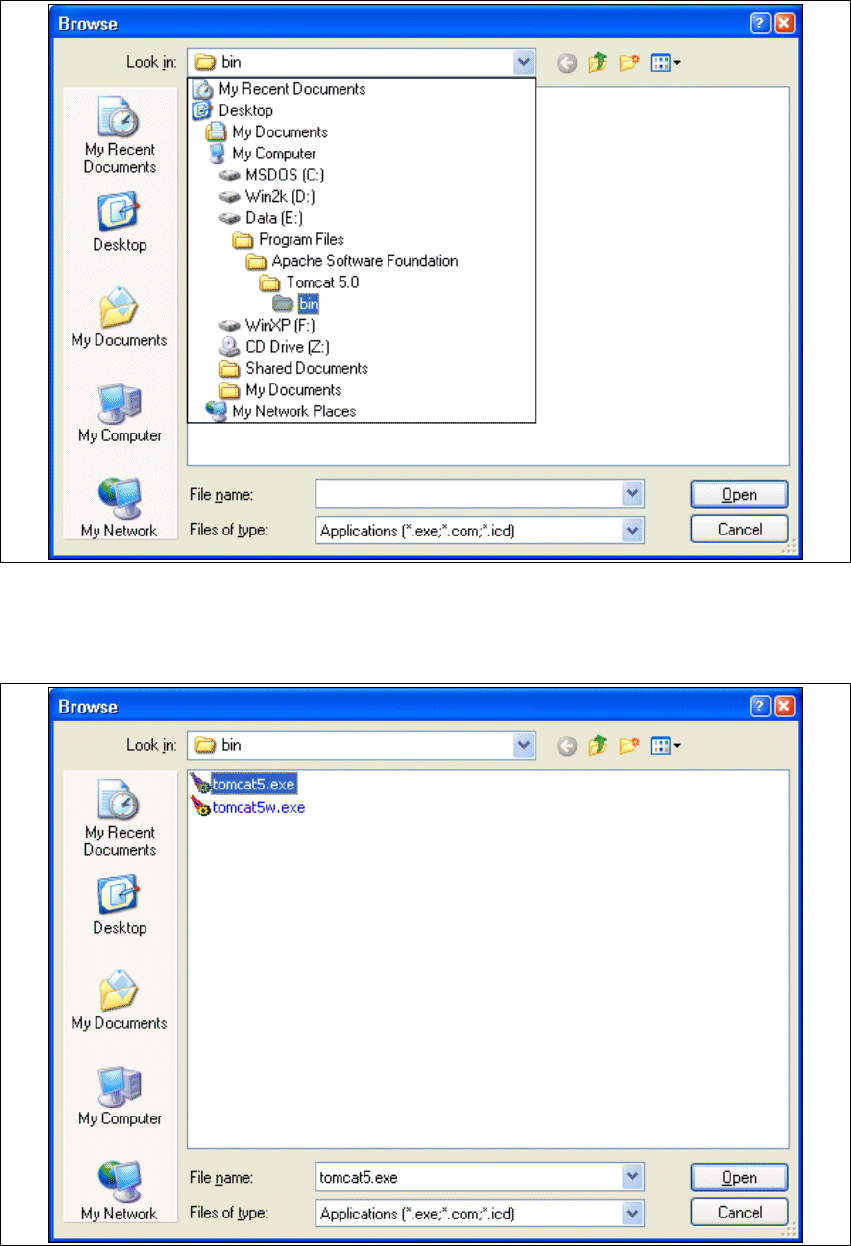
Abb. 3 - 45 Windows Firewall - Exeptions
→ Klicken Sie im Tomcat-Installationspfad den Pfad ..\Tomcat 5.0\bin an und betätigen Sie die
Schaltfläche Open.
3
Abb. 3 - 46 Windows Firewall - Exeptions
Installations- und Konfigurationsanleitung SIPLACE Explorer 3 Installation des SIPLACE Explorer
Ausgabe 02/2005 DE 3.6 Konfiguration von Tomcat
59
→ Wählen Sie die Datei tomcat5.exe aus und betätigen Sie die Schaltfläche Open.
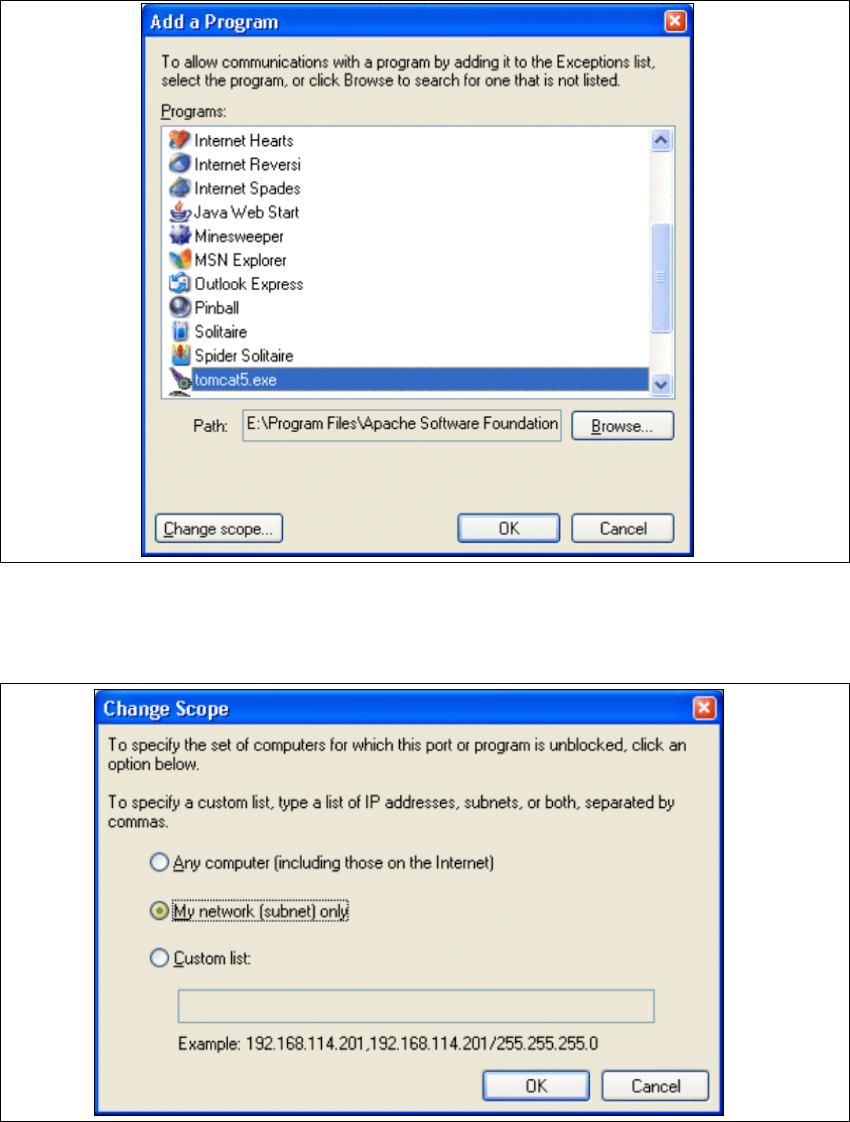
→ Das Dialogfenster Add a Program öffnet sich wieder:
3
Abb. 3 - 47 Add a Programm
→ Selektieren Sie unter Programs den Eintrag tomcat5.exe und betätigen Sie die Schaltfläche
Change Scope.
3
Abb. 3 - 48 Change Scope