00193687-03.pdf - 第129页
Installations- und Konfigurationsanleit ung SIPLACE Explorer 5 Deinstallation Ausgabe 02/2005 DE 5.4 Remove 129 Der Deinstallation svorgang wird durchgefü hrt. In dem Dialogfenster Setup S t atus sehen Sie den S tatus de…
5 Deinstallation Installations- und Konfigurationsanleitung SIPLACE Explorer
5.4 Remove Ausgabe 02/2005 DE
128
5.4 Remove
5
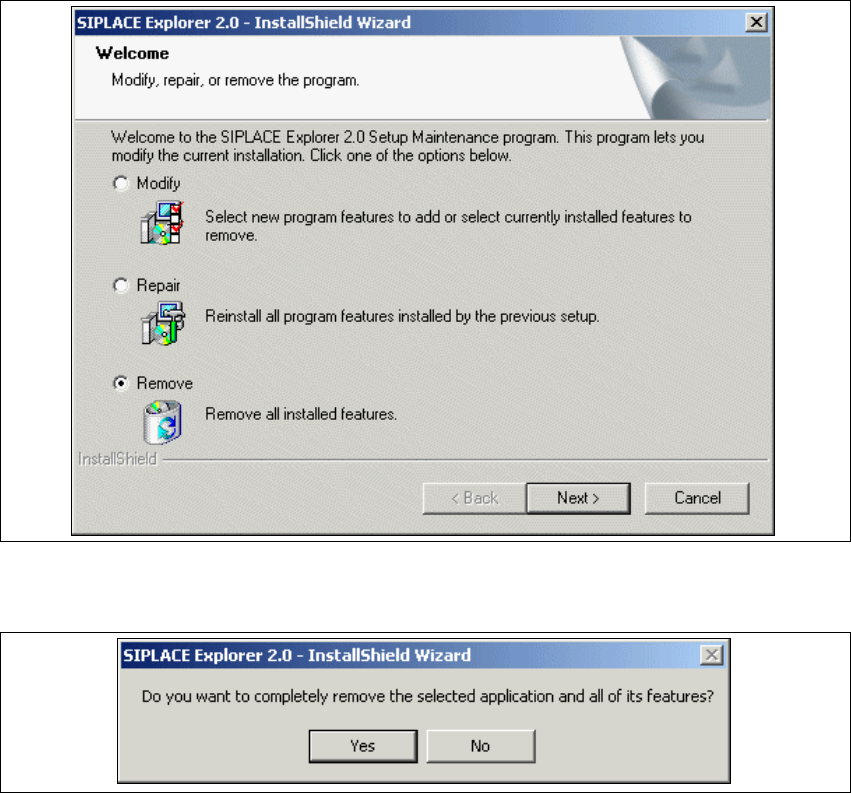
Abb. 5 - 9 SIPLACE Explorer 2.0 - Installshield-Assistent
→ Klicken Sie Remove (Entfernen) an und klicken Sie auf Next (Weiter).
5
Abb. 5 - 10 Frage zur Deinstallation: Datei löschen bestätigen
→ Bestätigen Sie, indem Sie Yes anklicken.
Installations- und Konfigurationsanleitung SIPLACE Explorer 5 Deinstallation
Ausgabe 02/2005 DE 5.4 Remove
129
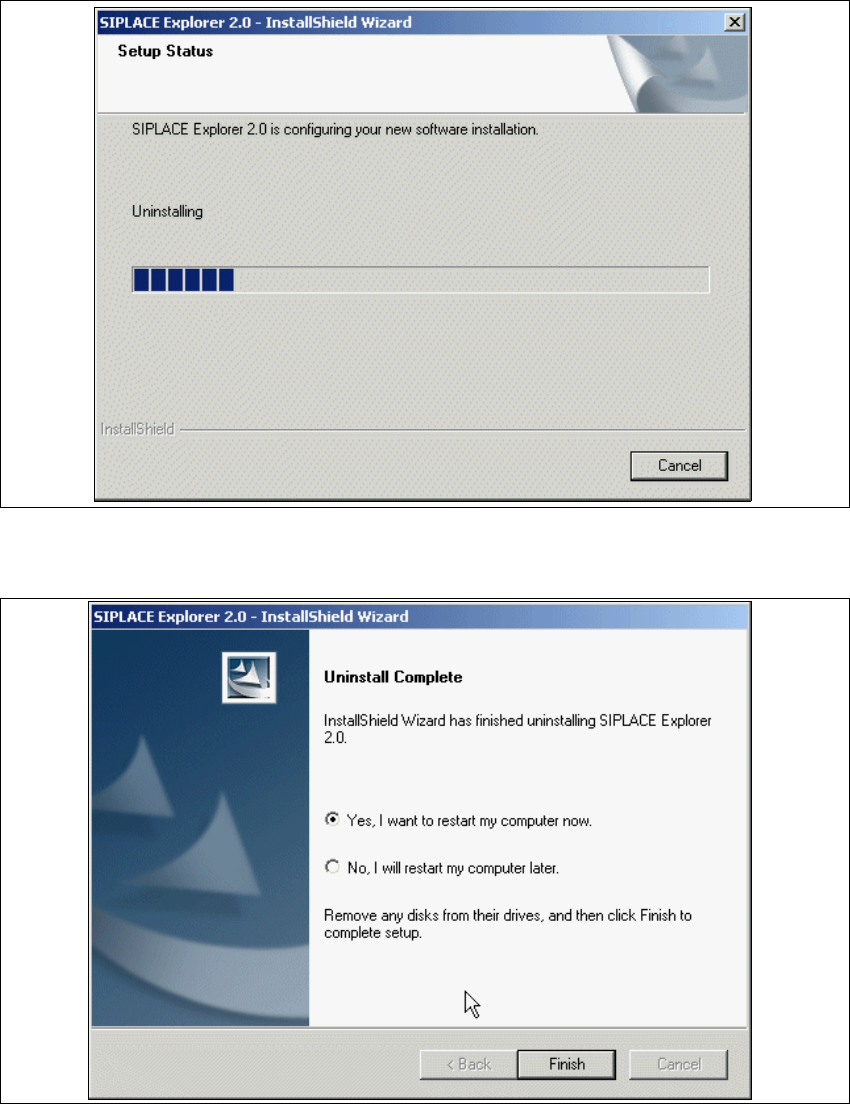
Der Deinstallationsvorgang wird durchgeführt. In dem Dialogfenster Setup Status sehen Sie
den Status der Deinstallation. 5
5
Abb. 5 - 11 Deinstallationsvorgang
→ Die Deinstallation des SIPLACE Explorer V2.0 ist komplett.
5
Abb. 5 - 12 Deinstallation komplett
5 Deinstallation Installations- und Konfigurationsanleitung SIPLACE Explorer
5.4 Remove Ausgabe 02/2005 DE
130
→ Klicken Sie Finish (Beenden). Der SIPLACE Explorer 2.0 - Installshield-Assistent wird
geschlossen.
→ Beim nächsten Neustart Ihres Computers ist SIPLACE Explorer 2.0 nicht mehr verfügbar.