TM1467_ReleaseNote_PSC乮Print Stability Control乯-SyringeType-Function.pdf - 第14页
SMT Software Engineeri ng Group IMOperationsYAMAHAMOTORCO. ,LTD. MD OC-SOFT50033 14/30 Fig.4.2. 3.2 Message of “Ea8914 SOLDER SUPPL Y INCOMP LETE” Fig.4.2. 3.3 Message of “Ea8915 SOLDER HAS BEE N A…
SMT Software Engineering Group
IMOperationsYAMAHAMOTORCO.,LTD.
MDOC-SOFT50033
13/30
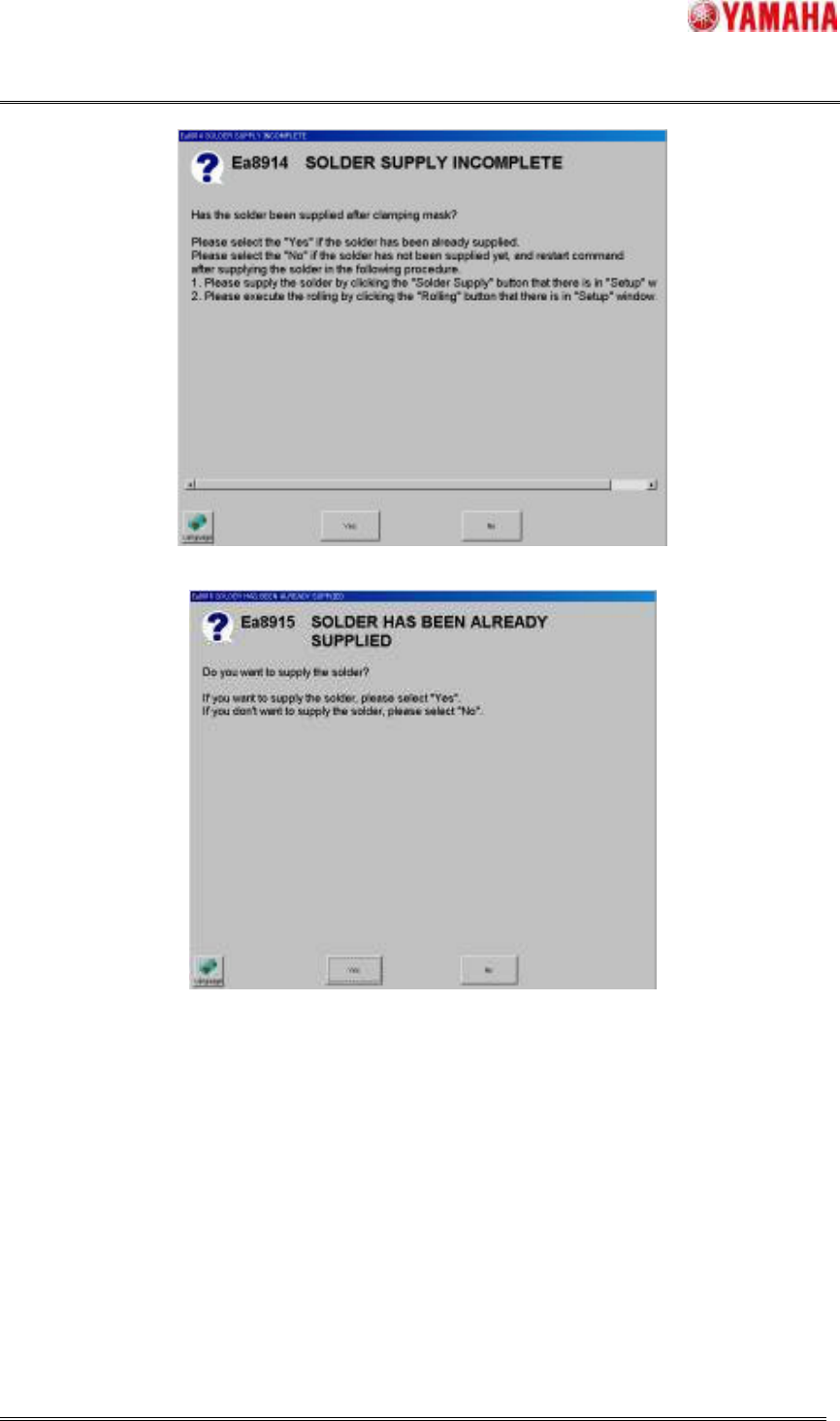
If the Auto-running, the Rolling action and the Test-printing are executed when the initial solder supply
has not been completed yet, the message of “Ea8914 SOLDER SUPPLY INCOMPLETE (refer to
Fig.4.2.3.2) ” is displayed and prompts the operator to restart these command after the initial solder
supply is executed. But, when the mask is unclamped reluctantly due to the air pressure decrease not
anticipated, these commands can be continued.
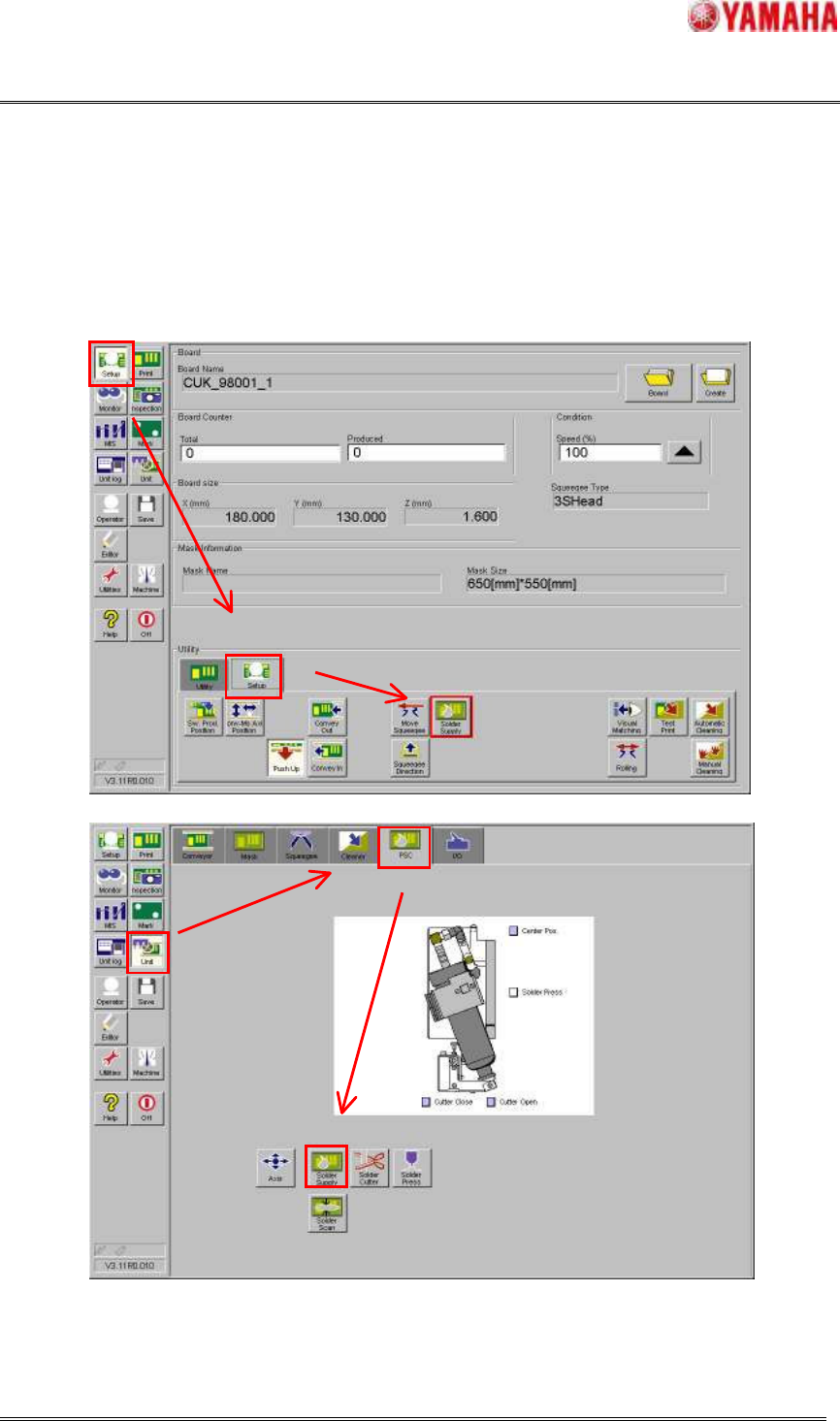
(a) [Setup] - [Setup] window
(b) [Unit] - [PSC] window
Fig.4.2.3.1 The initial solder supply action
SMT Software Engineering Group
IMOperationsYAMAHAMOTORCO.,LTD.
MDOC-SOFT50033
14/30
Fig.4.2.3.2 Message of “Ea8914 SOLDER SUPPLY INCOMPLETE”
Fig.4.2.3.3 Message of “Ea8915 SOLDER HAS BEEN ALREADY SUPPLIED”
4.2.4 Scanning rolling width function
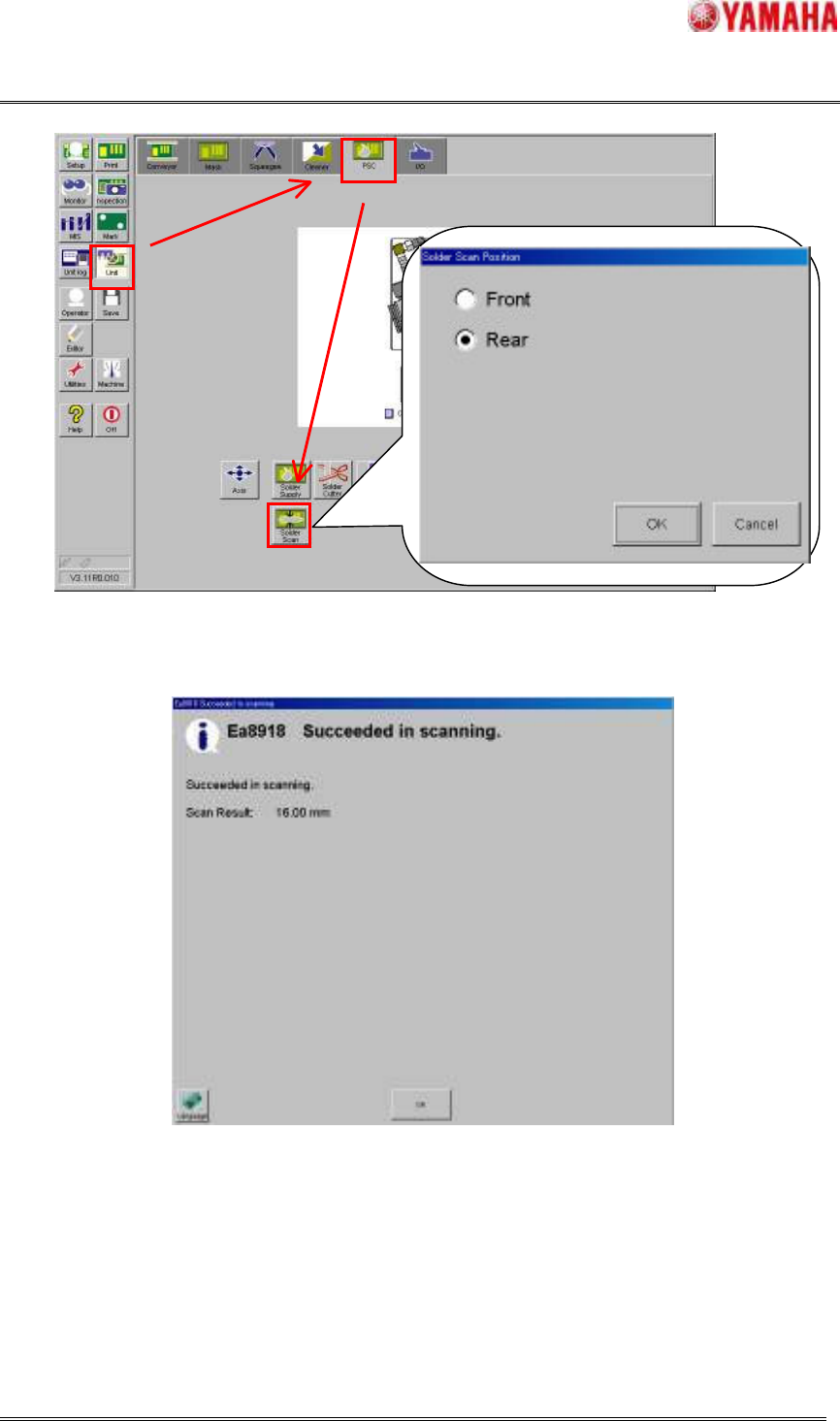
This function is the function that the current rolling width on the mask is scanned by selecting the
location. Refer to Fig.4.2.4.1.
When scanning the rolling width has been successful, the message of “Ea8919 Succeeded in scanning
(Refer to Fig.4.2.4.2)” with this result is displayed. At this time, the printing direction is switched by the
location of scanning.
SMT Software Engineering Group
IMOperationsYAMAHAMOTORCO.,LTD.
MDOC-SOFT50033
15/30
Fig.4.2.4.1 Action of scanning rolling width (select the location of scanning)
Fig.4.2.4.2 Message of “Ea8918 Succeeded in scanning”