TM1467_ReleaseNote_PSC乮Print Stability Control乯-SyringeType-Function.pdf - 第9页
SMT Software Engineeri ng Group IMOperationsYAMAHAMOTORCO. ,LTD. MD OC-SOFT50033 9/30 Fig.4.1. 1.2 [Setup] - [Utility] “Next So lder Suppl y” button 4.1.2 Feedback mode The “Feed back” m ode is t…
SMT Software Engineering Group
IMOperationsYAMAHAMOTORCO.,LTD.
MDOC-SOFT50033
8/30
When either of the following conditions is satisfied, the solder supply action in this mode is executed
while the Auto-running. The printing time doesn't increase so much while the Auto-running because the
solder supply action is executed at the same time as the board transfer action, the mark recognition
processing and so on.
Condition1 When "Solder Supply Counter" that is the number of printed board from the solder
supply at last time exceeds "Solder Supply Interval (Board)" and the printing in the
forward direction is finished.
Condition2 When the "Next Solder Supply" button has been pushed and the printing in the
forward direction is finished.
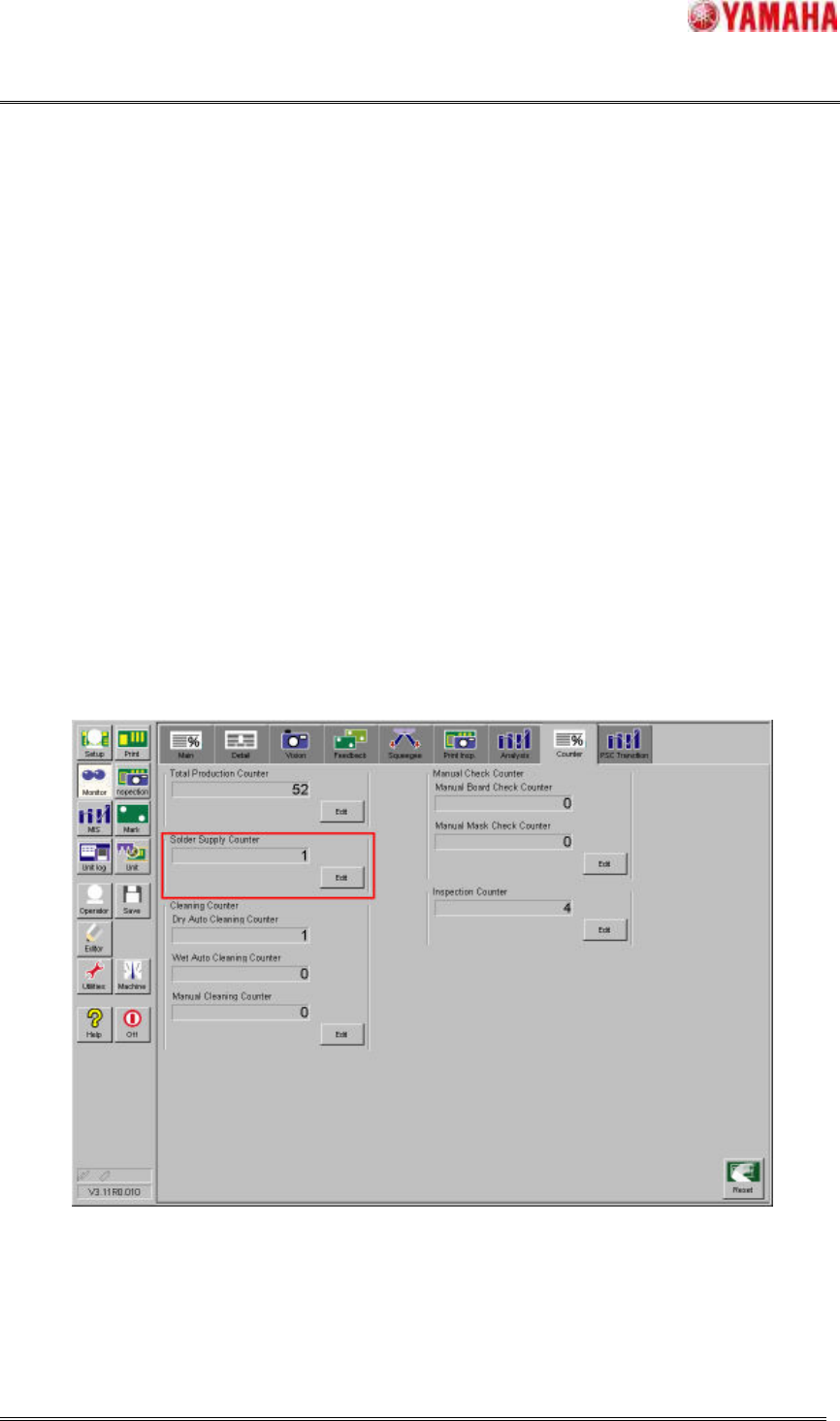
The “Solder Supply Counter” can be confirmed in window of [Monitor] – [Counter]. The value of
counter can be changed while the Auto-running. Moreover, this counter is incremented by one just after
the printing is completed.
But, the PSC action is not executed during print inspection feedback because this is the additional print
after inspection result is NG.
Fig.4.1.1.1 “Solder Supply Counter”
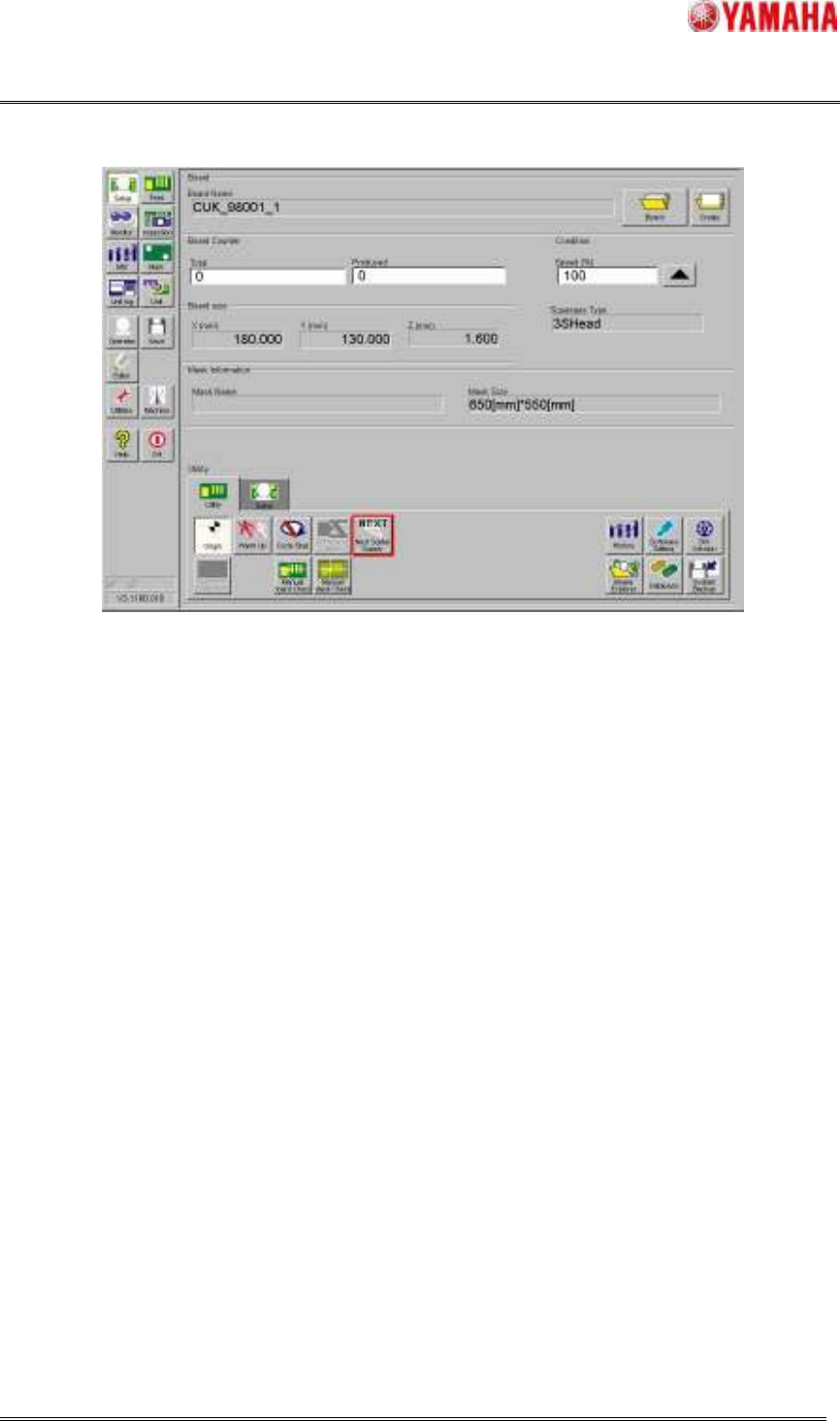
When the “Next Solder Supply” button in window of [Setup] - [Utility] has been pushed while the
Auto-running, the solder is supplied after printing in the forward direction regardless of the number of
“Solder Supply Counter”.
SMT Software Engineering Group
IMOperationsYAMAHAMOTORCO.,LTD.
MDOC-SOFT50033
9/30
Fig.4.1.1.2 [Setup] - [Utility] “Next Solder Supply” button
4.1.2 Feedback mode
The “Feedback” mode is the mode that keeps the rolling width constant by scanning the rolling width
on the mask and automatically supplying the amount of solder that decreased from "Target Rolling Width
(mm)" of the board data. The amount of supplying solder is calculated as the necessary volume to keep
"Target Rolling Width (mm)" automatically and the supply time is converted from it.
When either of the following conditions is satisfied, the solder supply action in this mode is executed
while the Auto-running and the Rolling action. The printing time doesn't increase so much while the
Auto-running because the solder supply action is executed at the same time as the board transfer action,
the mark recognition processing and so on.
Condition1 When the supply time calculated by scanning result of the rolling width exceeds the
“Min Supply Time (msec)” of the machine data and the printing in the forward
direction is finished.
Condition2 When the scanning result of rolling width decreased more than 1 mm from "Target
Rolling Width (mm)" of board data and the printing in the forward direction is
finished.
SMT Software Engineering Group
IMOperationsYAMAHAMOTORCO.,LTD.
MDOC-SOFT50033
10/30
4.2 Other operations
4.2.1 Solder empty warning function
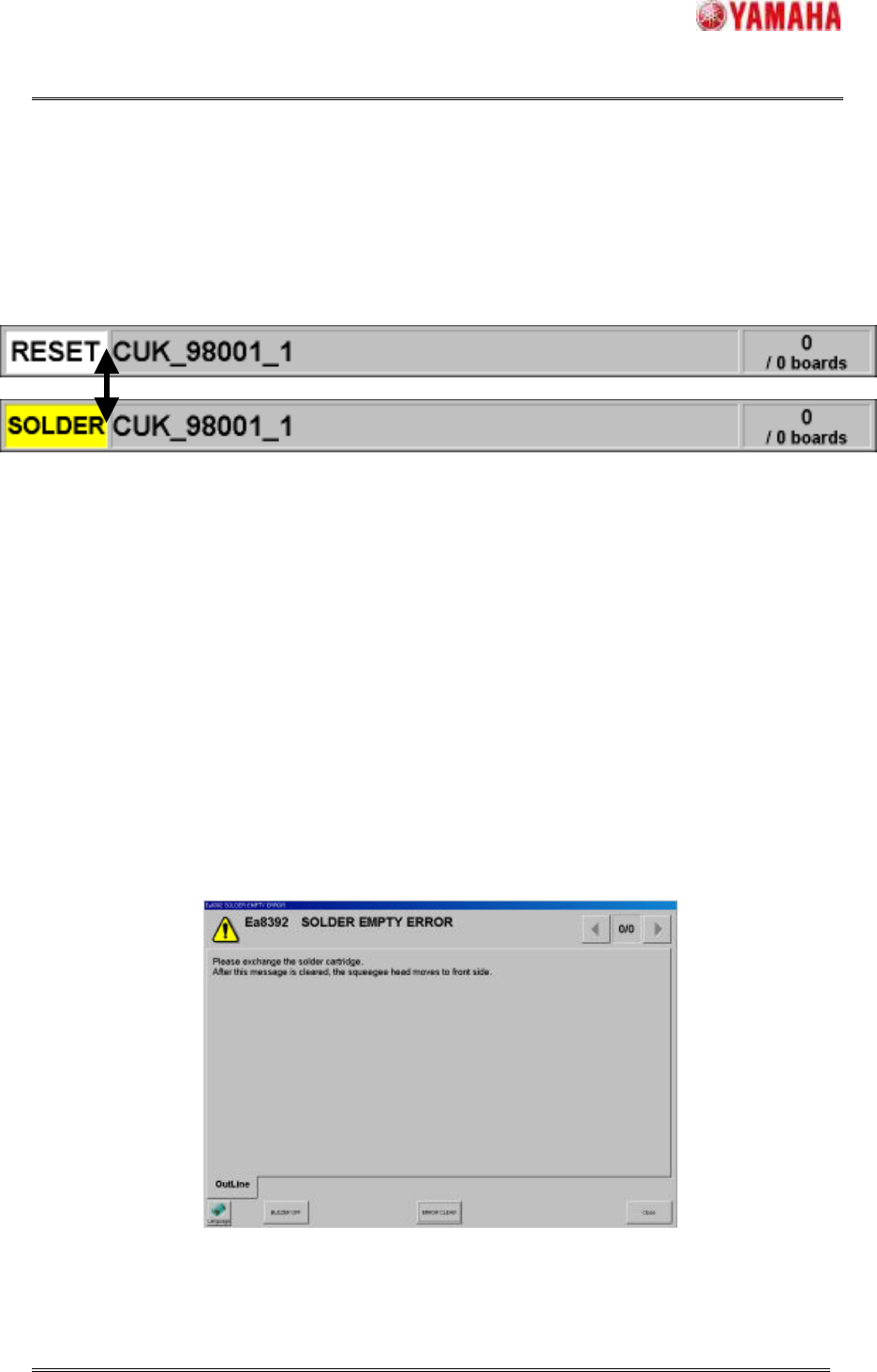
This function is the function that the operator is notified to exchange an old syringe to a new syringe
when the “Solder empty sensor” has detected the solder in the syringe decreasing. At this time,
“SOLDER” is displayed in machine’s status area and the yellow light in the signal tower is blinking.
Fig.4.2.1.1 Status area display of decreased solder in a syringe
Please prepare the new syringe while the warning is displayed, because the Auto-running can be
continued until the supply unit supplies solder for the "Supply Retry Time (msec)" of the machine setting.
When the supplied time after displaying warning exceeds the “Supply Retry Time (msec)”, the
Auto-running is stopped after the printed board is transferred to the exit position and “Ea8392 SOLDER
EMPTY ERROR” is displayed. When “Ea8392 SOLDER EMPTY ERROR” is cleared, the solder supply
unit moves to the syringe change position and “Ea8393 PLEASE EXCHANGE THE SOLDER
CARTRIDGE” is displayed. Please exchange the syringe according to the message and start the
Auto-running again.
NOTE: If the syringe isn’t exchanged, “Ea8392 SOLDER EMPTY ERROR” is displayed again
and the Auto-running isn’t started.
Fig.4.2.1.2 Message of “Ea8392 SOLDER EMPTY ERROR”