TM1467_ReleaseNote_PSC乮Print Stability Control乯-SyringeType-Function.pdf - 第15页
SMT Software Engineeri ng Group IMOperationsYAMAHAMOTORCO. ,LTD. MD OC-SOFT50033 15/30 Fig.4.2.4 .1 Action of scannin g rolling widt h (select t he lo cation o f scanning) Fig.4.2. 4.2 Message of “…
SMT Software Engineering Group
IMOperationsYAMAHAMOTORCO.,LTD.
MDOC-SOFT50033
14/30
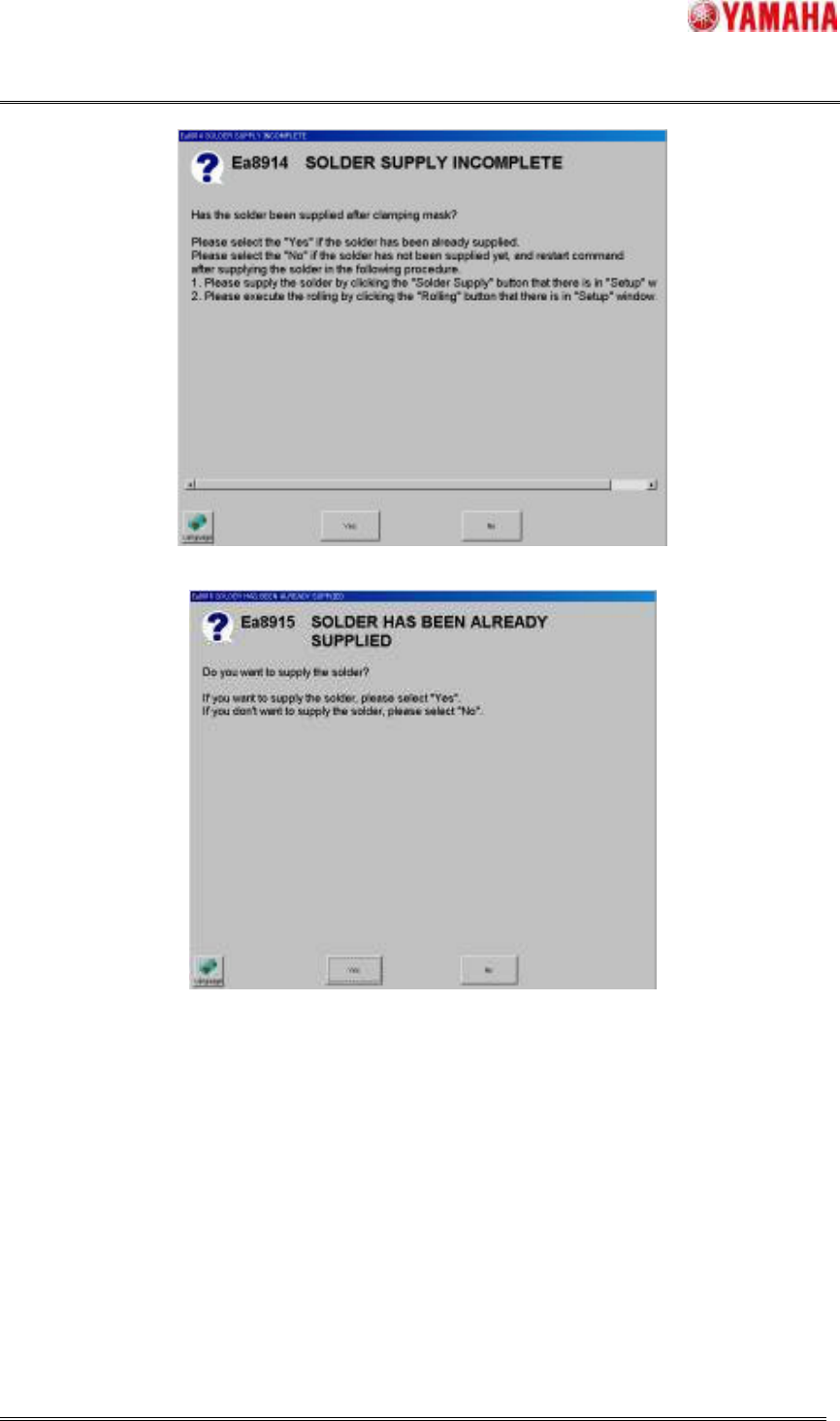
Fig.4.2.3.2 Message of “Ea8914 SOLDER SUPPLY INCOMPLETE”
Fig.4.2.3.3 Message of “Ea8915 SOLDER HAS BEEN ALREADY SUPPLIED”
4.2.4 Scanning rolling width function
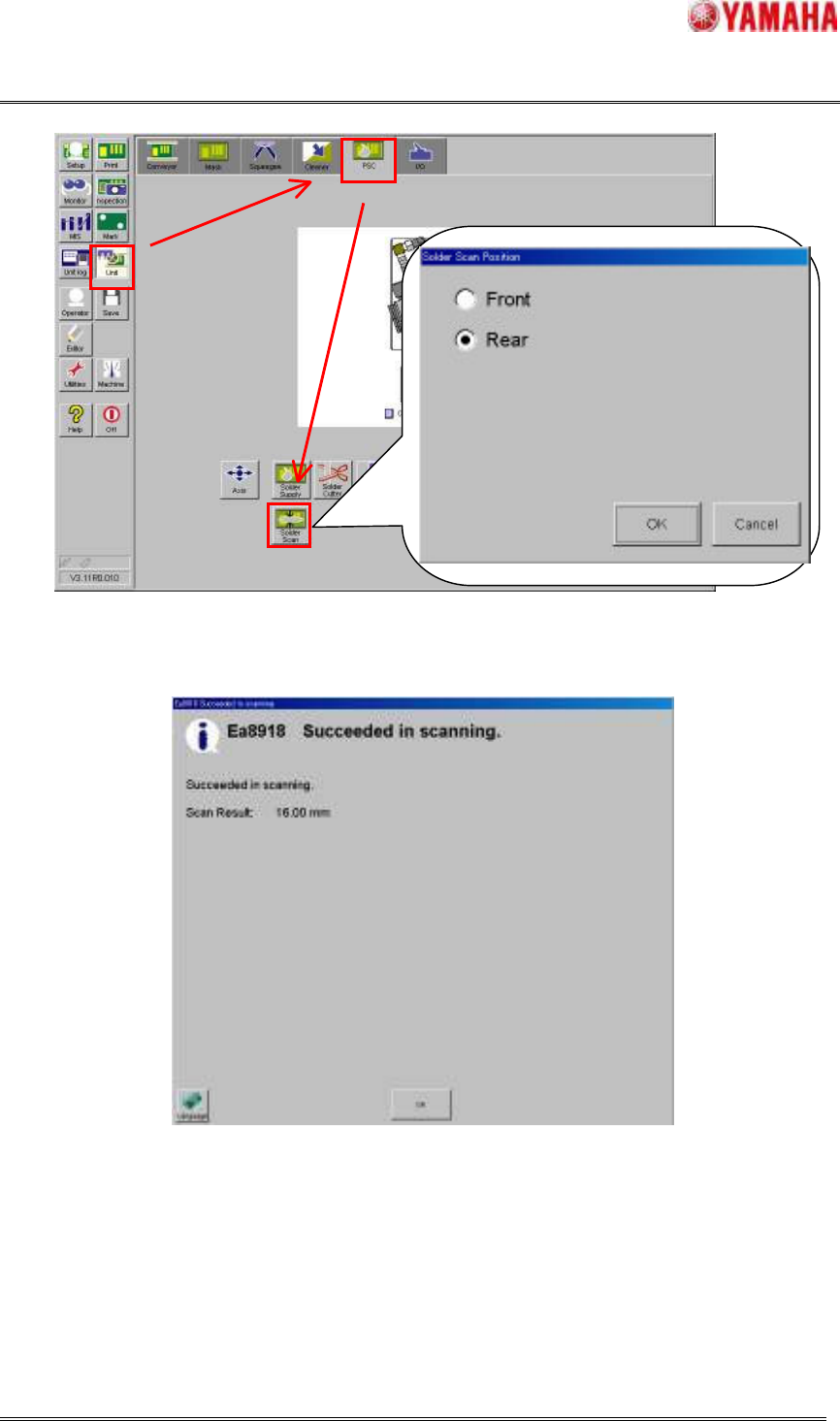
This function is the function that the current rolling width on the mask is scanned by selecting the
location. Refer to Fig.4.2.4.1.
When scanning the rolling width has been successful, the message of “Ea8919 Succeeded in scanning
(Refer to Fig.4.2.4.2)” with this result is displayed. At this time, the printing direction is switched by the
location of scanning.
SMT Software Engineering Group
IMOperationsYAMAHAMOTORCO.,LTD.
MDOC-SOFT50033
15/30
Fig.4.2.4.1 Action of scanning rolling width (select the location of scanning)
Fig.4.2.4.2 Message of “Ea8918 Succeeded in scanning”
SMT Software Engineering Group
IMOperationsYAMAHAMOTORCO.,LTD.
MDOC-SOFT50033
16/30
4.2.5 The PSC action result output function
The PSC action results (the solder supply time and scanning result of the rolling width) of each printed
board are output to history and are displayed to transition graph.
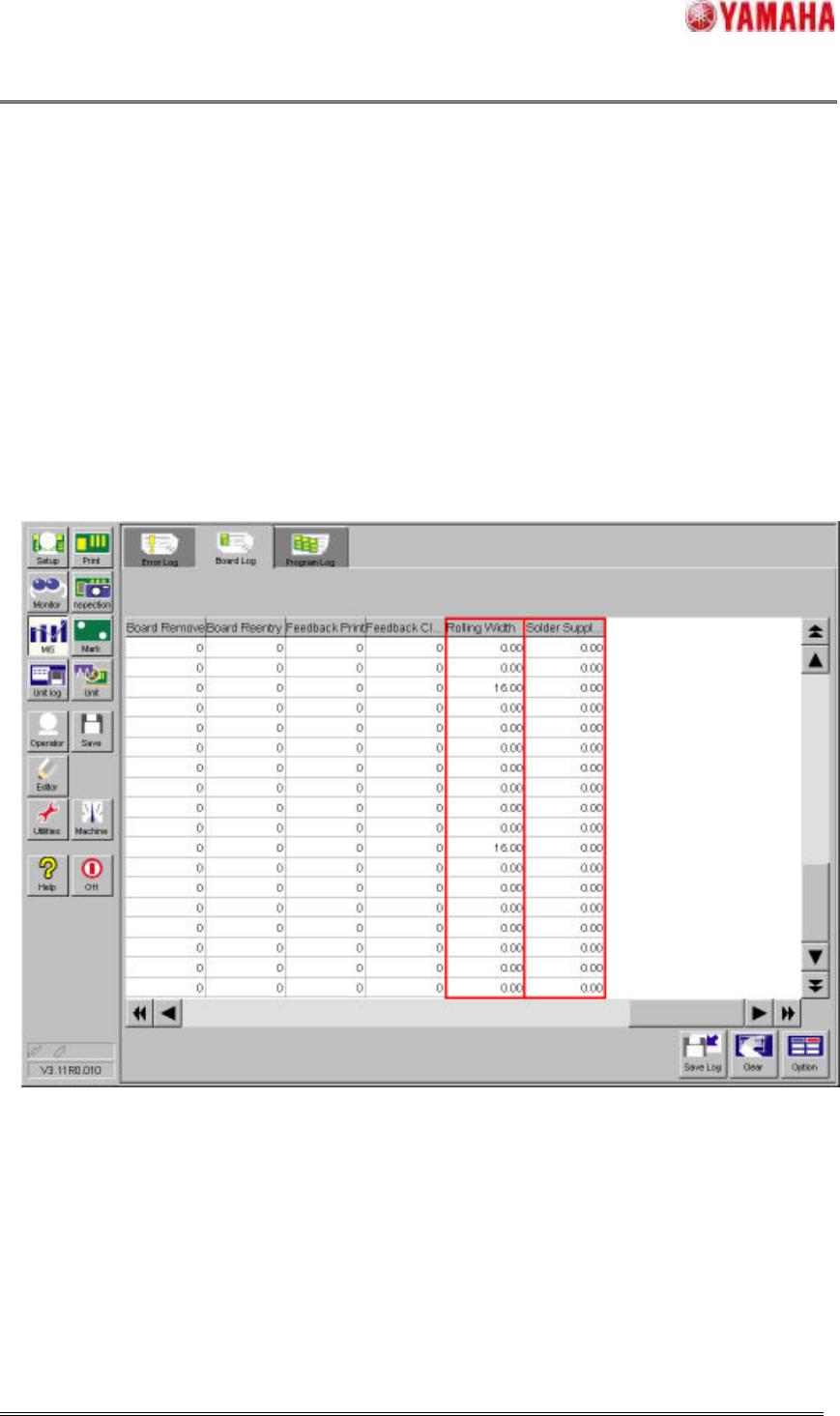
Output to the board log
The "Rolling Width (mm)" column and the "Solder Supply Amount (msec)" column are added newly in
existed Board Log in window of [MIS] – [Board Log] and the PSC action results of every printed board
are output here.
When the PSC action results are output in this board log, the CSV file can be output and can be used
for result analysis in offline.
Fig.4.2.5.1 [MIS] - [Board Log] window
Output the PSC transition graph
In the PSC transition graph with the rolling width on the y-axis and board number of sheets on the
x-axis, you can confirm the PSC action results visually. The red line is “Target Rolling Width (mm)” and
the blue line is the scanning results of the rolling width. And, in this graph, the flag of “PSC Sup.” is
shown when the solder is supplied. But the amount of solder supply cannot be confirmed here. If you
want to confirm it, please refer to [MIS] – [Board Log].