TM1467_ReleaseNote_PSC乮Print Stability Control乯-SyringeType-Function.pdf - 第22页
SMT Software Engineeri ng Group IMOperationsYAMAHAMOTORCO. ,LTD. MD OC-SOFT50033 22/30 STEP3 Co nfirm supplying the solde r and setting o f supply pressure Plea se adjust the pressure of the air re…
SMT Software Engineering Group
IMOperationsYAMAHAMOTORCO.,LTD.
MDOC-SOFT50033
21/30
solder is suitable temperature beforehand.
Please confirm whether to use the pin-type backup or the plane-type according to the production
board beforehand, and attach the backup correctly. If it is not attached correctly, the machine may
break.
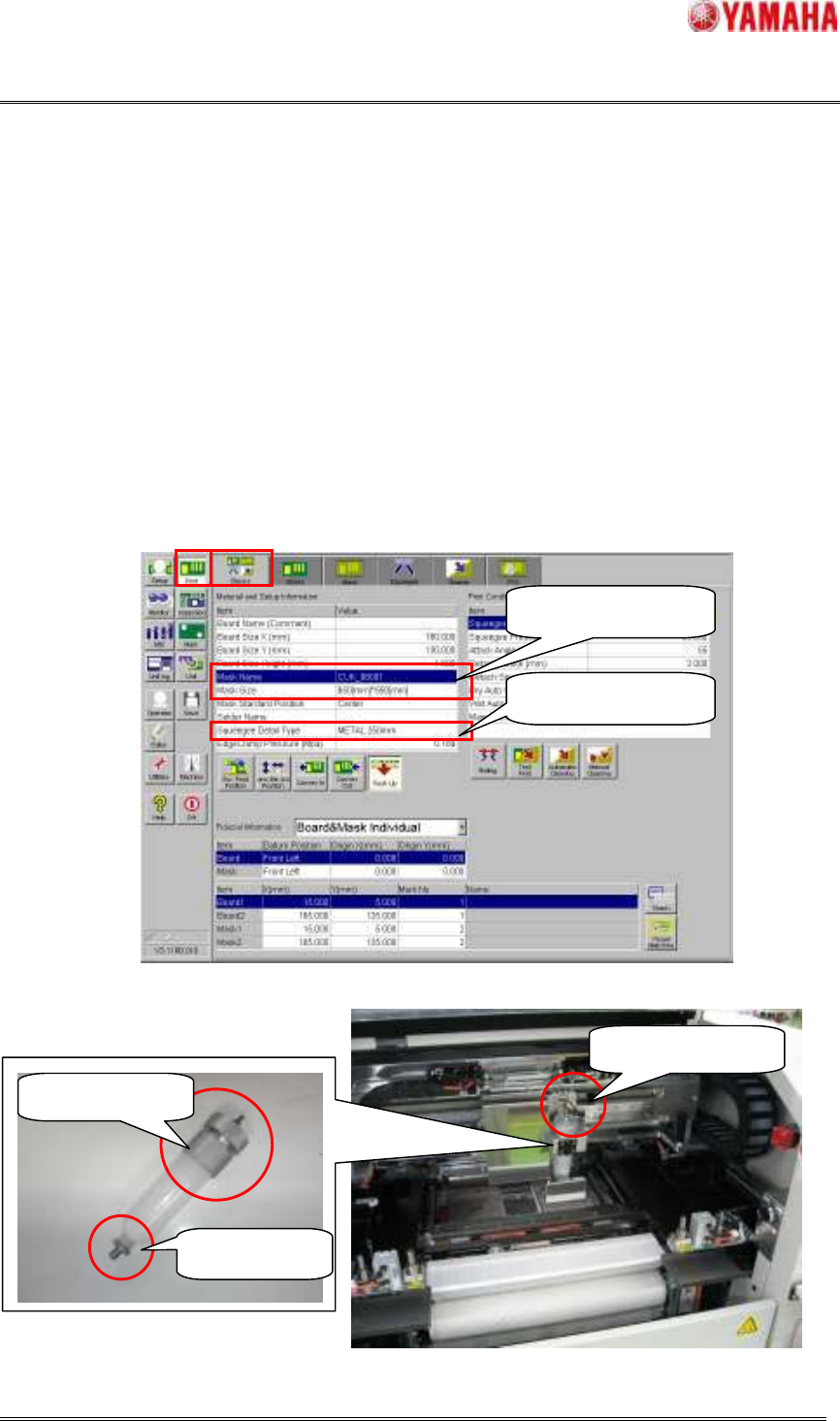
Please prepare the squeegee selected by the "Squeegee Detail Type" in the window of [Print] –
[Basics] or [Print] – [Squeegee] correctly. If not, PSC action is not executed correctly.
Please prepare the mask selected by the "Mask Name" or “Mask Size” in the window of [Print] –
[Basics] or [Print] – [Mask] correctly and insert it to the machine and clamp it. If the Mask Adapter is
used, it is attached first and please clamp the mask.
Please attach the supply nozzle and the attachment to the solder syringe, and attach it in the PSC unit.
Afterwards, please insert the air joint until it clicks.
Fig.5.2 [Print] - [Basic] window
Fig.5.3 Preparing the solder syringe
Confirm the mask
Confirm the squeegee
Supply Nozzle
Attachment
Air Joint
SMT Software Engineering Group
IMOperationsYAMAHAMOTORCO.,LTD.
MDOC-SOFT50033
22/30
STEP3 Confirm supplying the solder and setting of supply pressure
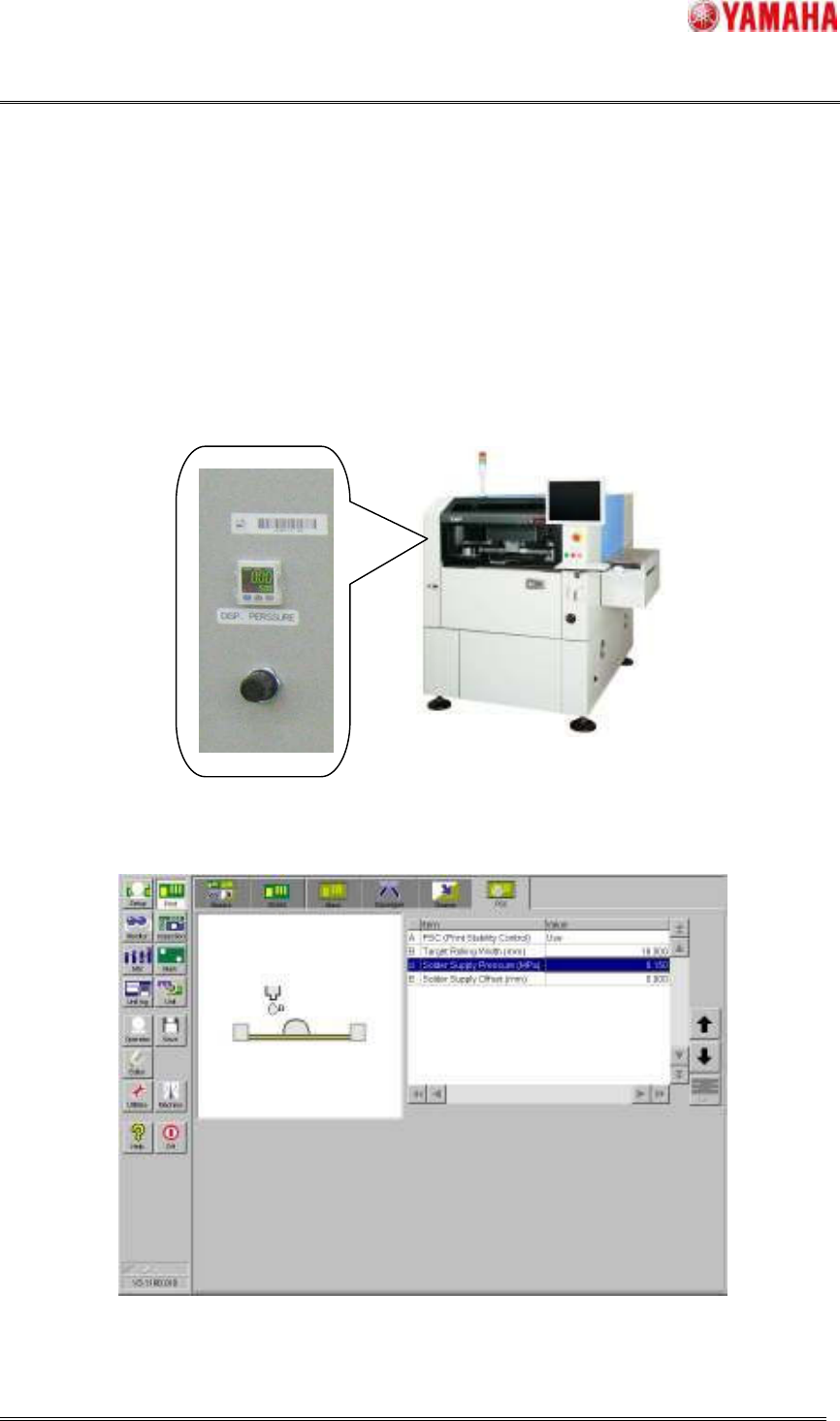
Please adjust the pressure of the air regulator on the front of left cover of the machine according to
“Solder Supply Pressure (MPa)” in the window of [Print] – [PSC].
Please move the PSC unit to space easy to operate on the mask so that the solder doesn't fall in the
machine. And then, please push the “Solder Press” button in [Unit] – [PSC], confirm the solder to
supply from solder nozzle point. If not, return to STEP2, and confirm installation of the solder nozzle,
attachment and air joint and setting supply pressure.
Fig.5.4 The appearance of machine and air regulator
Fig.5.5 Confirm the supply pressure
SMT Software Engineering Group
IMOperationsYAMAHAMOTORCO.,LTD.
MDOC-SOFT50033
23/30
STEP4 Execute the initial solder supply
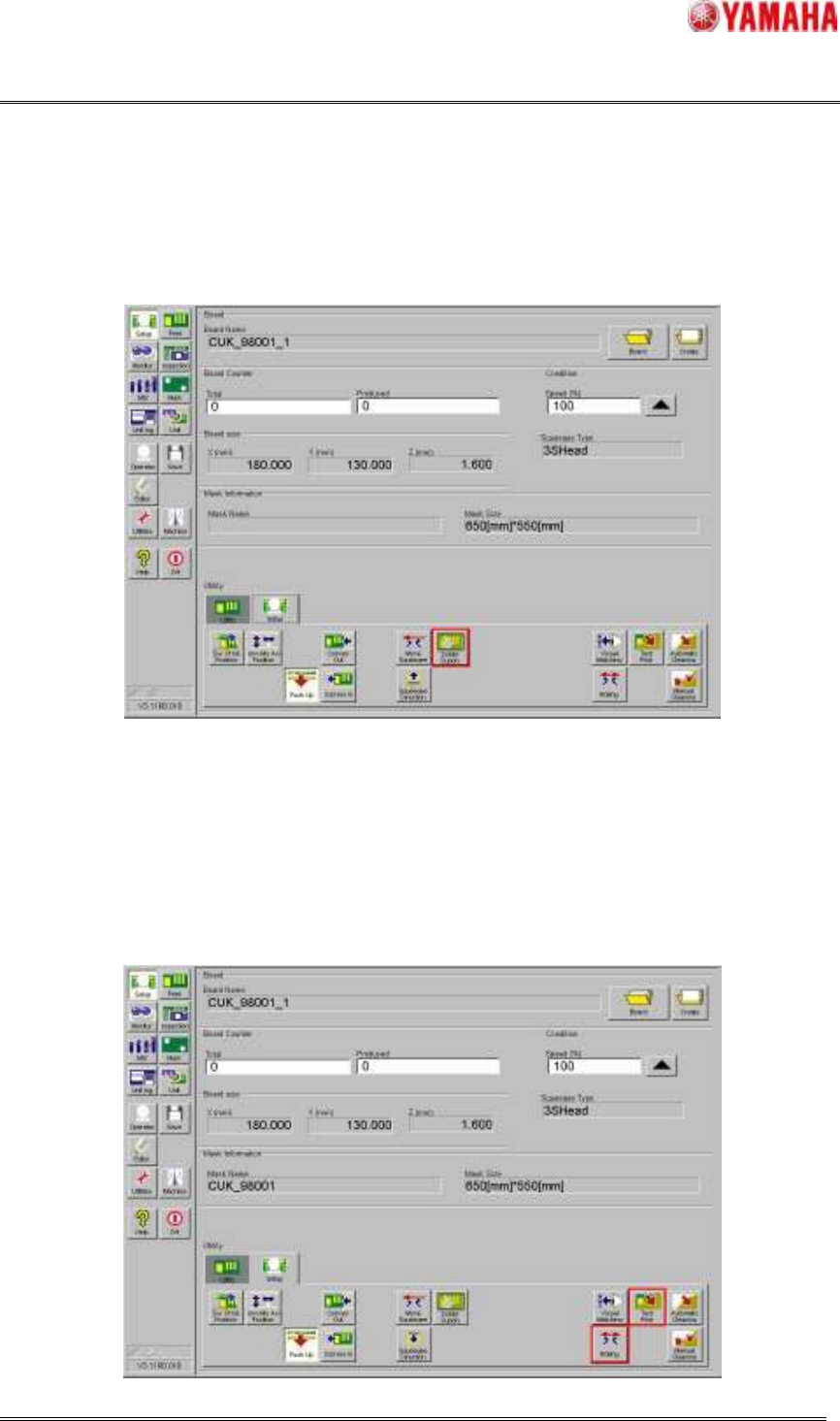
Please execute the initial solder supply by pushing the “Solder Supply” button in [Setup] – [Setup] or
[Unit] – [PSC].
Fig.5.6 The initial solder supply action
STEP5 Execute the Rolling and Test printing
Please execute the Rolling action by pushing the “Rolling” button in [Setup] – [Setup]. At this time,
using board is for the Rolling action. After the Rolling action, please remove the used board.
Please execute the Test-printing by pushing the “Test Print” button in [Setup] – [Setup], and please
decide the printing conditions afterwards.