TM1467_ReleaseNote_PSC乮Print Stability Control乯-SyringeType-Function.pdf - 第4页
SMT Software Engineeri ng Group IMOperationsYAMAHAMOTORCO. ,LTD. MD OC-SOFT50033 4/30 3.1.2 Supply mod e The PSC action has t w o suppl y modes. T hey are the “Inter val” mode and the “Feedba ck” m…
SMT Software Engineering Group
IMOperationsYAMAHAMOTORCO.,LTD.
MDOC-SOFT50033
3/30
And more, PSC function has following functions.
The function to warn the solder in syringe is empty. Please refer to “4.2.1 Solder empty warning
function”.
The function to automatically initially supply the solder on the mask. Please refer to “4.2.3 Initial
solder supply function”.
The function to display the PSC action result transition graph while the Auto-running. Please refer
to “4.2.5 PSC action result output function”.
3. Settings
The settings used to this function are as follows.
3.1 Machine settings
3.1.1 Installation settings
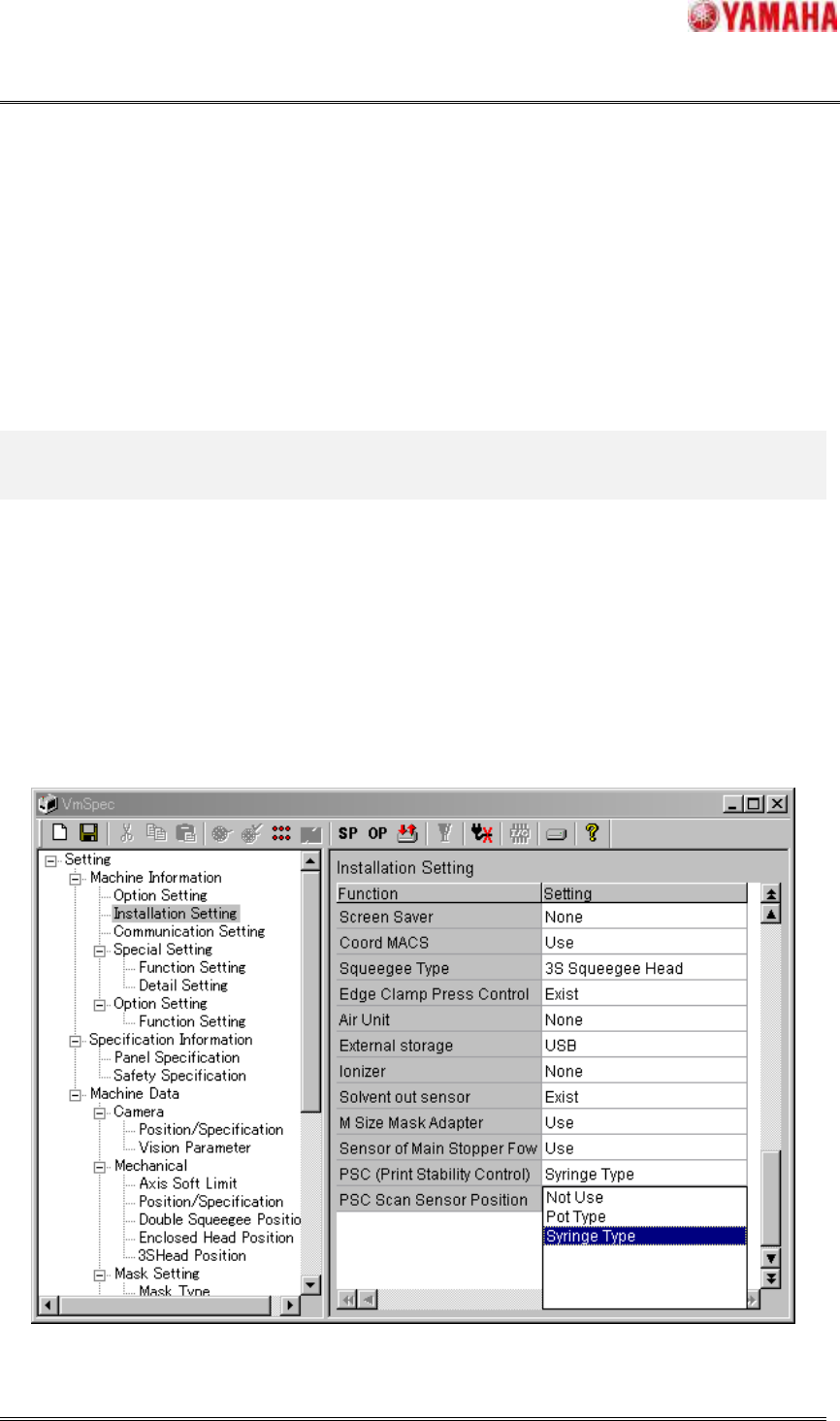
In the window of [Machine] – [Setting] – [Machine Information] – [Installation Setting], please set
the “Syringe Type” in “PSC (Print Stability Control)”. Refer to “Fig.3.1.1.1”.
NOTE: When this setting is changed, please save it and reboot the machine.
Fig.3.1.1.1 Installation setting
SMT Software Engineering Group
IMOperationsYAMAHAMOTORCO.,LTD.
MDOC-SOFT50033
4/30
3.1.2 Supply mode
The PSC action has two supply modes. They are the “Interval” mode and the “Feedback” mode. The
“Interval” mode is the mode that supplies the specified time at the specified interval. The “Feedback”
mode is the mode that automatically calculates the supplying amount to keep a targeted rolling width.
The method of setting the supply mode is described in this section. For details of PSC action, please
refer to “4.1 Operation while the Auto-running and the Rolling”. For more detail parameters of this
function, please refer to “7.2 PSC setting”.
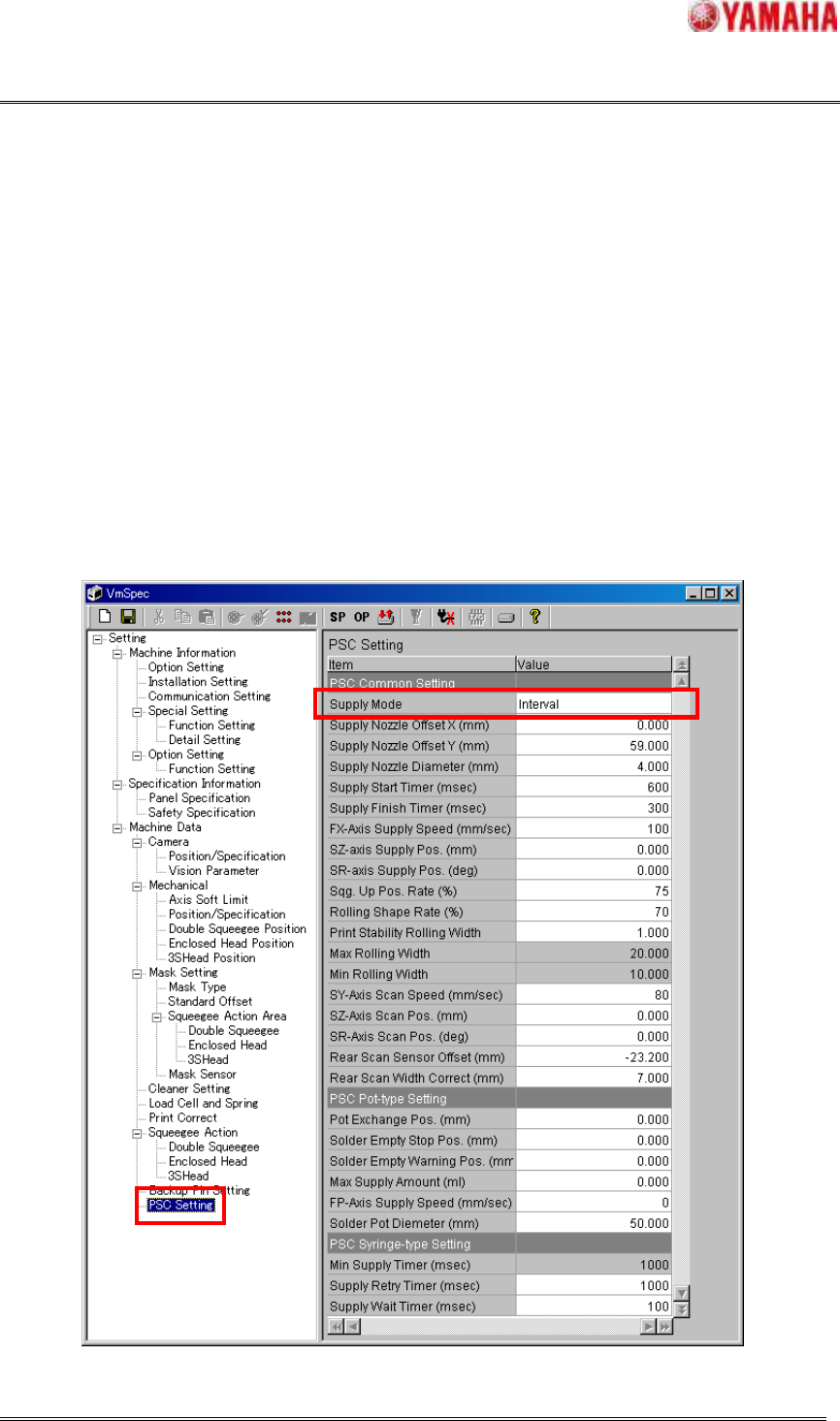
When you enable this function in “3.1.1 Installation Setting”, [PSC Setting] is added in [Setting] –
[Machine Data].
Please select “Supply Mode” from “Interval” and “Feedback” in [PSC Setting] window.
Fig.3.1.2.1 PSC setting
SMT Software Engineering Group
IMOperationsYAMAHAMOTORCO.,LTD.
MDOC-SOFT50033
5/30
3.2 Board data
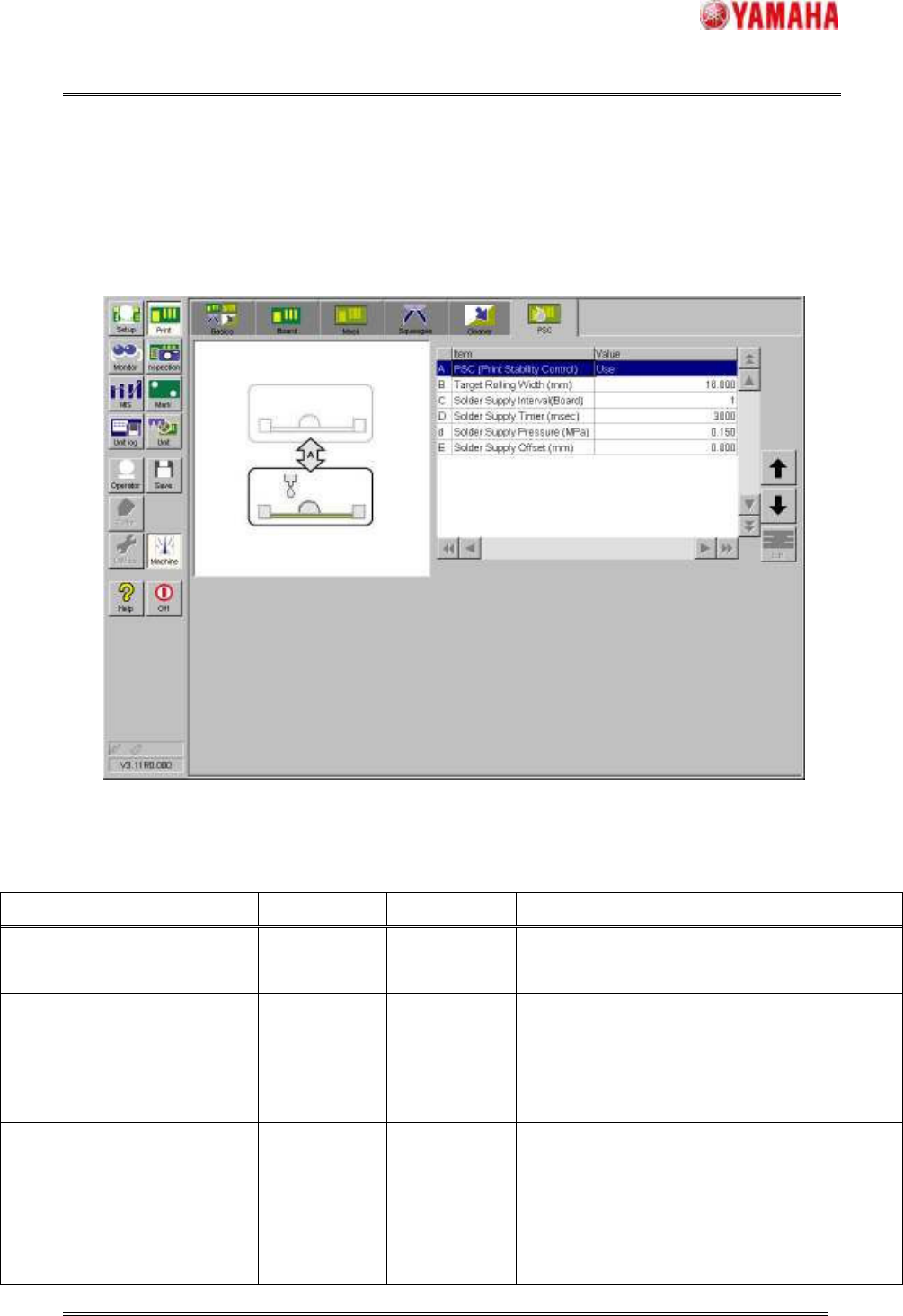
When you enable this function, the [PSC] tab is appeared in [Print] window.
Fig.3.2.1 [Print] - [PSC] tab
Table3.2.2 Parameter of board data
Item Initial Input range Content
PSC (Print Stability Control) Not Use
Not Use / Use Please select the “Not Use” or “Use” of this
function in this board data.
Target Rolling Width (mm) 16.000
0.000~99.999
Please specify the target rolling width.
NOTE: When “Interval” mode is selected, this
parameter is only used to calculate the supply
time in executing solder initial supply.
Solder Supply Interval (Board) 50
0~9999
This is the solder supply interval while the Auto-
running. The solder is supplied only in time
specified as the following "Solder Supply Timer
(msec)" after the board of the number of sheets
specified by this parameter is printed.