OI_WT1_WT1H_supplementary.pdf - 第12页
12 Offset The actual soldering-tip temperature can be adapted by entering a temperature offset around ± 40 °C (± 72 °F). °C °F Changing over the temperature unit. Option Description °C Celsius °F Fahrenheit GB ENGLIS H
11
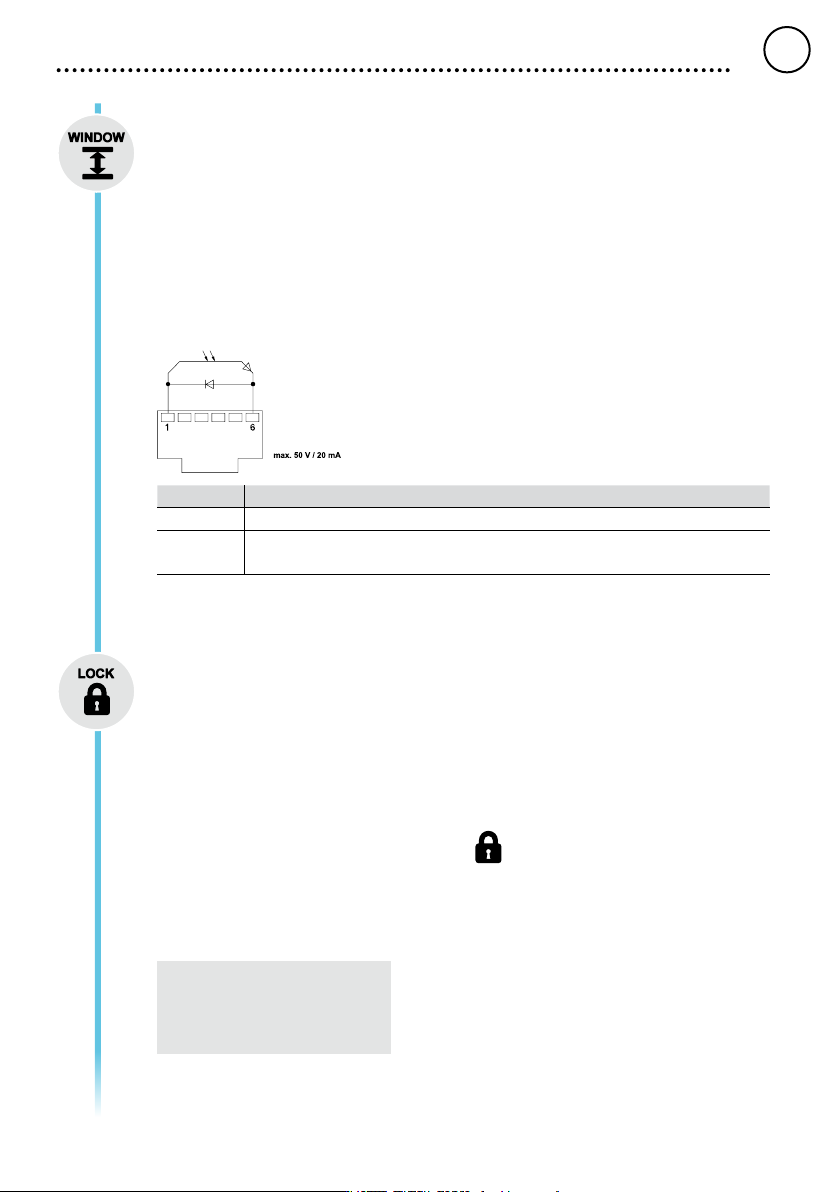
Window function
Option 1 (factory setting):
Set the potential-free switching output to ES FE.
Limiting the adjustment range to ± 1-99 °C (±1-180 °F) based on a temperature locked using the
„LOCK“ function.
The locked temperature therefore represents the middle of the adjustable temperature window.
Option 2:
Set the potential-free switching output to ES rob.
Starting from a set, locked temperature, it is possible to set a temperature window of ± 1-99 °C (±1-
180 °F) using the WINDOW function. If the actual temperature is within this window, the potential-free
contact (optocoupler output) becomes conductive.
Option Description
OFF Window function Deactivated (factory setting OFF)
1-99 °C
1-180 °F
Window function, Individually adjustable
LOCK
Lock for the station. After the station is locked, it is no longer possible to change any device settings.
Exception 1: Fixed temperature buttons activated.
Exception 2: Window function Option 1.
All other settings are disabled until the station is unlocked again.
Locking the station
Set the three-digit locking code of your choice (between 001 and 999) and conrm by pressing the
Menu button.
The lock is active (the display shows a lock symbol).
Unlocking the station
Press the Menu button. ON appears in the display
Set the three-digit locking code.
Press the Menu button to conrm the code.
Forgotten code?
Please contact our Customer
Service: technical-service@weller-
tools.com
GB
ENGLISH
12
Offset
The actual soldering-tip temperature can be adapted by entering a temperature offset around ± 40 °C
(± 72 °F).
°C °F
Changing over the temperature unit.
Option Description
°C Celsius
°F Fahrenheit
GB
ENGLISH
13
Menu 2
Pressing and holding the Menu button (three seconds) takes you to menu 2
Fixed temperatures
Activation of the two xed temperatures which can be individually adjusted.
Option Description
ON Fixed temperatures Activated
OFF Fixed temperatures Deactivated (factory setting)
If the xed temperatures are activated, they can be selected and changed by pressing the UP and
DOWN buttons.
Backlighting
Option Description
0-100% LCD-Brightness (factory setting 80%)
Floating switching output
Selection of Zero-Smog output or robot output
Option Description
ES FE Zero-Smog output activated (factory setting)
ES rob Robot output activated
Sensitivity
Option Description
1
Non-Sensitive – Reacts to heavy (long) movement
2
3 Standard (factory setting)
4
5 Sensitive - Reacts to light (short) movement
GB
ENGLISH
1
3
2
5
4