OI_WT1_WT1H_supplementary.pdf - 第14页
14 2 1 3 Example Zero-Smog output conguration GB ENGLIS H
13
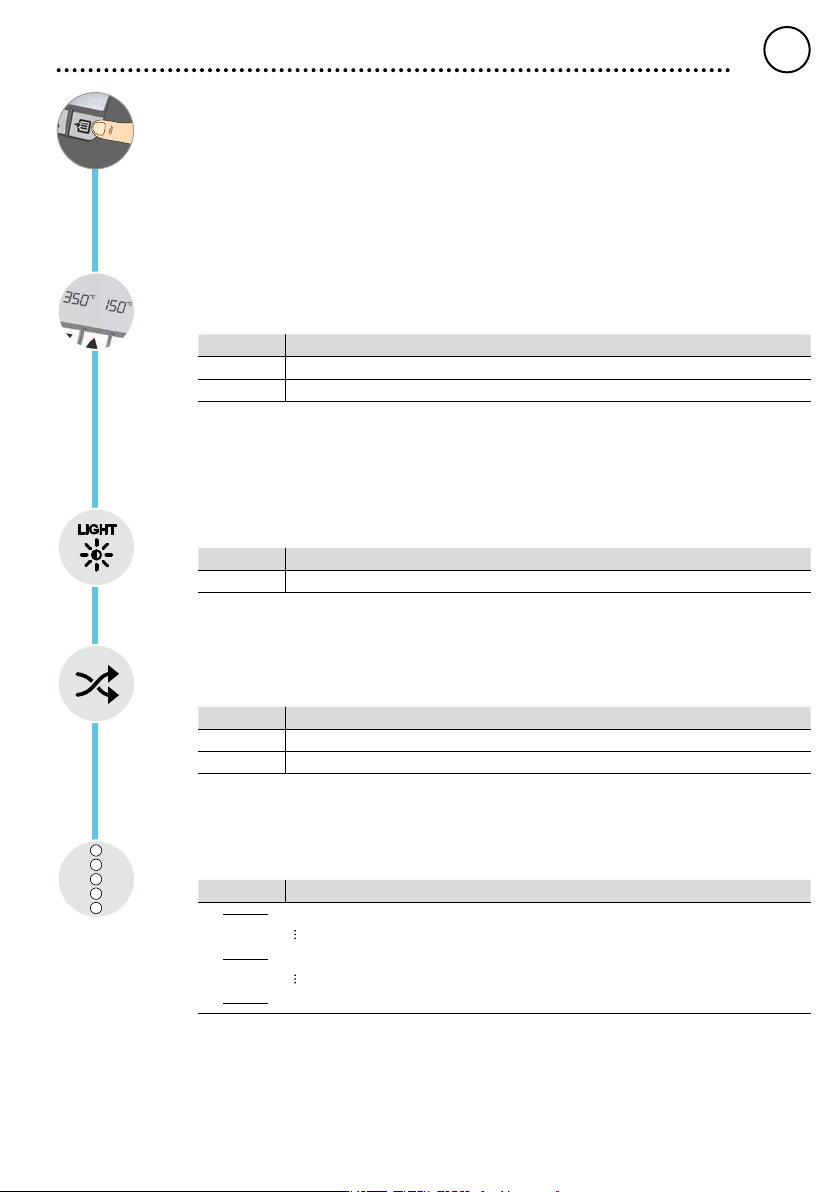
Menu 2
Pressing and holding the Menu button (three seconds) takes you to menu 2
Fixed temperatures
Activation of the two xed temperatures which can be individually adjusted.
Option Description
ON Fixed temperatures Activated
OFF Fixed temperatures Deactivated (factory setting)
If the xed temperatures are activated, they can be selected and changed by pressing the UP and
DOWN buttons.
Backlighting
Option Description
0-100% LCD-Brightness (factory setting 80%)
Floating switching output
Selection of Zero-Smog output or robot output
Option Description
ES FE Zero-Smog output activated (factory setting)
ES rob Robot output activated
Sensitivity
Option Description
1
Non-Sensitive – Reacts to heavy (long) movement
2
3 Standard (factory setting)
4
5 Sensitive - Reacts to light (short) movement
GB
ENGLISH
1
3
2
5
4
14
2
1
3
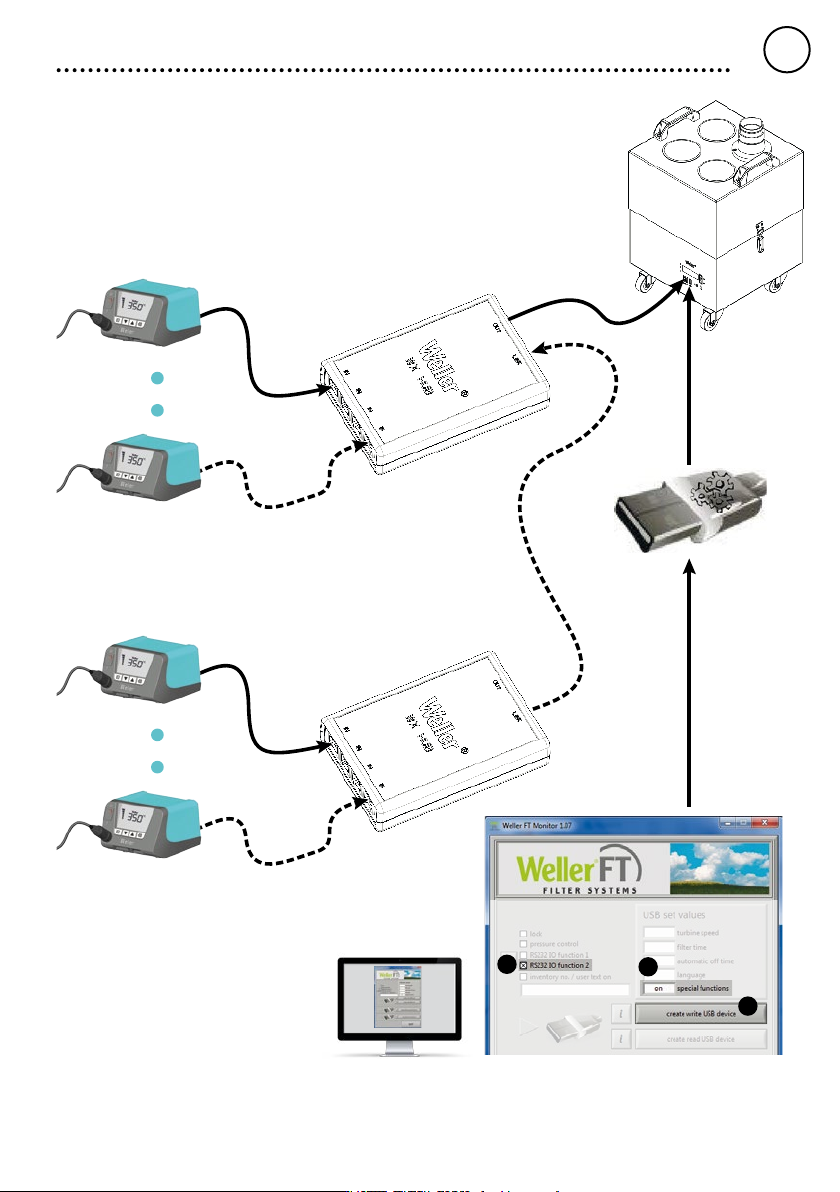
Example
Zero-Smog output conguration
GB
ENGLISH
15
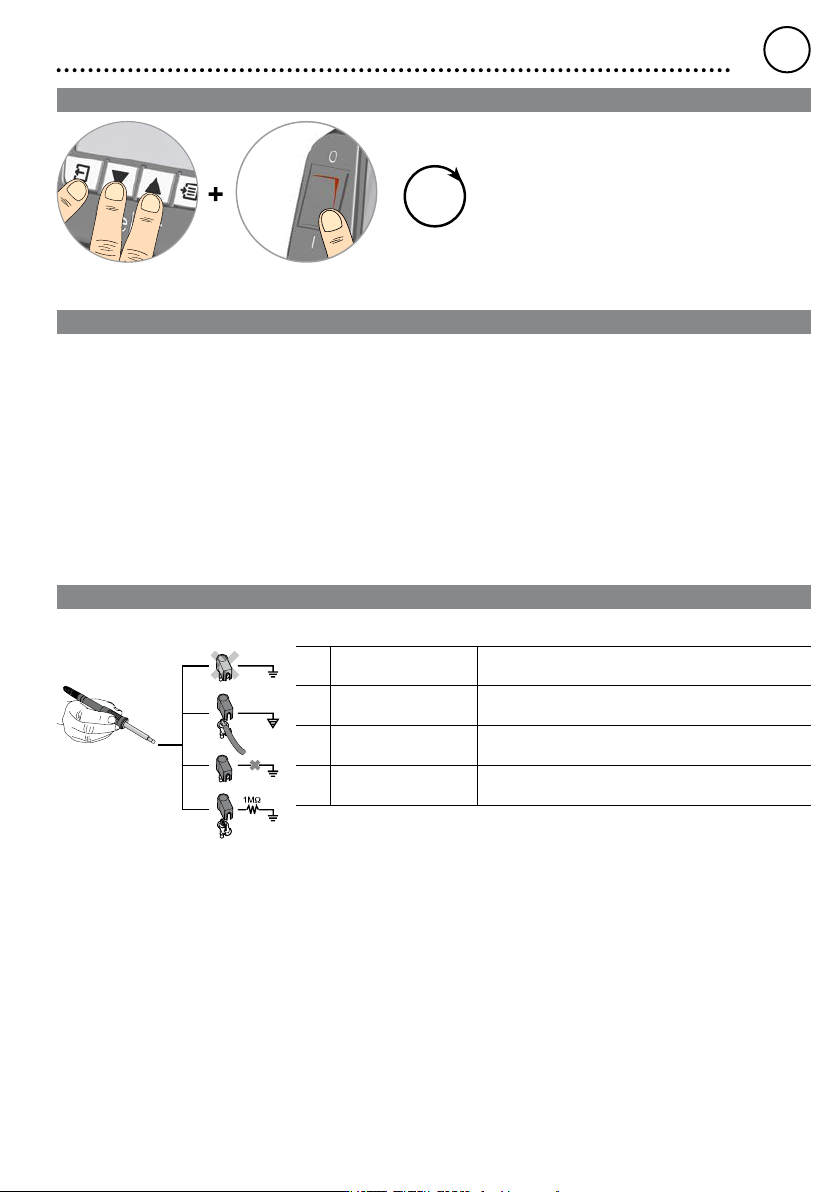
Resetting to factory settings
3
sec
When switching on: Press and hold Exit, UP and DOWN for three seconds
Tool recognition and overload limiting
The WT 1 and WT 1H have automatic tool recognition which assigns the relevant control parameters to the connected tool.
To prevent overloading a station, only compatible tools are supported:
WT 1 max. 90 W:
WSP 80, WP 80, WTP 90, WP 65, WST 82, WSB 80, WHP 80, WTA 50, LR 21, MPR 80, WMP, FE 75
WT 1H max. 150 W (200 W):
WSP 80, WP 80, WTP 90, WP 120, WSP 150, WP 200*,
WP 65, WST 80, WSB 80, WSB 150, WHP 80, WTA 50, LR 21, MPR 80, WMP, FE 75
*Maximum power 150 Watt
Equipotential bonding
a
b
c
d
Four variants are possible by connecting the 3.5 mm jack socket differently:
a Hard-grounded supplied without plug.
b Equipotential bonding with plug, equaliser at centre contact.
c Floating with plug
d Soft-grounded with plug and soldered resistor. Grounded through
selected resistor.
GB
ENGLISH