00195679-02_AI_XPS_DE+EN.pdf - 第79页
21 Assembly Instructions 5 Mounting the XPS SIPLACE X-Series Productivity S huttle T ype I/II 5.1 Power Supply 5 Mounting the XPS DANGER Prior to starting work, verify that the SIPLACE X-Series a nd the XPS are switched …
4 Installation of the XPL Assembly Instructions
4.3 Aligning the XPL SIPLACE X-Series Productivity Shuttle Type I/II
20
21
Assembly Instructions 5 Mounting the XPS
SIPLACE X-Series Productivity Shuttle Type I/II 5.1 Power Supply
5 Mounting the XPS
DANGER
Prior to starting work, verify that the SIPLACE X-Series and the XPS are switched off and
disconnected from the power supply system.
5.1 Power Supply
ATTENTION 5
Verify that the furnished power supply is compatible with the conditions at the installation site for
all Productivity Shuttles (XPS) to be installed.
The circuit diagram for each XPS is applicable in this regard.
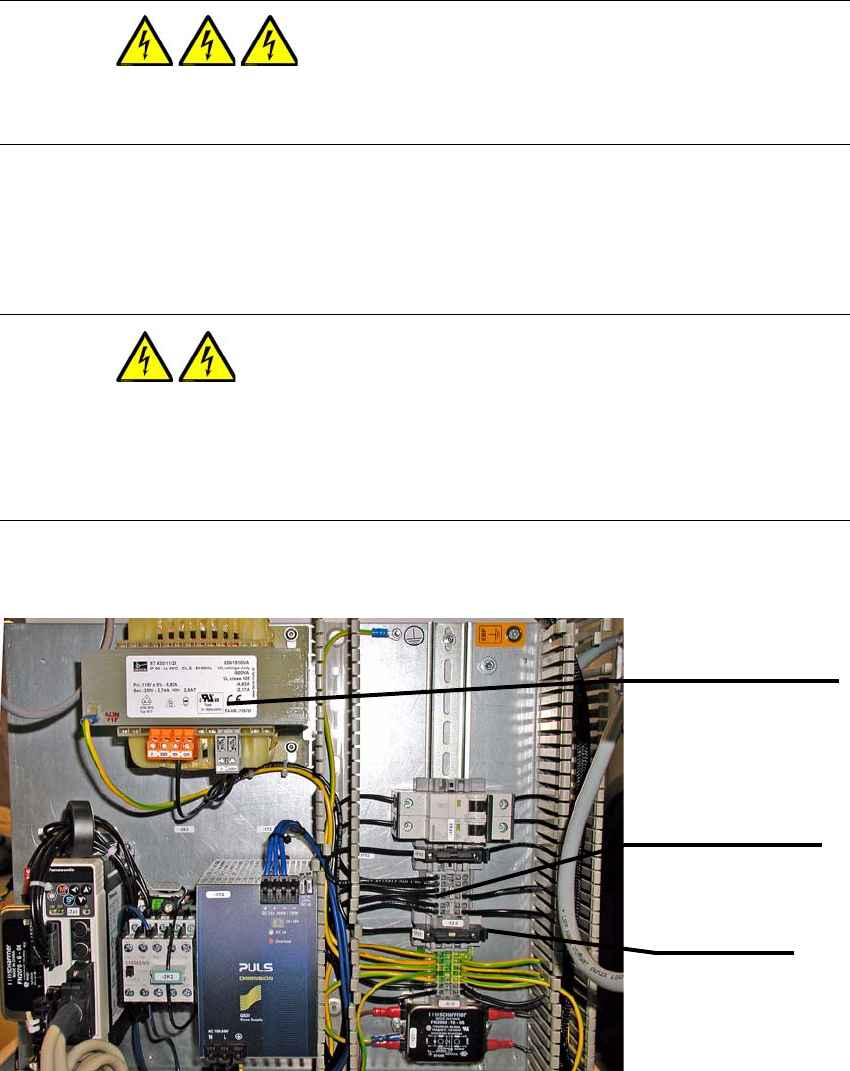
The figure below shows the wiring for the 230 V secondary voltage.
Terminal strip -X2.0
Terminals 1 to 6
Fuse -1F01
Fuse
Transformer -1T1
ST630-11-23 / 115 V AC
5 Mounting the XPS Assembly Instructions
5.1 Power Supply SIPLACE X-Series Productivity Shuttle Type I/II
22
5.1.1 Converting to 115 V Secondary Voltage
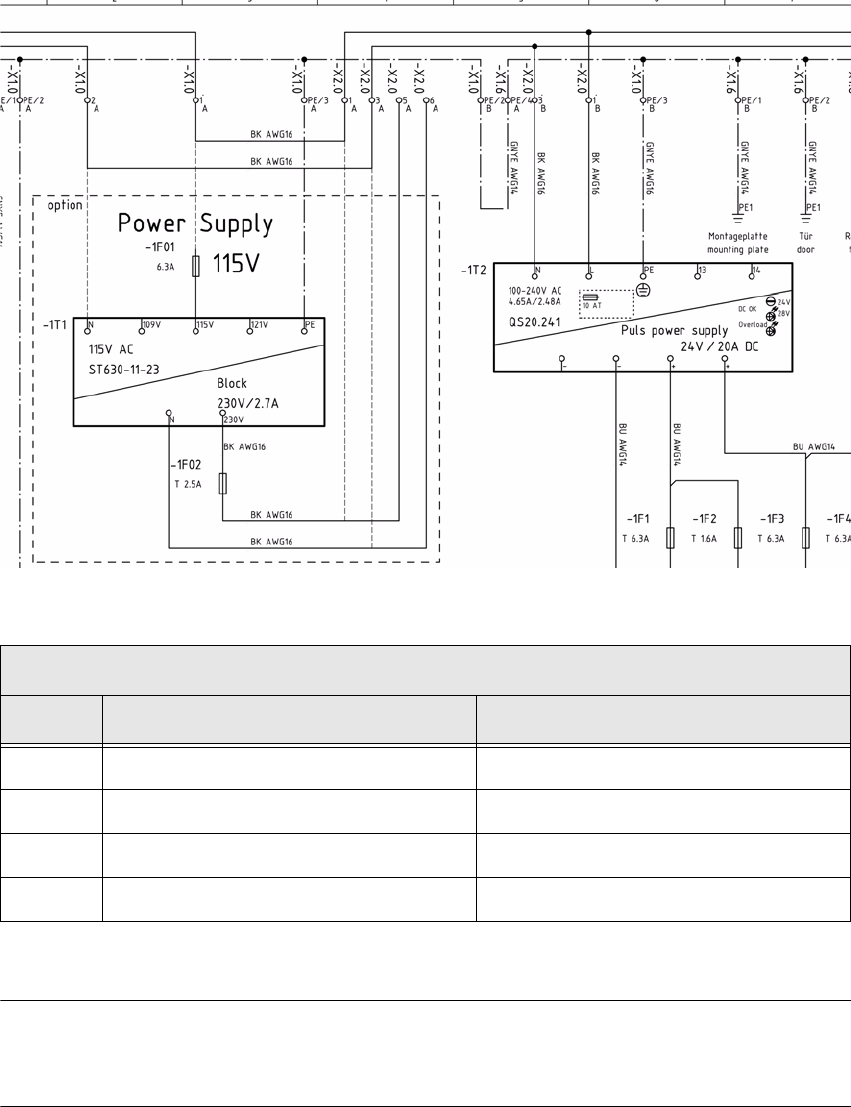
The figure below shows only a section of the circuit diagram. To convert from 230 V to 115 V, refer
to the applicable circuit diagram for the machine.
NOTE 5
For conversion to 115 V, a suitable power plug for the country must be used.
Changing the terminal connections
Step From To
1 Terminal strip -X2.0, Terminal 1 Fuse -1F01
2 Terminal strip -X2.0, Terminal 3 Transformer -1T1, N
3 Terminal strip -X2.0, Terminal 5 Terminal strip -X2.0, Terminal 1
4 Terminal strip -X2.0, Terminal 6 Terminal strip -X2.0, Terminal 3
Table: Converting to 115 V secondary voltage