Flexicut 英文 操作说明书.pdf - 第13页
FL E XIC UT U se r' s G ui de Version 2 12 Take off the screen b y pus hing the yellow push-button and by pulling the bl o ck at the same time. Put the wires thr ough the hole of the screen h older.
FLEXICUT User's Guide
Version 2
11
Setting up the machine
The machine is delivered with its cover closed on a wooden pallet covered with a strapped carton.
Cut the strapping and remove the carton as well as the packing foam.
The packing material must be discarded according to the rules in effect.
Inspect the FLEXICUT. If any damage occurred during transport, please inform us immediately.
Check that the machine as well as its accessories agree with the delivery slip.
Install the machine on a stable workstation.
Check if the voltage indicated on the machine's conformity plate corresponds to
the mains voltage.
Setting up the screen
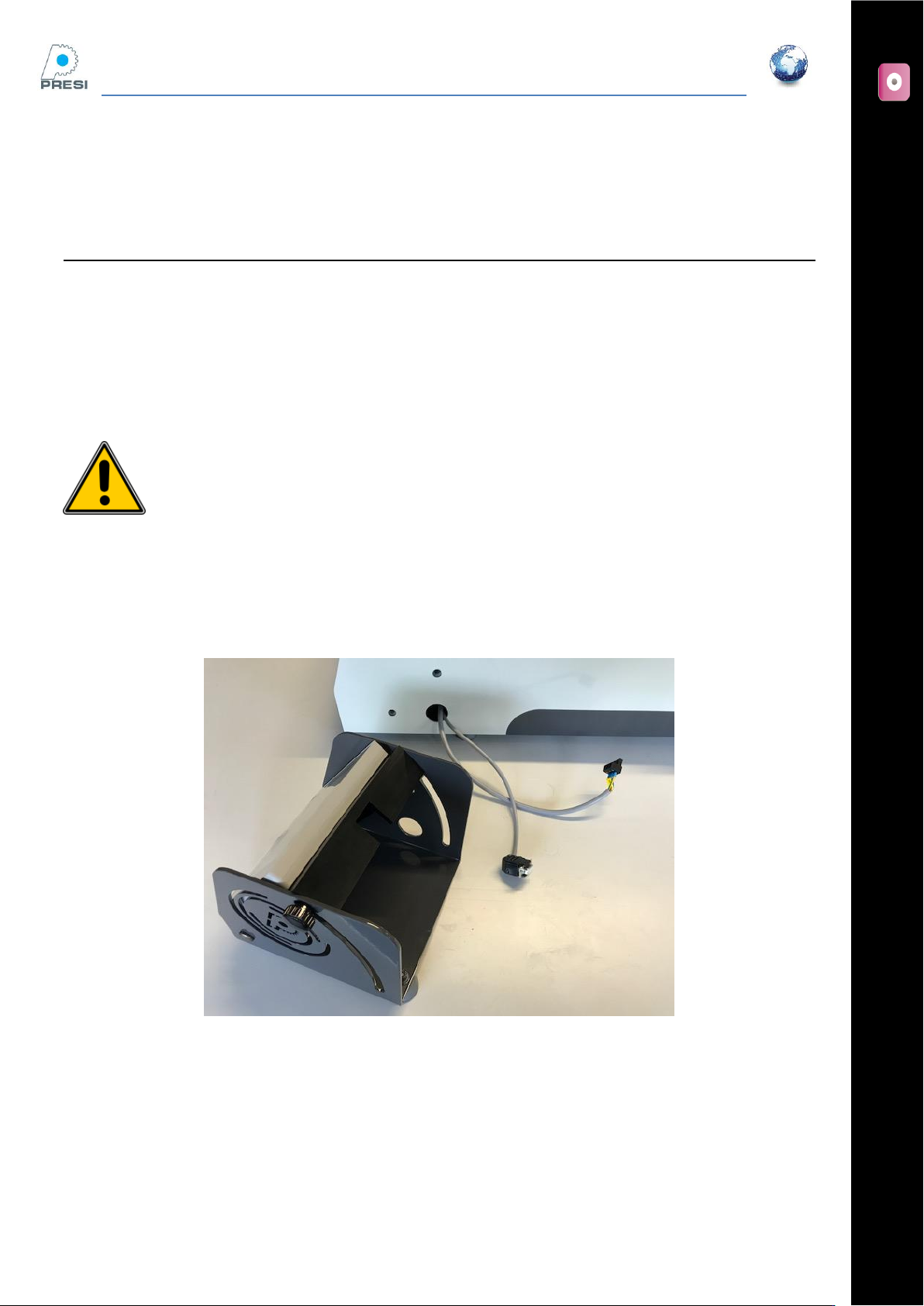
The FLEXICUT is delivered with the screen separately.
WARNING
FLEXICUT User's Guide
Version 2
12
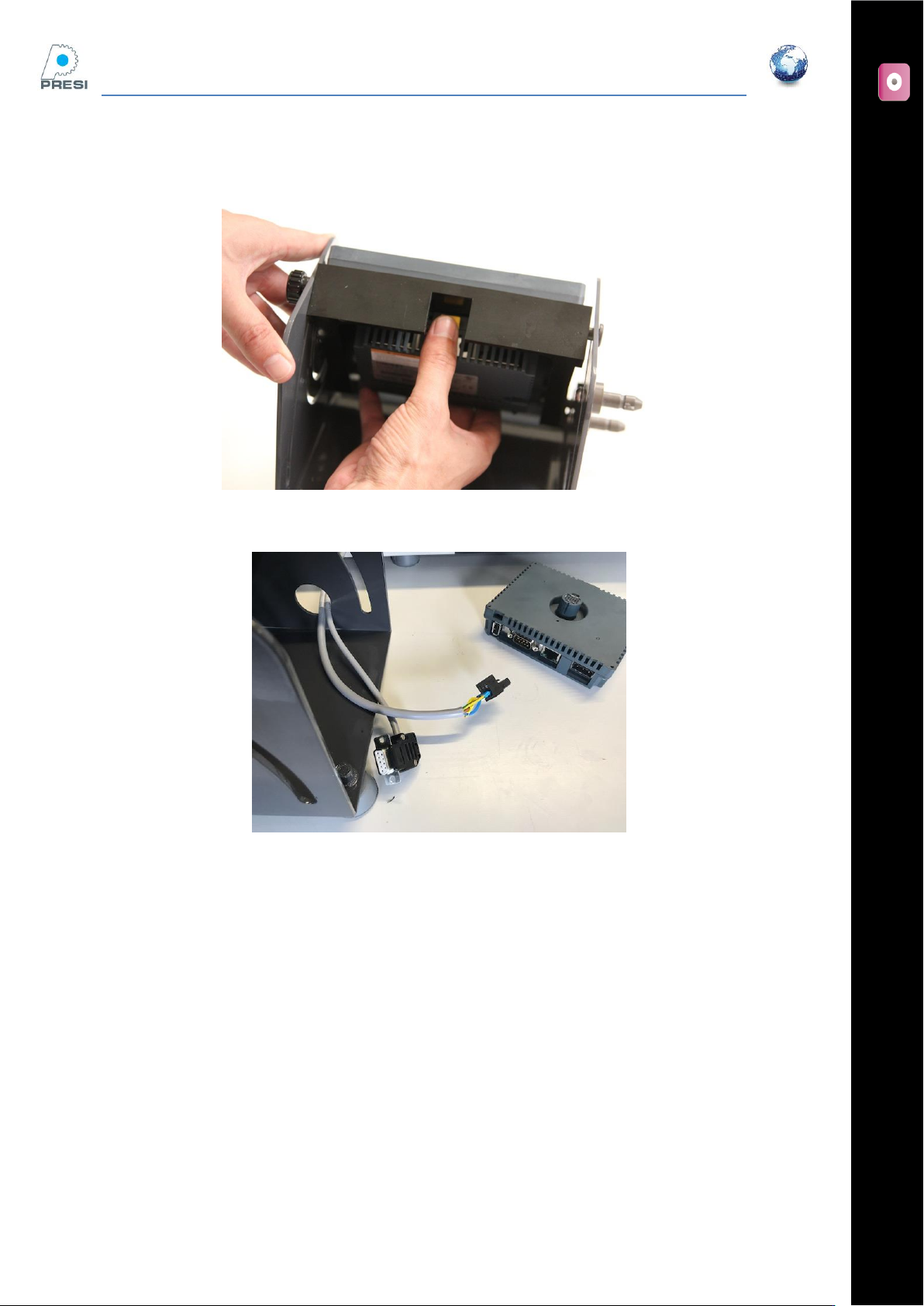
Take off the screen by pushing the yellow push-button and by pulling the block at the same time.
Put the wires through the hole of the screen holder.
FLEXICUT User's Guide
Version 2
13
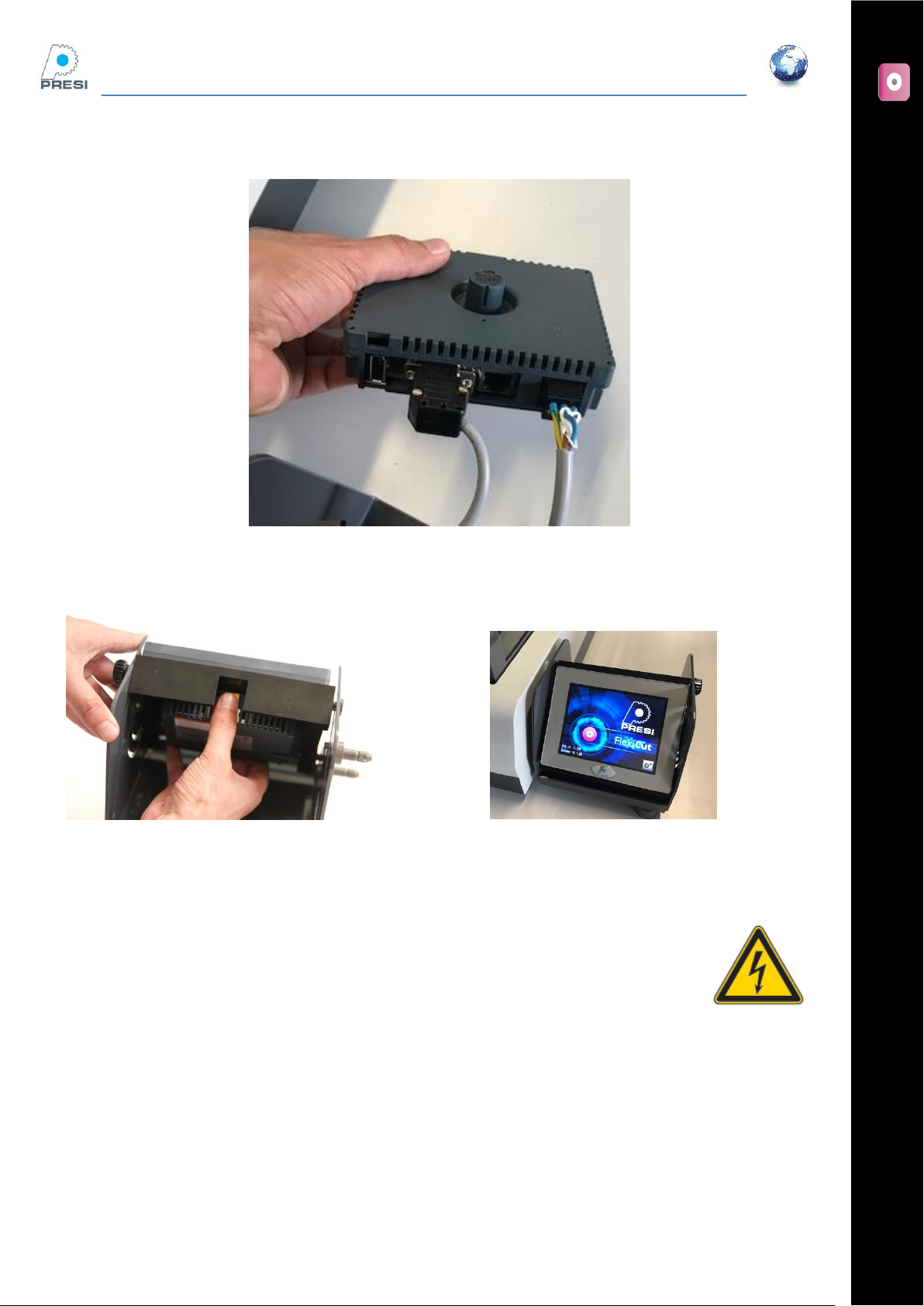
Connect the two connectors to the screen block
Fit together the screen block and the screen on the machine
Connections
Check the electrical supply voltage. Depending your configuration, this machine requires a
220 V or 110 V supply.
Lubricant
Fill the tank with water + 4% antirust cooling fluid (fill level is just below the stainless steel grid)
Important note : the use of a non PRESI cooling fluid can damage the paint, the screen, and seals. This will
invalidate the machine warranty/guarantee.