Flexicut 英文 操作说明书.pdf - 第9页
FL E XIC UT U se r' s G ui de Version 2 8 Gener al Desc rip tion

FLEXICUT User's Guide
Version 2
7
Pieces supplied ................................................................................................................................................... 15
Test of proper operation .................................................................................................................................... 15
USING YOUR MACHINE ................................................................................................................................ 16
Clamping ............................................................................................................................................................. 16
Mounting a cutting wheel (maximum Ø200 mm).............................................................................................. 18
SCREEN : HOME PAGE ................................................................................................................................ 19
SETTINGS ............................................................................................................................................... 19
Machine Choice .................................................................................................................................................. 20
Password activation/modification ...................................................................................................................... 20
CUTTING .................................................................................................................................................. 21
FLEXICUT MODE (NO TABLE INSTALLED) ......................................................................................................... 22
Introduction to the precision cutting page ......................................................................................................... 22
How to use the arm ............................................................................................................................................ 23
MOVABLE TABLE ........................................................................................................................................ 25
Installing the table .............................................................................................................................................. 25
Select the corresponding option in the parameters page .................................................................................. 26
Cutting page ........................................................................................................................................................ 27
Clamping possibilities on this table .................................................................................................................... 28
Cutting your sample ............................................................................................................................................ 28
FIXED TABLE MODE .................................................................................................................................... 29
Bath cooling ........................................................................................................................................................ 29
Table installation................................................................................................................................................. 29
Select the right option on the parameter page .................................................................................................. 30
Cutting page ........................................................................................................................................................ 30
Part positioning ................................................................................................................................................... 30
Cutting the part................................................................................................................................................... 31
CLEANING ...................................................................................................................................32
MAINTENANCE ................................................................................................................................ 33
USEFUL CONTACTS ..........................................................................................................................33
FLEXICUT User's Guide
Version 2
8
General Description

FLEXICUT User's Guide
Version 2
9
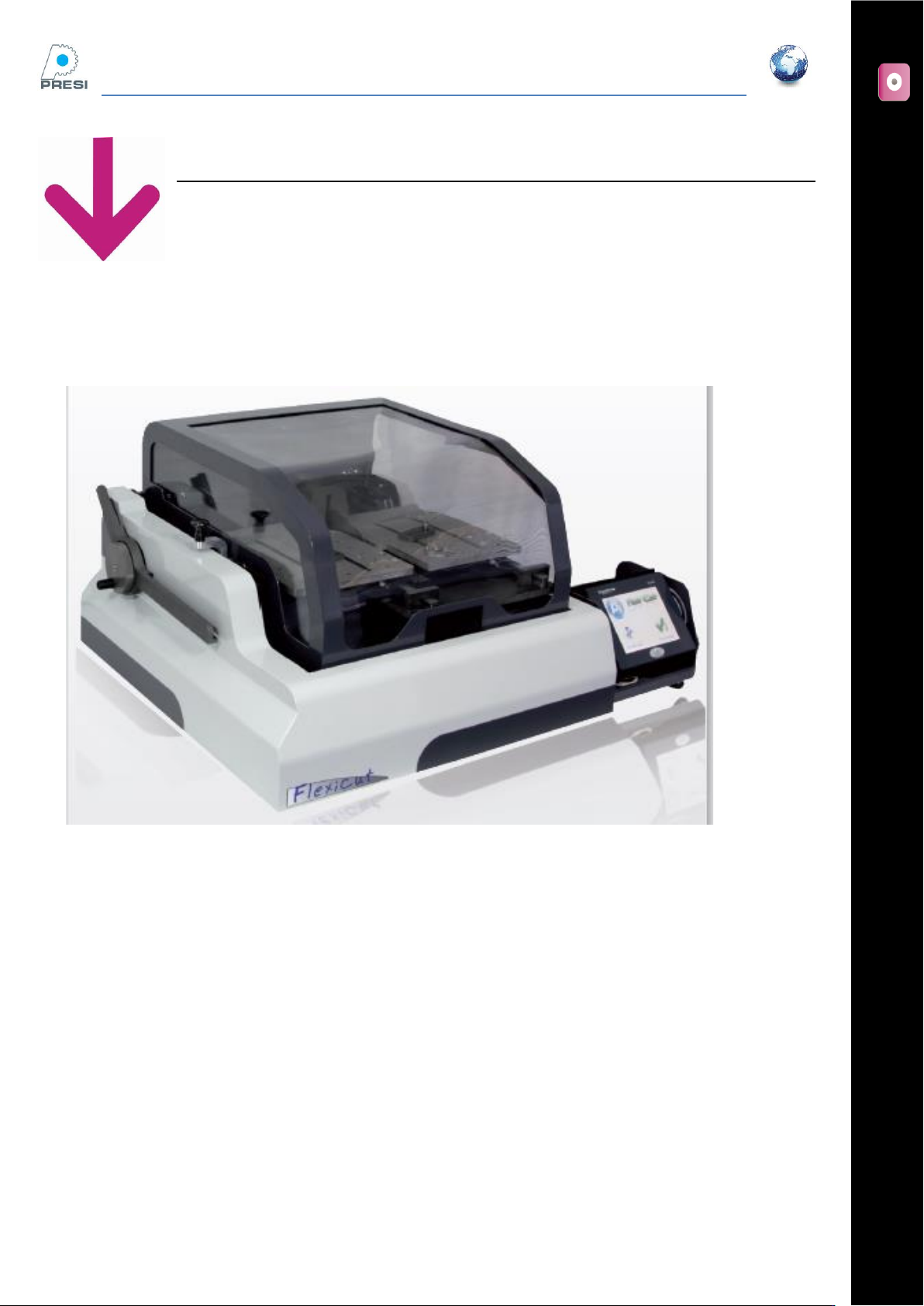
The Flexicut is a Precision Micro Cutter. It enables metallographic quality cuts to be made in any material for
research or industrial quality control. Flexicut is a flexible cutter, with options for use as a PCB dedicated
table saw, a table saw for any flat material sectioning or as a standard counter balanced arm precision cutter.
The robust body construction is designed for reproducible and precise control of the cutting process .
Operation of the machine is very simple, using the tactile screen and its easily interpreted icons.
The Flexicut benefits from several settings and a comprehensive range of accessories.
The tilting arm which benefits from lateral and rotation adjustment is terminated by a sample holder. Using
this sample holder, cuts can be undertaken at any angle. A limit micro-switch stops the machine when the
cut has reached the end.
The Flexicut accepts abrasive, CBN & diamond wheels from 75mm to 200 mm diameter.
Technical characteristics
Power :
Power : 575 W
Power supply : 220V or 110V
Dimensions
Width : 775 mm
Depth : 640 mm
Height (hood close) : 365 mm
Height (hood open) : 775 mm
Weight : 52 Kg
Wheel Rotation speed :
300 to 2500 RPM (Low speed Kit 20 to 300 RPM)
Lateral arm
Lateral arm movement is controlled by a hand wheel & can be set at a zero (datum position) on the touch
screen (100 mm stroke – accuracy 1 µm)
Option :
Forward movement stage for PCB Cuts (# 51801)
Fixed stage for PCB cuts (# 51802)
Cutting capacity
The diagram below is provided for the purposes of information. It shows the maximum theoretical capacity
of your FELXICUT. This diagram does not take the wear of the wheel during cutting into account.