Flexicut 英文 操作说明书.pdf - 第20页
FL E XIC UT U se r' s G ui de Version 2 19 Screen : Home Page Switch on the ma chine by pressing on the O/I switch on the back of th e m achin e (machine should be plu gged in). After a short delay , the screen will…
FLEXICUT User's Guide
Version 2
18
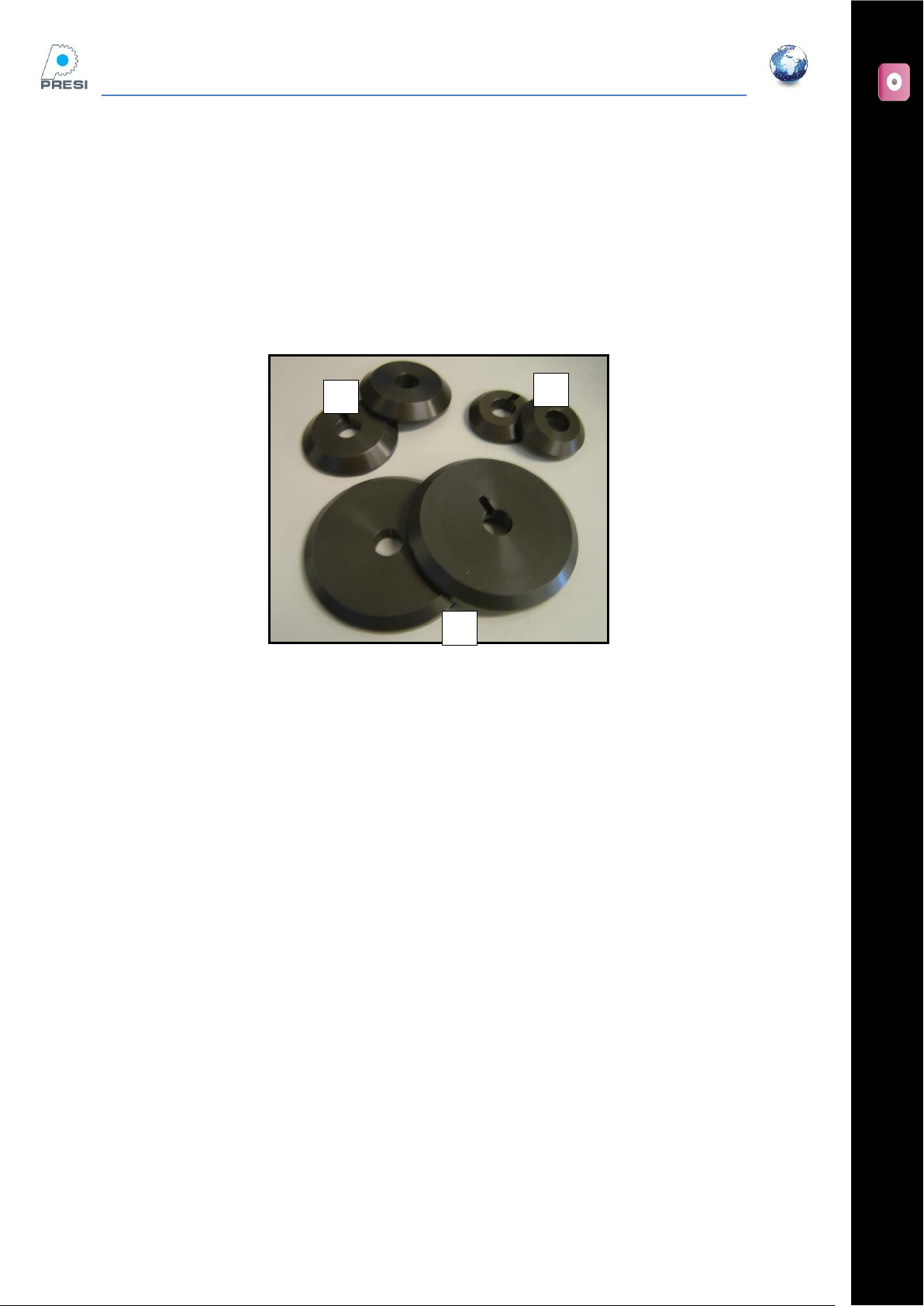
Mounting a cutting wheel (maximum Ø200 mm)
Mount the back flange, ensure correct allignment of the positioning pin. Use the
appropriate flange size for the wheel diameter.
For resinoid (abrasive)discs, the use of paper rings between the wheel and the flanges is
recommended.
Put the wheel in place on the shaft with the reduction ring if needed
Then the second paper ring, the front flange, and nut.
Tighten the nut (anti-clockwise) with care
A: Flange Ø35 mm (ref 51710)
B: Flange Ø50 mm (ref 51711)
C: Flange Ø75 mm (ref 51712)
NB : If you use a 200 mm diameter cutting wheel, you must remove the grid on the bottom of the tank.
A
B
C
FLEXICUT User's Guide
Version 2
19
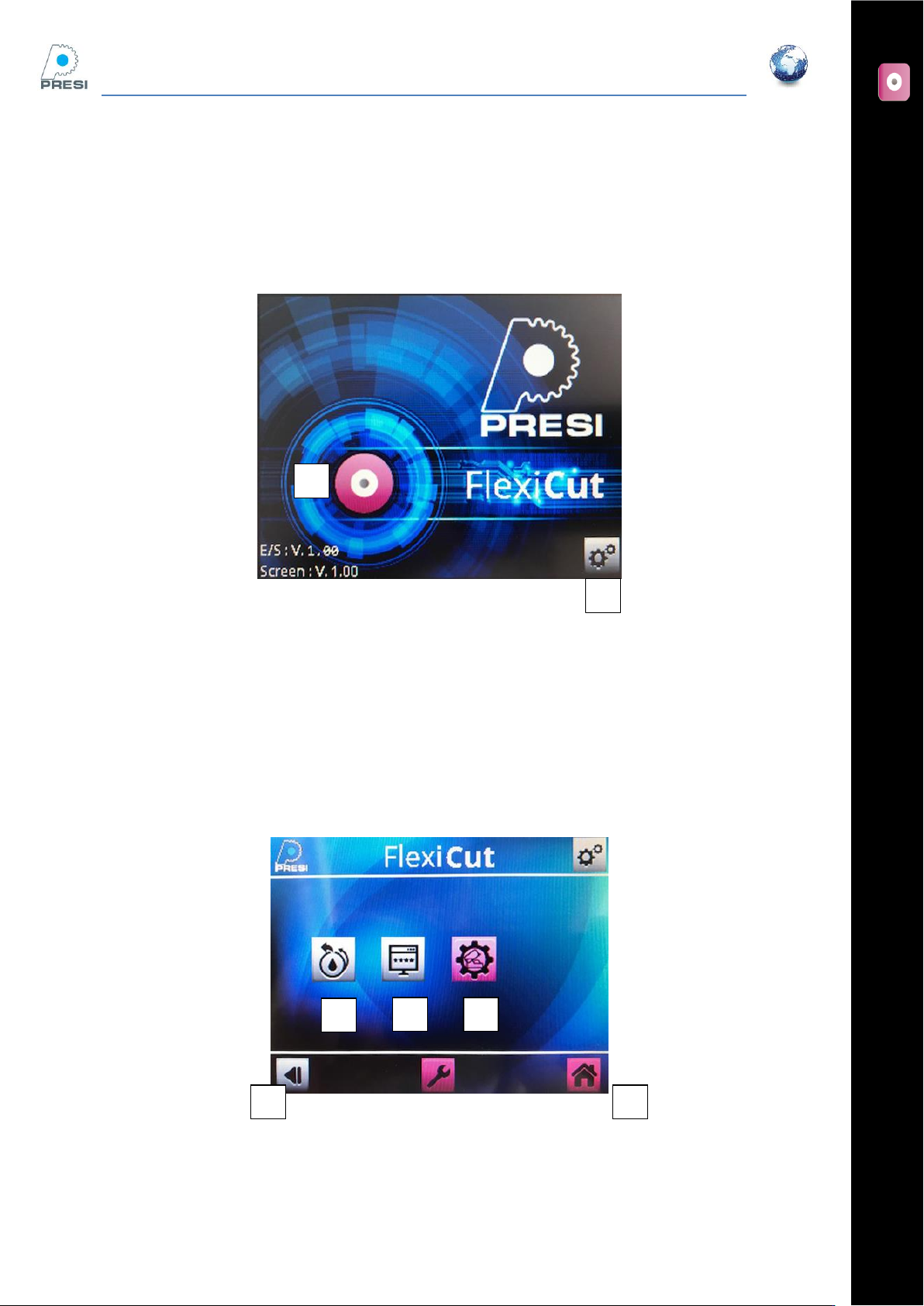
Screen : Home Page
Switch on the machine by pressing on the O/I switch on the back of the machine (machine should be plugged
in). After a short delay, the screen will turn on and display the page below.
A : Cutting menu
B : Parameters menu
SETTINGS
When selecting settings, you have to enter the machine code (the factory password is 1234). When the code
is validate, the screen below appears.
A : Back to the previous screen
D : Machine’s code activation and
B : Back to the home screen
E : choice of type of machine
C : Clean system activation (cf. chapter on cleaning)
A
B
B
C
D
E
A
FLEXICUT User's Guide
Version 2
20
You can go back to the previous screen by pressing button “A” and go back to the home screen by pressing
button “B”.
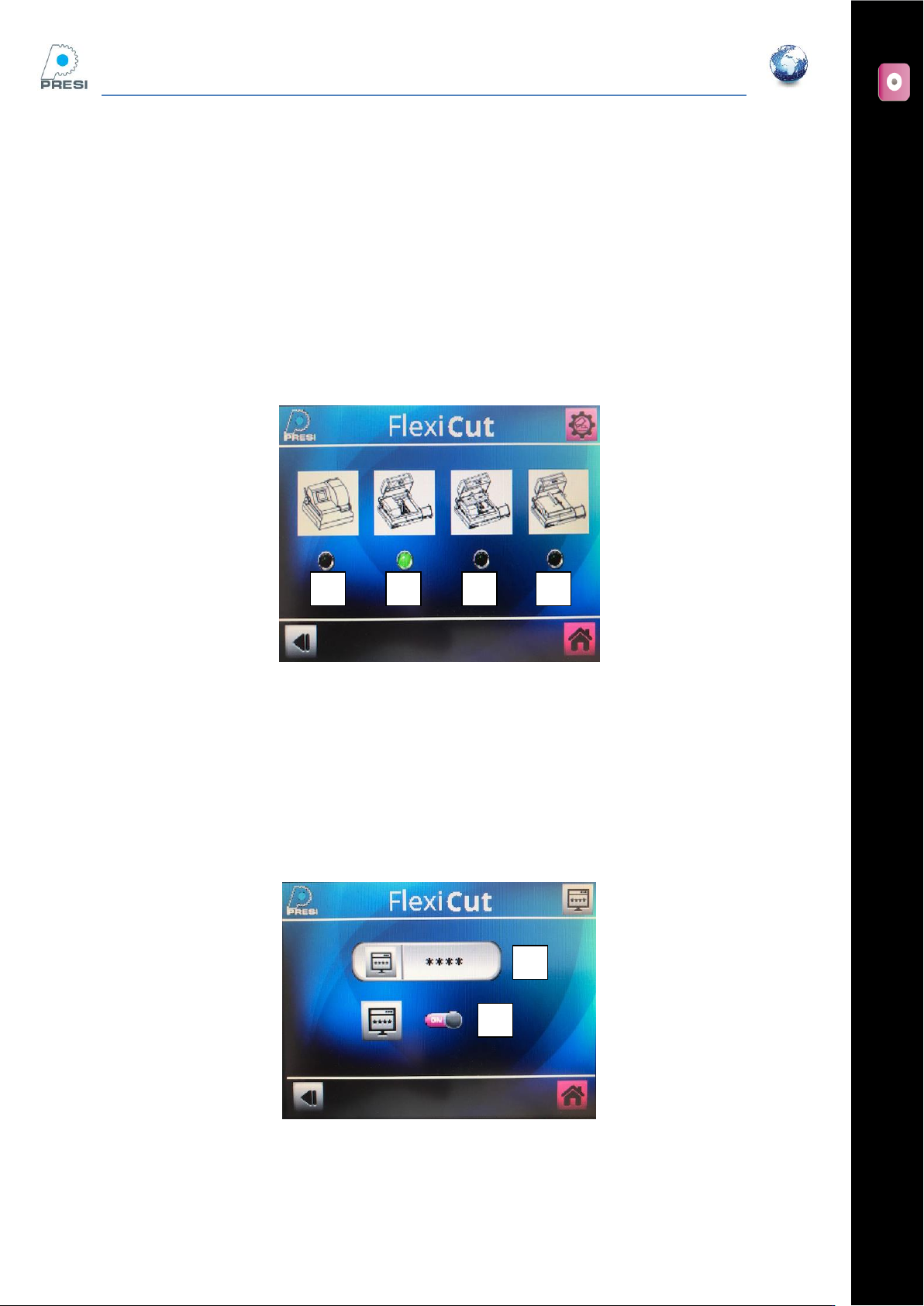
Machine Choice
You should select the working mode of the machine corresponding to the options installed.
If none of the extra tables are used, then select « A ». If the moving table (ref: 51801) is installed, select “B”.
If a fixed flat table (ref : 51802) is installed, then select “C”.
The “D” option is for the MECATOM T180.
Password activation/modification
You can lock the machine with a password. If you want activate or disactivate the code on your machine,
switch button “B”
To modify the code, press “A”. The screen below appears.
A
B
B
A
C
D