Flexicut 英文 操作说明书.pdf - 第22页
FL E XIC UT U se r' s G ui de Version 2 21 Enter the new c o de and pr ess “Enter”. Cutting From the home s creen, select “A” to reach the cutting parameters. A B
FLEXICUT User's Guide
Version 2
20
You can go back to the previous screen by pressing button “A” and go back to the home screen by pressing
button “B”.
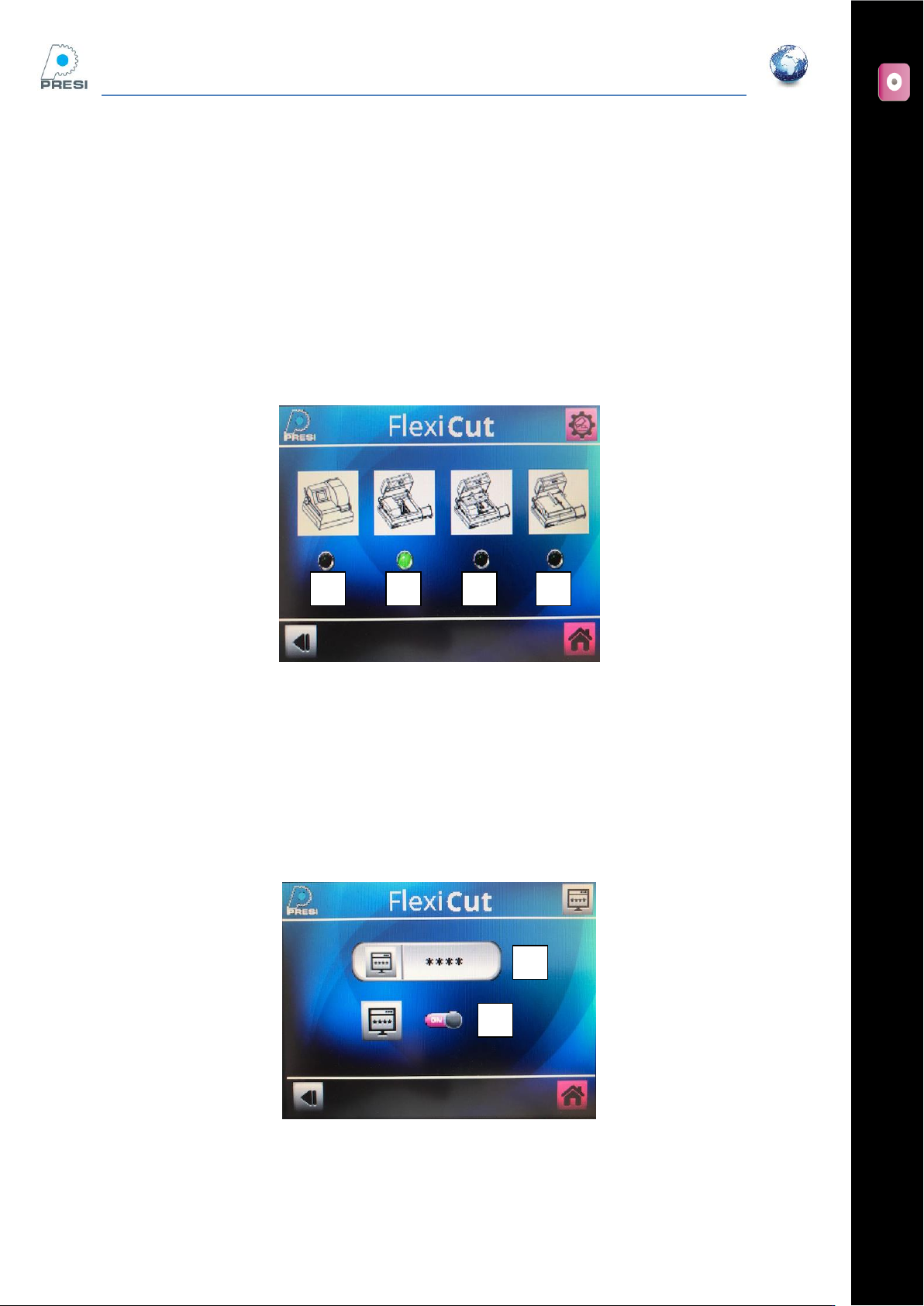
Machine Choice
You should select the working mode of the machine corresponding to the options installed.
If none of the extra tables are used, then select « A ». If the moving table (ref: 51801) is installed, select “B”.
If a fixed flat table (ref : 51802) is installed, then select “C”.
The “D” option is for the MECATOM T180.
Password activation/modification
You can lock the machine with a password. If you want activate or disactivate the code on your machine,
switch button “B”
To modify the code, press “A”. The screen below appears.
A
B
B
A
C
D
FLEXICUT User's Guide
Version 2
21
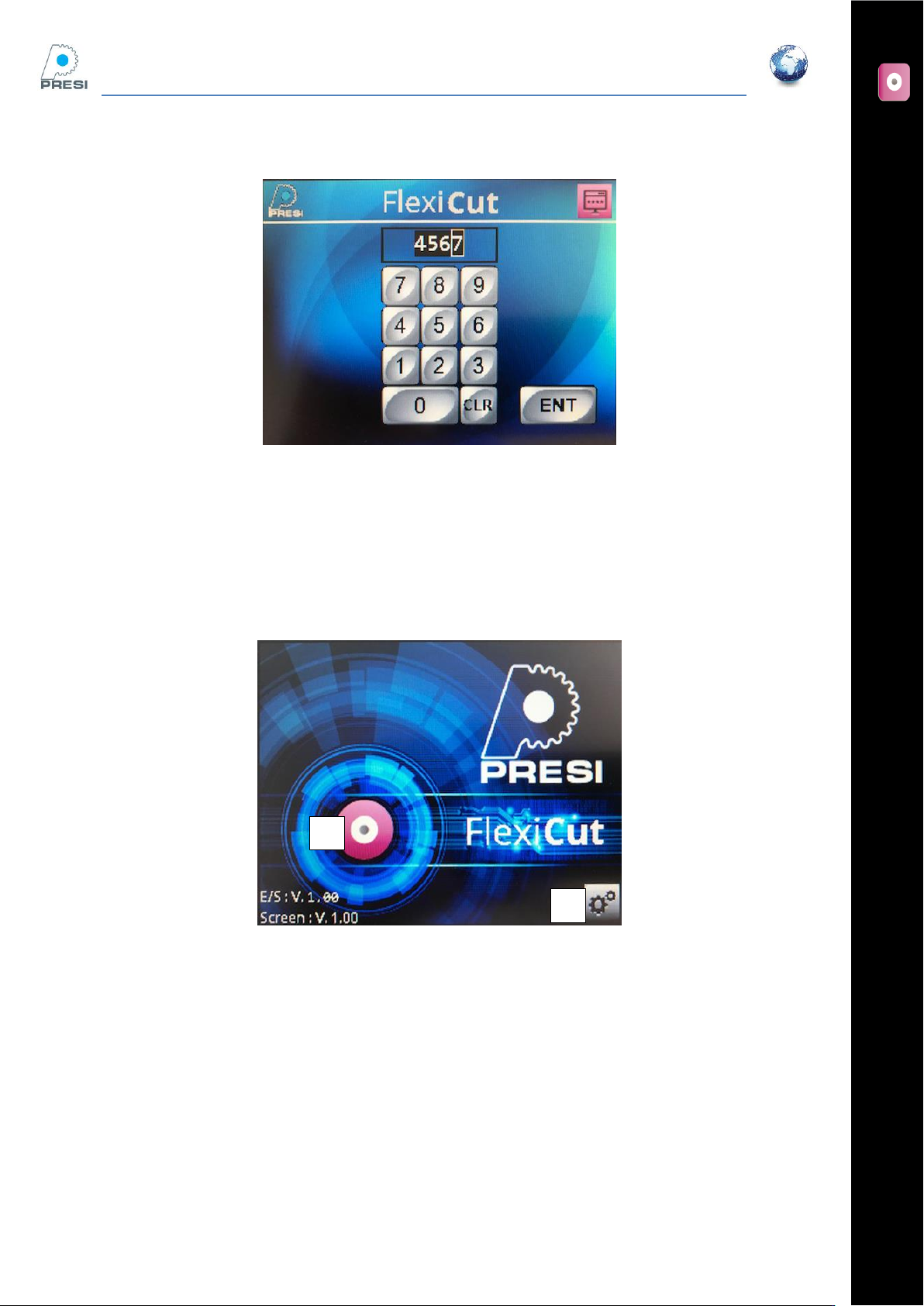
Enter the new code and press “Enter”.
Cutting
From the home screen, select “A” to reach the cutting parameters.
A
B
FLEXICUT User's Guide
Version 2
22
Flexicut mode (no table installed)
In this mode, the machine is a precision micro-cutter.
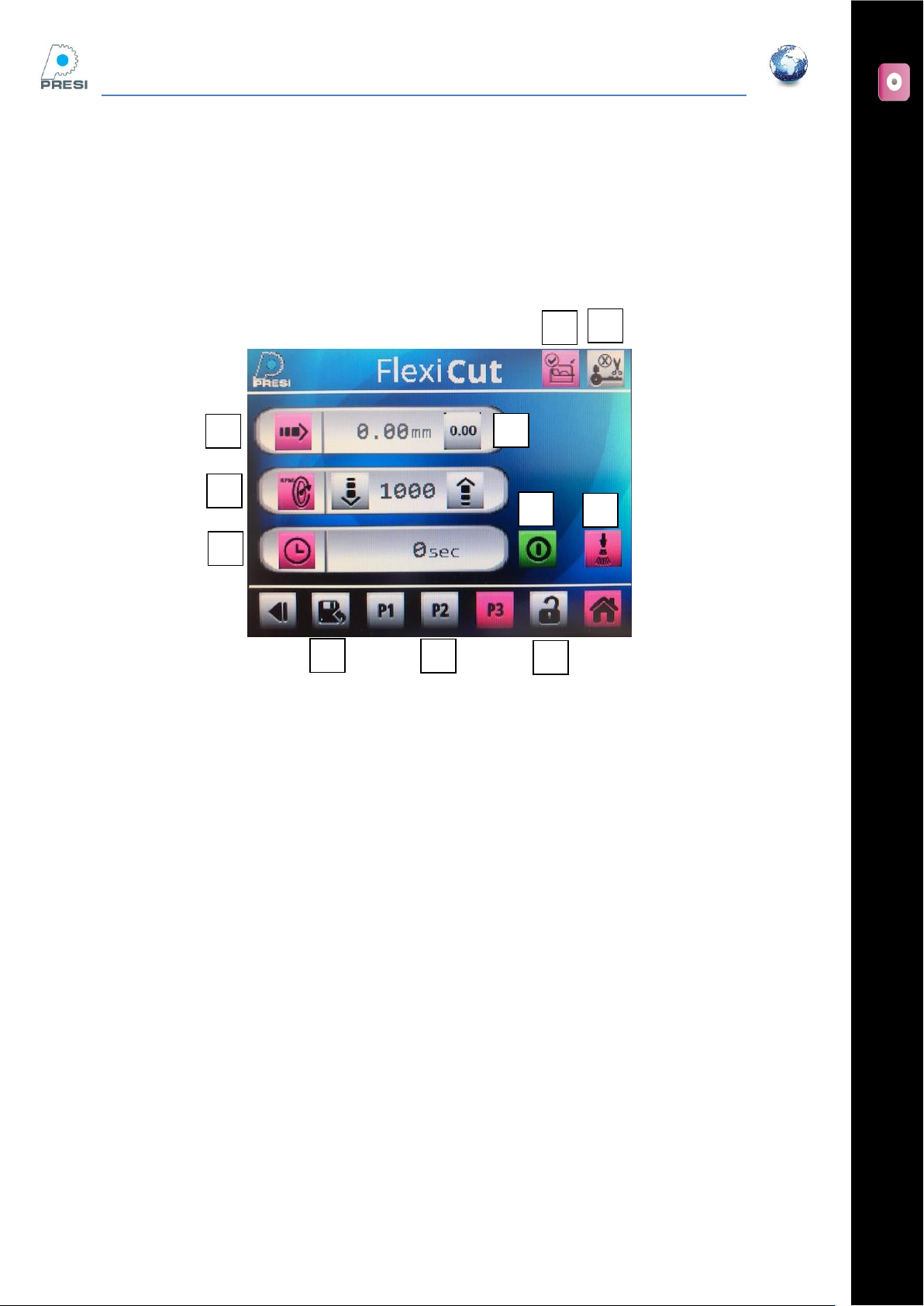
Introduction to the precision cutting page
A : micrometric adjustment of the arm;
B: Reset the field
C : Wheel speed (press the field to enter a value, or press the up/down arrows)
D : Cutting time
E : Limit switch
- Pink icon : cutting in operation or ready to use
- Grey icon: machine is stopping or cannot start
F : Hood
- Pink Icon : The hood is closed, machine is ready to use
- Grey Icon : The hood is open. Must be closed to start the cycle
G : Cooling
- Press on icon to activate the pump (pink). For a dry cut, de-activate the pump (grey icon).
H : P1,P2,P3, 3 programs available.
- A short press will select the program. The selected program is pink
I : To save a program, push ‘I’ then on the program where you went to save your parameters
J : press this icon to freeze the screen. Push again to release it.
K : Start / Stop
A
B
C
D
E
F
G
H
J
K
I