SMEDBFeeder_UserGuide_EN.pdf - 第39页
2-13 Operation of the Feeder 2.2.4. Locking Move the tape guide down after having sproc kets mesh with the t ransfer slots of the carrier tape and check that the carrier t ape has been properly meshed w ith the sprockets…
2-12
SM-Series SME DB Tape Feeder User's Manual
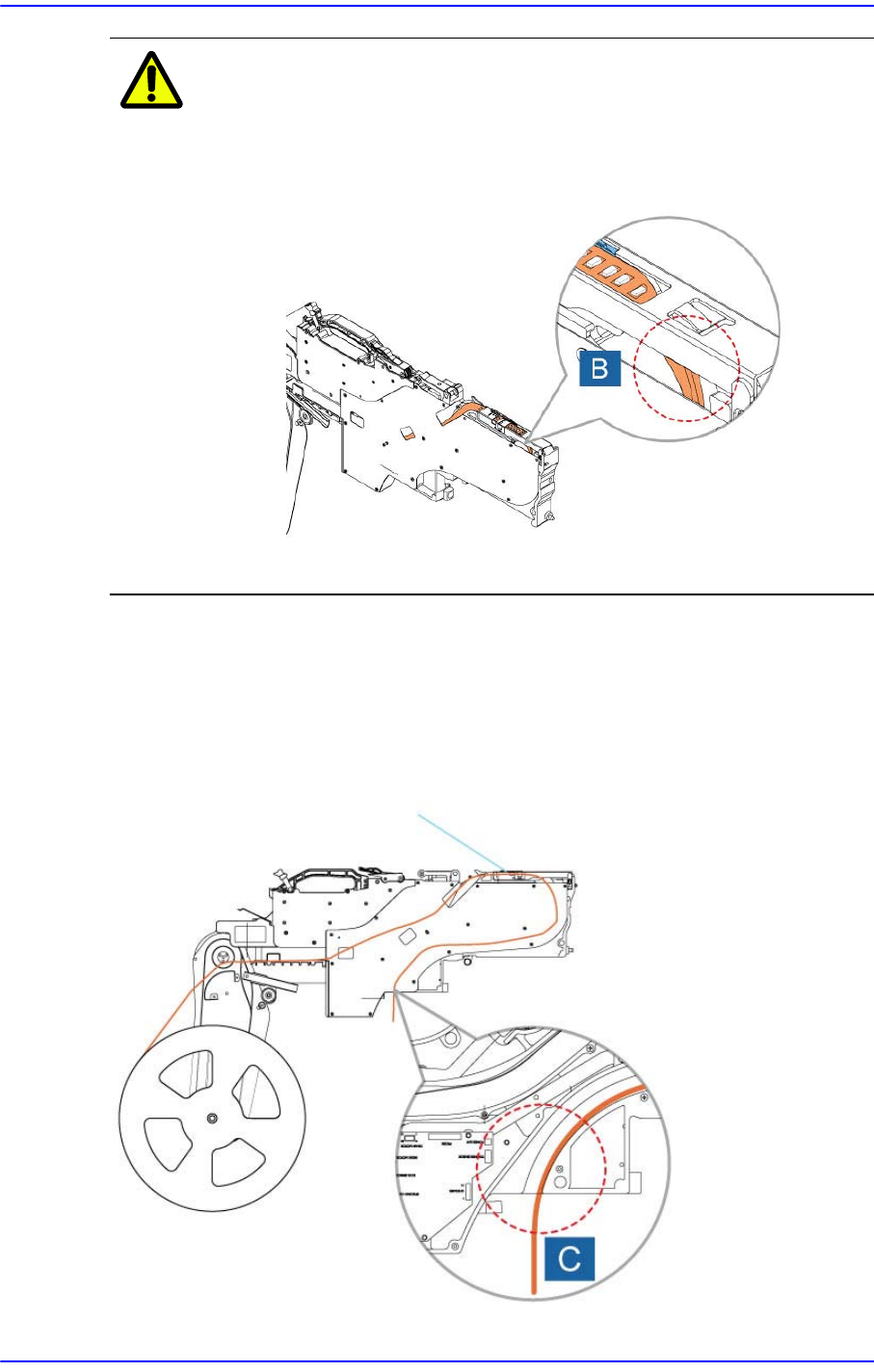
Caution If the length from the pickup point of the carrier tape to the
front end of the tape is short, the tape may be stuck.
Therefore, make the carrier tape long enough so that the
tape can pass 'B' in the following figure.
After passing the tape through the tape guide and main frame, peel the vinyl tape
approximately 30cm from the tape end and pull it out to the upper surface of the tape
guide.
Pass the carrier tape through groove C.
Figure2.15 Exit of the carrier tape of the 12~88mm
tape feeder
2-13
Operation of the Feeder
2.2.4. Locking
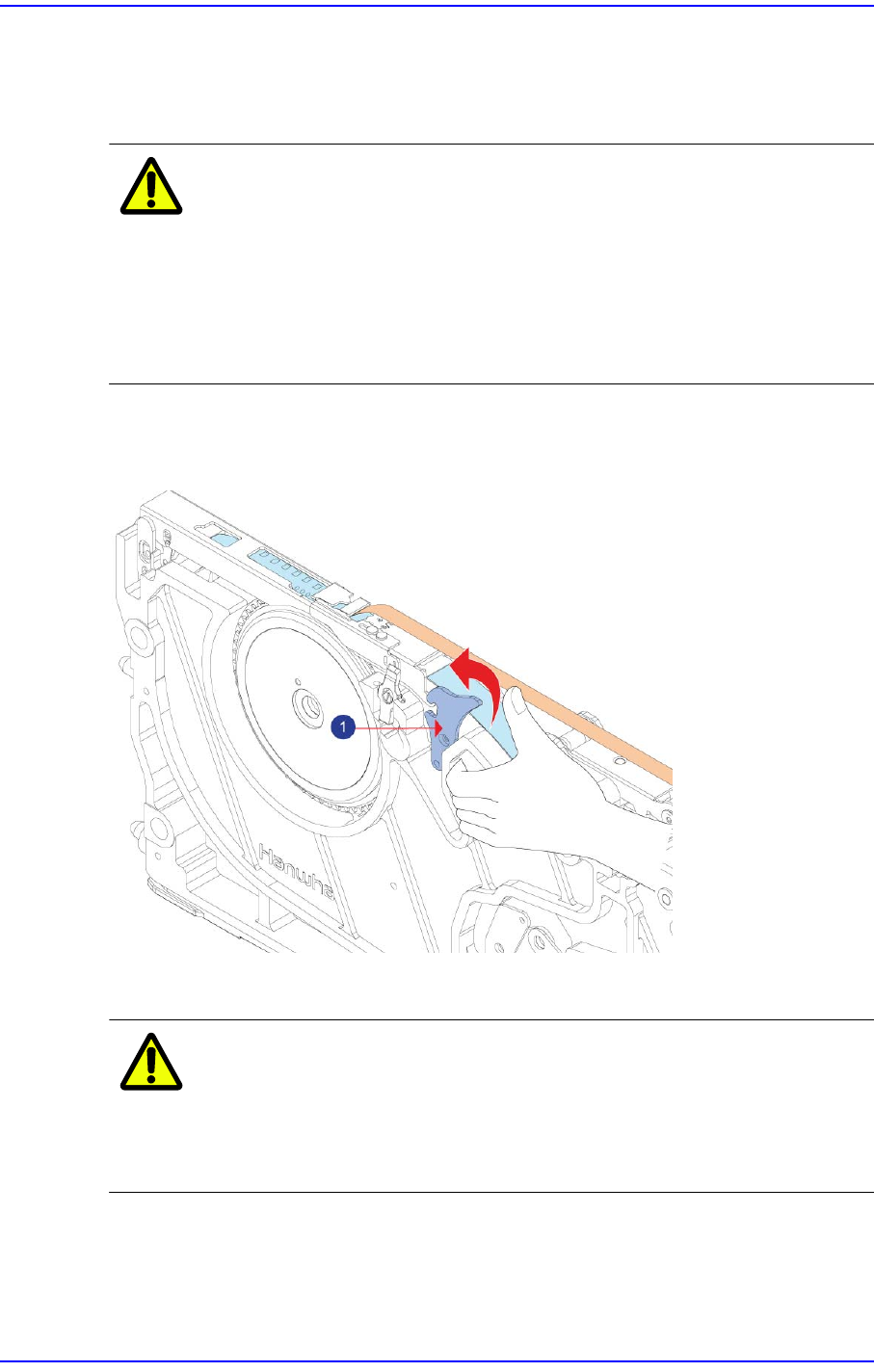
Move the tape guide down after having sprockets mesh with the transfer slots of the carrier
tape and check that the carrier tape has been properly meshed with the sprockets.
Caution Before lowering the tape guide, check whether a chip or
foreign material exists between the tape guide and main
body.
After checking whether sprockets mesh with the transfer
slots of the carrier tape, check whether the carrier tape is
transferred properly.
Ensure that the tape guide and the locker are properly locked.
Figure2.16 Checking the locking state of the tape guide and the locker
1: Locker
Caution If the tape guide and locker are not firmly secured, tape may
not be supplied or may collide with the main frame.
Therefore, be sure to check that the tape guide is secured
properly.
2-14
SM-Series SME DB Tape Feeder User's Manual
2.2.4.1. Adjusting Vinyl Guide Position
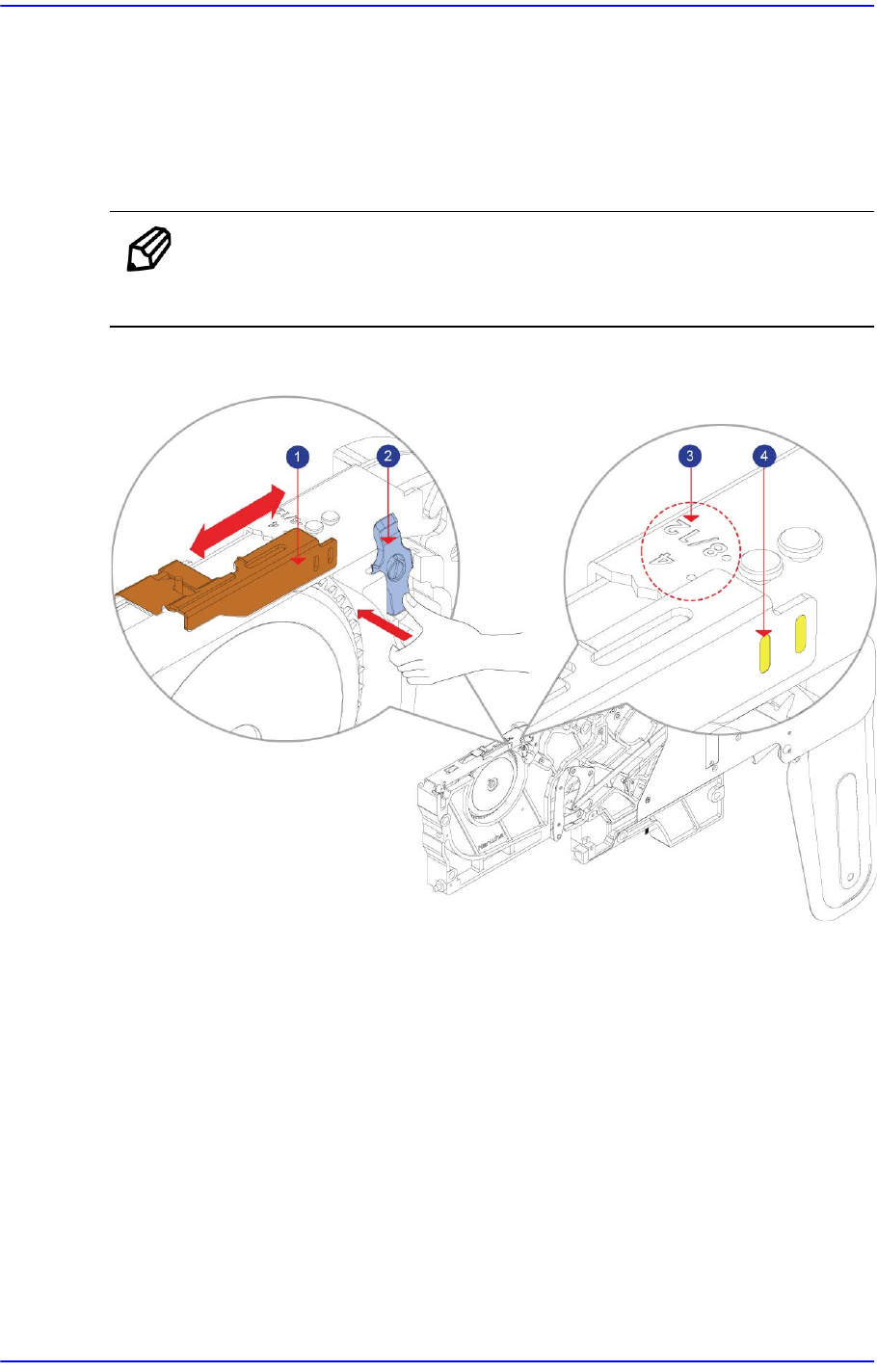
It is possible to set the vinyl guide depending on the pocket size of the tape to be used.
Move the (2) vinyl guide while pressing the locker by hand and set the (4)vinyl guide
home of the (1) vinyl guide locker. Then release the force that presses the vinyl guide
locker to secure the vinyl guide.
Note Referring to the (3) pitch indicated on the tape guide, move the vinyl
guide to set the pitch.
Figure2.17 Adjusting Vinyl Guide Position
1: Vinyl Guide
2: Vinyl Guide Locker
3: Pitch
4: Vinyl Guide Groove