00196449-04_UM_FCCS_digital_DE_EN.pdf - 第56页
2 White Balance Process for SIPLACE Digital Vision Camera 2.4 Content of FCCS Tool Digital 56 Operating Manual / Bedienungsanleitung Camera Calibration FCCS digital Kamerakalibrierung FCCS digital 04/2020 ● Avoid contami…
2 White Balance Process for SIPLACE Digital Vision Camera
2.4 Content of FCCS Tool Digital
Operating Manual / Bedienungsanleitung Camera Calibration FCCS digital Kamerakalibrierung FCCS digital 04/2020 55
Quantity Designation Item number
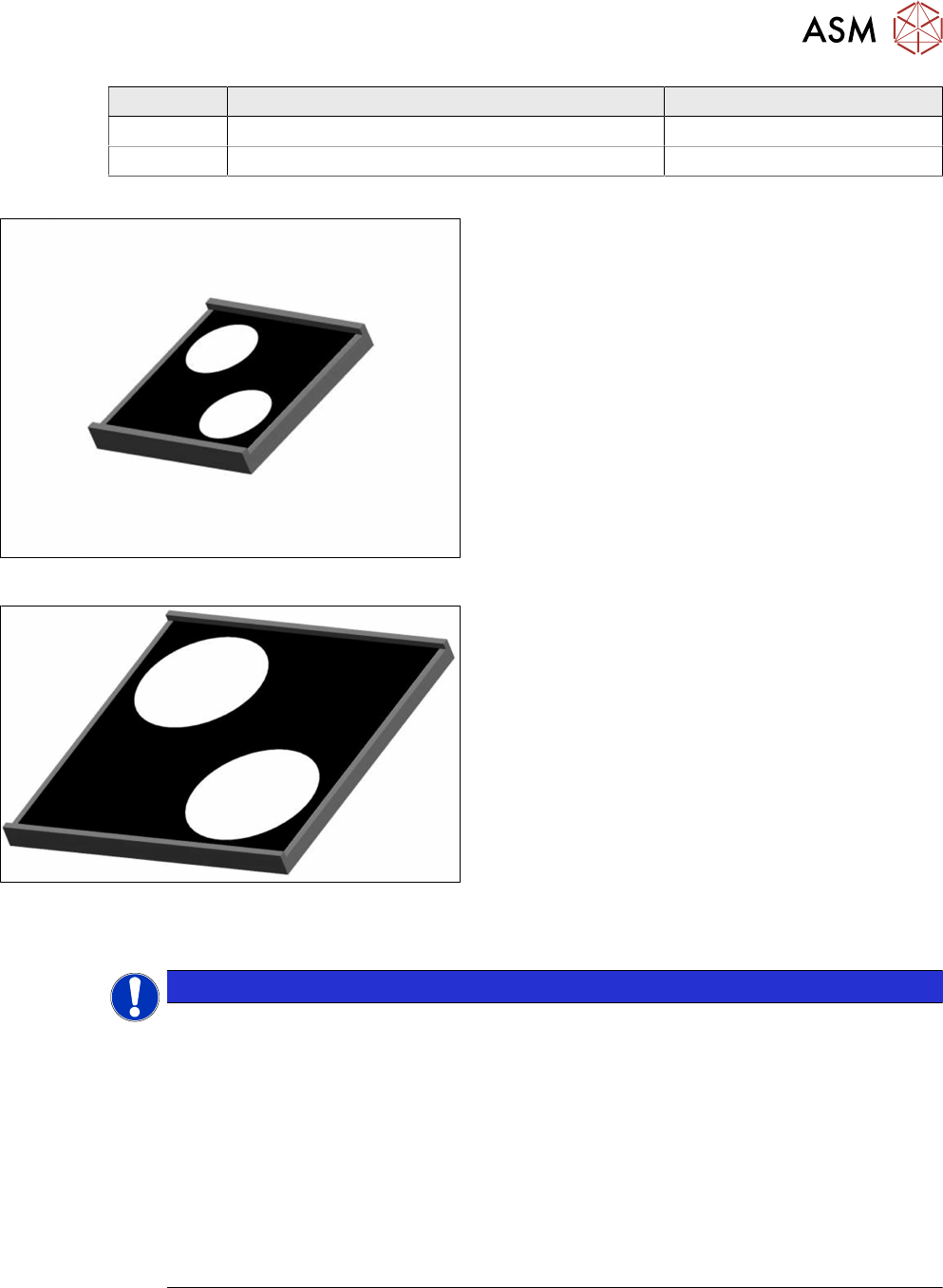
2 Contrast standard small assy. 03170822-xx
2 Contrast standard large assy. 03170818-xx
Fig.9: Contrast standard small assy.
Contrast standard small assy. (7.6 x 7.6 mm)
[03170822-xx]
Fig.10: Contrast standard large assy.”
Contrast standard large assy. (14 x 14 mm)
[03170818-xx]
NOTICE
Differentiation of the versions
Versions 01 and 02 of the camera calibration tray only differ in the shape of the tray. Ver-
sion 01 is only suited for machines with conveyor systems that are not equipped with a clip
stopper. The improved version 02 can be used on all machines.
Version 03 has been introduced because there were some problems with the SIPLACE
symbols at the back of the white standards in Version 02. Version 04 supplements the cam-
era calibration with the soiling recognition function, provided you have station software
712.1.
Two new contrast standards were introduced with this function and the camera calibration
tray was extended, see also chapter. 4.6 "Checking the camera soiling with contrast stand-
ard in the calibration tool pocket (without FCCS)" [}71] or TI 2019-02D06/TI 2019-02E06.
These will be queried by the software before the measurement takes place.
In addition, please observe the following instructions:
●
NEVER touch the white balance calibration tools or contrast standards!

2 White Balance Process for SIPLACE Digital Vision Camera
2.4 Content of FCCS Tool Digital
56 Operating Manual / Bedienungsanleitung Camera Calibration FCCS digital Kamerakalibrierung FCCS digital 04/2020
●
Avoid contamination of any kind!
●
On machines with the third lane conveyor option remove the option.
NOTICE
Completeness
Please check the whole equipment for completeness when receiving it and before sending
it back by means of the checklist.
3 Camera Calibration in SW 605.xx Stations
3.1 Preparations
Operating Manual / Bedienungsanleitung Camera Calibration FCCS digital Kamerakalibrierung FCCS digital 04/2020 57
3 Camera Calibration in SW 605.xx Stations
3.1 Preparations
NOTICE
Dry run
To ensure the successful camera calibration for the complete line, it is recommended to
perform a dry-run of the camera calibration without saving the calibration values.
This is necessary, because aborting the calibration will lead to different illumination values
for the cameras in the line. The reliable detection of components throughout the whole line
cannot be ensured until the camera in question has been replaced and all cameras in the
line have been re-calibrated.
To ensure that customer setups do not need to be changed, a black calibration tool carrier is
moved into PCB conveyor 1, is optically centered and clamped into place, the presence of the
white balance calibration tools is checked and illumination calibration (white balance process) is
started.
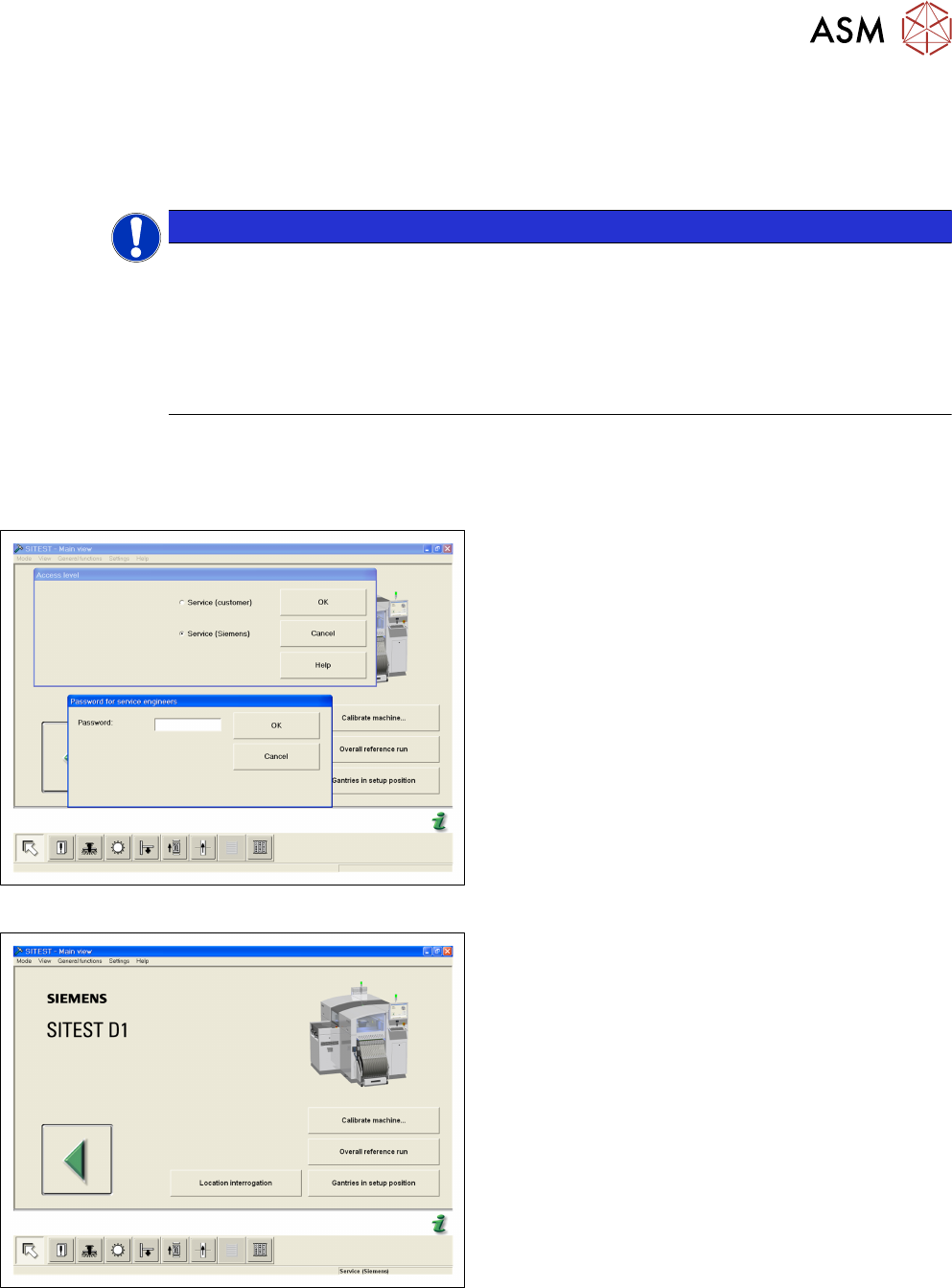
Fig.11: Login SITEST
► Start the SITEST program.
► Log in via the service (SIPLACE) password.
Fig.12: Start OVERALL REFERENCE RUN
► Start the OVERALL REFERENCE RUN.