00197190-03_VD_SIPLACE_Pro_10_1_SP1_DE_EN.pdf - 第22页
SIPLAC E Pro V10. 1 SP1 / Softwar e Version Desc ripti on Ausgabe 02/2013 Edit ion 22 5.7.5 Settin g Accelerati on Redu ction The f ollowing pr eset acc eler ation val ues can be selec ted in th e Ac c e lerations tab of…
SIPLACE Pro V10.1 SP1 / Software Version Description Ausgabe 02/2013 Edition
21
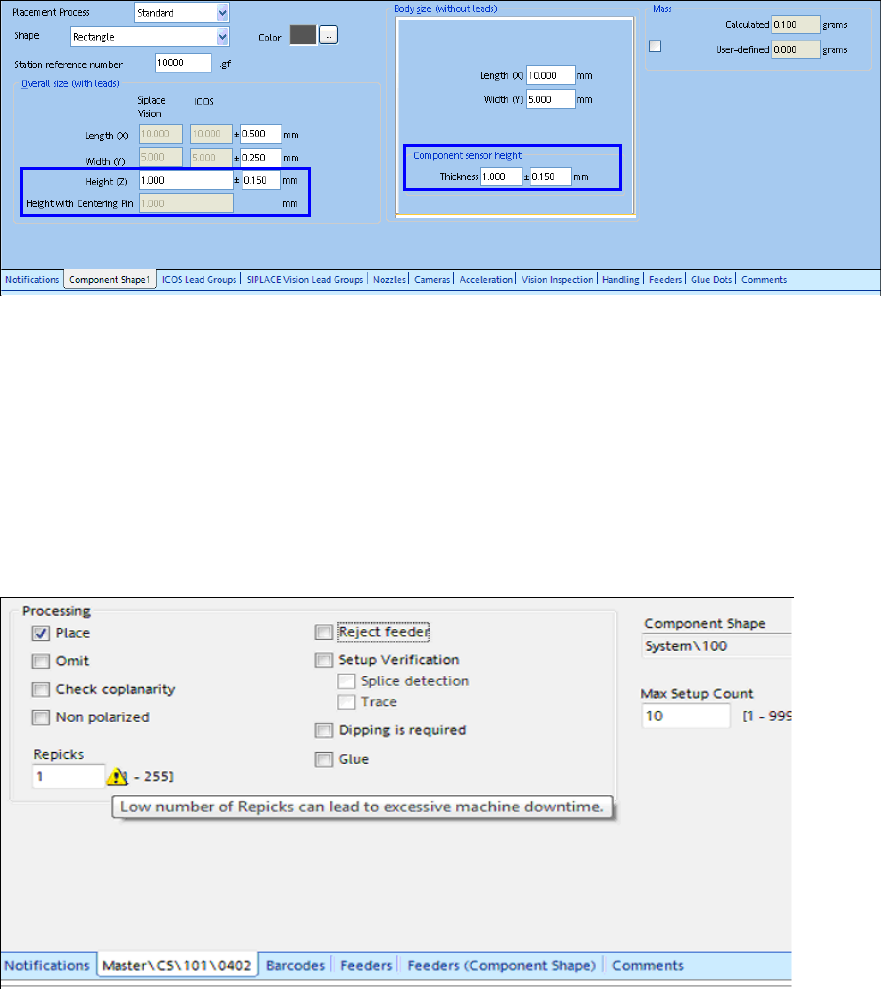
5.7.2 Revised Display of the Height Entries Meanings
In the main view of the Component Shape Editor, the meanings of the height entries are precisely
displayed in order to make the difference between the height entries more comprehensible.
Figure 4-4: Height entries in the Component Shape Editor
5.7.3 Specified Pick-up Process for nnn5 and nnn6 Nozzles
Only contactless pick-up is performed with the nnn5 and nnn6 nozzle types.
5.7.4 Warning at Too Low Number of Re-picks
If the value for the number of re-picks is too low (value=1), this may cause frequent machine
breakdowns. In this case, a corresponding warning will be displayed in SIPLACE Pro Desk.
Figure 4-5: Number of re-picks too low
SIPLACE Pro V10.1 SP1 / Software Version Description Ausgabe 02/2013 Edition
22
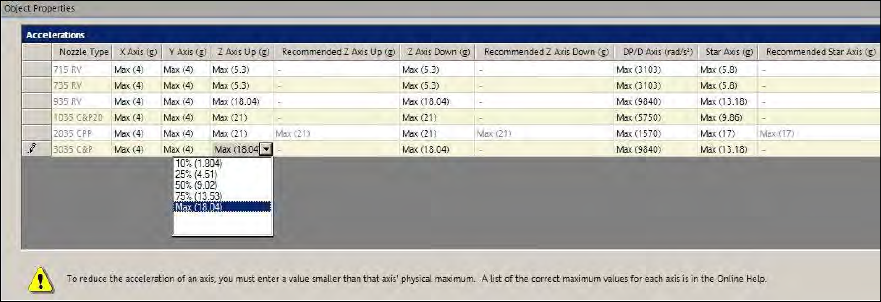
5.7.5 Setting Acceleration Reduction
The following preset acceleration values can be selected in the Accelerations tab of the
Component Editor:
● Max (maximum acceleration)
● 75% (lightly reduced acceleration)
● 50% (medium reduced acceleration)
● 25% (highly reduced acceleration)
● 10% (extremely reduced acceleration)
The percentage values refer to the maximum acceleration of the possible placement heads. The
absolute values are displayed in brackets.
Figure 4-6: Selecting acceleration value
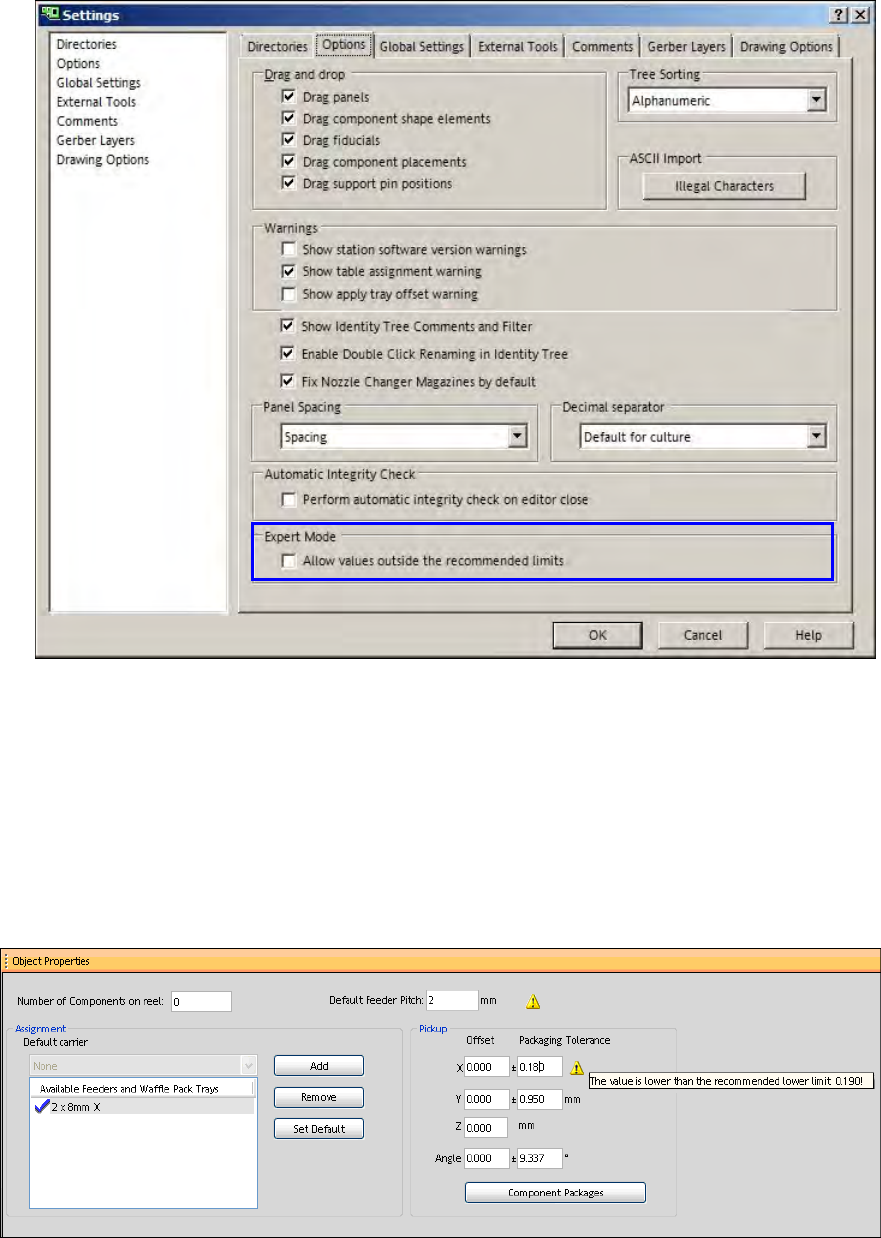
The Expert Mode allows entering values outside the recommended limits.
The values can be changed in the Data Maintenance Tool with the Suggest accelerations for
assigned Nozzles function.
Prerequisite
– The Allow entering values outside the recommended limits setting has to be enabled under
Settings – Options.
SIPLACE Pro V10.1 SP1 / Software Version Description Ausgabe 02/2013 Edition
23
Figure 4-7: Settings Editor Expert Mode
5.7.6 Lower Pick-up Tolerance Limit for Components
A lower pick-up tolerance limit has been introduced for the components. The lower limit is valid for
the X-/Y-positions and the pick-up angle at each feeder and amounts to 30% of the respective
default values that are preset when a new feeder is added under the Feeder tab in SIPLACE Pro
Desk.
If the user tries to enter a lower value, a warning displays the smallest recommended value and the
value will not be changed.
Figure 4-8: Pick-up tolerance to low for packaging unit
The Expert Mode allows entering values outside the recommended limits.
A feeder offset for multiple components can be entered and assigned in the Data Maintenance Tool
(please refer to the Set Feeder offset data of assigned Feeders – Set Feeder Offset Data
function).The same prerequisite as described in section 4.8.5 applies.