00197190-03_VD_SIPLACE_Pro_10_1_SP1_DE_EN.pdf - 第46页
SIPLAC E Pro V10. 1 SP1 / Softwar e Version Desc ripti on Ausgabe 02/2013 Edit ion 46 Preceden ce Finde r The 3D v iew of a board c an be star ted w ith the icon in the tool bar of th e m ain menu, t oo. The 3D view will…
SIPLACE Pro V10.1 SP1 / Software Version Description Ausgabe 02/2013 Edition
45
5.14.2 Displaying Precedence Rules in 3D View
When displaying the precedence rules in SIPLACE Pro Desk and in the Precedence Finder, it is
possible to switch into the 3D view.
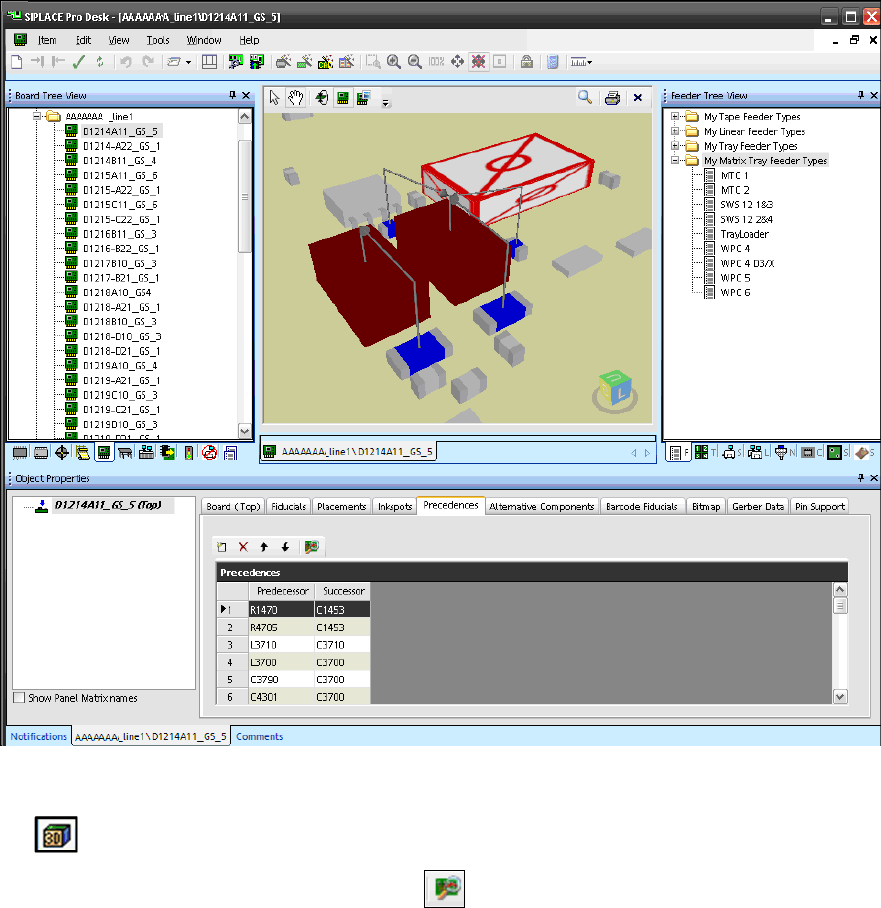
SIPLACE Pro Desk – Board Editor
Figure 4-32: Precedences for board in 3D view
If the Precedences are displayed in the Board Editor, the 3D view of the board can be started with
the icon in the tool bar.
The Precedence Finder can be started with the icon in the Precedences window.
SIPLACE Pro V10.1 SP1 / Software Version Description Ausgabe 02/2013 Edition
46
Precedence Finder
The 3D view of a board can be started with the icon in the tool bar of the main menu, too. The
3D view will be displayed in a separate window.
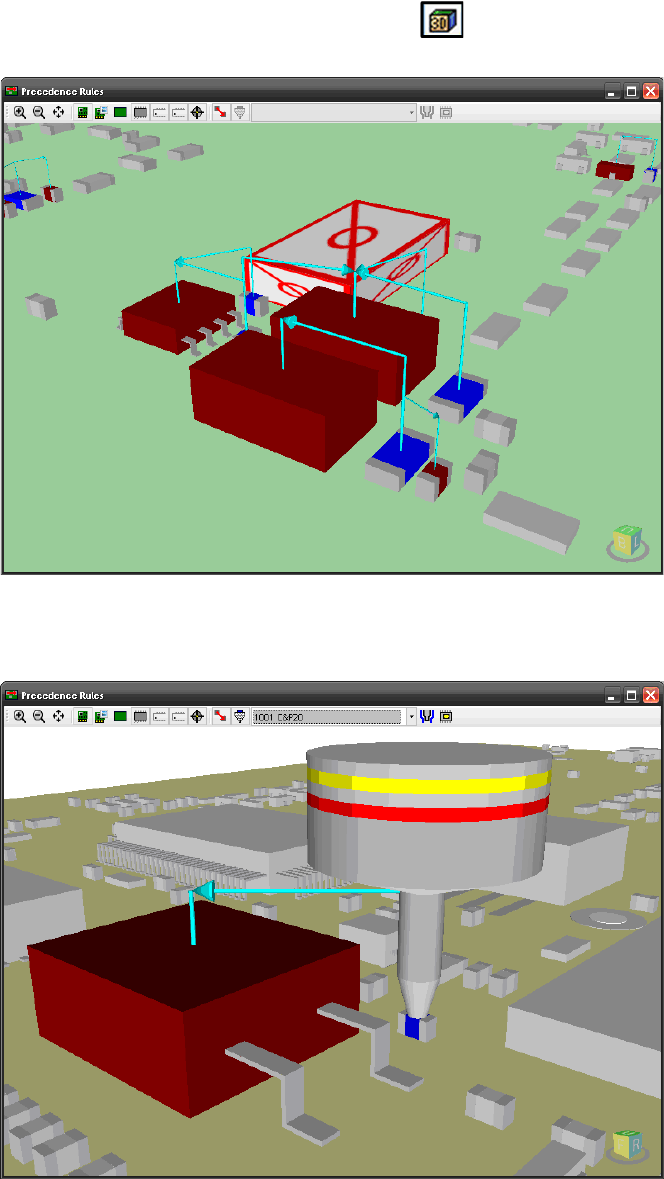
Figure 4-33: 3D view of the board in the Precedence Finder
If only a precedence rule of type "Nozzle collision" is selected in the main menu, the nozzle will
also be displayed.
Figure 4-34: 3D view of nozzle in the Precedence Finder
Optionally, settings can be made in the 3D window to display the tolerance radius for the nozzle
and the pick-up position in the 3D view.
SIPLACE Pro V10.1 SP1 / Software Version Description Ausgabe 02/2013 Edition
47
5.15 Replacing / Removing Nozzles in Setups with the Data
Maintenance Tool
You can search for setups with specific nozzles under the Setup and Nozzles object types in the
Data Maintenance Tool. It is also possible to search for specific nozzles in setups.
Additionally, two new functions are available for the Setup object type:
– Replace Nozzle
– Remove Nozzles
With these functions, nozzles can be replaced in or removed from setups in the database.
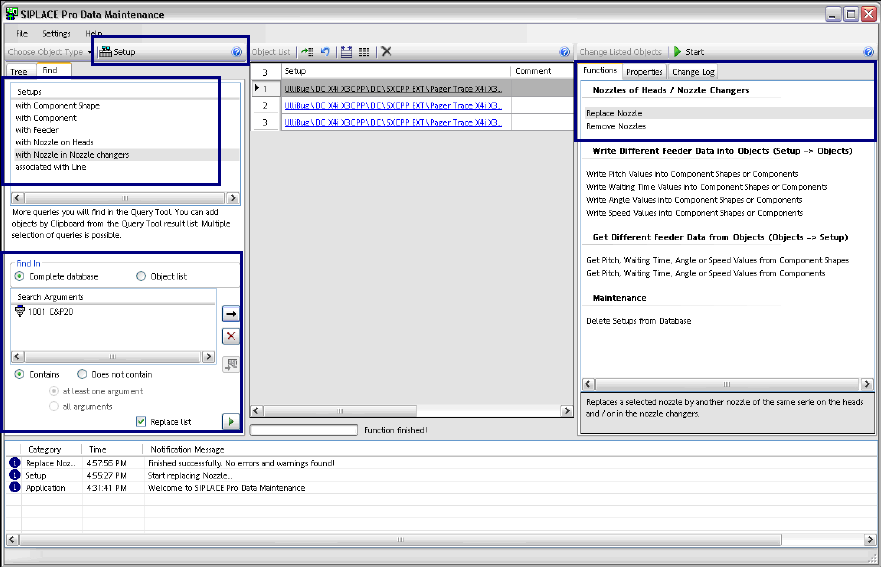
Figure 4-35: Data Maintenance – Setup object type
Searching Setups with Nozzles
If the Setup object type is selected in the tool bar, it is possible to search for either Setups with
Nozzle on Heads or Setups with Nozzle in Nozzle changer in the Find tab. The search run will
only be indirectly performed if a nozzle has to be replaced.
The nozzles have to be selected under Search Arguments.
After the search query has been started, all setups in which the selected nozzles are used will be
displayed in the Object List.