00197190-03_VD_SIPLACE_Pro_10_1_SP1_DE_EN.pdf - 第41页
SIPLAC E Pro V10. 1 SP1 / Softwar e Version Desc ripti on Ausgabe 02/2013 Edit ion 41 5.13 SiCluste r Profess ional – Enhancem ents This s ection wil l give an over view of the enhanc em ents in S IPLAC E Pro SiC luster …
SIPLACE Pro V10.1 SP1 / Software Version Description Ausgabe 02/2013 Edition
40
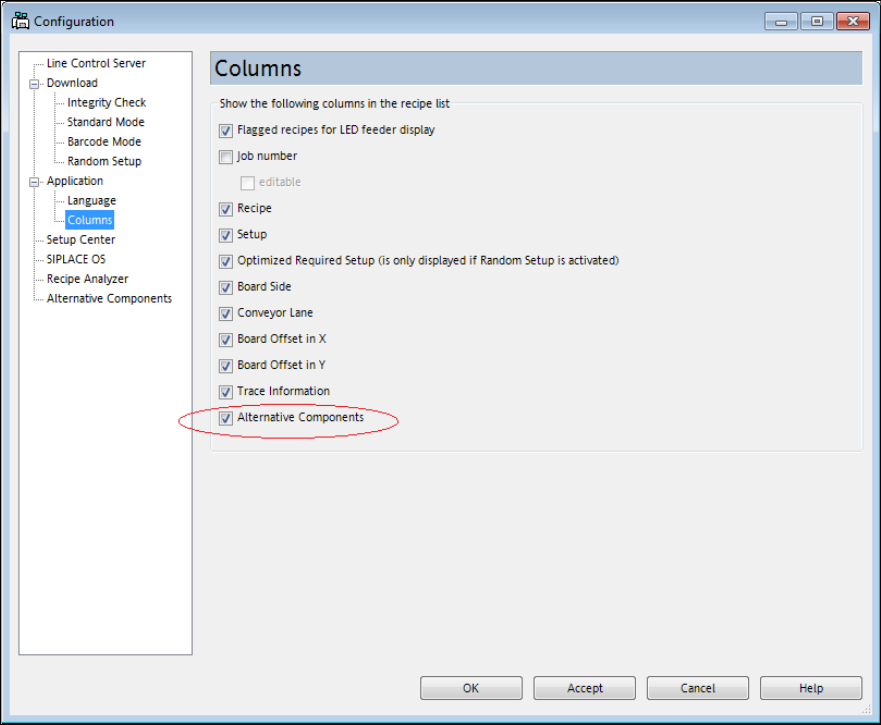
The following dialog is displayed.
Figure 4-26: Configuration menu – Application - Columns
► Tag the Alternative Components check box so that a corresponding column will be displayed
in the recipe list.
► Click on OK to save the setting.
SIPLACE Pro V10.1 SP1 / Software Version Description Ausgabe 02/2013 Edition
41
5.13 SiCluster Professional – Enhancements
This section will give an overview of the enhancements in SIPLACE Pro SiCluster Professional.
Detailed information can be found in the SiCluster Professional User Manual, item no.
[00197281-xx].
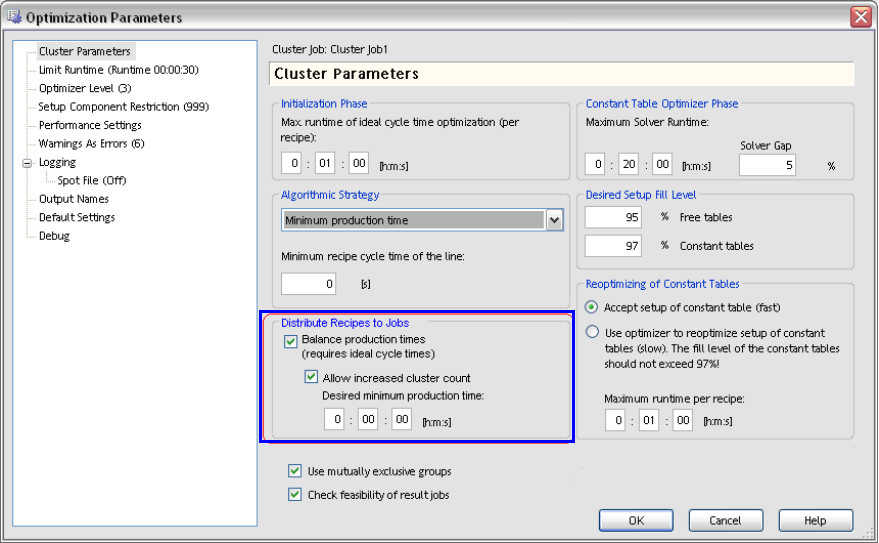
● With the Balance production times option under Cluster Parameters, short production times
will be lengthened for setups within a cluster job. Short times will be adapted to the longer ones
so that there is time enough to prepare the next setup for the line in the pre-setup area. For
this, the ideal production time for each recipe has to be available.
Additionally, further cluster jobs may be allowed and a fixed minimum production time be
defined.
Figure 4-27: Lengthening production time for result jobs
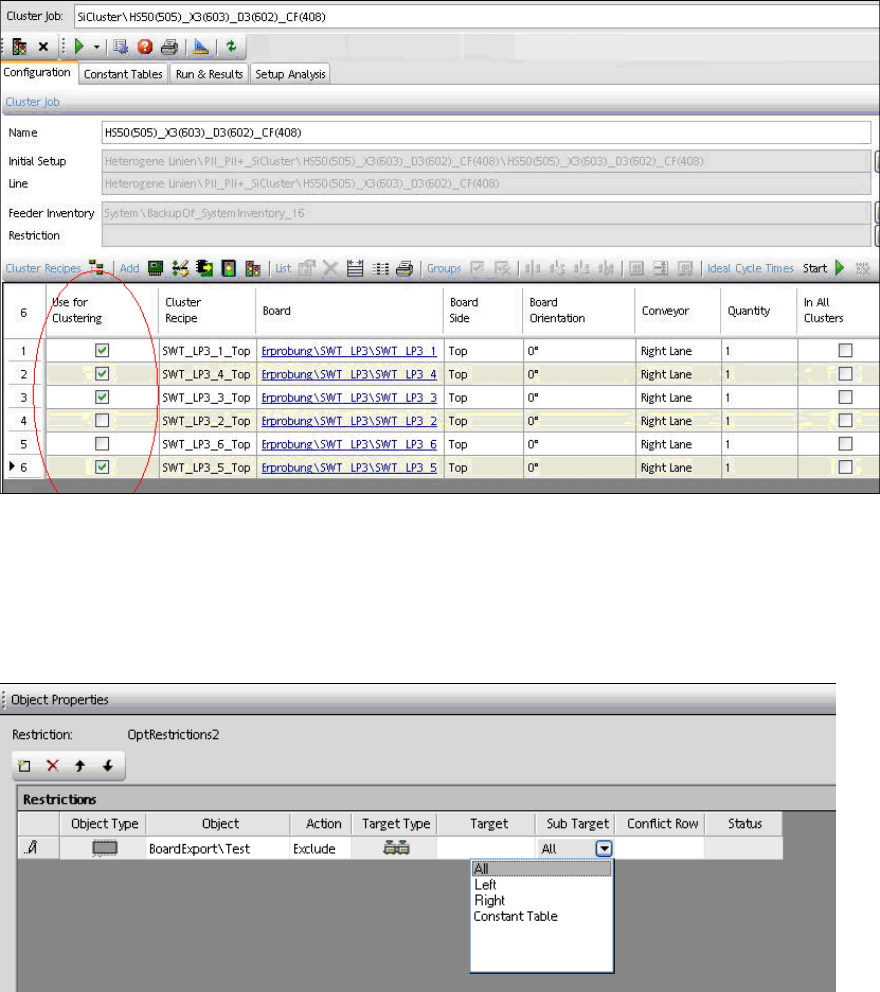
● A subset of recipes can be selected to form a cluster job. In the Use for Clustering column in
the opened cluster job, the recipes to be used for the cluster job can be explicitly selected.
SIPLACE Pro V10.1 SP1 / Software Version Description Ausgabe 02/2013 Edition
42
Figure 4-28: Selecting recipes for cluster job
● Creating restriction objects and assigning them to a cluster job
Certain (i.e. expensive) components should not be set-up on constant tables to avoid that they
get used up. Such components can be excluded from constant tables in a restriction object
(under Sub Target – Constant Table) in the Restriction Editor of SIPLACE Pro Desk.
Components can also be explicitly bound to a constant table.
Figure 4-29: Creating restriction object
Thereafter, the restriction object can be assigned to a cluster job.
● In the Run & Results tab, the new Placement with quantity column is available for the
number of placed components.
● The analysis for component communality has been adjusted and improved.
– For each recipe that is marked in the left window, a separate column is displayed in the
right window.
– New Job Communality tab.