ISM-2000_OPE.pdf - 第11页
Software 3.1 rev_0 1 Edition 06/20 16 - Reproduction forbidden a Page 11 Storage Solut ions Soft ware Operating Manual You can chose the file, s elect the type of separator (TAB ; , | # etc..) and then indicate for any f…
Software 3.1 rev_01 Edition 06/2016 - Reproduction forbidden
a
Page 10
Storage Solutions Software Operating Manual
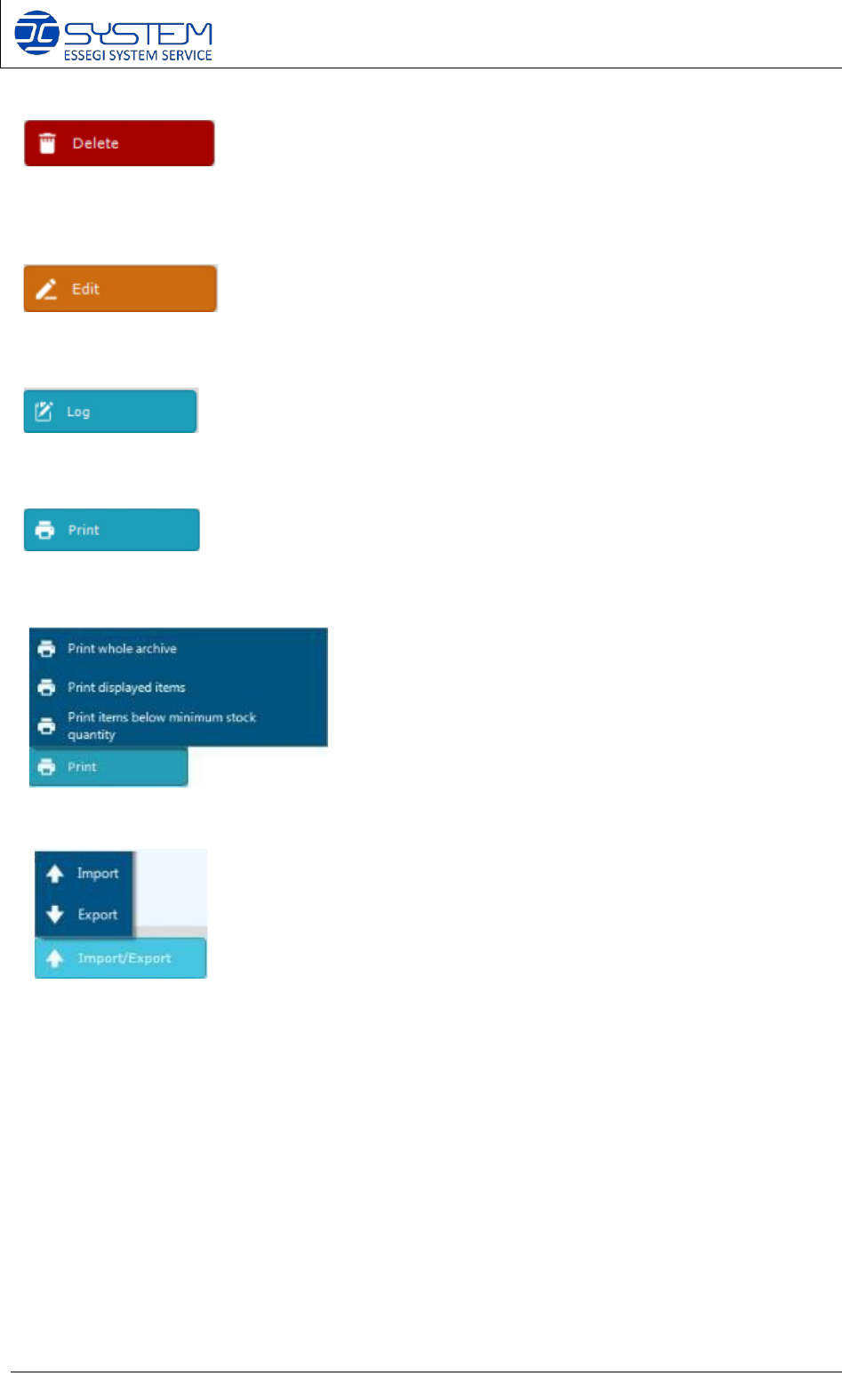
It allows deleting an existing item from the database. The deleting is possible only if the item is
not related with boards, or reels for the traceability of the component.
It allows modifying an already existing item.
It allows to see the movements and the productions in which an item has been used.
Allows to print:
The following print options are possible:
• Print out of the complete archive
• Print out of the displayed items
• Print out of the items below min. supply (Min stock qty)
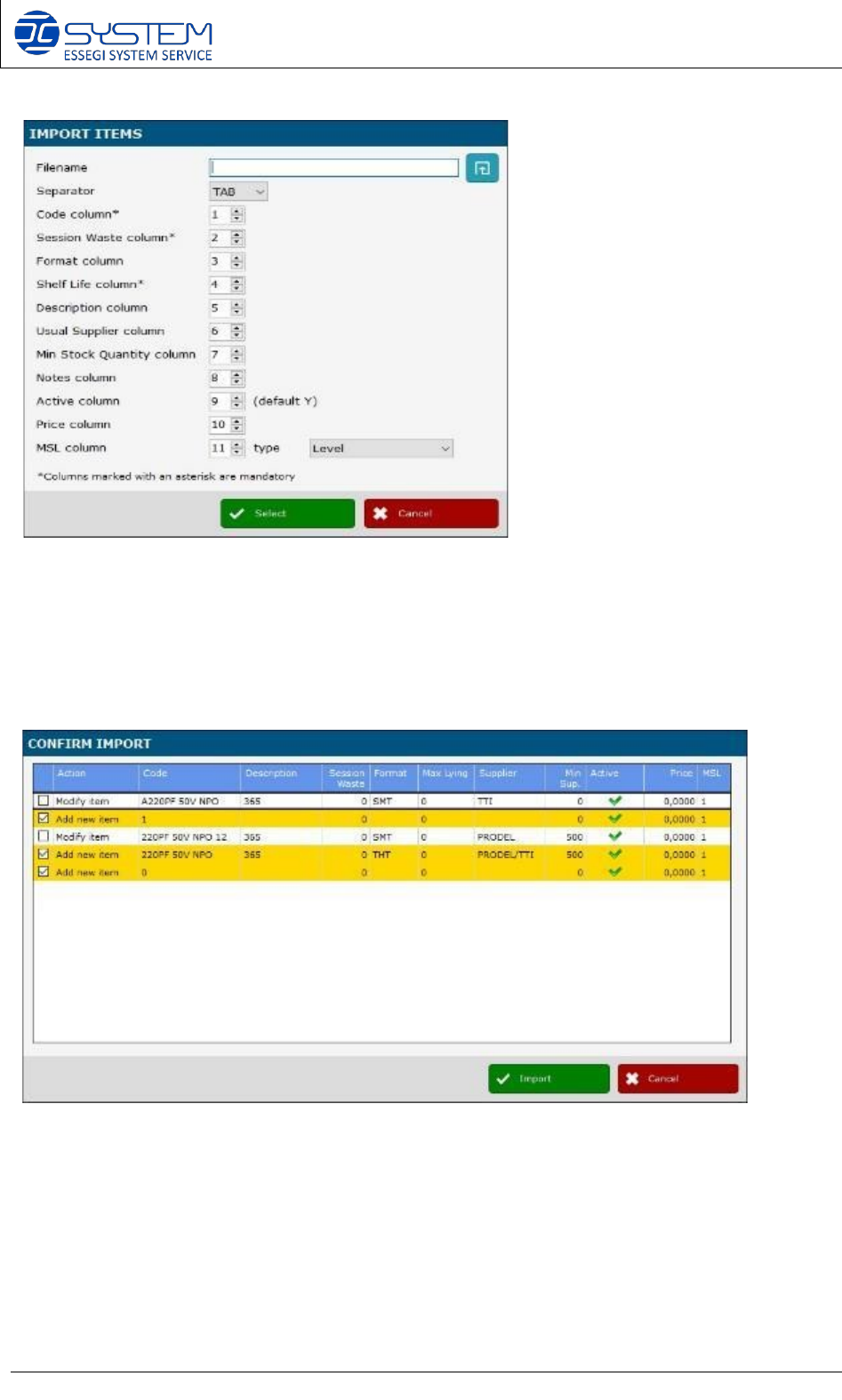
Allows to import or export of the ITEM list. By pushing Import the following window will open:
Software 3.1 rev_01 Edition 06/2016 - Reproduction forbidden
a
Page 11
Storage Solutions Software Operating Manual
You can chose the file, select the type of separator (TAB ; , | # etc..) and then indicate for any
field the column in which is contained the information that you need to import. Fields marked
with the * are mandatory.
When the selected fields are filled in, press Select and wait that the system process the file.
At the end a table will open where I can check the preview of the imported data.
Push import to complete the process.
Software 3.1 rev_01 Edition 06/2016 - Reproduction forbidden
a
Page 12
Storage Solutions Software Operating Manual
5. Customer unique IDs management: Reels (F3)
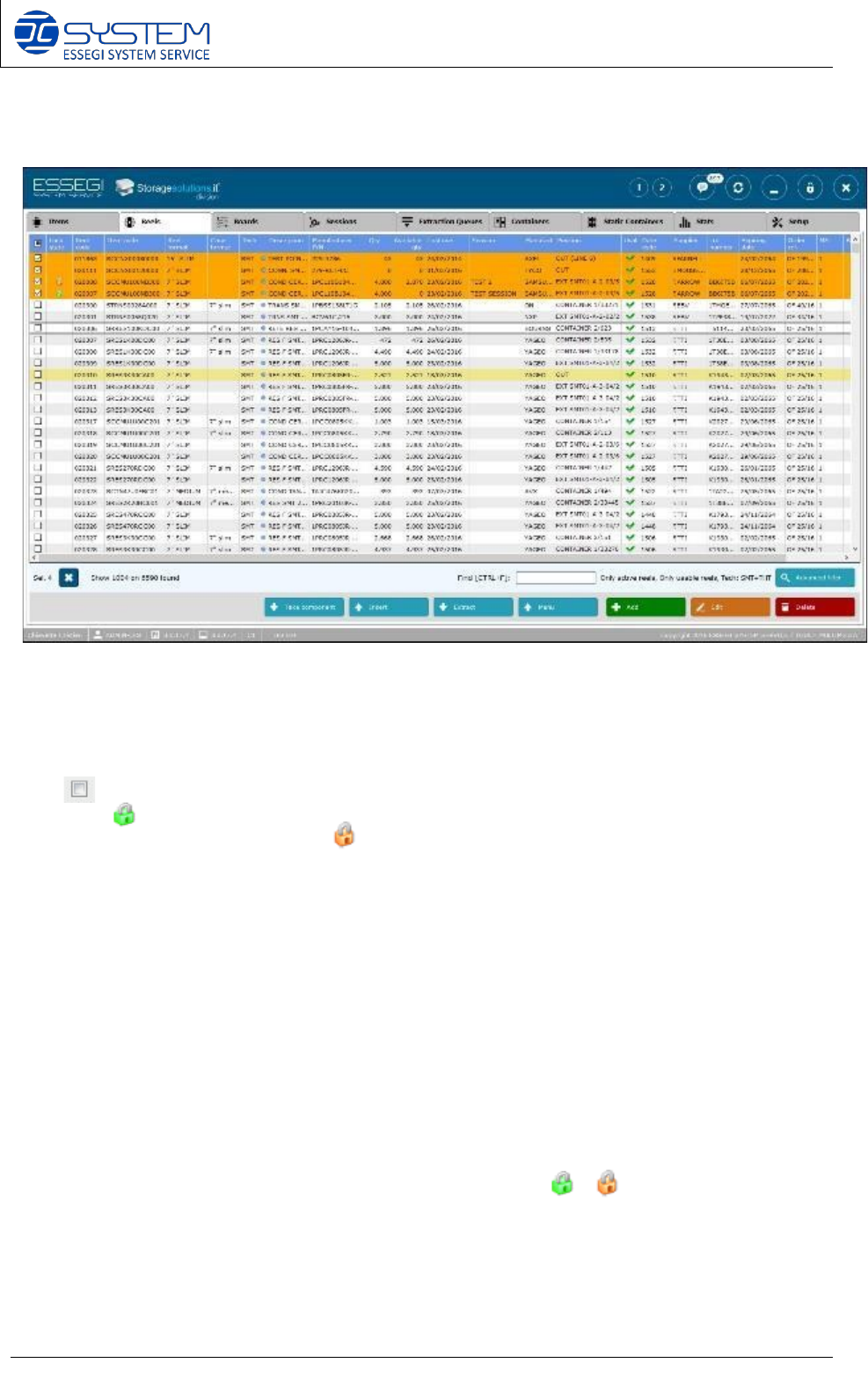
This window displays all customer unique IDs (Reels)
For each Unique ID can be displayed:
• Check box to select the row
• Lock when a reel code is reserved for a session. When the reel is reserved in a pre-
analysis the lock will be orange
• Reel code (Unique ID) (max 30 digits; ASCII only. Note: max 64 digits can be activated
previous analysis of Application department.)
• Item code (Customer internal P/N)
• Reel format: (example 7”H8, stick, JEDEC, box, etc…)
• Case format: the case size and height that contain this Unique ID
• Tech: technology (SMT or THT)
• Description: description of the item
• Manufacturer P/N
• Qty: quantity inside the reel code (Unique ID)
• Available qty: available quantity for this reel code. When the available quantity is less
than quantity in the reel code means that some of the components of this reel code will be
needed for a SESSION (Work Order)
• Last use: last day this reel code has been used
• Session: name of the session (WO) where the reel is used. When a reel is used in a
session you will also have the lock in the second column ( or ).
• If the Unique ID is in use in more than one session you will see “Multiple sessions” written
in this field. To visualize in which sessions this Unique ID is in use, you can do right click
on the “Multiple sessions” word, and select the option “Show related sessions”