ISM-2000_OPE.pdf - 第56页
Software 3.1 rev_0 1 Edition 06/20 16 - Reproduction forbidden a Page 56 Storage Solut ions Soft ware Operating Manual This icon reminds the operator to use the PICKING DOUBLE VERIFY to check which reel is the required r…
Software 3.1 rev_01 Edition 06/2016 - Reproduction forbidden
a
Page 55
Storage Solutions Software Operating Manual
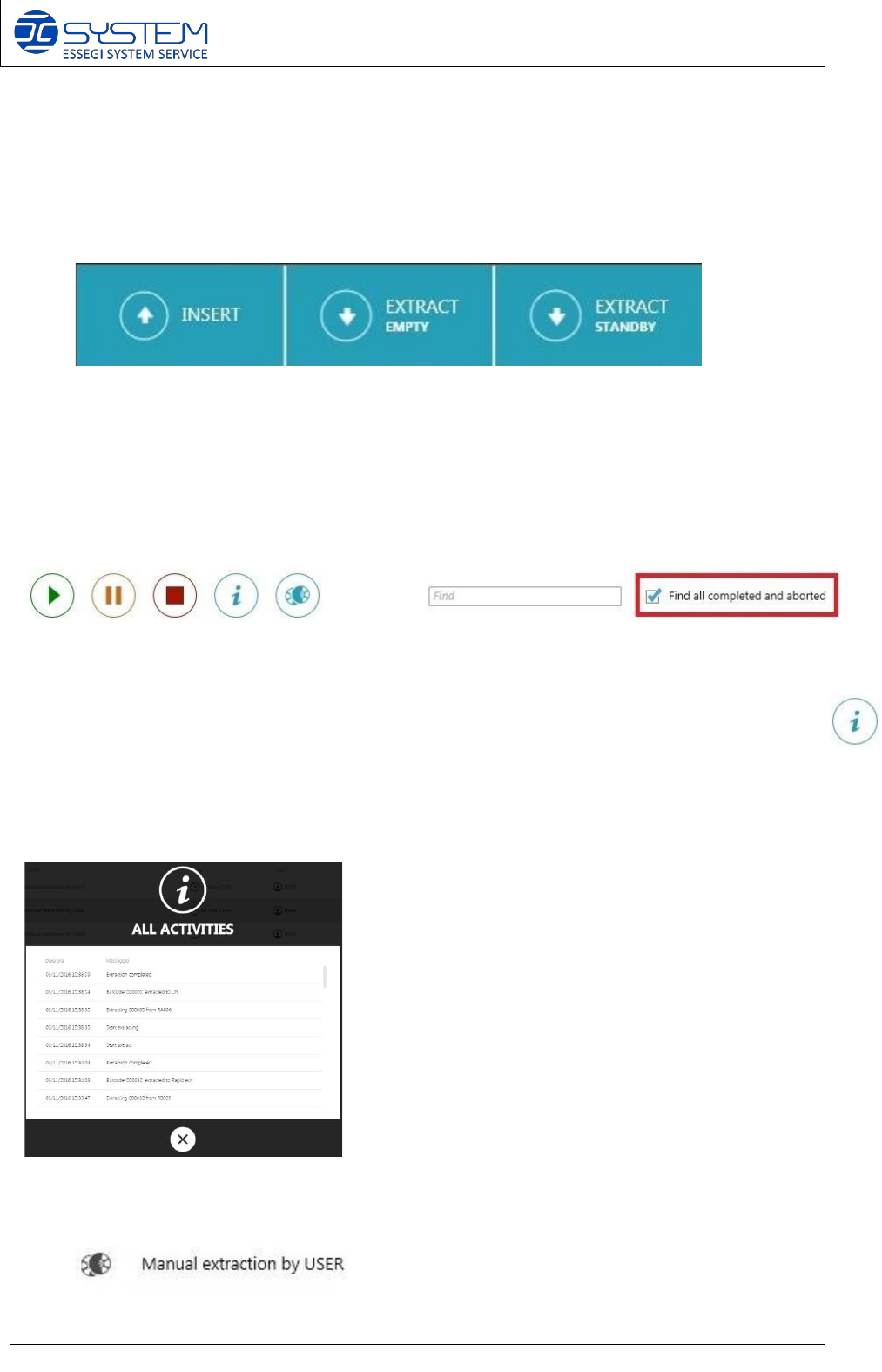
ENGAGED CASES are cases completely busy (there are two reels or 1 tray). EMPTY CASES
are cases without any material inside.
STANDBY CASES are cases inserted in a cell as stand-by material because:
- the camera could recognise the presence of reels but it could not read the code or
- the status of the reel was INACTIVE because the quantity of the components was 0
To extract the stand-by material, press EXTRACT STANDBY. To extract empty cases, press
EXTRACT EMPTY.
To start with the insertions, press INSERT button.
On the top, the operator can use these following buttons to start/pause/stop extraction queues:
To search a specific session, the operator can use the FIND field or checking the checkbox
“FIND ALL COMPLETED AND ABORTED”, it is possible to see all sessions made on the
machine.
To get all information about the operations made on the machine, the operator can click: This
following window will appear and it will show all activities made on the machine (insertions,
extractions etc)
When an operator extract a reel contained in a case with two reels, he can notice this following
icon near the extraction name (or session name).
Software 3.1 rev_01 Edition 06/2016 - Reproduction forbidden
a
Page 56
Storage Solutions Software Operating Manual
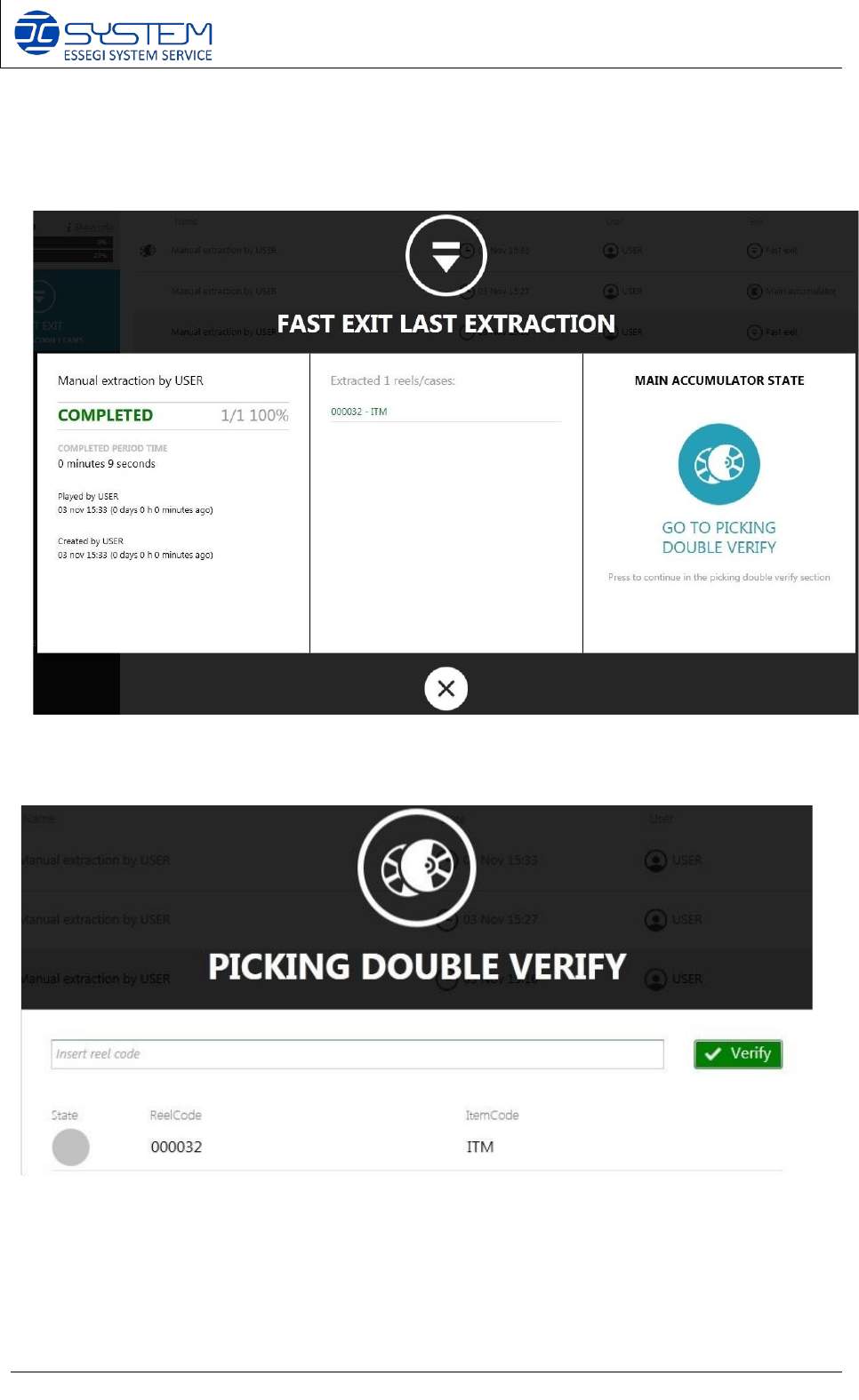
This icon reminds the operator to use the PICKING DOUBLE VERIFY to check which reel is the
required reel. When a case is extracted, the operator can click on GO TO PICKING DOUBLE
VERIFY to check the reel using a PDA or a manual barcode reader connected to the machine.
After clicking on it, the operator can see a list of reels to find.
Software 3.1 rev_01 Edition 06/2016 - Reproduction forbidden
a
Page 57
Storage Solutions Software Operating Manual
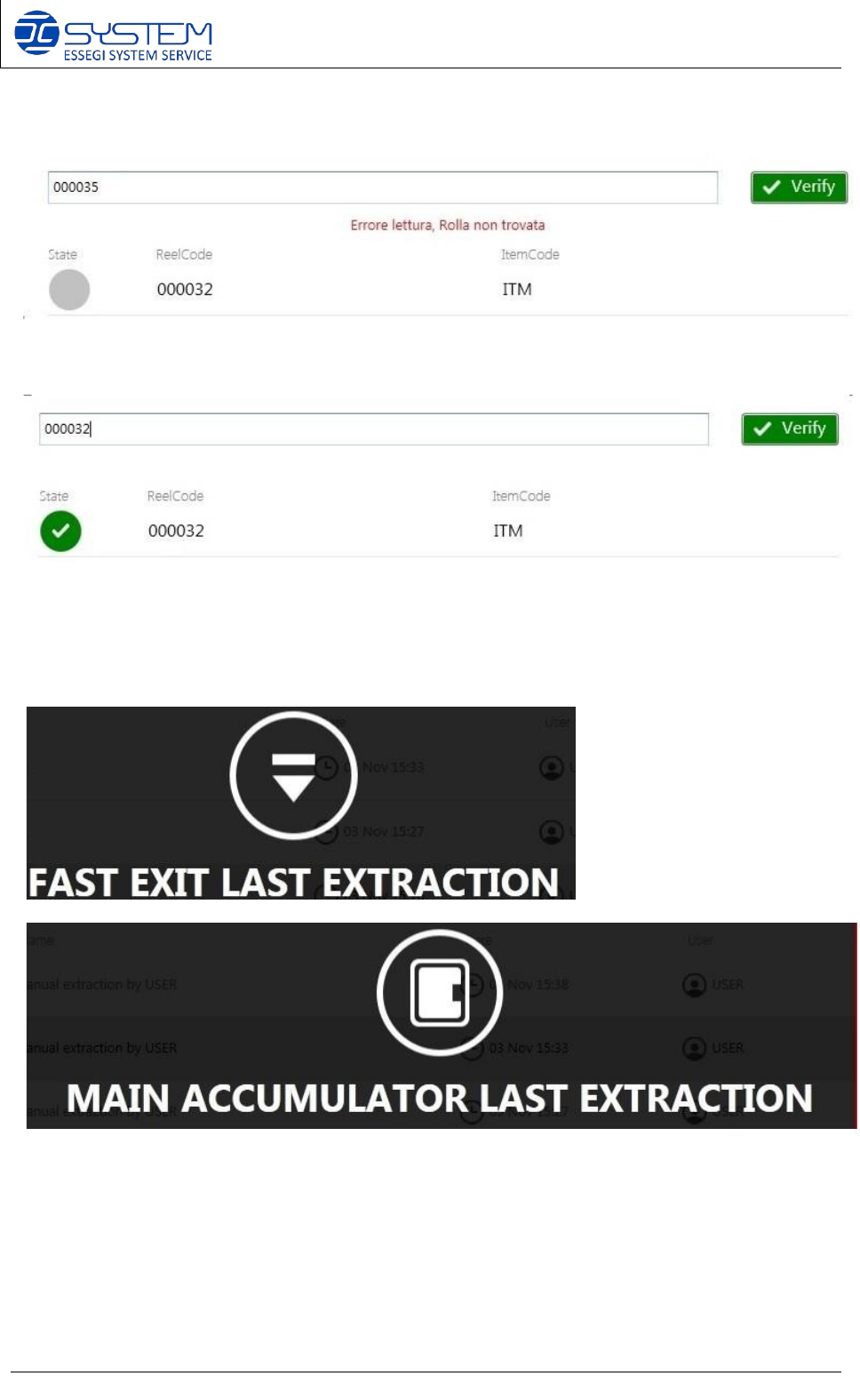
If the operator scans a wrong reel, a red message error will appear:
If the scanned reel is correct, the status of the reel turns in green:
To know where to find the case with the reel to check, the software indicates FAST EXIT LAST
EXTRACTION or MAIN ACCUMULATOR LAST EXTRACTION