ISM-2000_OPE.pdf - 第50页
Software 3.1 rev_0 1 Edition 06/20 16 - Reproduction forbidden a Page 50 Storage Solut ions Soft ware Operating Manual If the mouse pointer selects a SBY case , the program show s you the information about the height of …
Software 3.1 rev_01 Edition 06/2016 - Reproduction forbidden
a
Page 49
Storage Solutions Software Operating Manual
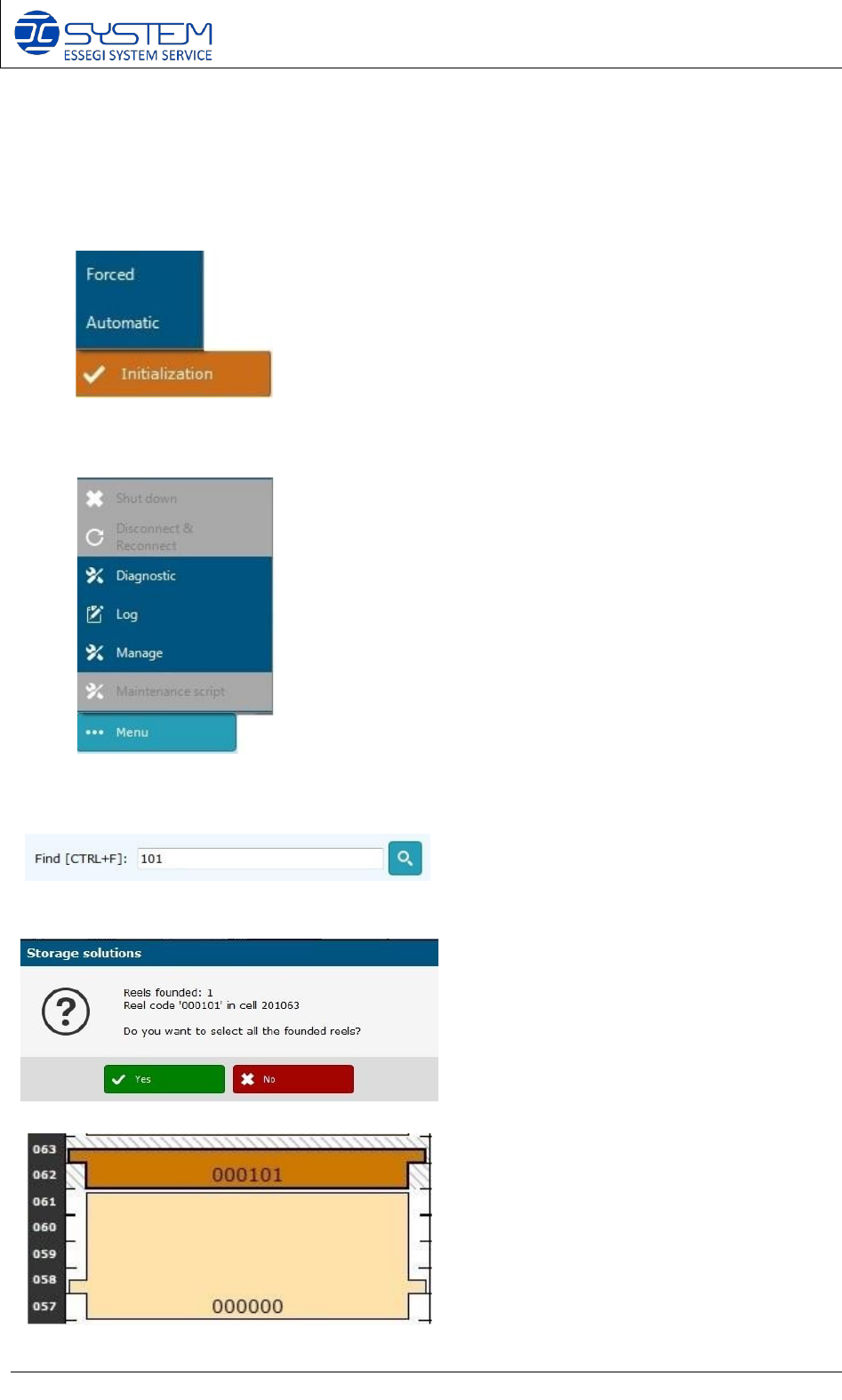
To make an initialization, there is the need to click the “initialization” button. A new feature
about the initialization is related to the possibility to choose the way to make it.
Forced: this button forces the initialization of the entirely
machine (axis, handler and accumulator)
Automatic: the machine checks which part needs an
initialization and it makes an initialization only for that part.
This feature is very useful to save time.
Clicking “MENU” button, you can see these following buttons:
- Shut down
- Disconnect & Reconnect
- Diagnostic
- Log
- Manage
- Maintenance script
In the searching field, it is possible to search
a reel code to find its position inside the
container.
If the reel is inside the container, a window
will appear to inform you about the number
of the cell.
It is possible to select it to visualise its
position: at this point, the position will be
marked.
Software 3.1 rev_01 Edition 06/2016 - Reproduction forbidden
a
Page 50
Storage Solutions Software Operating Manual
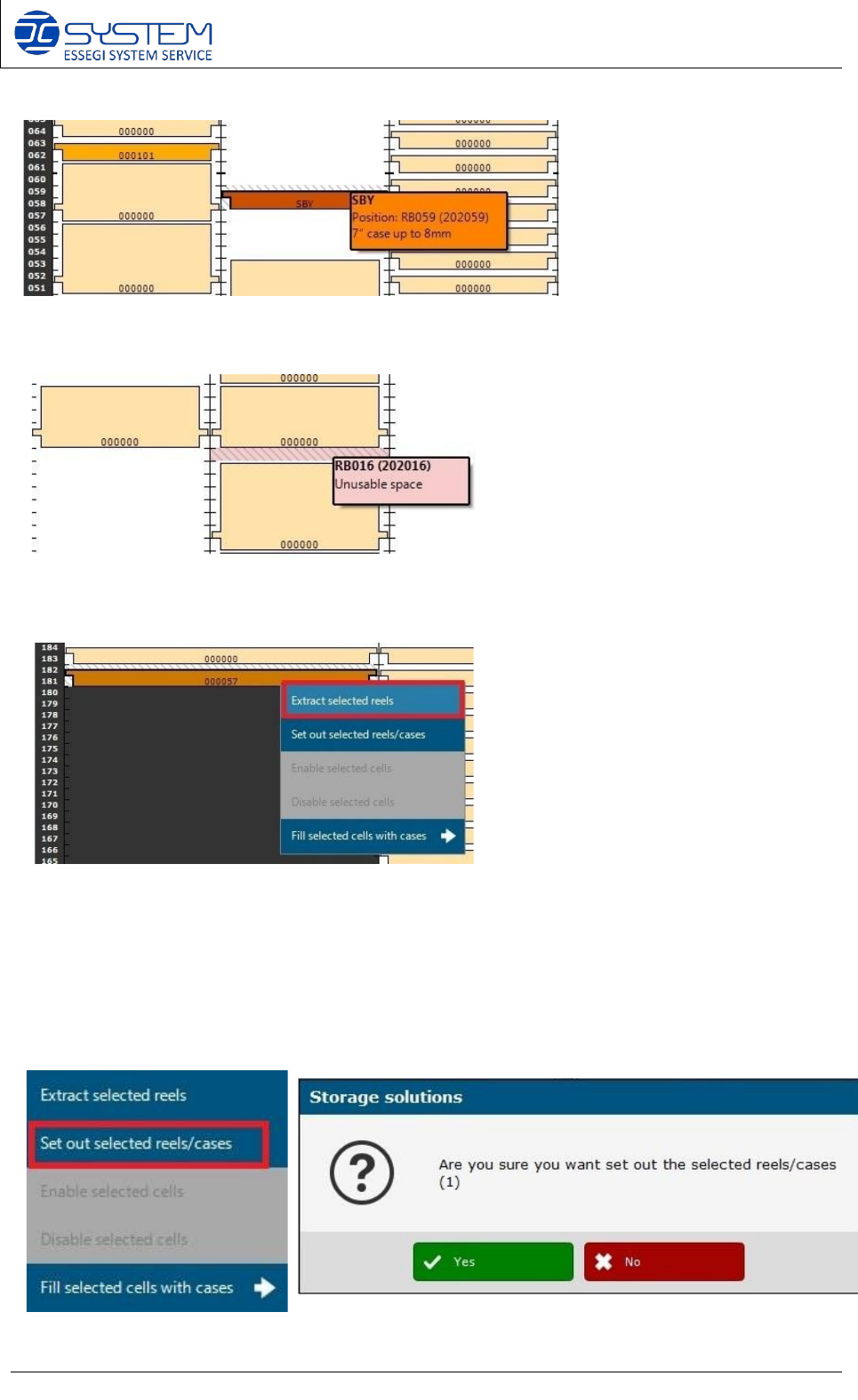
If the mouse pointer selects a SBY case, the program shows you the information about the
height of the case.
The unusable space has been marked in pink and in this space, nothing can be archived
because it is necessary to have at least two free positions to archive a case.
An extraction of a reel can be carried out directly from the “Container” page: the operator can
simply select the reel to extract and then clicking the right button, select EXTRACT SELECTED
REELS.
Besides extracting a reel, in the “container” page it is possible to SET OUT reels and cases
selecting “SET OUT SELECTED REELS/CASES” if you have extracted manually and the reel or
case is not physically placed in a cell anymore.
Software 3.1 rev_01 Edition 06/2016 - Reproduction forbidden
a
Page 51
Storage Solutions Software Operating Manual
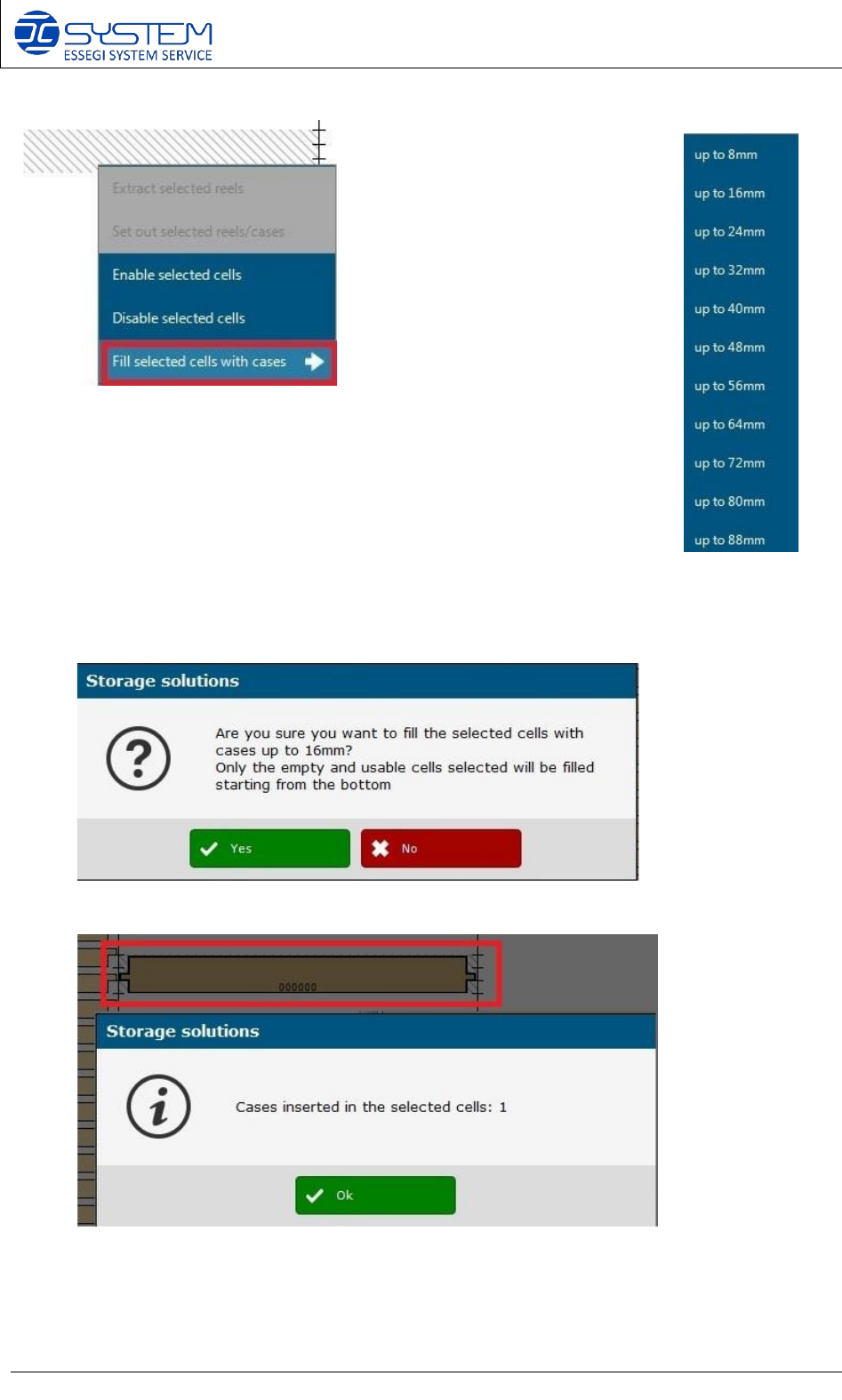
If in a cell there is an empty case, an operator can fill the cell with the
case selecting FILL SELECTED CELLS WITH CASES: to do this, the
operator has to select the cell to fill in and choose the height of the
case (e.g. up to 16 mm).
If the procedure has been correctly made, these following messages will appear and the case
will appear on the map.