ISM-2000_OPE.pdf - 第7页
Software 3.1 rev_0 1 Edition 06/20 16 - Reproduction forbidden a Page 7 Storage Solut ions Soft ware Operating Manual 4. C ustomer internal P/Ns management: Items (F2 ) This window displ ays all cust omer internal P/Ns (…
Software 3.1 rev_01 Edition 06/2016 - Reproduction forbidden
a
Page 6
Storage Solutions Software Operating Manual
3. Main Window
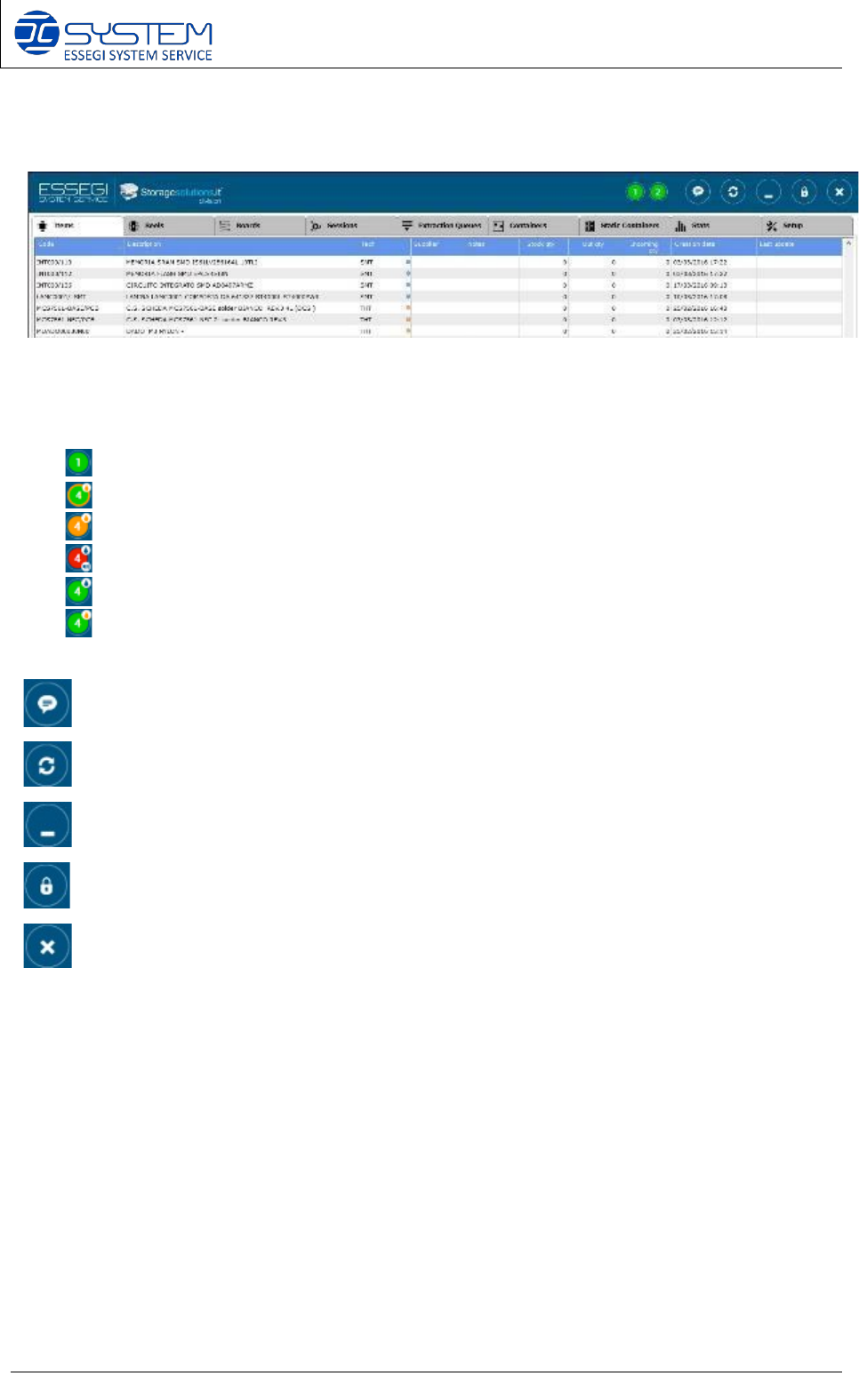
TRAFFIC LIGHTS:
- Green light: ready
- Green + orange lights: machine in movement
- Orange light: material ready to be taken from operators
- Red light: out of service. Click on buzzer icon to silent it
- Blue drop: humidity status ok
- Orange drop: humidity status NOT ok
MESSAGES: View communication, error and out of service messages.
REFRESH: Refresh the page. You can also use (F1)
MINIMIZE: Minimizes the window software
.
LOGOUT: Allows the log-off of the operator.
CLOSE: Close the software.
This window gives access to all functions of the software:
• (F2) - Items:
• (F3) - Reels:
Customer internal P/Ns
management. Customer unique IDs
management.
See par. 5.8.3
See par. 5.8.4
• (F4) - Boards:
BOM management.
See par. 5.8.5
• (F5) - Sessions:
Job/WO (Work Orders) management.
See par. 5.8.6
• (F6) - Extraction Queues:
Extraction Queues management.
See par. 5.6.7
• (F7) - Containers:
Automatic cabinets management.
See par. 5.8.8
• (F8) - Static Containers:
Static cabinets management.
See par. 5.8.9
• (F9) - Stats:
Humidity monitor and control unit
See par. 5.8.10
• Setup:
Software set-up.
See par. 5.8.11
Software 3.1 rev_01 Edition 06/2016 - Reproduction forbidden
a
Page 7
Storage Solutions Software Operating Manual
4. Customer internal P/Ns management: Items (F2)
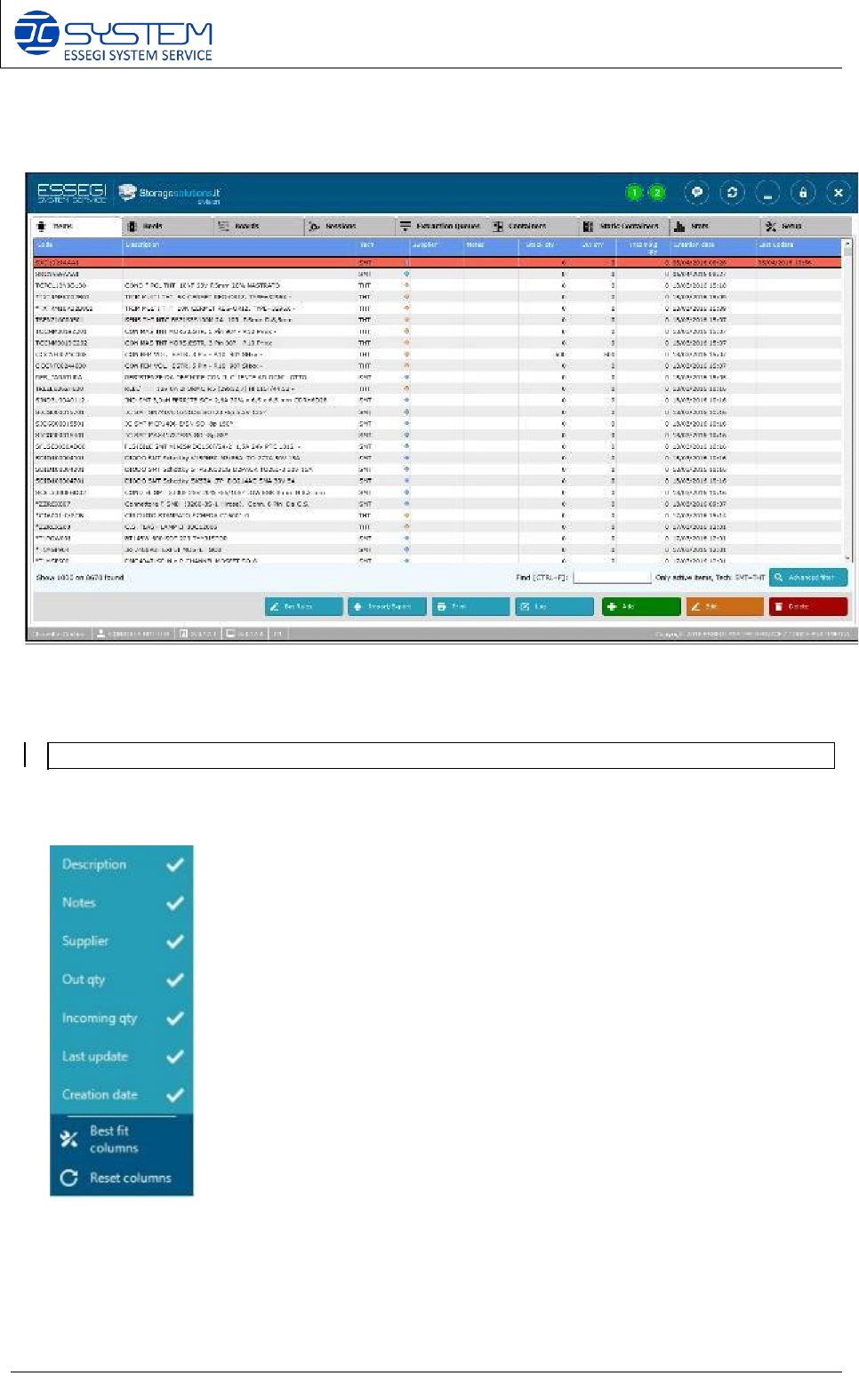
This window displays all customer internal P/Ns (Items)
Legend color rows:
Item refers to the type of component (customer P/Ns) that is inserted into the warehouse. For
each item is shown:
• Code: customer internal P/N code (max 30 digits; ASCII only)
• Description
• Tech (SMT or THT)
• Supplier: brand of the supplier of the components
• Stock qty: quantity of components in stock
• Out qty: quantity of components out from Storage Solutions systems
• Incoming qty: quantity of ordered components
• Creation date: date on which it is formally registered
• Last Update: date on which it is updated
• Notes: information required for the production
NOTE: to modify the type of information displayed, make right click on the header and select
from the following menu the fields you want to visualize in this window.
Row with item quantity below minimum stock level.
Software 3.1 rev_01 Edition 06/2016 - Reproduction forbidden
a
Page 8
Storage Solutions Software Operating Manual
The column “Tech” shows a new sign regarding the technology: blue point for SMT and yellow
point for THT components. These signs make the search of a determined technology easier.
Follows a description of the buttons (and related functions) available for this window:
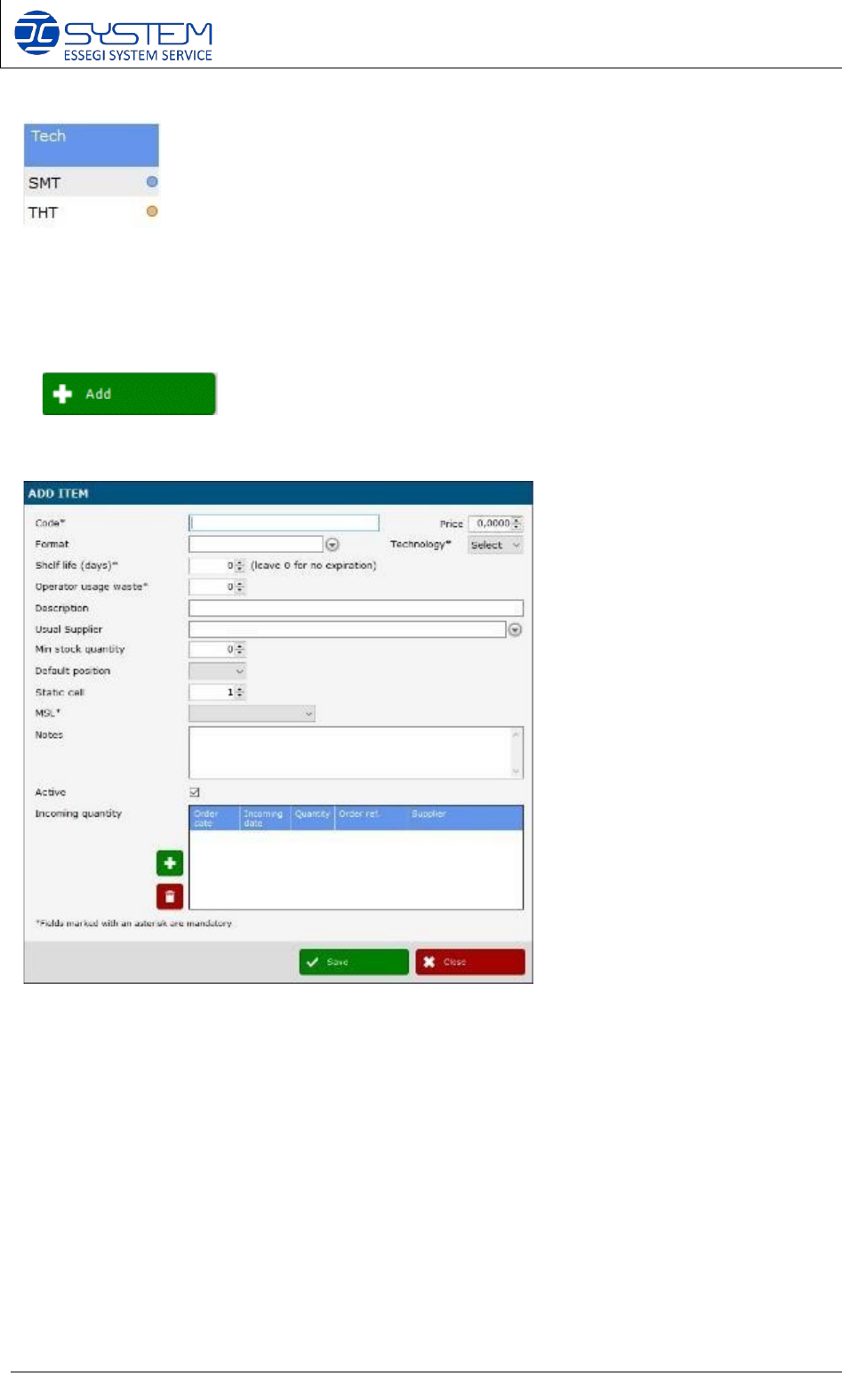
It allows adding a new item. When pressed a new windows opens where it is possible to insert
the details of the new item:
Code: code assigned to the component type. (i.e.100NF or 123456, S02.0345, etc...).
Price: you can indicate the price of the item.
Technology: SMT or THT (THT is available only with THT module installed).
Format: usual format of the package (ex: REEL 7” H8, BOX, STICK, etc…).
Shelf life (days): maximum number of days allowed inside the stock. After this period the item will be
consider expired.
Operator usage waste: it indicates a theoretical amount of components that are lost during each session in which
the component is used. This is a fix number depending on the scratch factor during feeder set-up. This value will
be proposed during codification of new Unique ID in the Reels page.
Description: component type description. (example: Ceramic Capacitor 100NF smd 0805 X7R).