ISM-2000_OPE.pdf - 第57页
Software 3.1 rev_0 1 Edition 06/20 16 - Reproduction forbidden a Page 57 Storage Solut ions Soft ware Operating Manual If the operator scans a w rong reel, a red message error w ill appear: If the scanned reel is correct…
Software 3.1 rev_01 Edition 06/2016 - Reproduction forbidden
a
Page 56
Storage Solutions Software Operating Manual
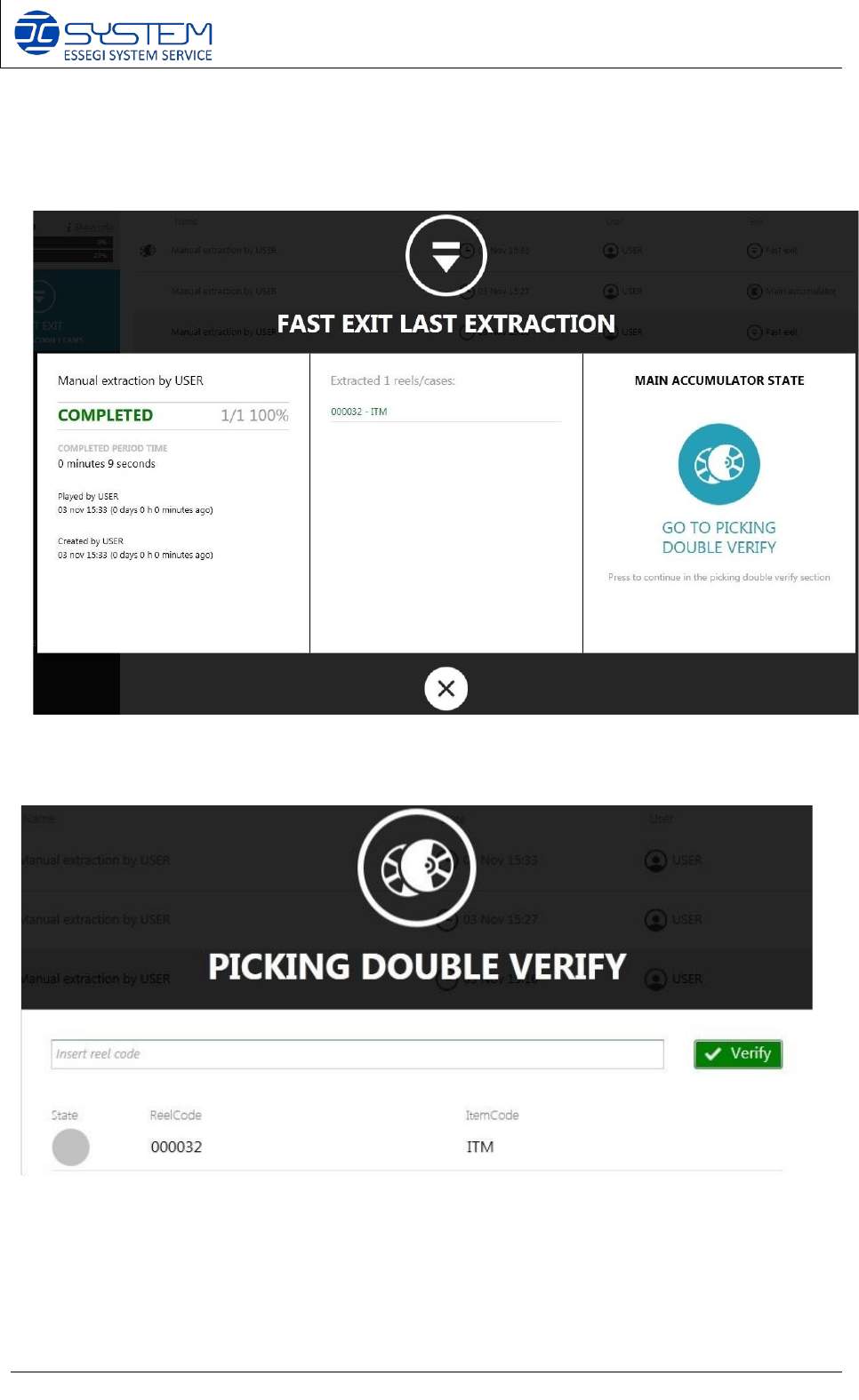
This icon reminds the operator to use the PICKING DOUBLE VERIFY to check which reel is the
required reel. When a case is extracted, the operator can click on GO TO PICKING DOUBLE
VERIFY to check the reel using a PDA or a manual barcode reader connected to the machine.
After clicking on it, the operator can see a list of reels to find.
Software 3.1 rev_01 Edition 06/2016 - Reproduction forbidden
a
Page 57
Storage Solutions Software Operating Manual
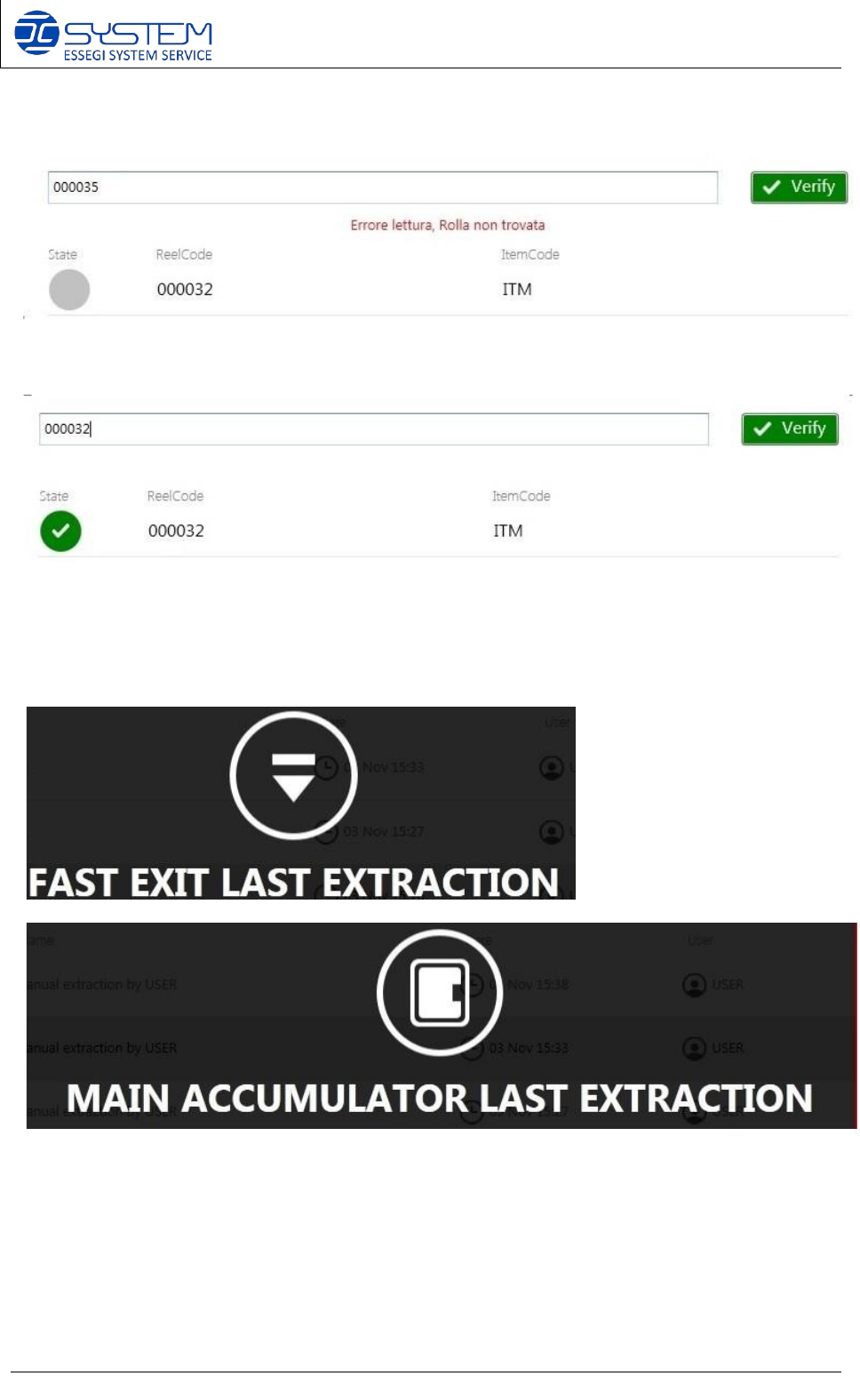
If the operator scans a wrong reel, a red message error will appear:
If the scanned reel is correct, the status of the reel turns in green:
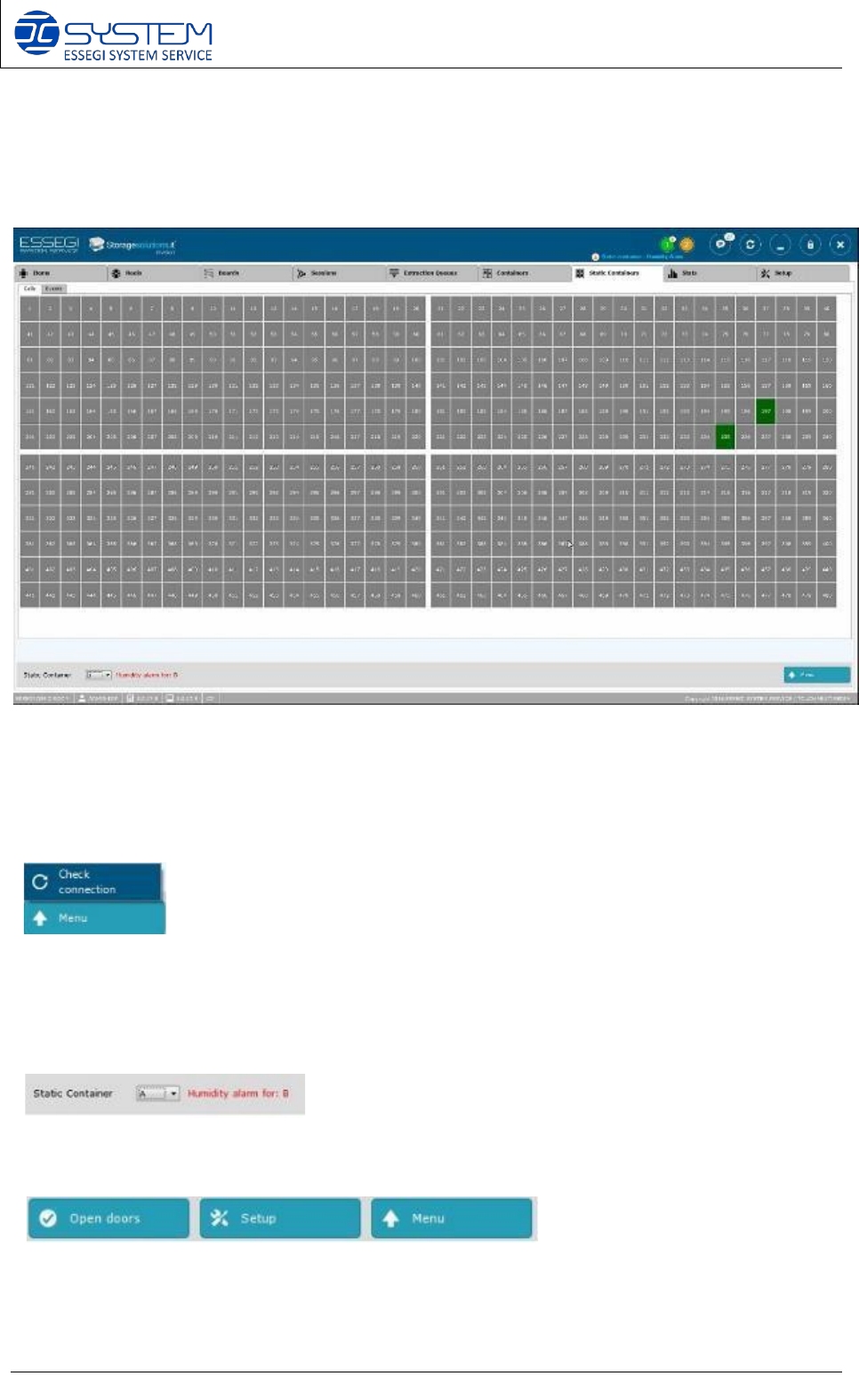
To know where to find the case with the reel to check, the software indicates FAST EXIT LAST
EXTRACTION or MAIN ACCUMULATOR LAST EXTRACTION
Software 3.1 rev_01 Edition 06/2016 - Reproduction forbidden
a
Page 58
Storage Solutions Software Operating Manual
11. Static Containers (F8)
From this window it is possible to visualize and manage the positions (Cells) and events of each
Static Container installed.
NOTE:
• by pointing the mouse over a position in use you can visualize which unique ID/s
are inside.
• right click on a position in use, it will allow you to force manually this position as empty.
It allows to check the connection between the static container software module and the
hardware.
When a static container has a humidity level above the permitted limit, you can see a humidity
alarm with the indication of the static container to which it relates.
In case of ISM500, you can see other two buttons:
- Open doors: to open the doors of ISM500 with electronic locks
- Setup: to configure the ISM500