ISM-2000_OPE.pdf - 第31页
Software 3.1 rev_0 1 Edition 06/20 16 - Reproduction forbidden a Page 31 Storage Solut ions Soft ware Operating Manual It allows to enter into sel ected session. It allows to delete the selected session. It allows to con…
Software 3.1 rev_01 Edition 06/2016 - Reproduction forbidden
a
Page 30
Storage Solutions Software Operating Manual
1- Only usable reels: With the option “Only usable reels” selected, the software
will consider only the reels which are set as usable, for the analysis.
2- Skip reels in session: with the option “Skip reels in session” selected, the system
will consider only the reels which are not already used for any other open session.
If this option is not selected, the system will consider even the remaining quantity
of the reels which are used for some other session at this moment.
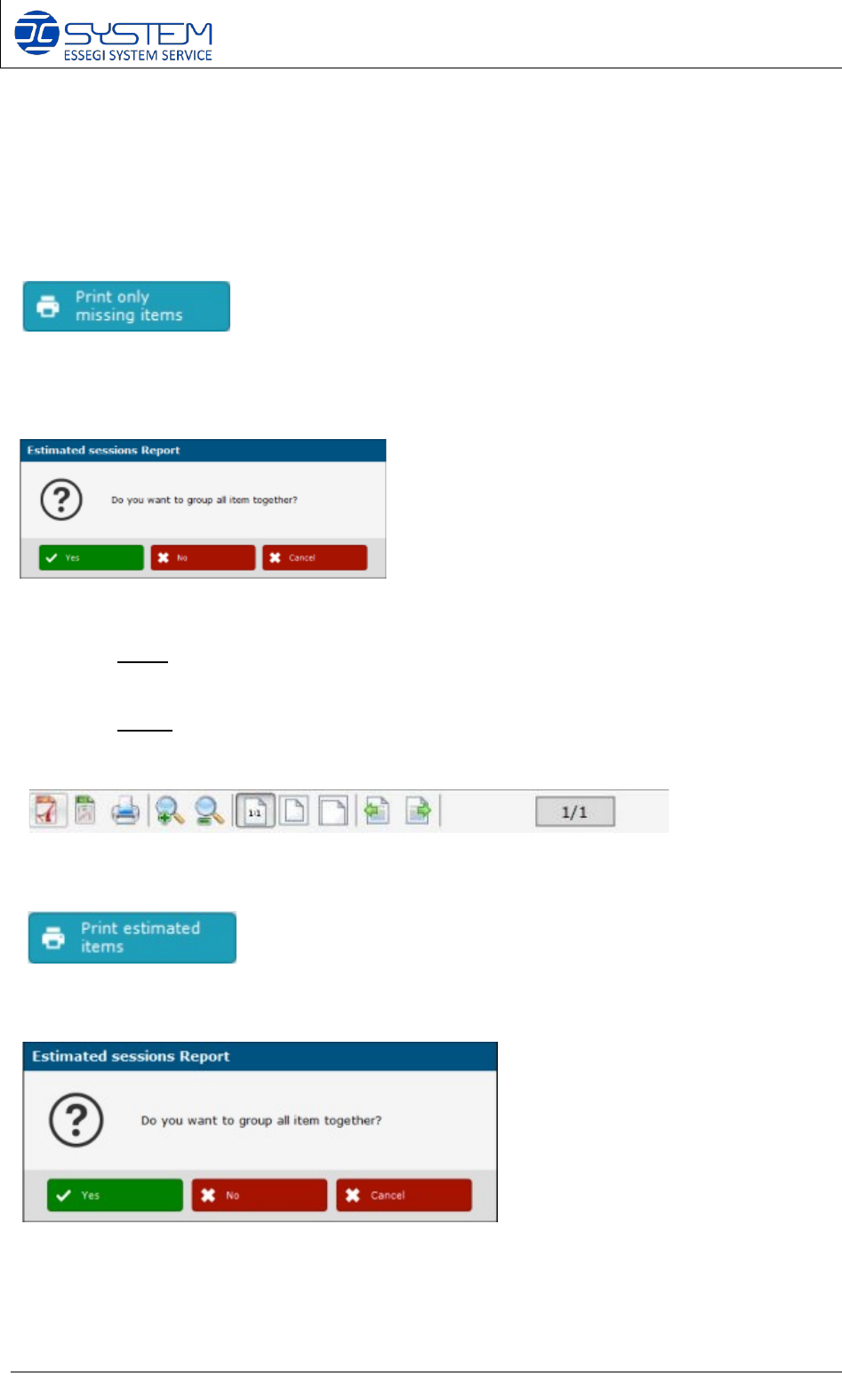
Allows to print the missing items of the selected estimated sessions. You can decide to group or
not group the item together:
- If you group the missing items, the print out will group the all missing items,
regardless for which session they are missing (useful to print a report for Purchase
department for example).
- If you do not group the missing items, in the print out, the missing items will be
divided regarding the sessions where they are missing (useful to print a report
for Production department for example).
It is possible to save as PDF file, generate an excel print out, make a print of the pages and
some other options.
Allows to print the estimated items of the selected sessions. Once pressed the following window
appears. You can decide to group or not group the items together.
Software 3.1 rev_01 Edition 06/2016 - Reproduction forbidden
a
Page 31
Storage Solutions Software Operating Manual
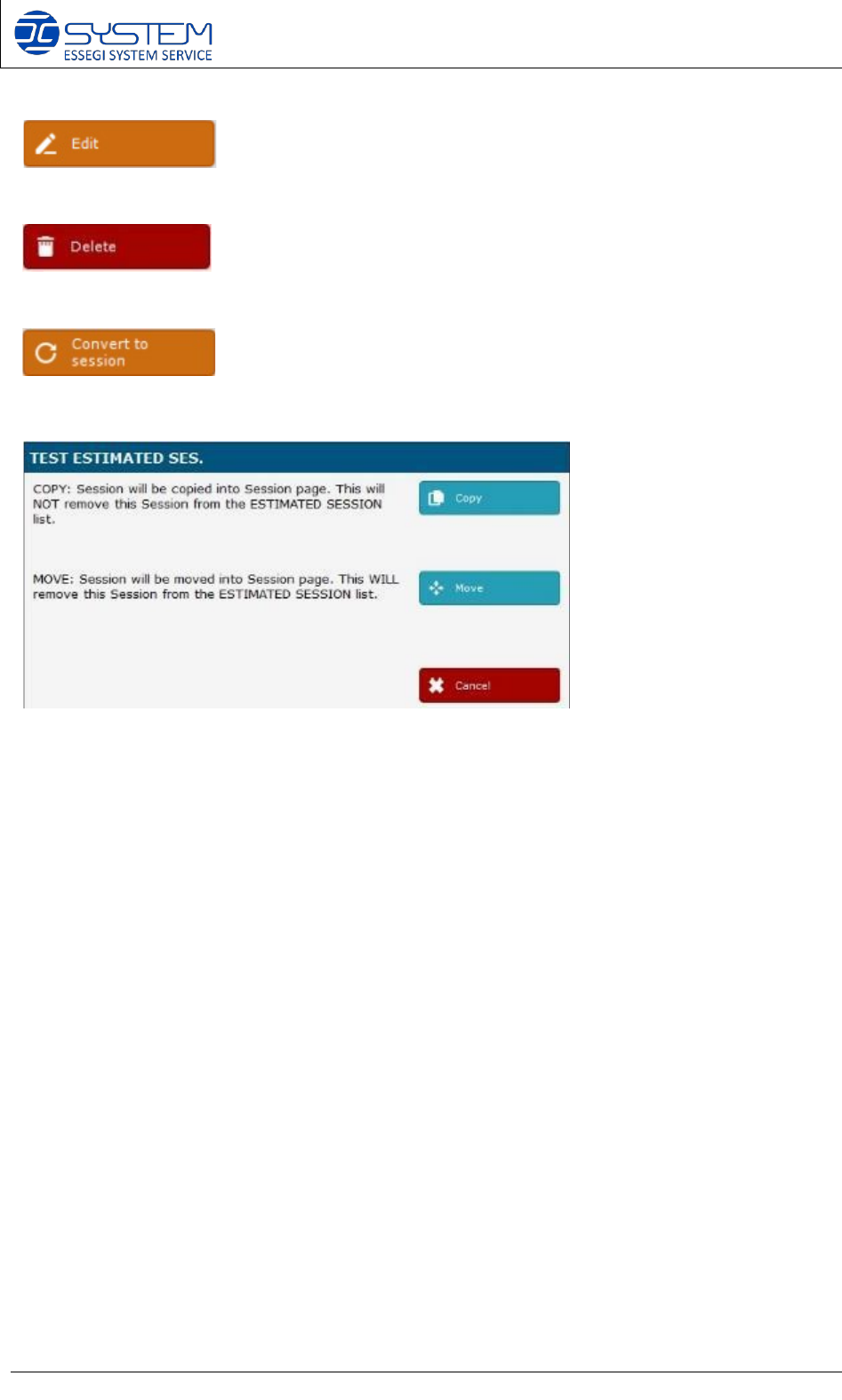
It allows to enter into selected session.
It allows to delete the selected session.
It allows to convert the selected estimated session into a real session. By pressing this button,
you will have two options:
1- Copy: the estimated session will be copied into the “Sessions” page.
2- 2- Move: the estimated session will be moved into the “Sessions” page.
- END OF THE ORDERS PLANNER -
Software 3.1 rev_01 Edition 06/2016 - Reproduction forbidden
a
Page 32
Storage Solutions Software Operating Manual
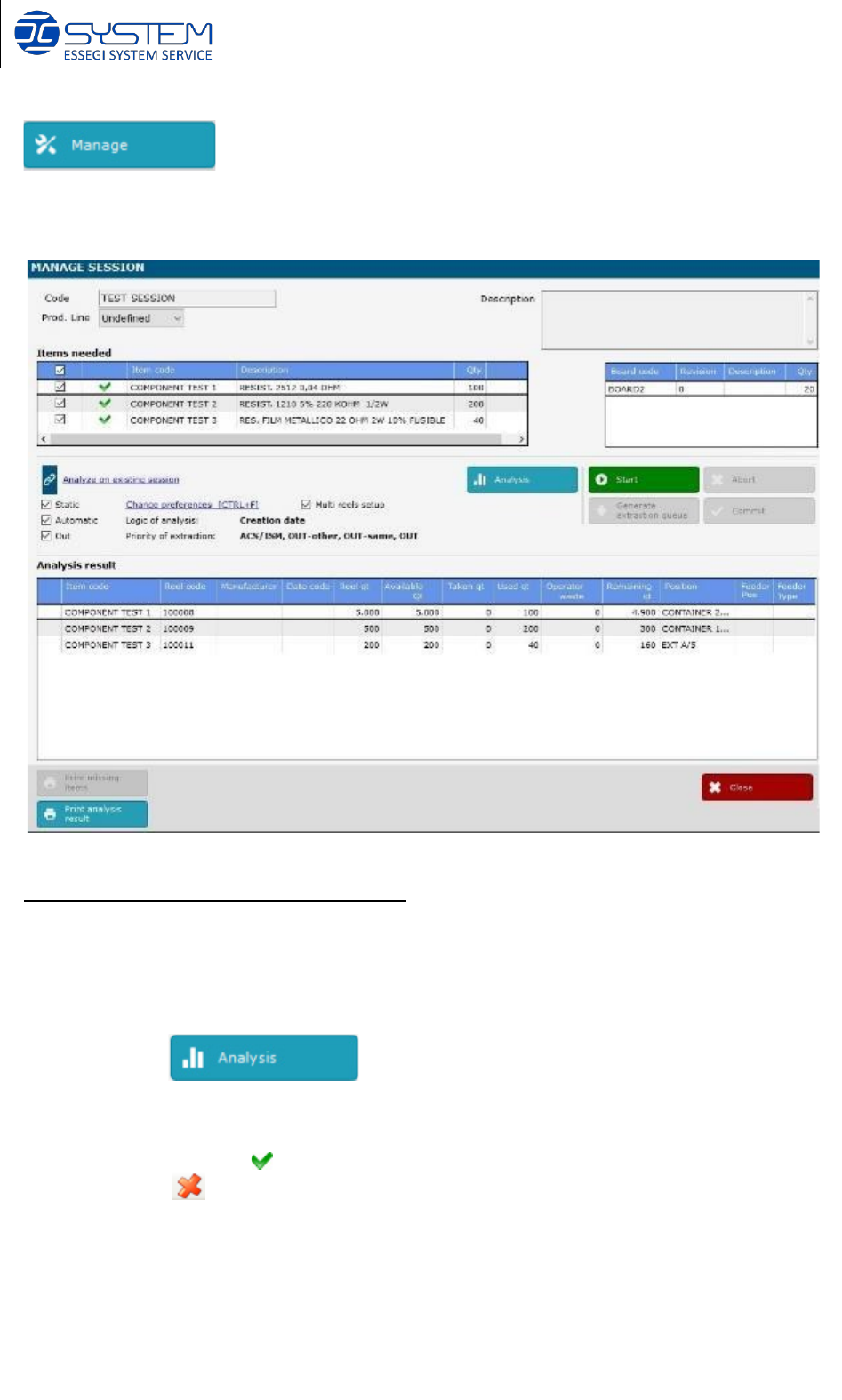
It allows to go inside the management of a session. You can also enter into the manage session
by making double click directly on the desired session.
When pressed, the following windows is opened:
Session analysis and starting procedure:
1. Inside the “Items needed” field you can see all items (components P/Ns) needed to
make this session (Work Order)
After clicking , the software will analyze if all components are available,
and which reels will be used for production.
If checked, the symbol , it means that the item is available for production, if the item is not
available, the is displayed. At this point it is possible to select or deselect the items
intended to use in the session.