ISM-2000_OPE.pdf - 第17页
Software 3.1 rev_0 1 Edition 06/20 16 - Reproduction forbidden a Page 17 Storage Solut ions Soft ware Operating Manual If you need to modi fy some details (e.g. Item code, quantity etc.), you hav e to click on this butt …
Software 3.1 rev_01 Edition 06/2016 - Reproduction forbidden
a
Page 16
Storage Solutions Software Operating Manual
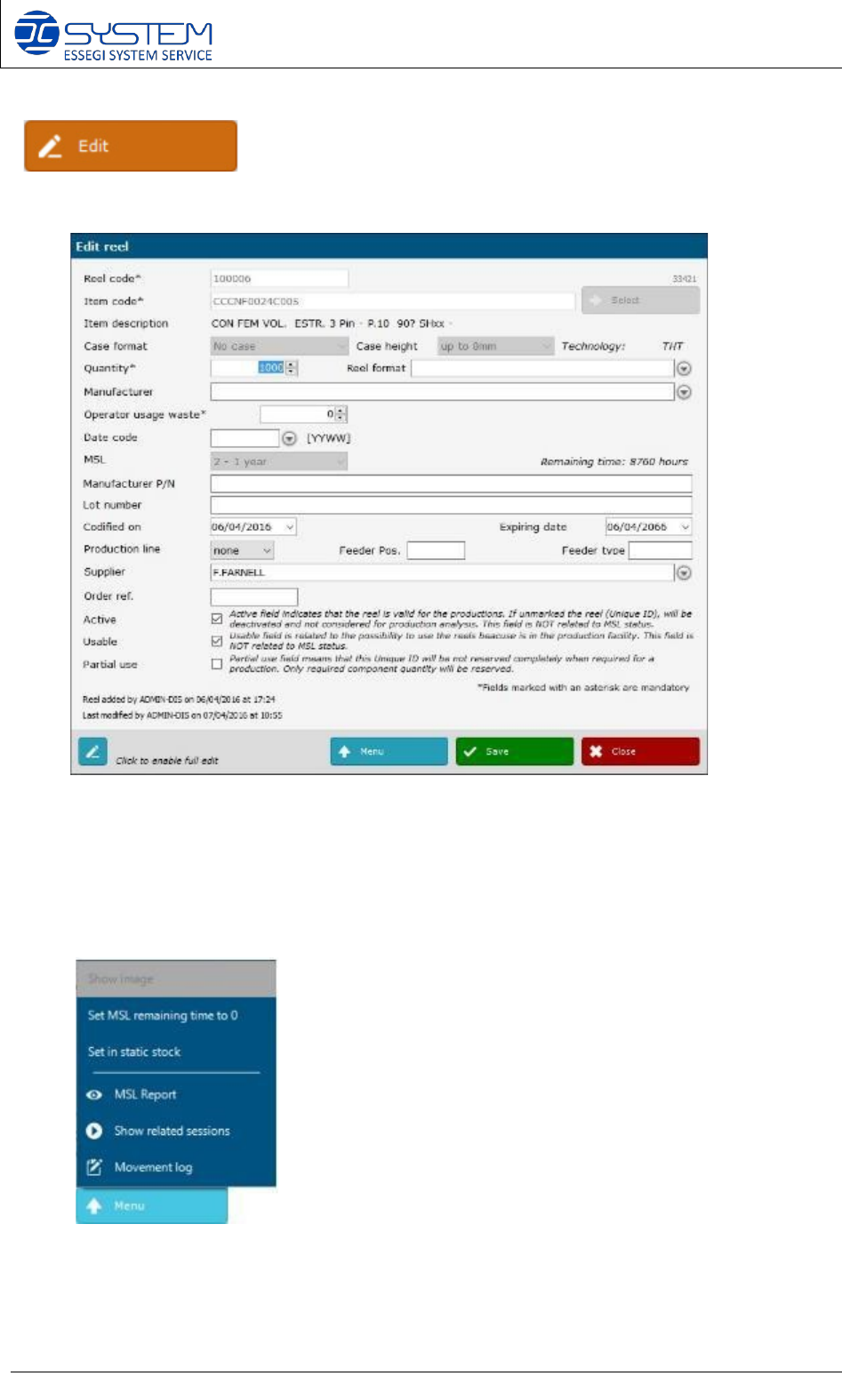
Allows to modify an existing reel. You can make the “edit” of a reel by making double click on
the row. When you “edit” an existing reel, you can see the following window:
As you can see you can modify some data. Some of the data are editable only if you click on the
“full edit” button on the left corner.
By pressing the “Menu” button you can visualize the following menu:
Show image:
it allows to visualize the image of the reel. This
is possible if you have the Reels Picture Traceability Module
installed.
Instead of “Show image”, you can see “Save image” if the reel has
not been inserted yet inside the Database.
Set MSL remaining time to 0: The remaining time will be
set as 0
Reset MSL: This function restores the initial time related to
the MSL level (e.g. for the MSL 2, the time will be restored to
8760 hours).
Set in static stock: to set the reel into default position
MSL Report: to generate the MSL report of this reel
Show related sessions: to visualize all sessions where this reel
is in use
Movement log: to visualize all movements and records of this
Unique ID
Software 3.1 rev_01 Edition 06/2016 - Reproduction forbidden
a
Page 17
Storage Solutions Software Operating Manual
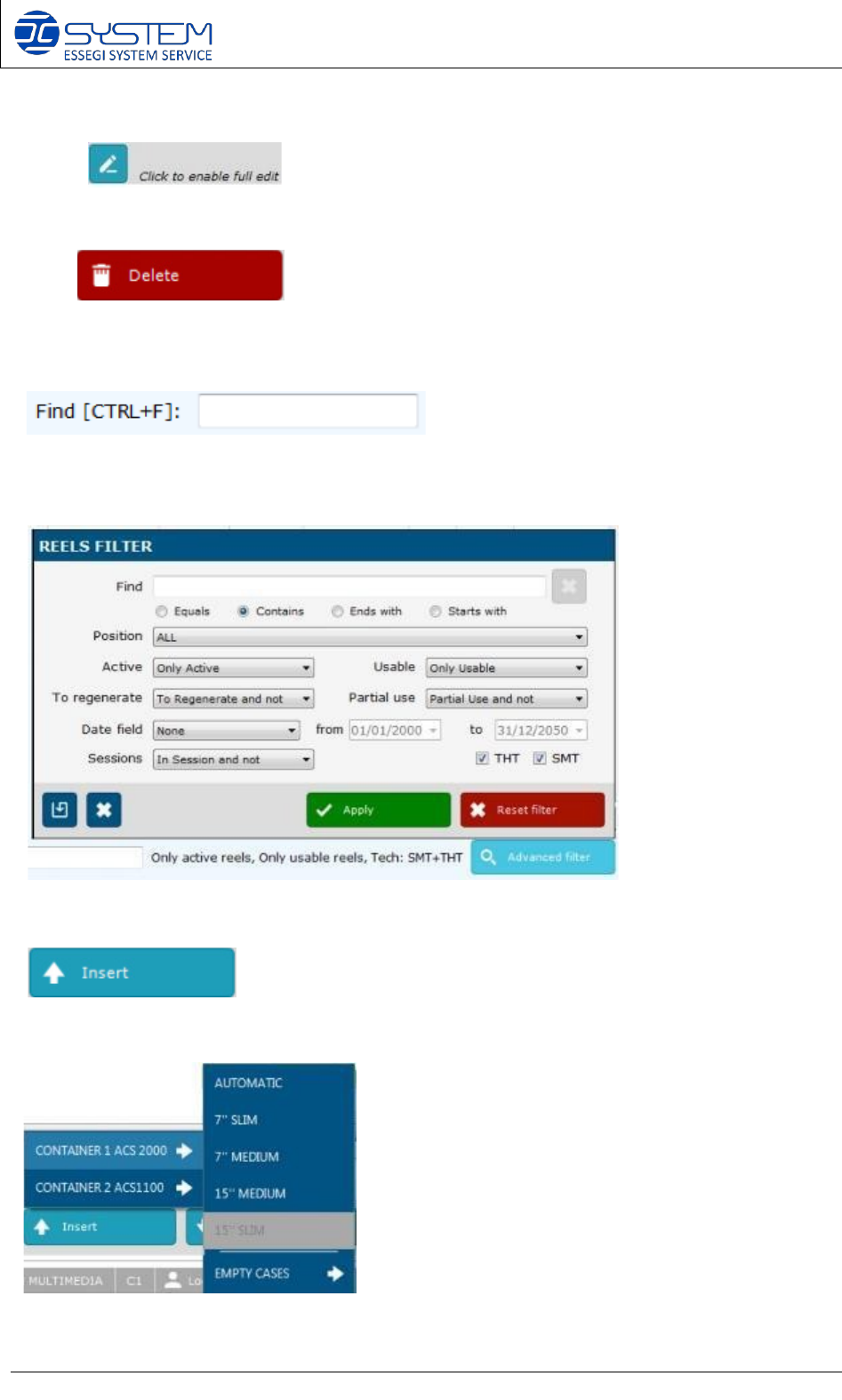
If you need to modify some details (e.g. Item code, quantity etc.), you have to click on this
button:
Allows to delete and existing reel.
Allows a quick search of reels existing on the database.
“Advanced filter”: it allows to make a specific search inside the database.
Allows to load the reel into the tower/towers. By pressing this button, you can select in which
container you want to insert the Unique IDs and also the EMPTY CASES.
Software 3.1 rev_01 Edition 06/2016 - Reproduction forbidden
a
Page 18
Storage Solutions Software Operating Manual
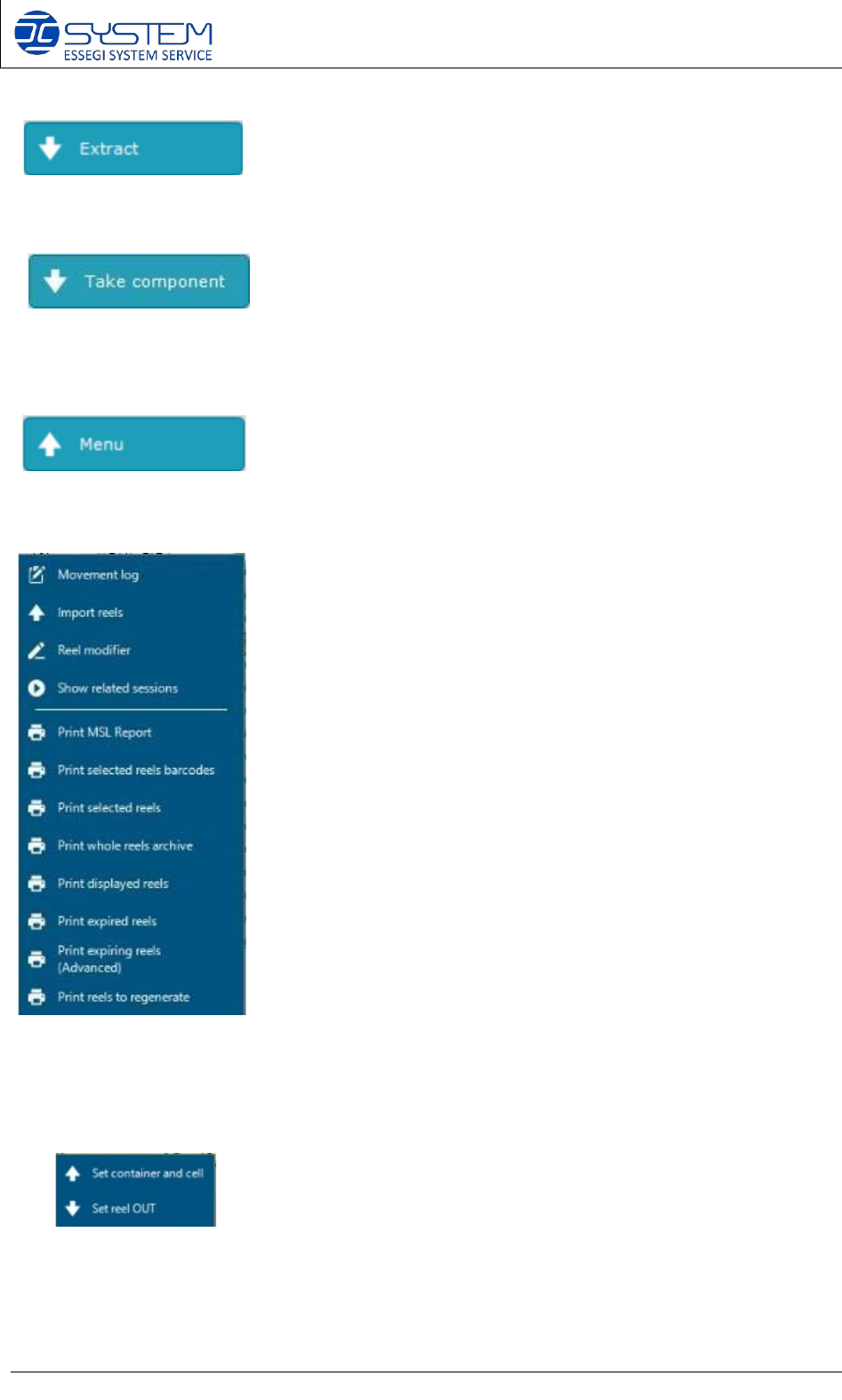
Allows extracting a reel without opening a session. The reel needs to be selected by using the
check box.
This button allows you to take only the quantity of components needed for the production without
reserving whole reel.
Allows to enter in the menu where we can find these following commands:
TRICKS / SHORTCUTS:
1. By making right-click on “Position” field of a Unique ID, the following window will be
displayed:
From this menu it is possible to force a Unique ID inside an ACS/ISM system or set it OUT.
2. By making right-click on “Session” field of a Unique ID, the window of the “Show related
sessions” menu will be displayed.