ISM-2000_OPE.pdf - 第59页
Software 3.1 rev_0 1 Edition 06/20 16 - Reproduction forbidden a Page 59 Storage Solut ions Soft ware Operating Manual 12. Stats (F9) If the Humidity Control Unit is installed, this modul e permits to monitor and the con…
Software 3.1 rev_01 Edition 06/2016 - Reproduction forbidden
a
Page 58
Storage Solutions Software Operating Manual
11. Static Containers (F8)
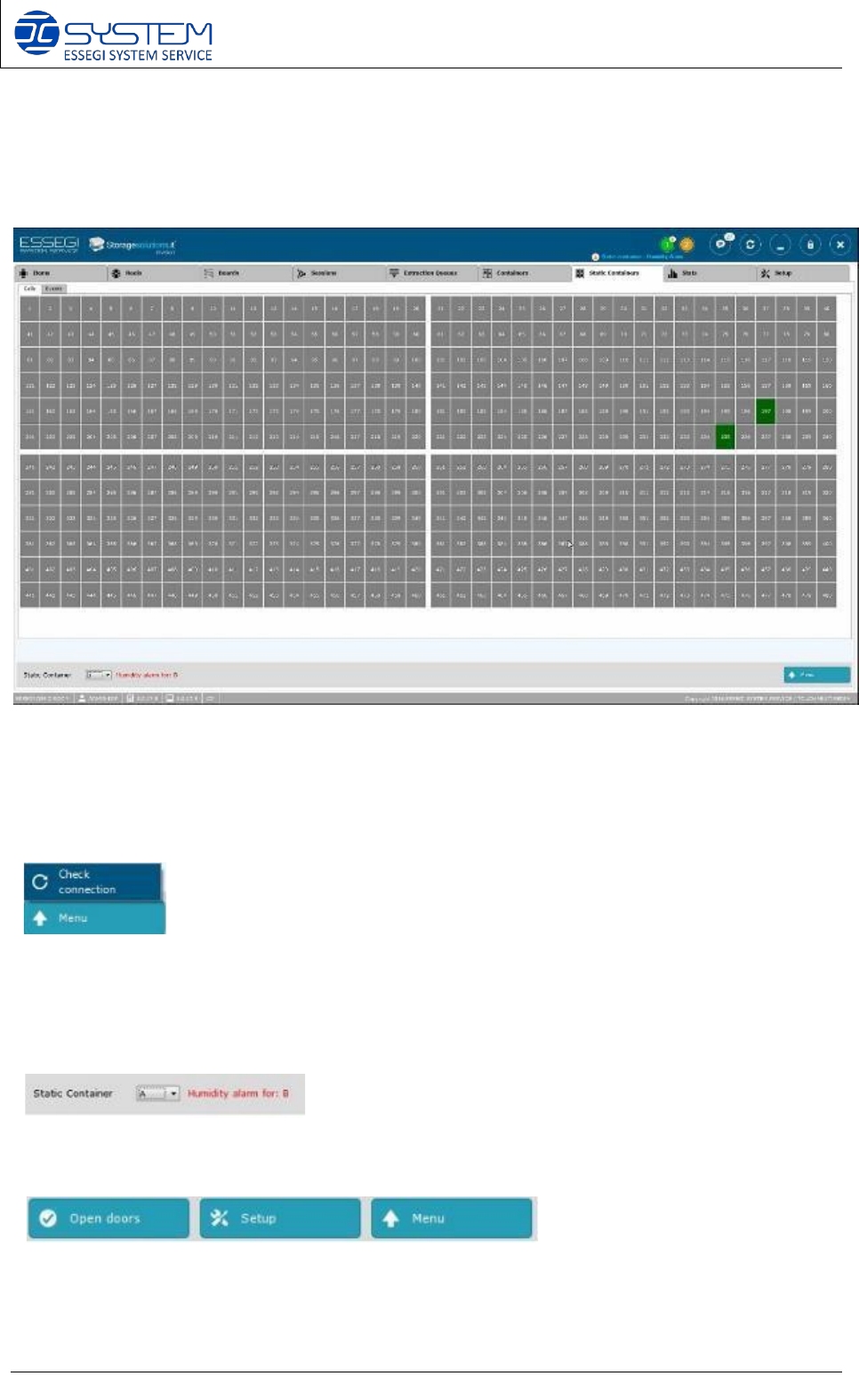
From this window it is possible to visualize and manage the positions (Cells) and events of each
Static Container installed.
NOTE:
• by pointing the mouse over a position in use you can visualize which unique ID/s
are inside.
• right click on a position in use, it will allow you to force manually this position as empty.
It allows to check the connection between the static container software module and the
hardware.
When a static container has a humidity level above the permitted limit, you can see a humidity
alarm with the indication of the static container to which it relates.
In case of ISM500, you can see other two buttons:
- Open doors: to open the doors of ISM500 with electronic locks
- Setup: to configure the ISM500
Software 3.1 rev_01 Edition 06/2016 - Reproduction forbidden
a
Page 59
Storage Solutions Software Operating Manual
12. Stats (F9)
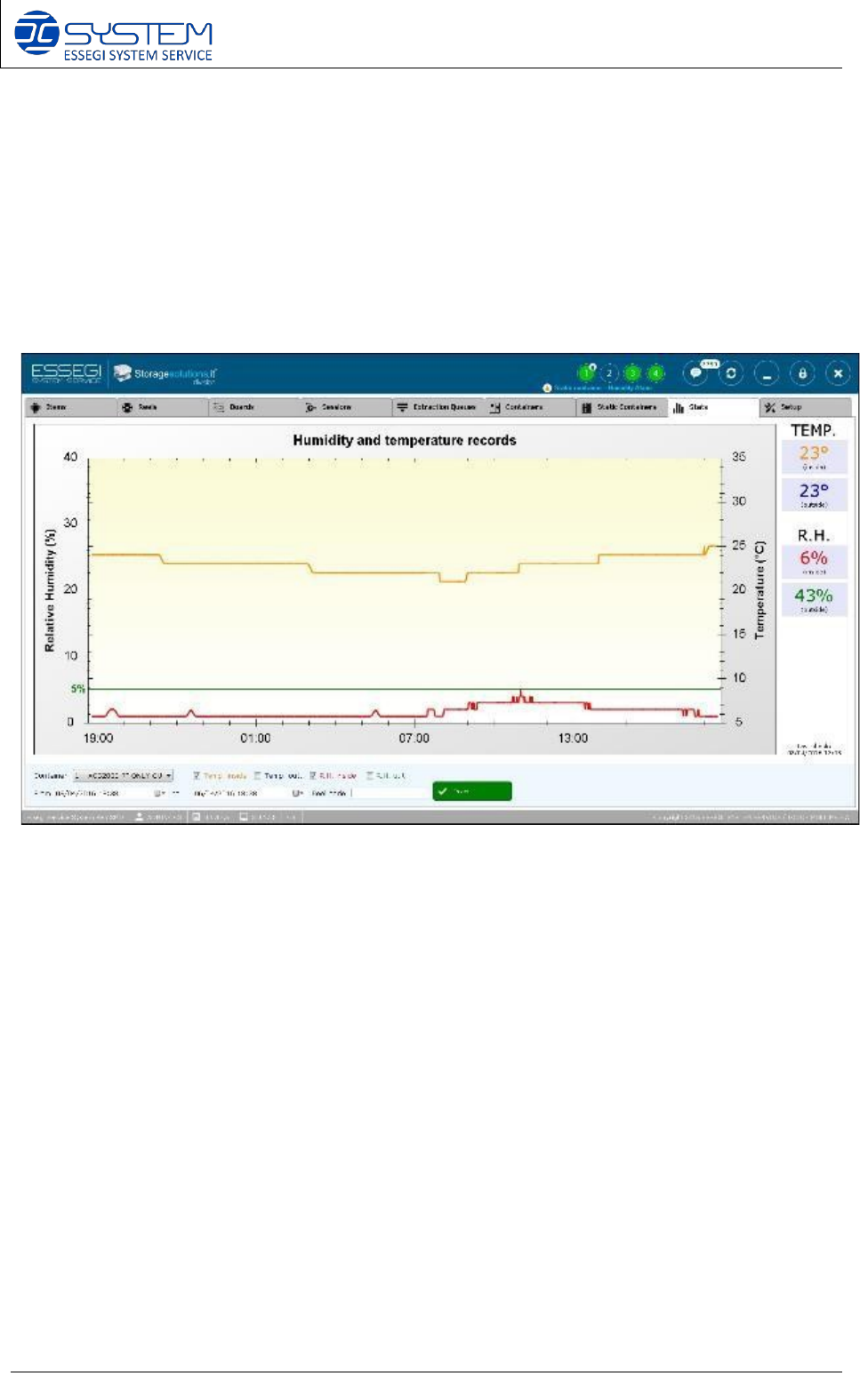
If the Humidity Control Unit is installed, this module permits to monitor and the control of the
humidity for any cabinet installed. It is possible to make search regarding date and reel code, to
have the life of the reel concerning humidity and temperature. If a “sensitive” reel, for which a
humidity limit has been selected, enter in a humidity condition RH>5%, the software start the
countdown and will block the reel if the maximum tolerance limit will be overtaken. With this
module you will have a complete traceability of humidity for any single component.
Software 3.1 rev_01 Edition 06/2016 - Reproduction forbidden
a
Page 60
Storage Solutions Software Operating Manual
13. SETUP: Setup
1) Users (CTRL+U)
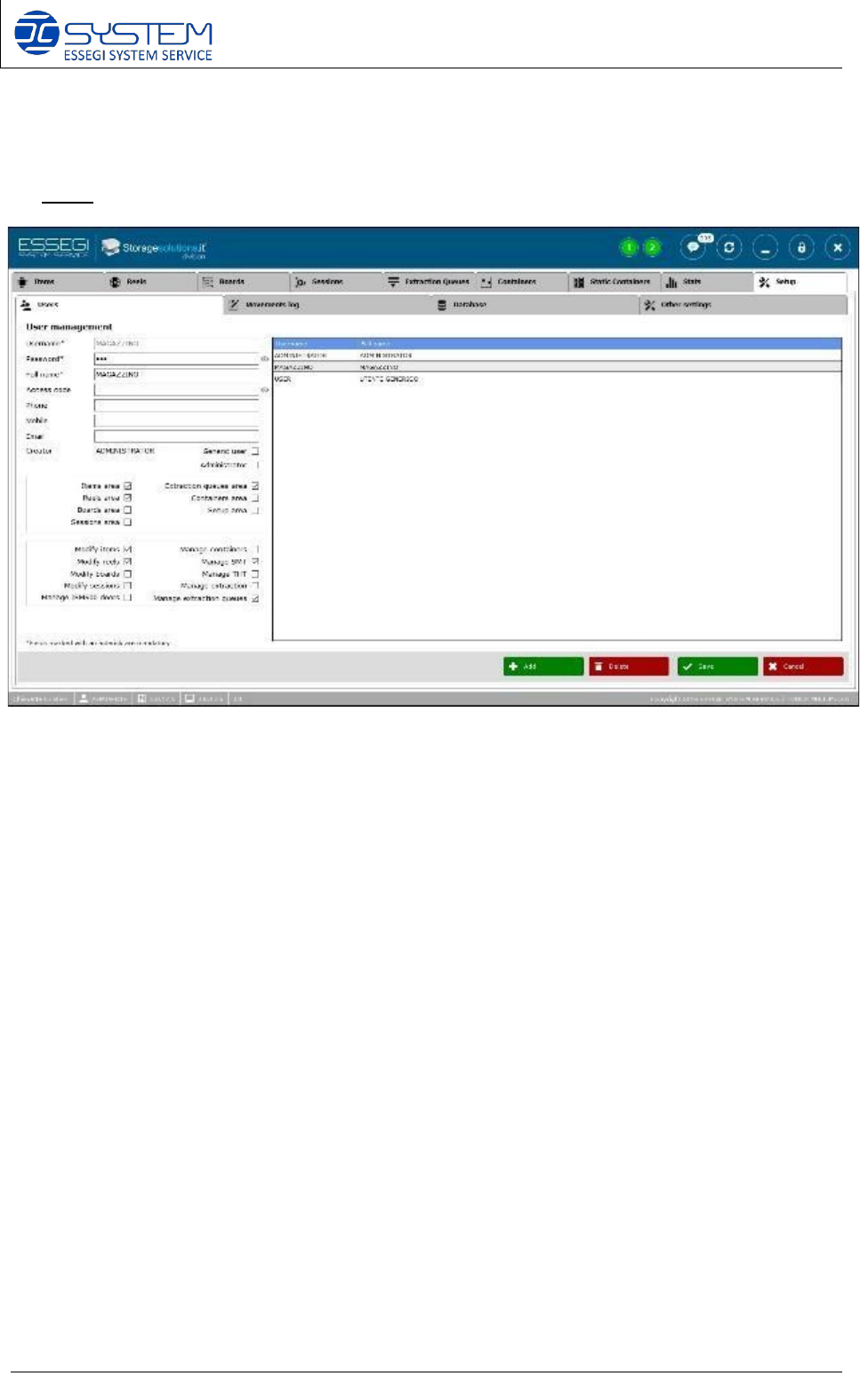
From this window it is possible to manage user access, creating new users or modifying existing
ones.
For any user it is possible to configure the needed authorizations.
NOTE:
• Generic user: this field is used when you need to automatically log-in all containers whit
a user. In this way you can create a generic user, decide what this user is allow to do and
when the software has to ask for an authentication to allow to perform some tasks (this
can be configure into the “Other settings” page.
• Manage ISM500 Doors: it allows the user to visualize the possibility to open the ISM500
doors when the electronic lock option is installed in the ISM500.