ISM-2000_OPE.pdf - 第34页
Software 3.1 rev_0 1 Edition 06/20 16 - Reproduction forbidden a Page 34 Storage Solut ions Soft ware Operating Manual ii. OUT other line : soft ware will give priorit y to the re els related to another line (ree ls NOT …
Software 3.1 rev_01 Edition 06/2016 - Reproduction forbidden
a
Page 33
Storage Solutions Software Operating Manual
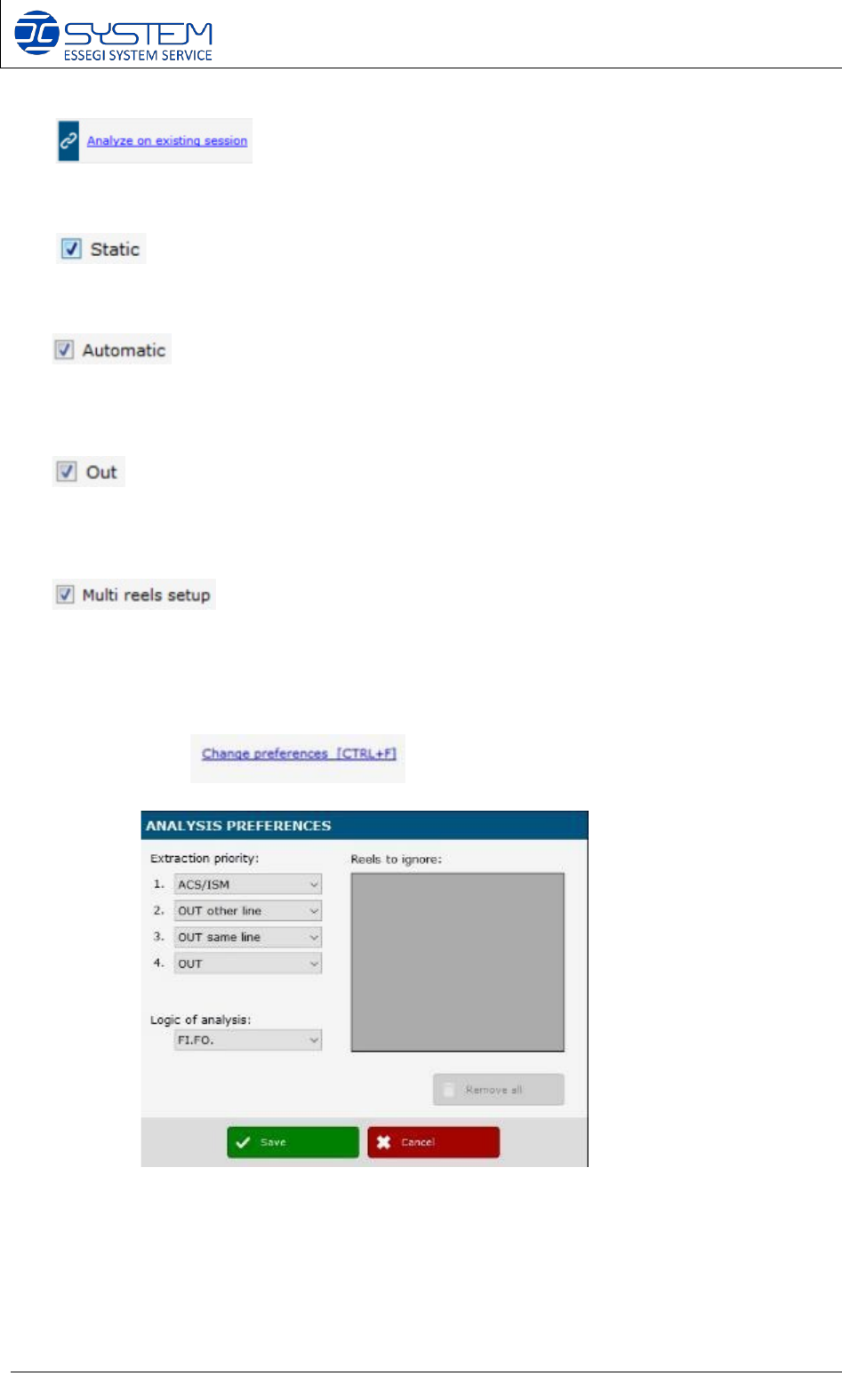
2. This will allow you to analyze the session on another
one. Basically it will open the Production Planner (see below).
3- If marked, the software will consider the material inside the Static containers. If
unmarked, software will consider only the material outside the Static containers.
If marked, software will consider the material inside the automatic containers.
If unmarked, software will consider the material outside the automatic containers (e.g. in
OUT position, External storage, Static containers)
If marked, software will consider the material with position OUT. If unmarked,
software will consider only the material inside the automatic container or in static containers
or in external position.
If marked, software will analyze the feasibility of the P&P setup taking in
account the “multi reels setup”, if indicated in the board. A multi reels setup is a setup that
require two or more reels of the same components. If unmarked, software will not consider
the multi reels setup indicated in the board.
4. By opening the , you can visualize the following window:
Here you can select your “Extraction priority” preferences and your “Logic of analysis”
preference:
a. Extraction priority: here you can select from where the software has to analyze
the Unique IDs to make your production:
i. ACS/ISM: software will give priority to the reels inside the ACS/ISM
systems
Software 3.1 rev_01 Edition 06/2016 - Reproduction forbidden
a
Page 34
Storage Solutions Software Operating Manual
ii. OUT other line: software will give priority to the reels related to another line
(reels NOT in use)
iii. OUT same line: software will give priority to the reels related to the same line
(reels NOT in use)
iv. OUT: software will give priority to the reels OUT (with no position)
b. Logic of analysis:
i. Creation date (FI.FO): software will use the FI.FO logic. This means the first
reels arrived in the factory will be selected first
ii. Date Code: software will check the Date Code to select the reels needed for
production. Oldest reels will be selected first.
iii. Quantity: software will select the reels with the quantity closer to the number of
pcbs to produce. This logic is useful to reduce all reels change over and speed
up the P&P line.
NOTE: Extraction priority and logic of analysis that need to be used as default, can be set in
the userconfig.xml file.
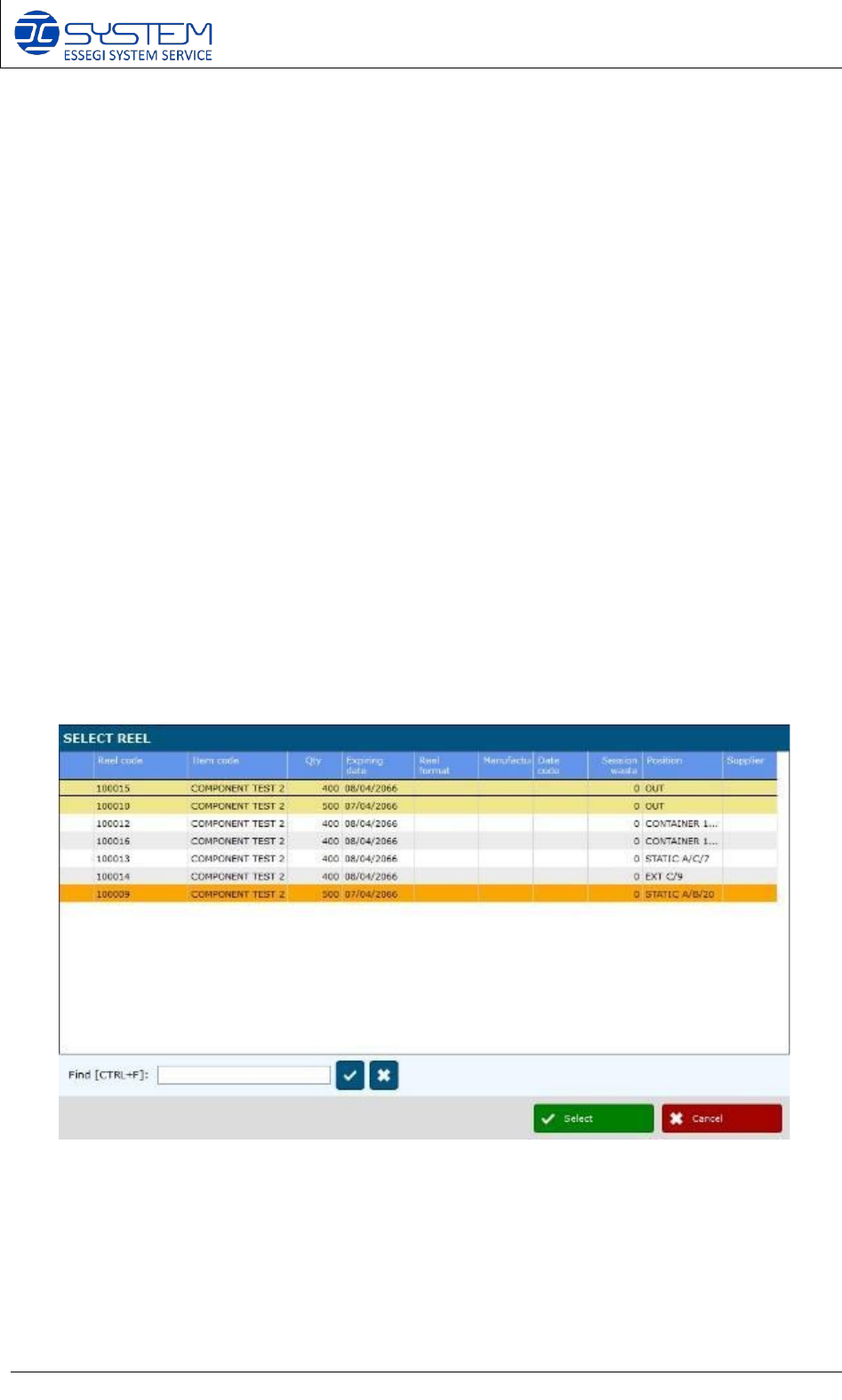
5. Selected reels (unique IDs) for production, are displayed in the area “Analysis result”.
It is possible to change the reels selected by the software by making double click on the
reel to be changed. The following window opens up:
6. It is possible to change the reel selected by the system by making double click on
the reel to be changed. The following window opens up:
In this window you will visualize all reels with the same P/N. Line underlined in orange is that
reel already selected by the software.
Software 3.1 rev_01 Edition 06/2016 - Reproduction forbidden
a
Page 35
Storage Solutions Software Operating Manual
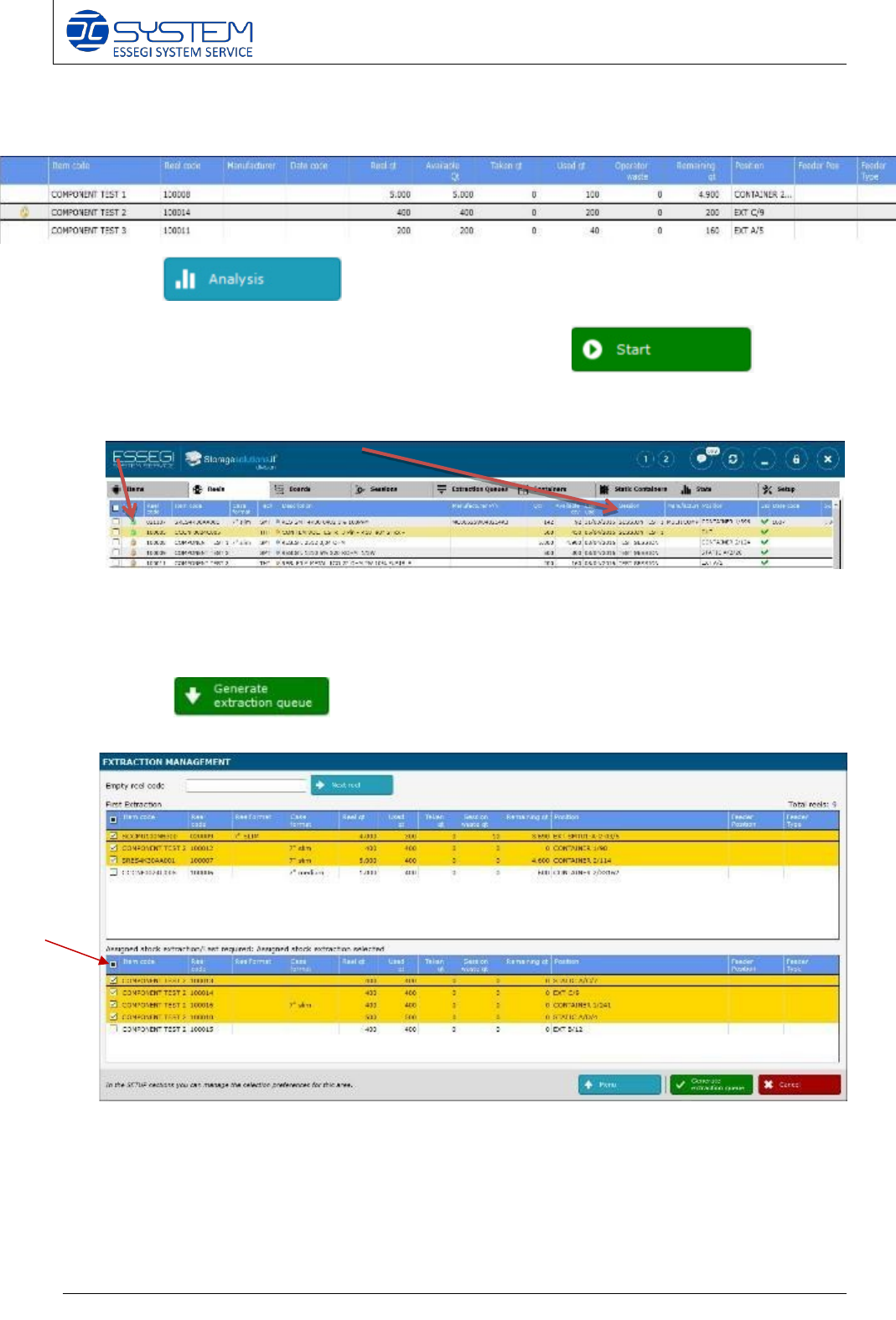
After you have selected the desired unique ID, a lock symbol will be displayed to indicated that
that unique ID have been forced by the user:
7. Press (CTRL+A) to perform new analysis that includes these
changes.
8. When everything is set, start the session by pressing the button.
By starting the session, you will see that all reels related to this session, will have the lock
symbol and the name of the session where they are in use.
NOTE: starting a session does not mean that the reels will be extracted. It just means that all
reels will be reserved.
9. Clicking to proceed with the extraction management of the reels. The
following window it will :