ISM-2000_OPE.pdf - 第44页
Software 3.1 rev_0 1 Edition 06/20 16 - Reproduction forbidden a Page 44 Storage Solut ions Soft ware Operating Manual 9. C ontainers (F7) The container can be: • On Line: • Off Line: From here you can select the contain…
Software 3.1 rev_01 Edition 06/2016 - Reproduction forbidden
a
Page 43
Storage Solutions Software Operating Manual
Extraction queue paused that need operator action due to reel format change.
Extraction queue paused due to machine error. Initialization needed.
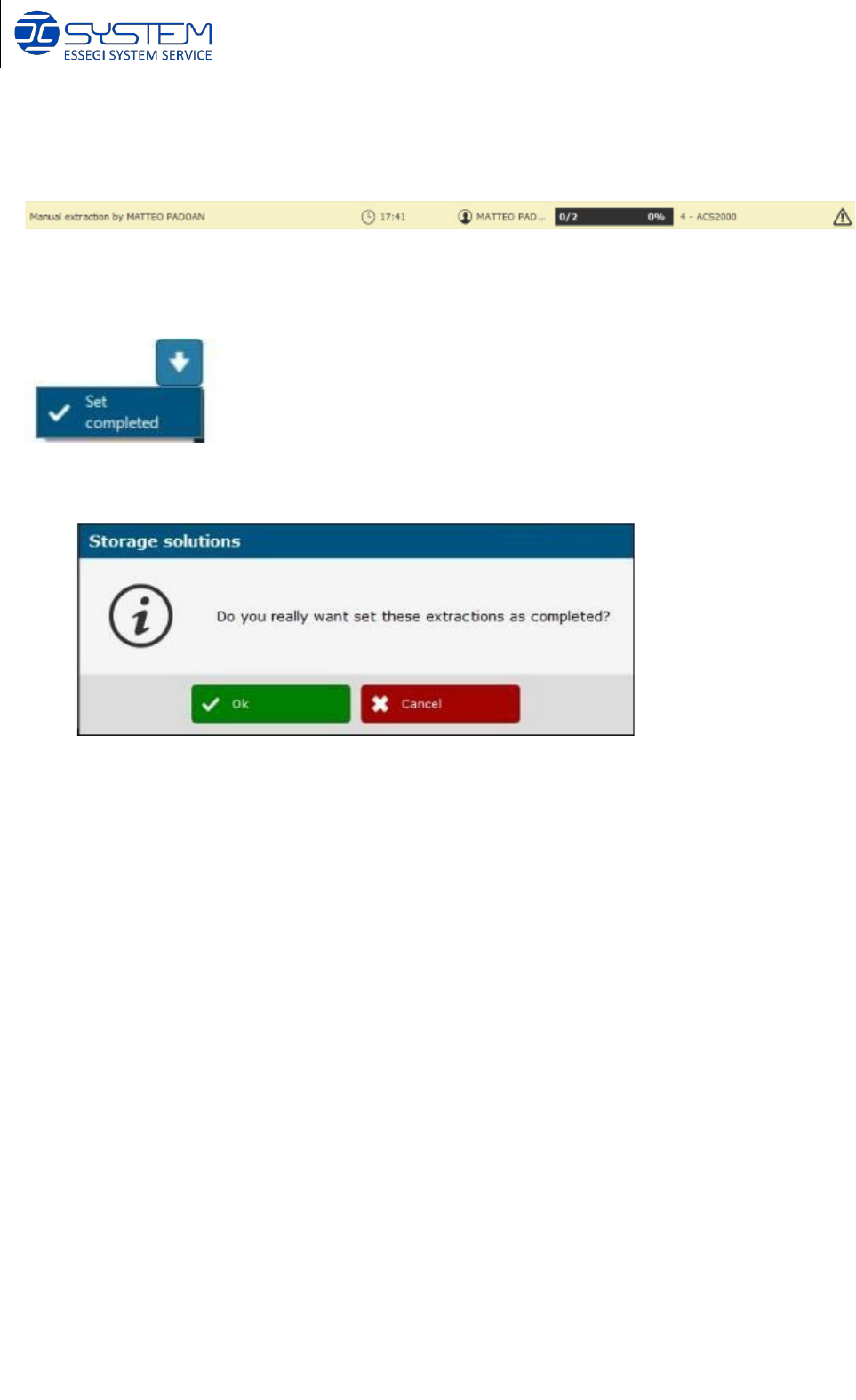
Here you can force and set manually a queue as completed. Before
forcing the extraction as completed, a confirmation dialog will appear:
Software 3.1 rev_01 Edition 06/2016 - Reproduction forbidden
a
Page 44
Storage Solutions Software Operating Manual
9. Containers (F7)
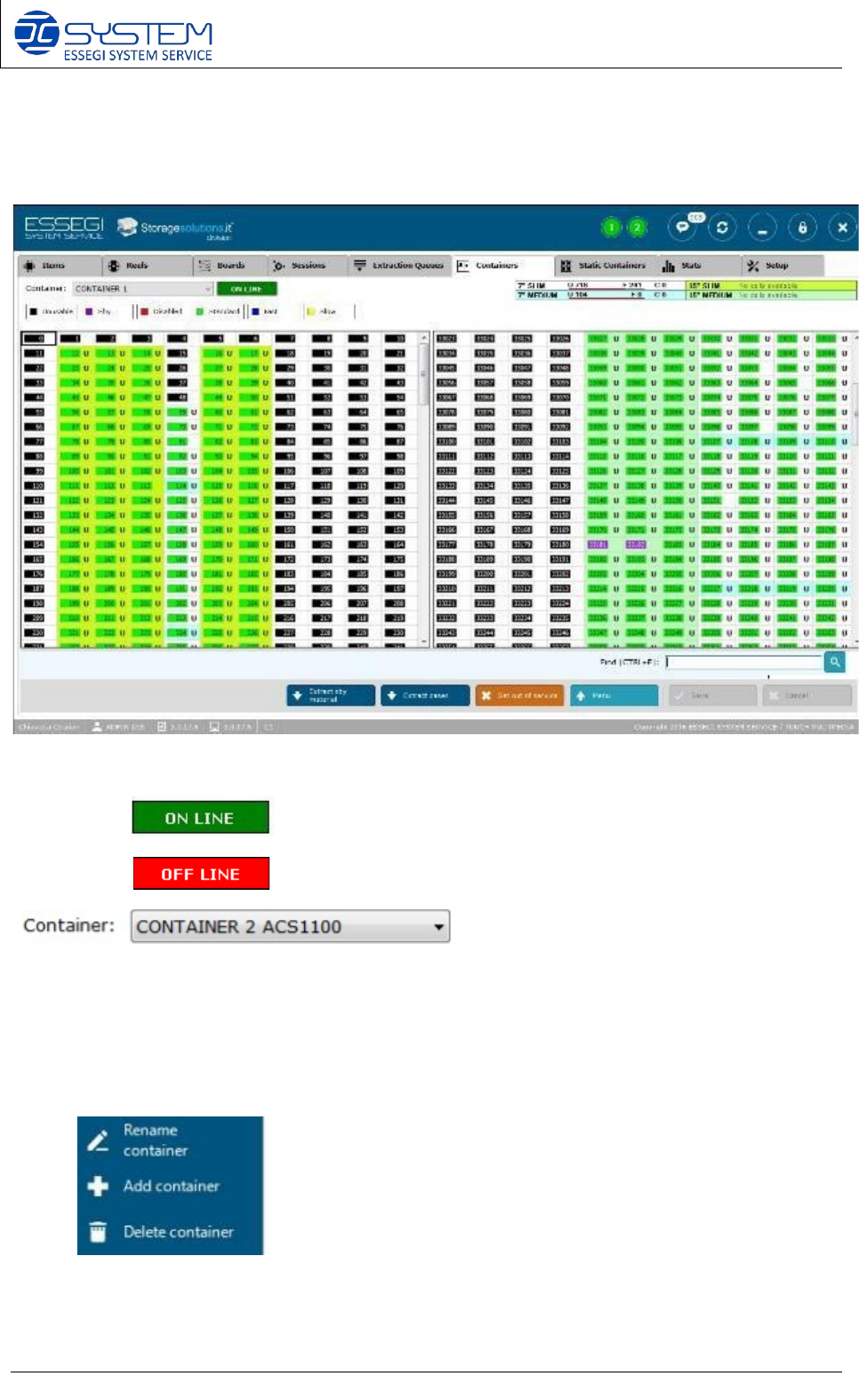
The container can be:
• On Line:
• Off Line:
From here you can select the container you want to visualize.
NOTE: by making right click on this field, you will open the following menu:
Rename: to change the name of the container
Add container: to add new container/s to the Data Base
Delete Container: to delete a container/s from the Data Base
Used cell: Indicate how many positions are in use (U), how many are free (F), and how many
empty cases (C).
Software 3.1 rev_01 Edition 06/2016 - Reproduction forbidden
a
Page 45
Storage Solutions Software Operating Manual
The cells are divided in two groups:
• Rear cells: rear side of the machine.
• Front cells: front side of the machine (user side).
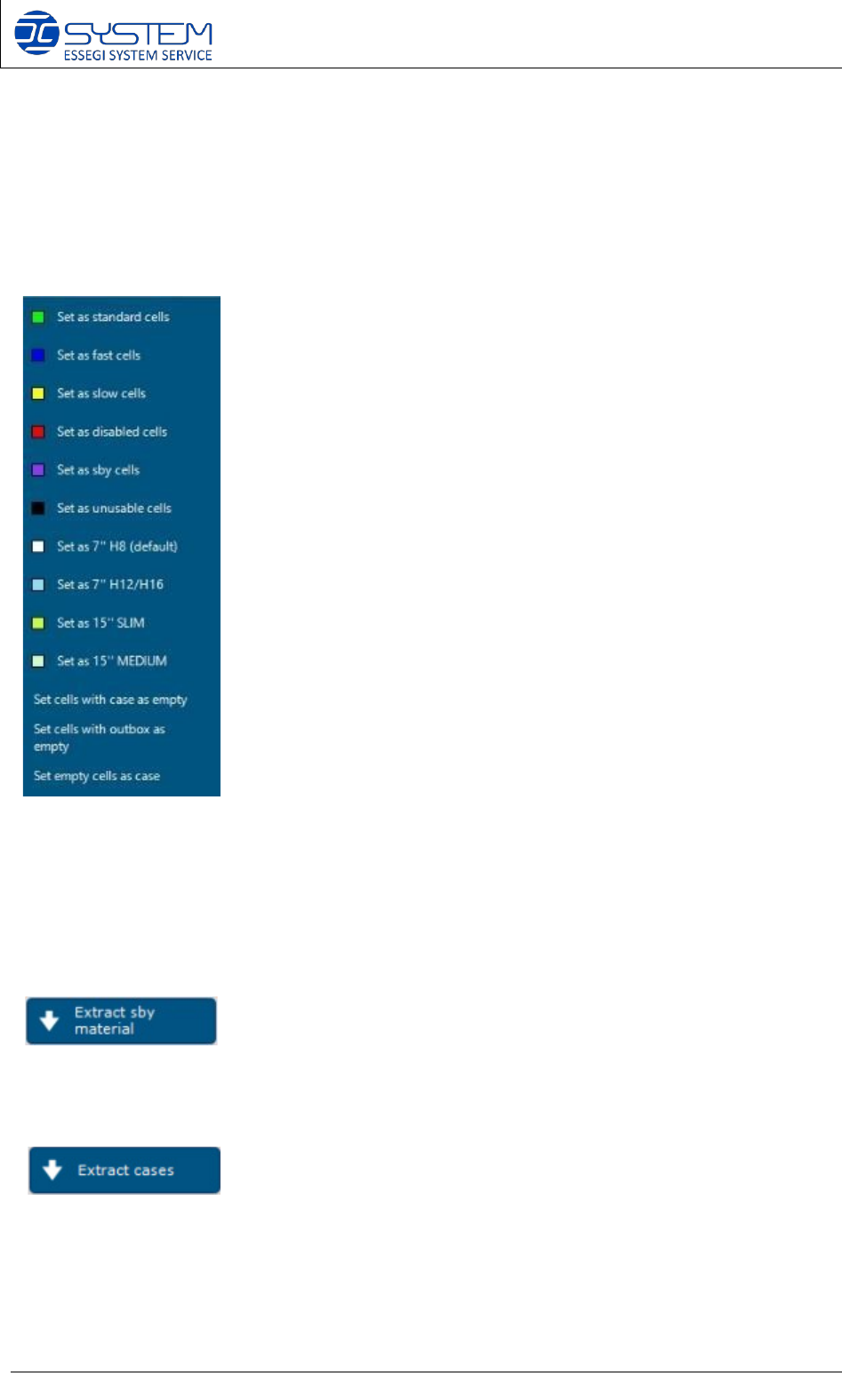
By right clicking on the cell with the mouse, the possibility to change the type of the cell as
follow:
Standard cell: to set the selected cells as standard cells.
Fast cell: Fast cells will be used as first during the loading of material
Slow cell: slow cells will be used as last during the loading of material
Disabled cell: these cells will be not use from the system
Sby cell: these cells will be used from the system as stand-by positions
Set as unusable cells: to change the type of cell (only ADMINISTRATOR user)
Set as 7” H8 (default): to change type of cell (only ADMINISTRATOR user)
Set as 7” H12/H16: to change type of cell (only ADMINISTRATOR user)
Set as 15” SLIM: to change type of cell (only ADMINISTRATOR user)
Set as 15” MEDIUM: to change type of cell (only ADMINISTRATOR user)
Set cells with case as empty: in case of a manual removal of a case from a cell
Set cells with outbox as empty: in case of a manual removal of a case from outbox
Set empty cells as case: in case of inserting manually a case in an empty cell
We would like to remind you that not all options can be activated by customer’s administrator
because some of options are reserved only for Distributors or Essegi Administrator: for example,
the Customer’s administrator can set only the sby cells whereas the Distributor can set
Slow/Fast/Standard and disabled cells. Essegi administrator can set black cells (unusable cells)
Following is a description of buttons and their functions available on this window:
To extract the reels from the stand-by cells. The stand-by positions are used from the system to
put the reels not correctly read, to avoid to stop the insertion phase.
To extract a selecting number of empty reels of desired dimension.