ISM-2000_OPE.pdf - 第27页
Software 3.1 rev_0 1 Edition 06/20 16 - Reproduction forbidden a Page 27 Storage Solut ions Soft ware Operating Manual JOIN BUTTON f urther ex planation: this funct ion is used to automatically analyse which reels need t…
Software 3.1 rev_01 Edition 06/2016 - Reproduction forbidden
a
Page 26
Storage Solutions Software Operating Manual
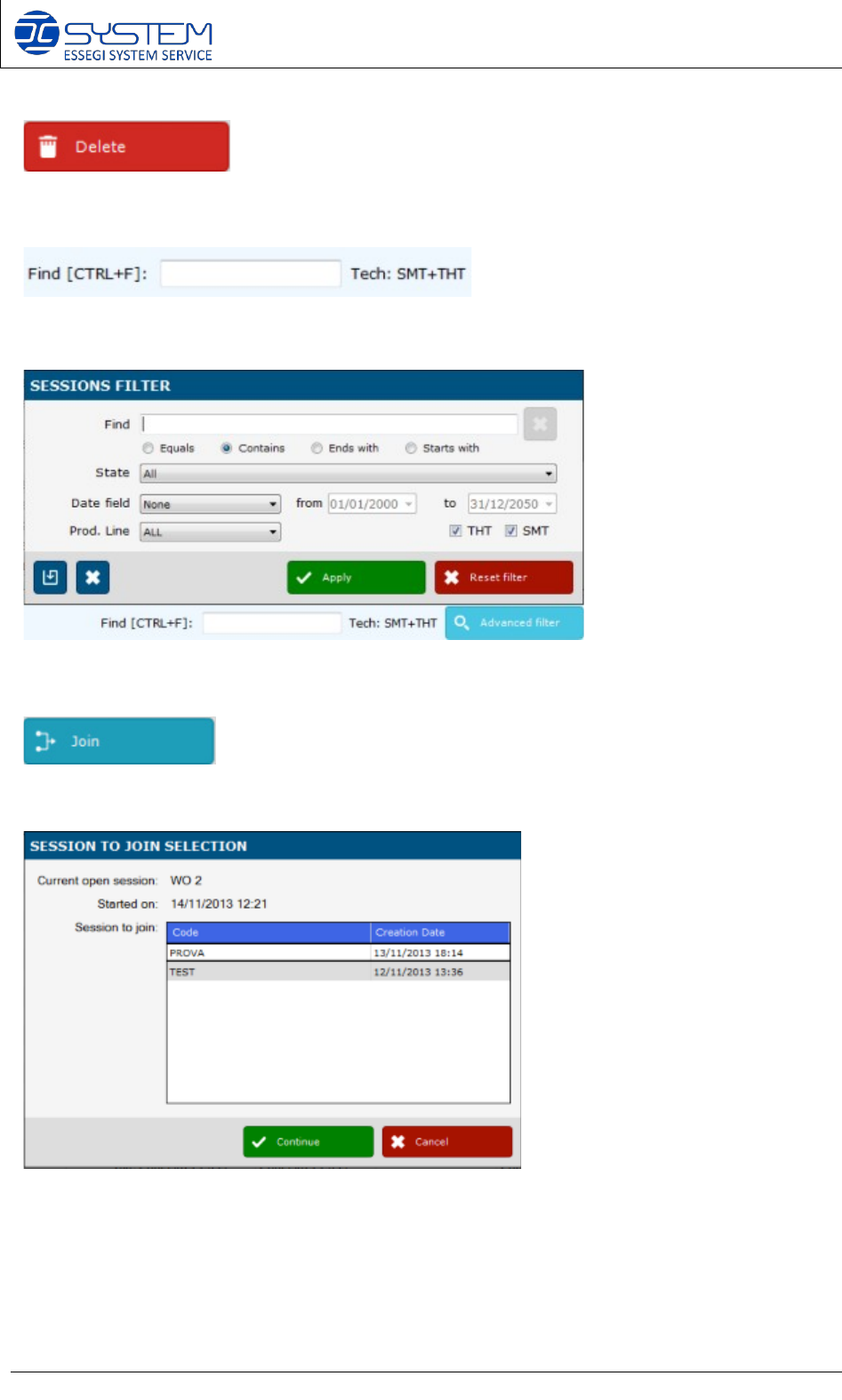
Delete an existing session
It allows a quick search of a session inside the database
“Advanced filter”: it allows to make a specific search inside the database.
It allows to join a started session with a new session. By pressing this button, you will visualize a
following window, containing new session that you can “Join” with the selected one:
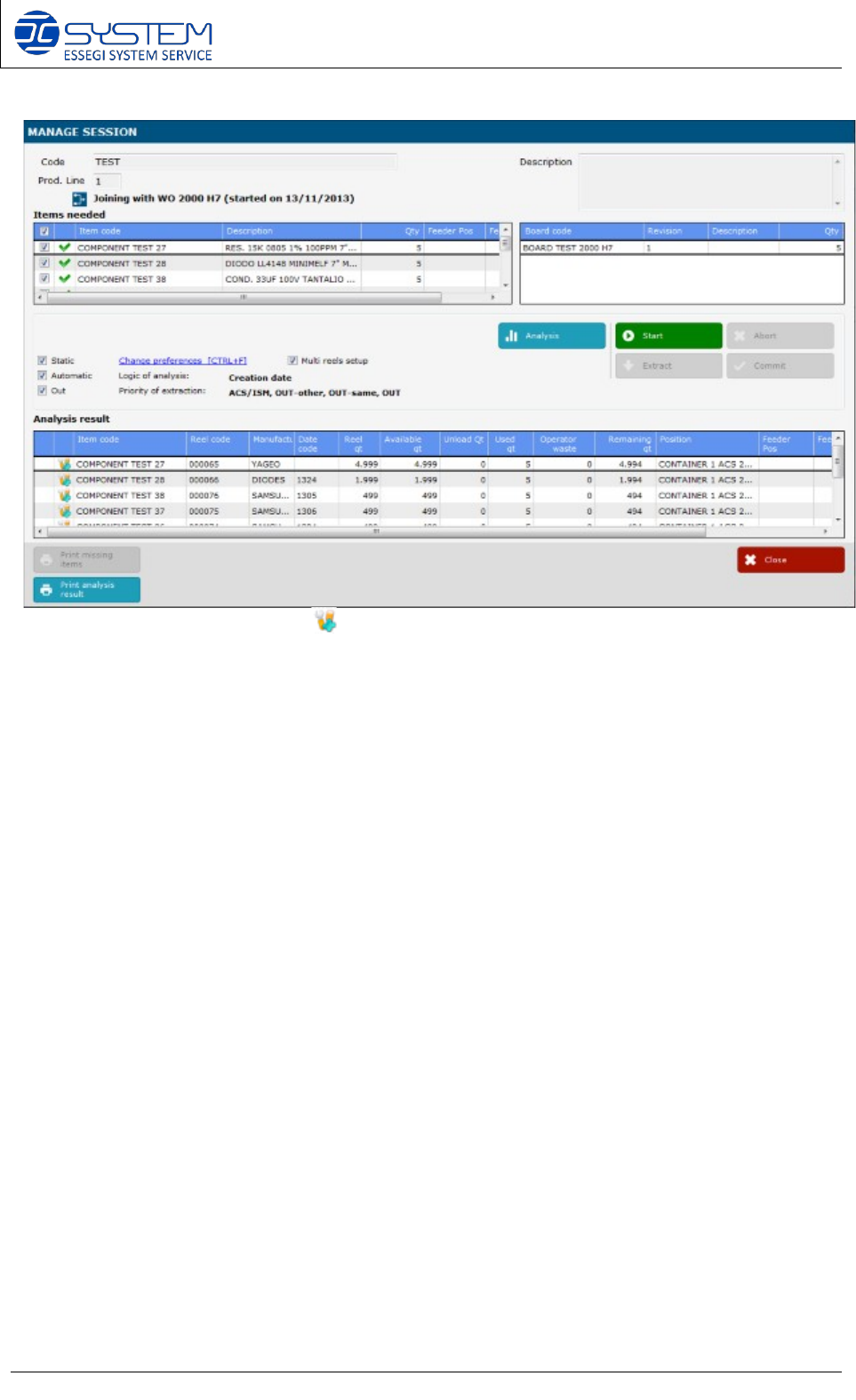
Select the session you want to join, and press “Continue”. At this point you can make the analysis
and see immediately which reels are linked and which ones you have to add to make the new
session (see the screenshot below):
Software 3.1 rev_01 Edition 06/2016 - Reproduction forbidden
a
Page 27
Storage Solutions Software Operating Manual
JOIN BUTTON further explanation: this function is used to automatically analyse which reels
need to be to added, and which one can be released, by making joining two session. It is used
mainly from those customers are using family (multi-job) set-ups in the P&P line. The “Join
button” allows to easily recalculate the needed reels if some of the number of pcbs to produce
is changing.
Example:
You have a started session with the following boards in production:
- 200 pcbs type A
- 100 pcbs type B
- 500 pcbs type C
Planning changed, and you have to produce 300 pcbs type A, 50 type B, 500 type C. You can
create a new session containing:
- 300 pcbs type A
- 50 pcbs type B
- 500 pcbs type C
and you can JOIN it with the previous running session. Automatically you will have the
calculation of the reels you can linked, and which ones you have to add to complete your new
session.
All reels marked with the symbol , are those ones already in use in the original session.
Software 3.1 rev_01 Edition 06/2016 - Reproduction forbidden
a
Page 28
Storage Solutions Software Operating Manual
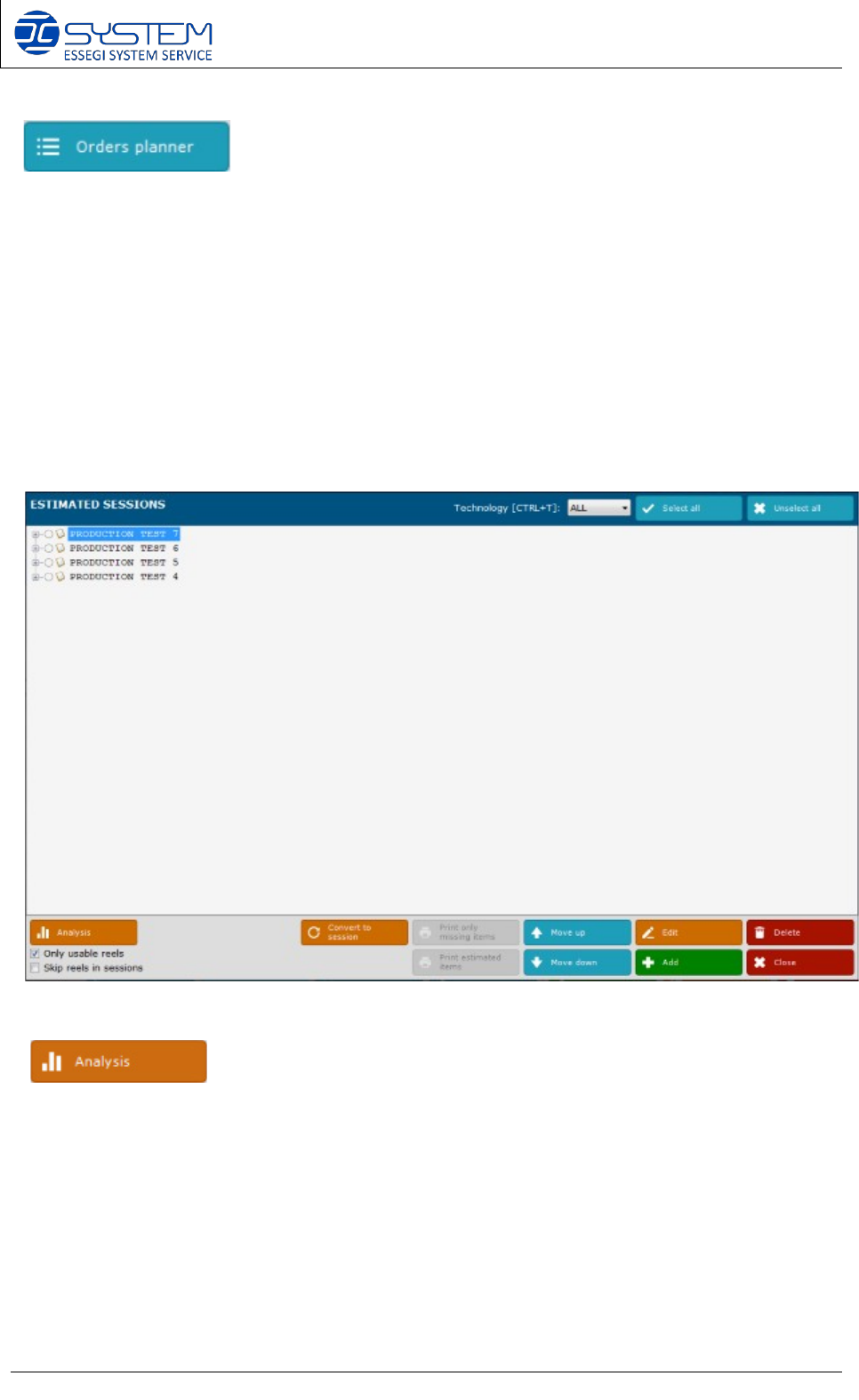
It allows to make a detailed analysis of the orders (PO), planned for the future.
The difference in between an “Estimated session” that you can insert into the “Orders Planner”
and the session you can add inside the main “Sessions” page, is that during the analysis of the
“Estimated sessions”, software takes in account the total number of components really used for
a session, and do not consider the completely reel reserved. This means that, by analysing the
“Estimated session” the software takes in account the remaining components at the end of the
production of a session. Moreover, the software is always analysing the feasibility of a session,
by the priority as per the order of the list of the “estimated sessions” contained into this window.
Higher in the list means higher priority, and vice versa. By changing the position of an
“Estimated session” in the list, you can immediately see what happen to the feasibility of the
next ones.
Pressing the button will display the following window:
It allows to analyse the feasibility of the estimated sessions. It will display the following window
where you can see the sessions that can be realised or not. You can also change the priority by
moving the sessions up or down in the list. You can do this by using the “Move up” and “Move
down” buttons, or directly drag the session into the desired position by using the mouse.