ISM-2000_OPE.pdf - 第16页
Software 3.1 rev_0 1 Edition 06/20 16 - Reproduction forbidden a Page 16 Storage Solut ions Soft ware Operating Manual Allows to modify an existing reel. You can make the “ edit ” of a reel by making double click on the …
Software 3.1 rev_01 Edition 06/2016 - Reproduction forbidden
a
Page 15
Storage Solutions Software Operating Manual
Item description: it will be taken from item specifications
Case format: it is possible to set which case to use for this Unique ID (7” SLIM, 7” MEDIUM, 15” SLIM, etc…)
Quantity: number of components inside the package. This field is set to “0” as default
Reel format: field where to insert the description of the packaging (reel, stick, box, bag, etc…)
Manufacturer: Manufacturer of the components
Operator usage waste: indicate the number of components that are lost during each session in which the
component is used. The field is completed automatically by taking the standard amount as the value previously
entered in item. The quantity can be changed manually at any time
Date code: data code of the reel (year/week). By clicking on the icon you can visualize the calendar
MSL level: level of MSL
Manufacturer P/N: part number of the manufacturer of the reel
Lot number: lot number
Codified on: reel registration date
Expiring date: expiring date of the reel. The date is automatically set by reference to the value expressed in
item. It is possible to change the expiring date manually
Production Line / Feeder pos. / Feeder type: this field is not editable at this time. Indicates the line where it
the reel is used
Supplier: indicate the supplier of the reel
Order ref. : reference of the order. Indicate the shipment code or the acceptance code
In static stock: if marked indicates that the reel will be set inside the default position set in the ITEM specs
Usable: if marked indicates that the reel is usable for the productions. If not marked indicates that the reel is
on stock but not yet usable (example: the reel is in another facility). A non-usable reel will be set automatically
as usable as soon will be manage from a Storage Solutions system.
Active: if marked indicates that the reel is valid for the productions. If unmarked the reel (Unique ID), will
be deactivated and not considered for production analysis.
N° of reels: indicates the number of reels with the same P/N you are creating. Example: if you set 3, the
software will generate three consecutive Unique IDs, of the same P/N, and you can print three barcode labels.
Once compiled all fields, click SAVE or F8 to save the reel in the database.
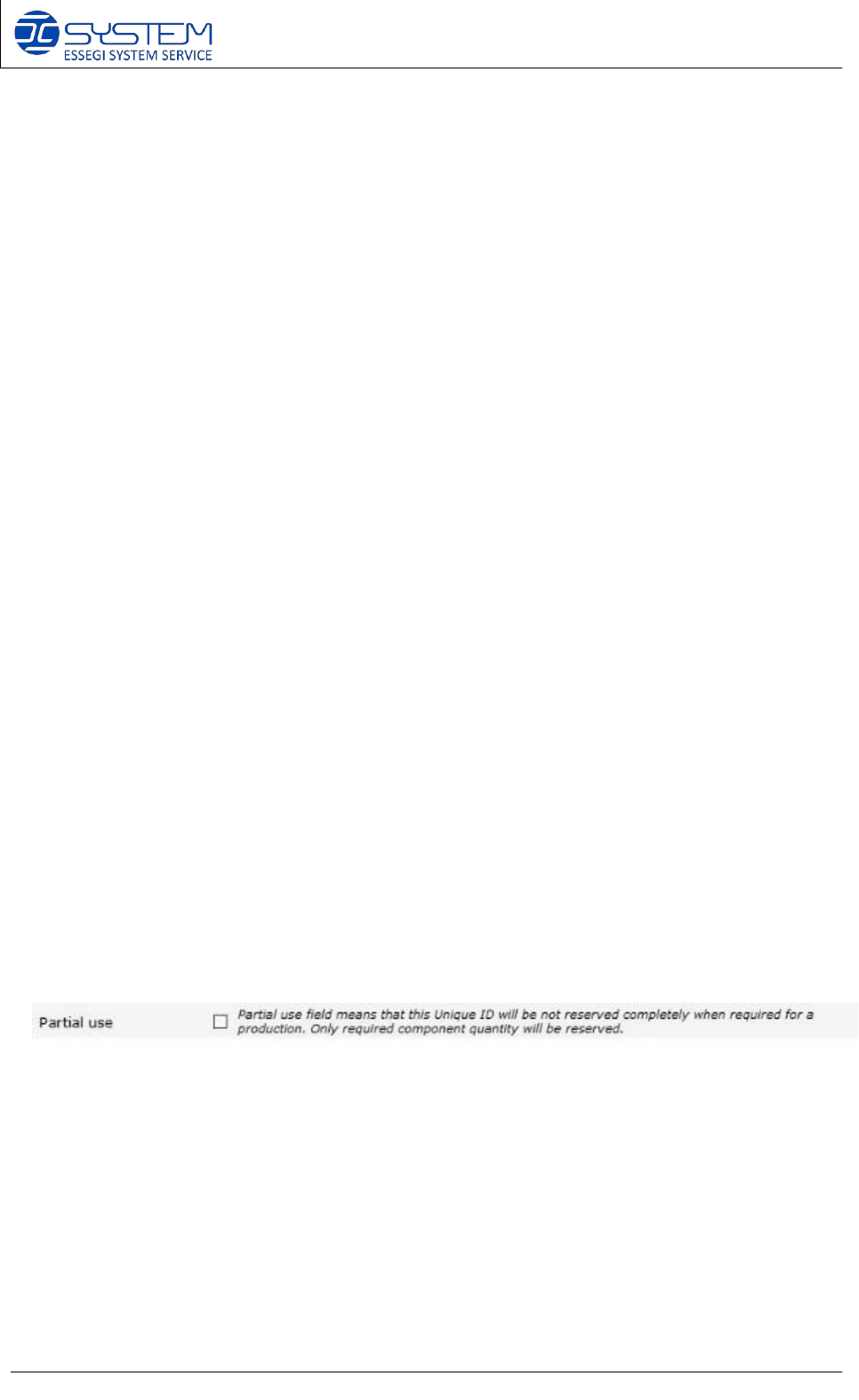
When you select an Item code, this following field will appear: both SMT reels and THT reels can
be selected as Partial use. In this way, you will reserve only the quantity of the components
needed for the production.
Software 3.1 rev_01 Edition 06/2016 - Reproduction forbidden
a
Page 16
Storage Solutions Software Operating Manual
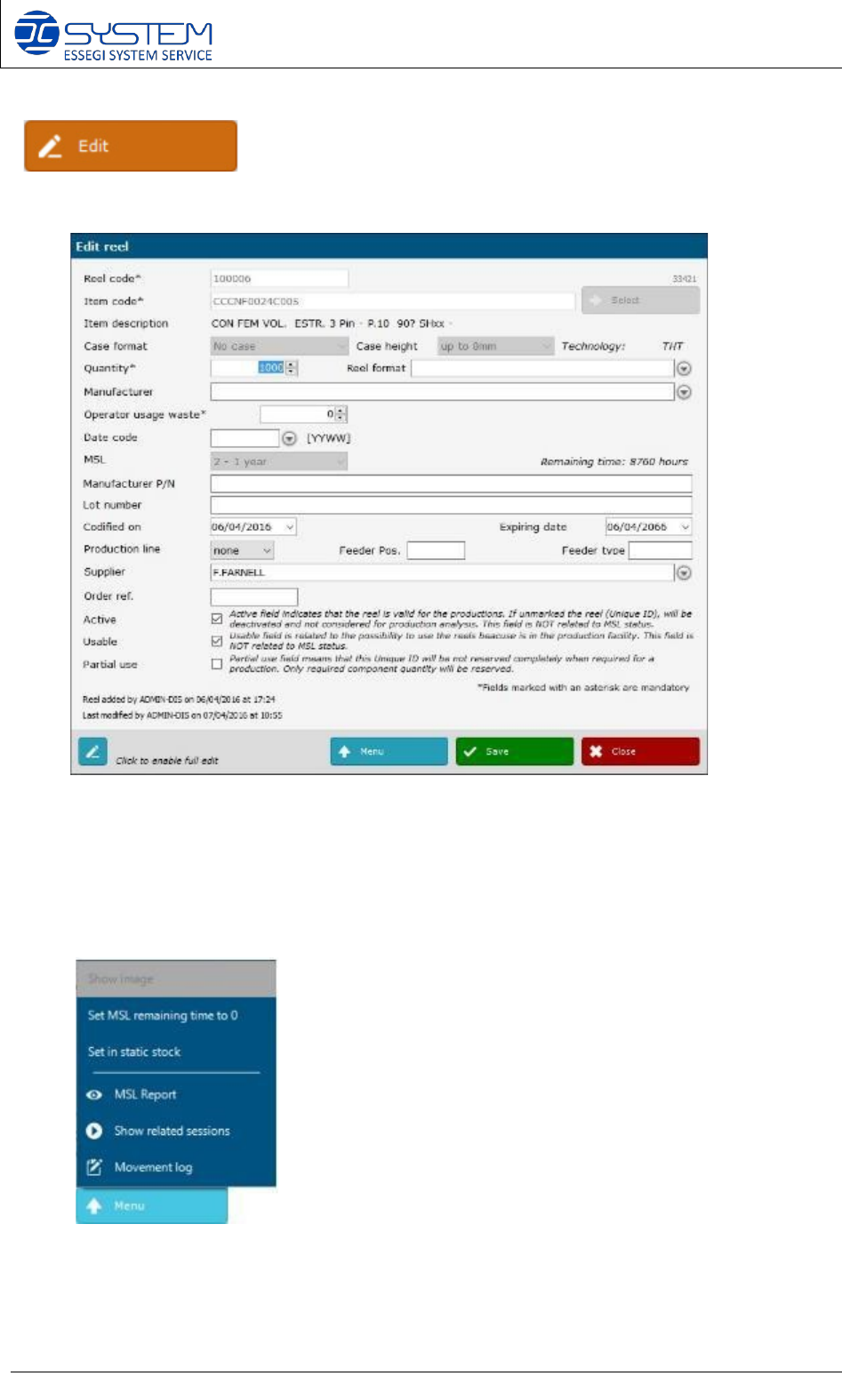
Allows to modify an existing reel. You can make the “edit” of a reel by making double click on
the row. When you “edit” an existing reel, you can see the following window:
As you can see you can modify some data. Some of the data are editable only if you click on the
“full edit” button on the left corner.
By pressing the “Menu” button you can visualize the following menu:
Show image:
it allows to visualize the image of the reel. This
is possible if you have the Reels Picture Traceability Module
installed.
Instead of “Show image”, you can see “Save image” if the reel has
not been inserted yet inside the Database.
Set MSL remaining time to 0: The remaining time will be
set as 0
Reset MSL: This function restores the initial time related to
the MSL level (e.g. for the MSL 2, the time will be restored to
8760 hours).
Set in static stock: to set the reel into default position
MSL Report: to generate the MSL report of this reel
Show related sessions: to visualize all sessions where this reel
is in use
Movement log: to visualize all movements and records of this
Unique ID
Software 3.1 rev_01 Edition 06/2016 - Reproduction forbidden
a
Page 17
Storage Solutions Software Operating Manual
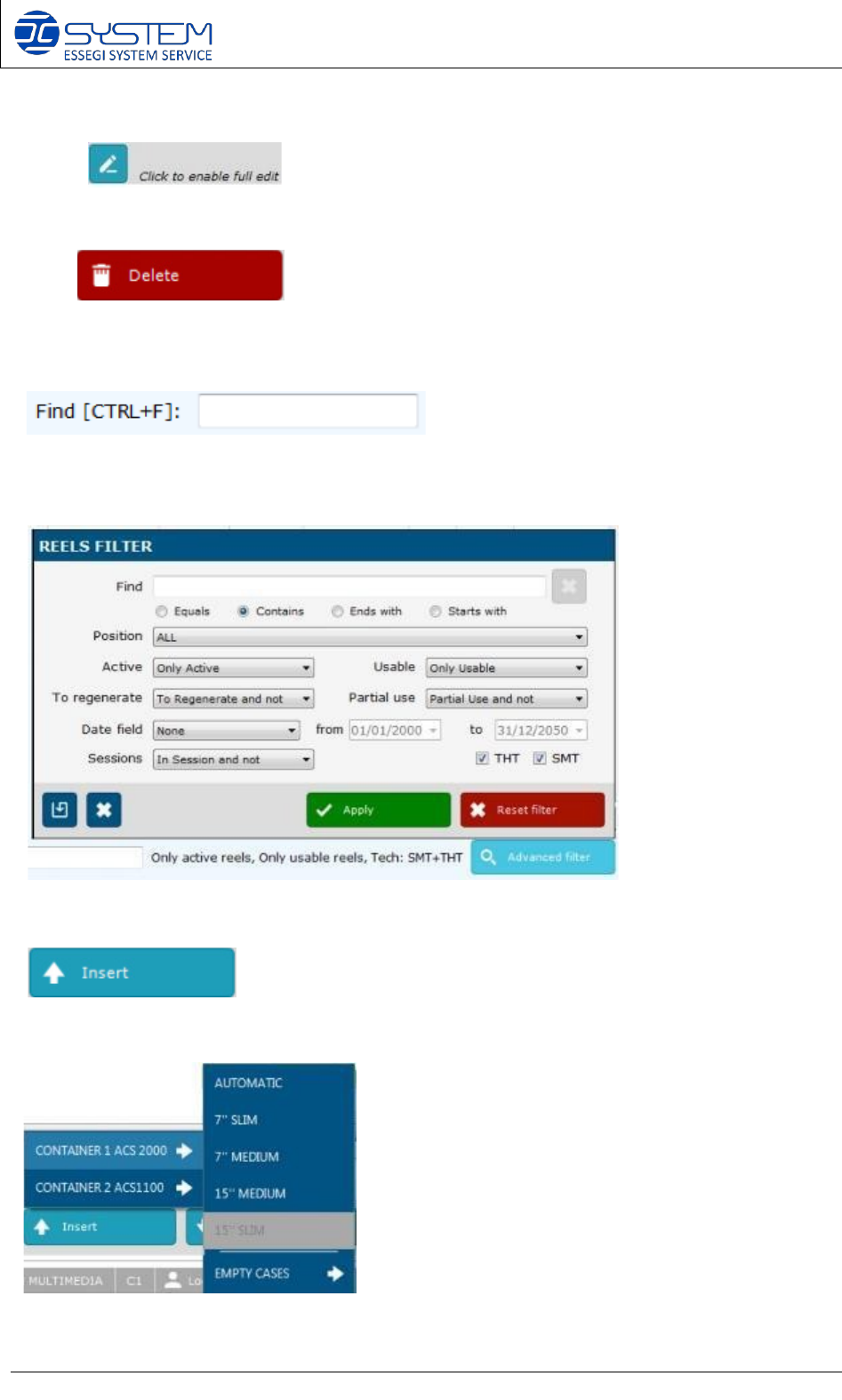
If you need to modify some details (e.g. Item code, quantity etc.), you have to click on this
button:
Allows to delete and existing reel.
Allows a quick search of reels existing on the database.
“Advanced filter”: it allows to make a specific search inside the database.
Allows to load the reel into the tower/towers. By pressing this button, you can select in which
container you want to insert the Unique IDs and also the EMPTY CASES.