ISM-2000_OPE.pdf - 第62页
Software 3.1 rev_0 1 Edition 06/20 16 - Reproduction forbidden a Page 62 Storage Solut ions Soft ware Operating Manual 3) Database ( CT RL + D) Here it is possible to configure the backup o f the database: when i t is co…
Software 3.1 rev_01 Edition 06/2016 - Reproduction forbidden
a
Page 61
Storage Solutions Software Operating Manual
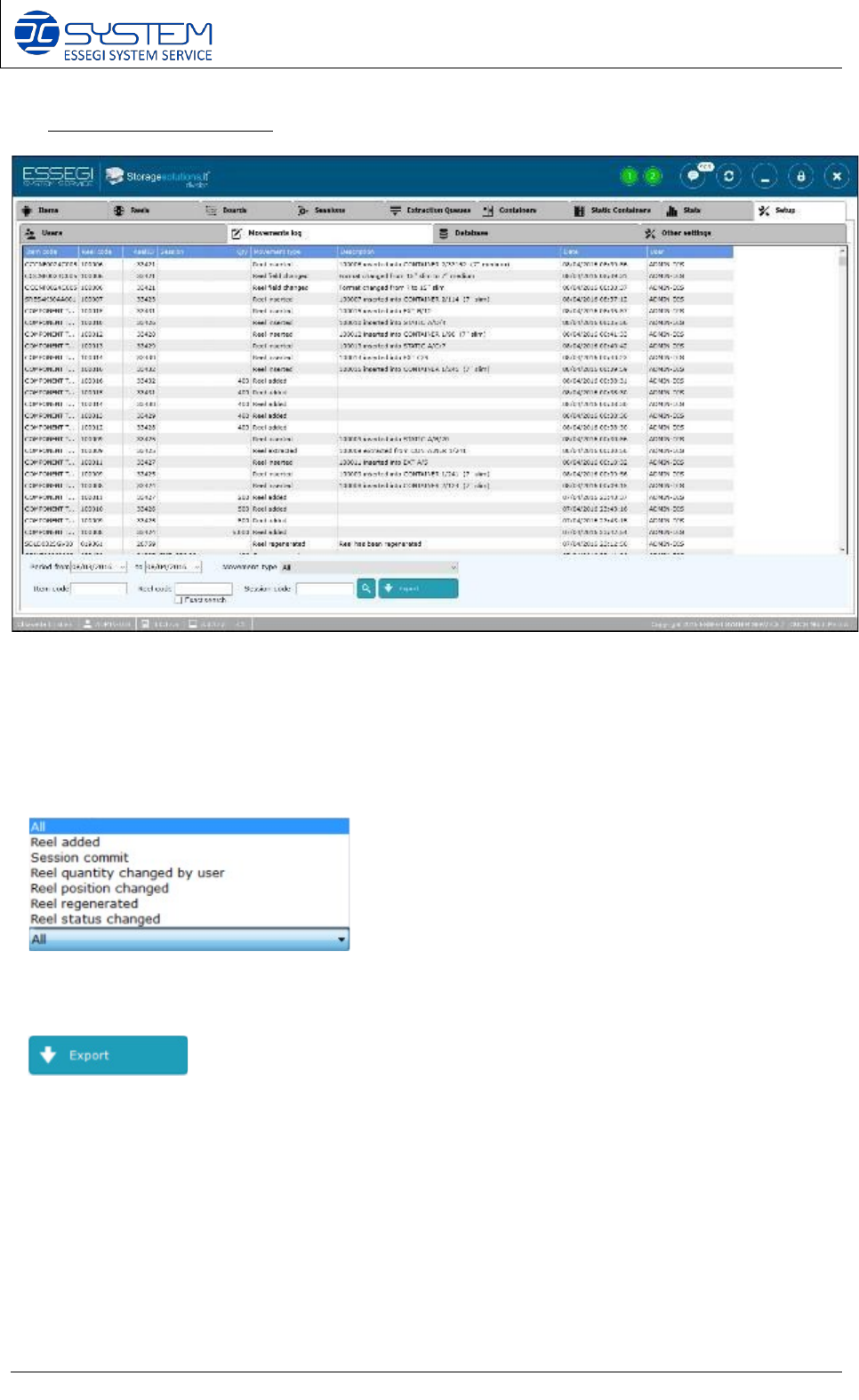
2) Movements log (CTRL+L)
From this window it is possible to visualize all logs.
It is possible to select the desired period and by the dropdown menu “Movement type”, it is
possible to select the following options:
It allows to create a .txt file to export the logs.
Software 3.1 rev_01 Edition 06/2016 - Reproduction forbidden
a
Page 62
Storage Solutions Software Operating Manual
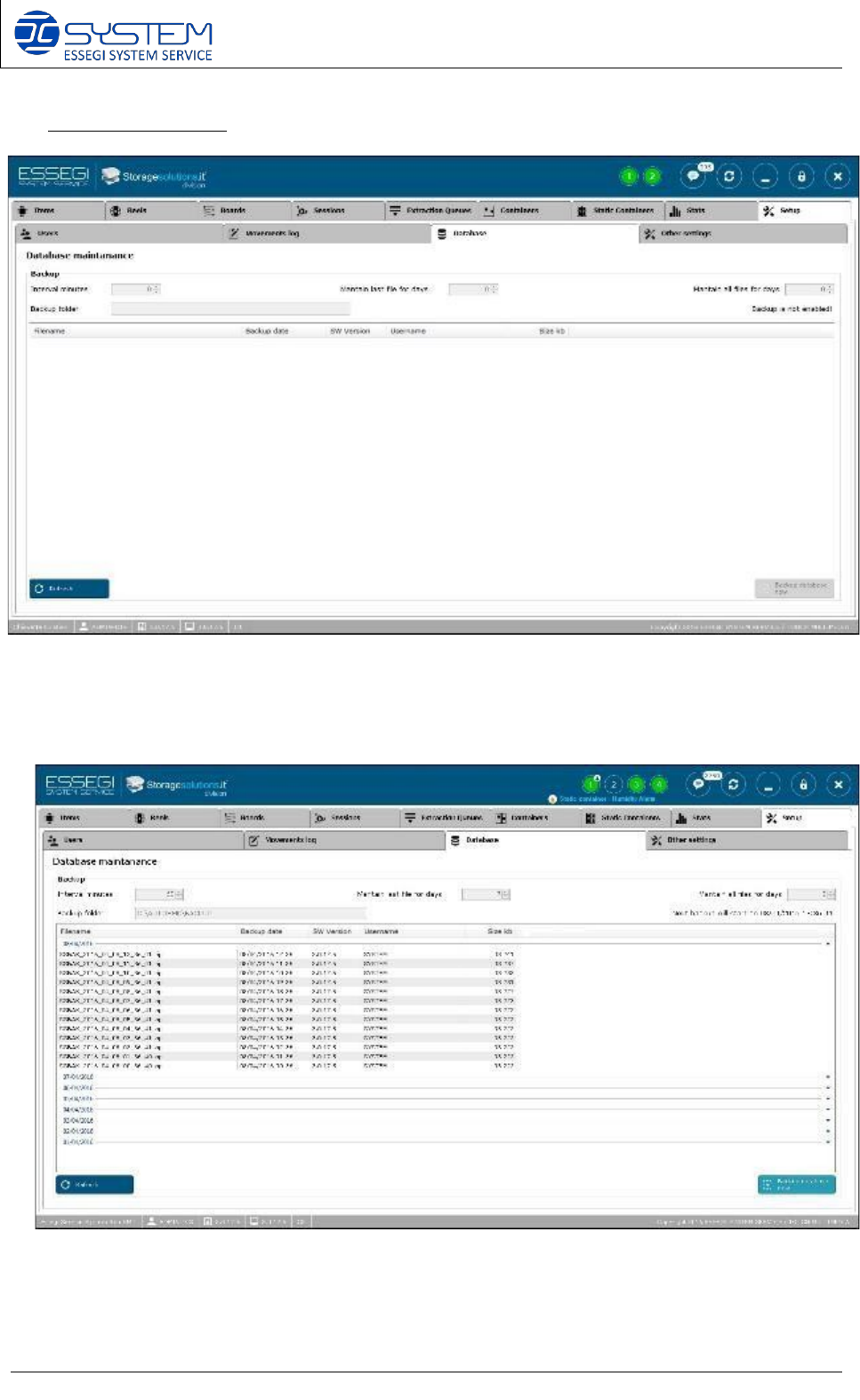
3) Database (CTRL+D)
Here it is possible to configure the backup of the database: when it is configured, you can see all
backups done with the indications about the date, the software version, size and username
which made the backup
Software 3.1 rev_01 Edition 06/2016 - Reproduction forbidden
a
Page 63
Storage Solutions Software Operating Manual
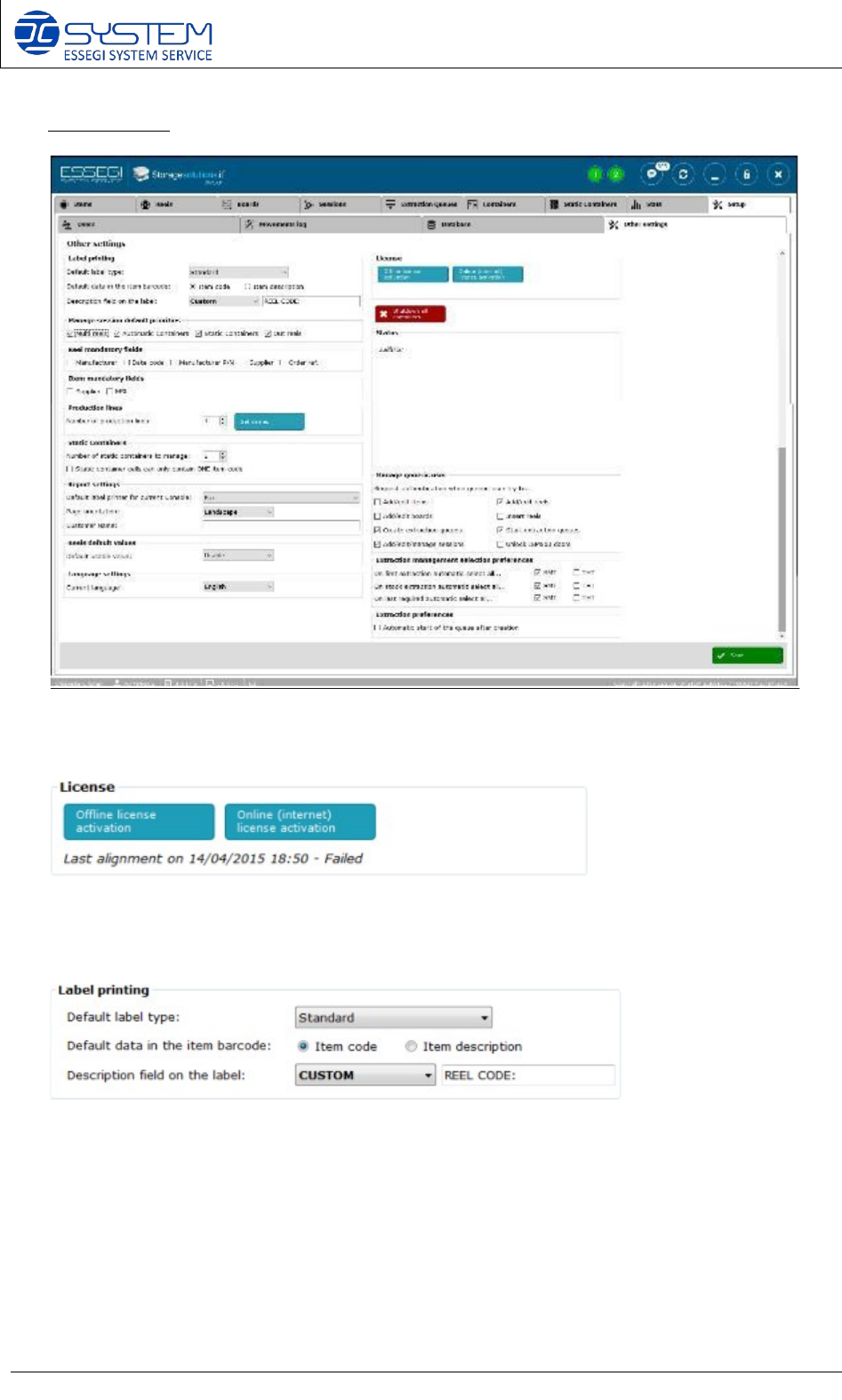
4) Other settings
It allows to make the offline (no internet connection) and online license activation.
It reports also when the last alignment has been done and the status.
It allows to customize the printing of the barcode label:
• Default label type:
-
Standard: it will print the label as per the Standard_ItemCode.xml or Standard_ItemDesc.xml
file inside the “template label” folder.
-
Compact: it will print the label as per the Compact.xml file inside the “template label” folder.
•
Default data in the item barcode: to print the item code or the item description in the item
barcode of the label.