ISM-2000_OPE.pdf - 第66页
MANUFACTURER INQUIRY 2-11-1, Tsurumaki, Tama-shi, Tokyo 206-8 551, JAPAN PHONE: 81-42 -357-2293 http://www.juki.co.jp/ Copyright © 2019 JUKI CORPORATION The specification and appear ance may be changed without notice. Al…
Software 3.1 rev_01 Edition 06/2016 - Reproduction forbidden
a
Page 64
Storage Solutions Software Operating Manual
•
Description field on the label:
-
CUSTOM: you can write how you want to name the unique ID field in the printed label.
-
BRAND, DATE CODE, PART NUMBER, SUPPLIER, ORDER REF.
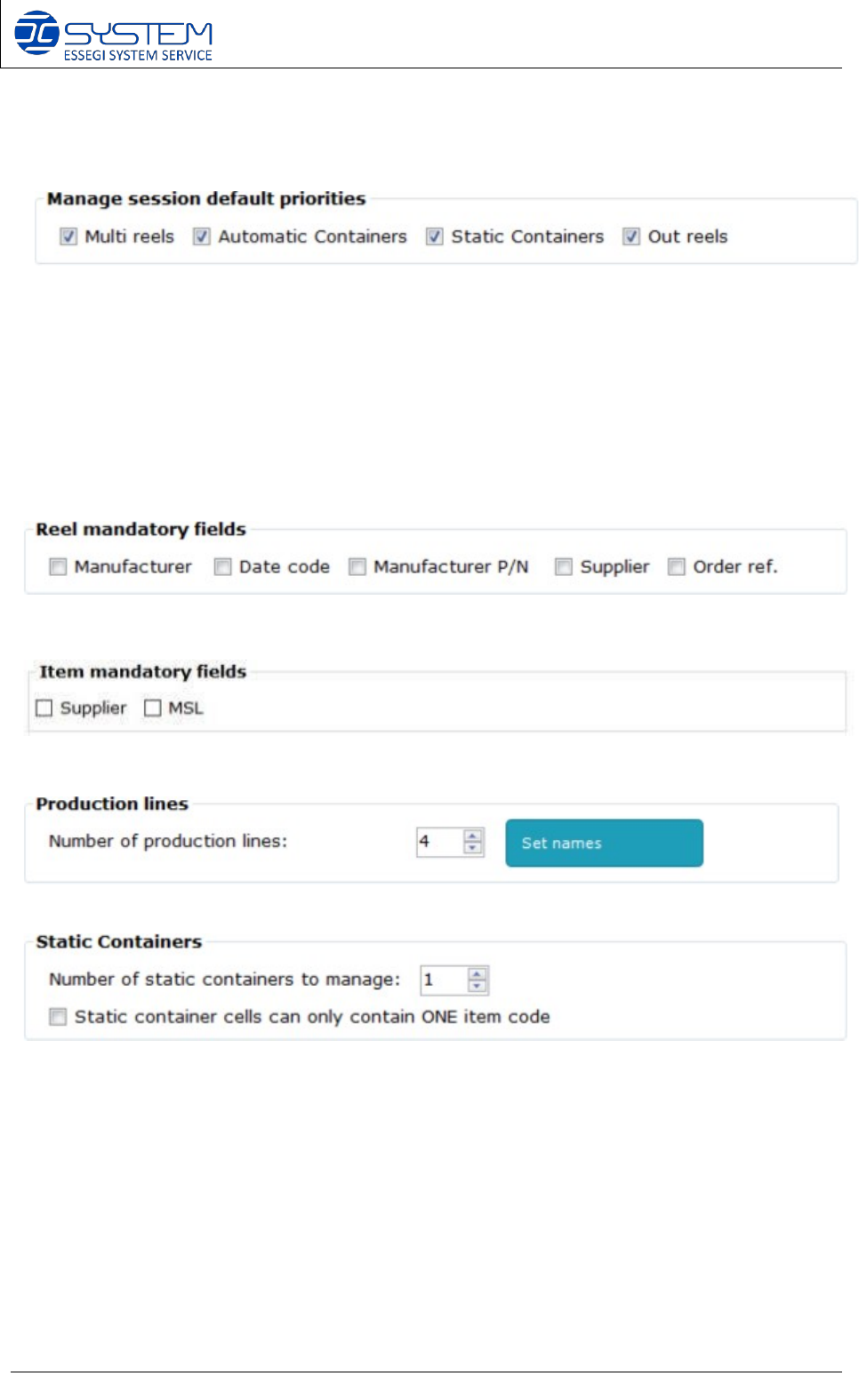
This will decide what to mark as default for the session analysis:
• Multi reels: when marked, it will mark as default the “multi reels” check box in the SESSION
MAGEMENT window.
• Automatic Containers: when marked, it will mark as default the “automatic containers” check box in
the SESSION MAGEMENT window.
• Static Containers: when marked, it will mark as default the “static containers” check box in the SESSION
MAGEMENT window.
• Out reels: when marked, it will mark as default the “out reels” check box in the SESSION MAGEMENT
window.
This will decide which filed will be mandatory when you “ADD” a new reel. If marked, the field will be
mandatory. If not marked, the field will be not mandatory.
This will decide which filed will be mandatory when you “ADD” a new item. If marked, the field will be
mandatory. If not marked, the field will be not mandatory.
It allows to set how many P&P production lines you have. You can also set the name for each line.
It allows to set how many Static Containers you have installed. This needs to match the information
set into the software license.
Software 3.1 rev_01 Edition 06/2016 - Reproduction forbidden
a
Page 65
Storage Solutions Software Operating Manual
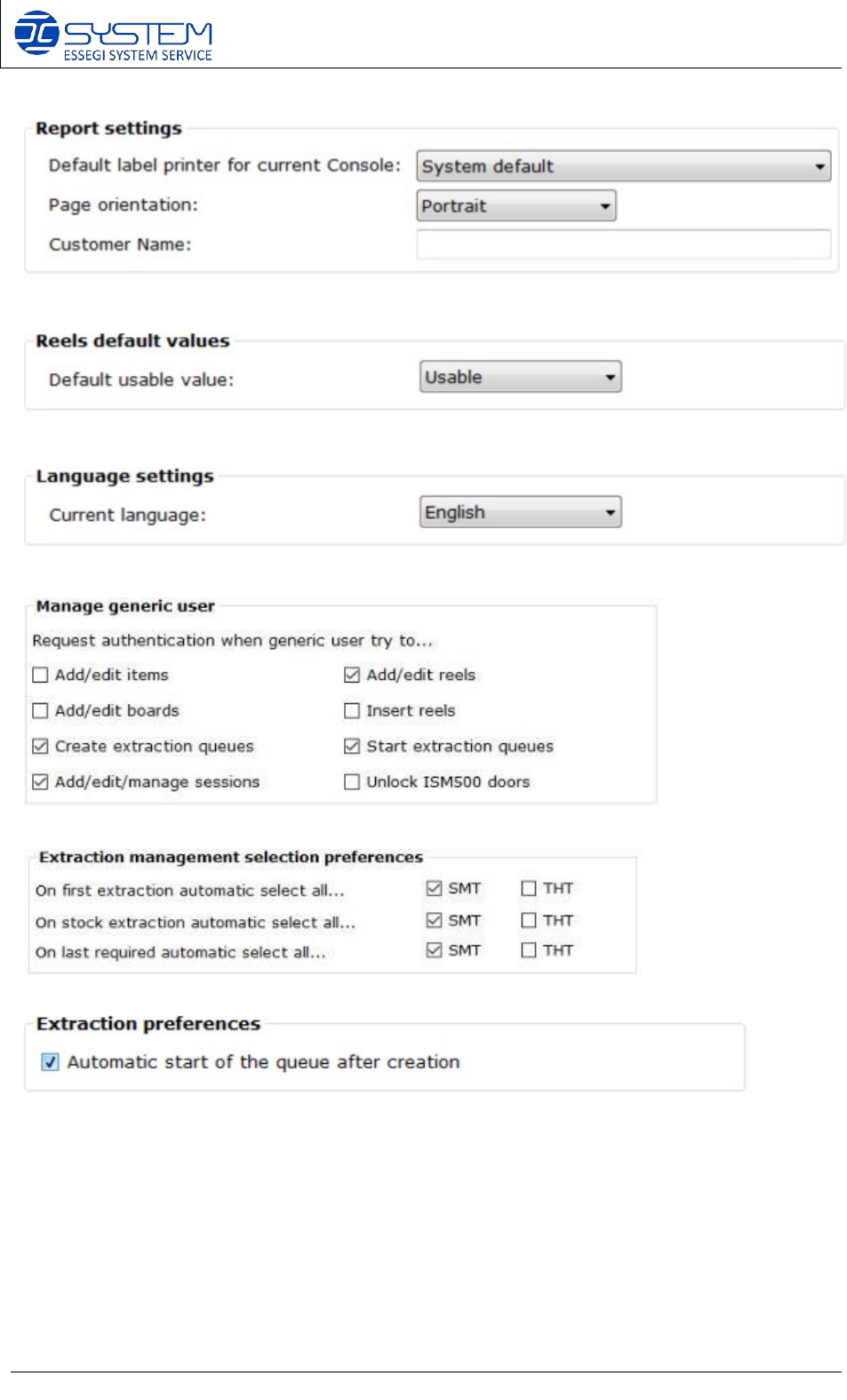
It allows to setup which printer needs to be used to print the reports.
It allows to decide if a new reel, will be set as “usable” or “not usable” after generation.
It allows to change the language of the software.
It allows to decide when to ask the authentication for the generic user.
It allows to set your preferences in the selection of the extraction management of material for a session.
It allows to decide if automatically start a queue after creation, or not.
---------------------- END ----------------------

MANUFACTURER
INQUIRY
2-11-1, Tsurumaki, Tama-shi, Tokyo 206-8551, JAPAN
PHONE: 81-42-357-2293
http://www.juki.co.jp/
Copyright © 2019 JUKI CORPORATION The specification and appearance may be changed without notice.
All rights reserved throughout the world.
40210771
Original Instructions
2019.06 Printed in Japan