00194675-04_SiplaceProInstall_eng.pdf - 第49页
Installation manual SIPLACE Pro 6 Update Edition 01/2007 US 49 6U p d a t e Basically , follow the same pr ocedure as for initial installation wh en making an update. Please refer to chapter 4 in this regard. 6 Before yo…
5 Installation of SIPLACE Pro Language Pack Installation manual SIPLACE Pro
Edition 01/2007 US
48
5
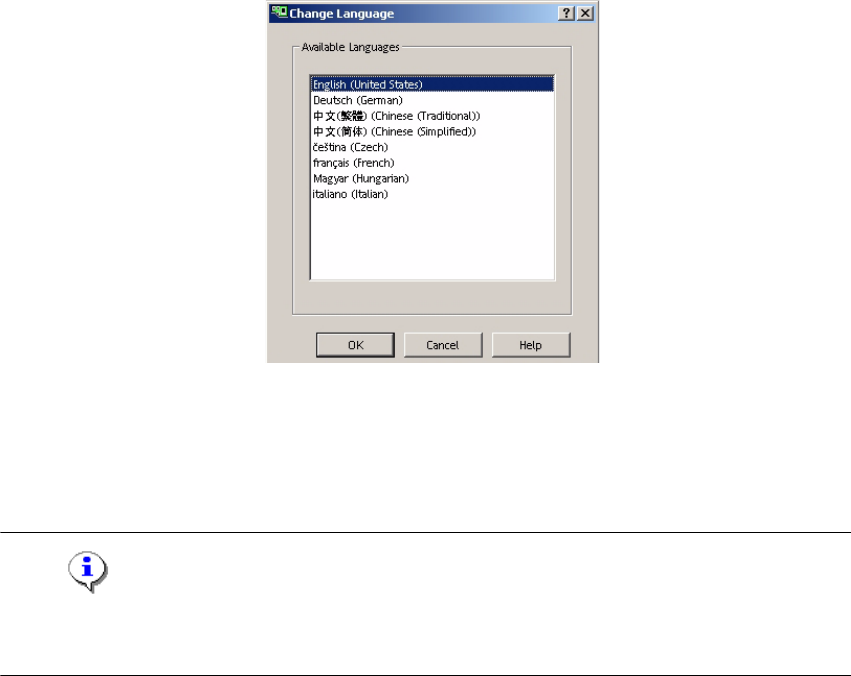
Fig. 5 - 9 SIPLACE Pro - Change Language Dialog
Æ You can switch to the other language(s) by opening:
- the Desk and going to Tools -> Change language or by opening
- the Line Control GUI and going to Options, Languages.
Note
Remember that it is necessary to restart the Desk or the Line Control GUI before the newly selec-
ted language is visible. 5
5

Installation manual SIPLACE Pro 6 Update
Edition 01/2007 US
49
6Update
Basically, follow the same procedure as for initial installation when making an update. Please refer
to chapter 4 in this regard. 6
Before you update from a SIPLACE Pro 1.x you must uninstall that old version. 6
If you have a SIPLACE Pro 2.x version, you are not required to uninstall the old version first, al-
though this is recommended. The database will be kept untouched by that uninstallation and will
be upgraded during the installation of SIPLACE Pro 3.2. 6
Note
Any update from lower to higher versions is possible provided that an upgrade script is available.
In case of problems, please note any messages and check the installation logfile in %temp% or
in the program folder. For more details please contact your service technician. 6
6
6 Update Installation manual SIPLACE Pro
Edition 01/2007 US
50