JUKI KE775点胶机说明书1.pdf - 第40页
CHAP丁 ER2DEsCRIPTI0N OFTHE OPERAT0RC0NTROLs 2ˉ 2.DispIay Unit Fig.2ˉ 2ˉ 1signaI"ght F∶ g.2ˉ 2ˉ 2DispIay Units ・ signaHight(0)∶ sh° ws the state o"he machine。 Referto the"em"4ˉ 3ˉ 7signaI Ⅱ ght"fo…
CHAPTER2DEsCRlPTION OF THE OPERAT0RC0NTROLs
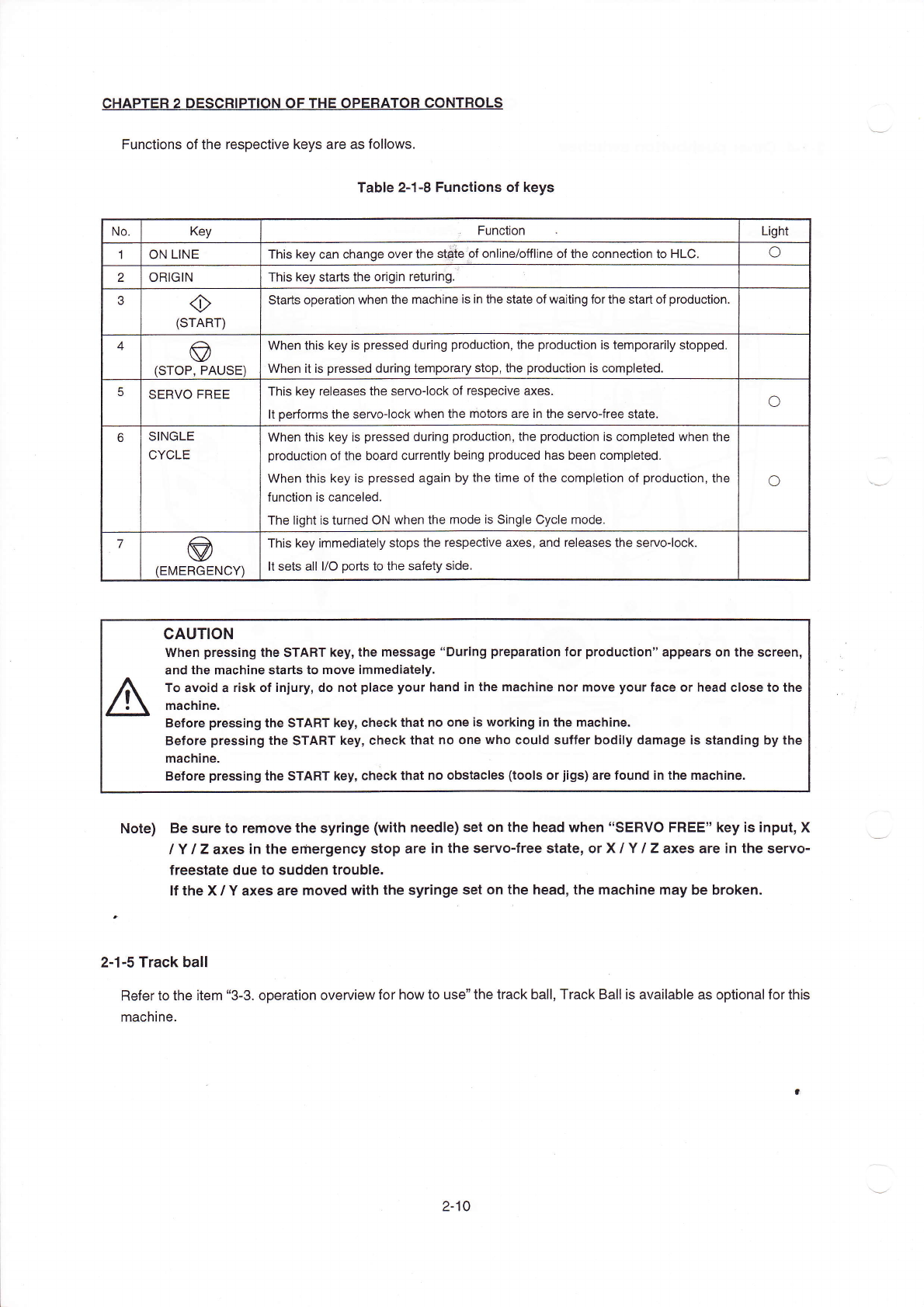
Functions ofthe respective keys are as fo"ows,
TabIe2ˉ
1ˉ 8FunCtions of keys
cAuTION
When pressing the sTART key,the message“
During preparation for production”
apρears on the screen,
and the:nachine starts to move immediately.
To avoid a risk ofiniury,d° n°t pIaCe your hand in the mach∶
ne nor:nove yourface or head Close to the
machine.
Before pressing the stART key,Check that no one is working in the:nachine.
Before pressing the sTART key,CheCk that no one who could suffer bod"V damage is standing by the
machine.
Bofore pressing the sTART key,che0k that no obstacles(tooIs orjigs)are f°
und in the:nachine.
N。te) Be sure to remoˇ
e the syringe(with needle)set on the head l″
hen‘
‘
sERVO FREE”
key is input,X
'Υ
`z axes:n the emergency stop are∶
n the servoˉ
free state,or X`Υ
`z axes are∶
n the servoˉ
freestate due to sudden troubIe.
Ifthe X`Y axes are moved with the syringe set on the head,the Inachine may be broken.
2ˉ 1ˉ 5TraCk ba"
Referto the item“
3ˉ 3.operation overView for how to use”
the track ba",Track Ba"is ava"able as optionalforthis
machine.
No
Key
Functon
Light
1 0N LINE
THs key can Change overthe s诤
te0f° nline/o仟 l:ne ofthe connec刂
onto HL0,
○
2 0RIG丨 N
This key stads the origin returing
◇
(sTART)
starts operation vvhen the rnachine is in the state ofvvaiting forthe start of produc刂
on
4
◎
(sT0P,PA∪
sE)
llVhen this key is pressed during production,the production is temporarily stoρ
ped
When itis pressed during temporary stop,the production is completed
sERV0FREE
This key releases the servo-lock of respeclve axes.
丨
t performs the servo-lock When the motors are in the sen'oˉ
free state.
⊙
sINGLE
CYCLE
l/Vhen this key is pressed during production,the production is completed when the
production ofthe board currenuy being produCed has been compIeted
NA/hen this key is pressed again by the t∶
rne ofthe comp|eti。
n of production,the
funclon is canCeled
The Ⅱ
ghtis turned0N when the mode is single Cycle mode
○
7
⑨
(EMERGENCY)
This key imrnediately stops the respective axes,and releases the seⅣ
o丬 ock.
lt sets a"l/0ports to the safety side
2ˉ 10
CHAP丁
ER2DEsCRIPTI0N OFTHE OPERAT0RC0NTROLs
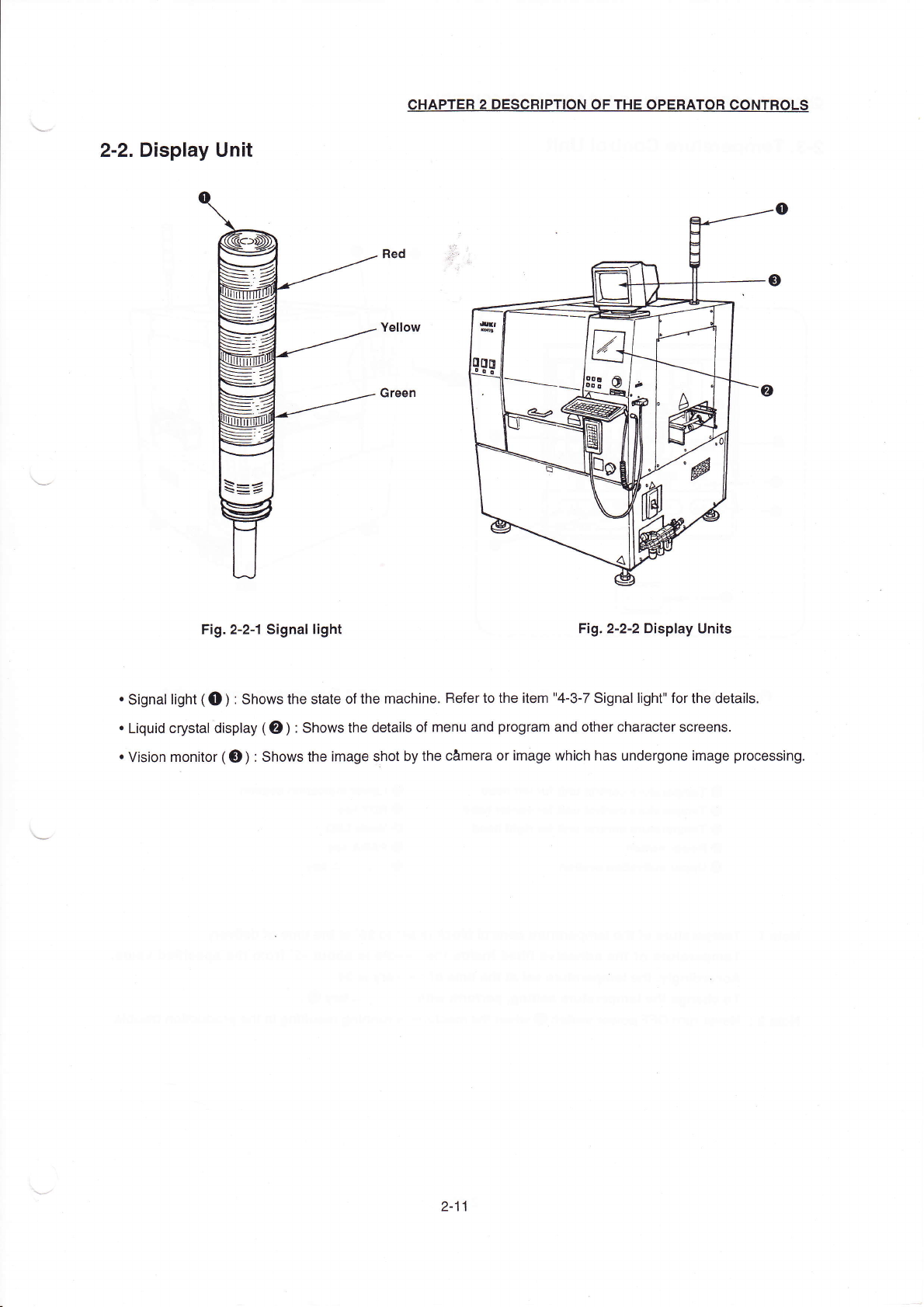
2ˉ2.DispIay Unit
Fig.2ˉ
2ˉ1signaI"ght
F∶
g.2ˉ
2ˉ 2DispIay Units
・
signaHight(0)∶
sh°
ws the state o"he machine。
Referto the"em"4ˉ 3ˉ 7signaI
Ⅱ
ght"forthe detai丨
s,
・
Liquid crystal dispIay(0)∶
shows the dedls of menu and program and other character screens.
・
Vision mon"or(o)∶
showsthe image shot bythe C合
mera orimage which has undergone image processing
2ˉ
11
CHAPTER2DEsCRIPTION0F THE OPERATOR C0NTR0Ls
2ˉ
3。
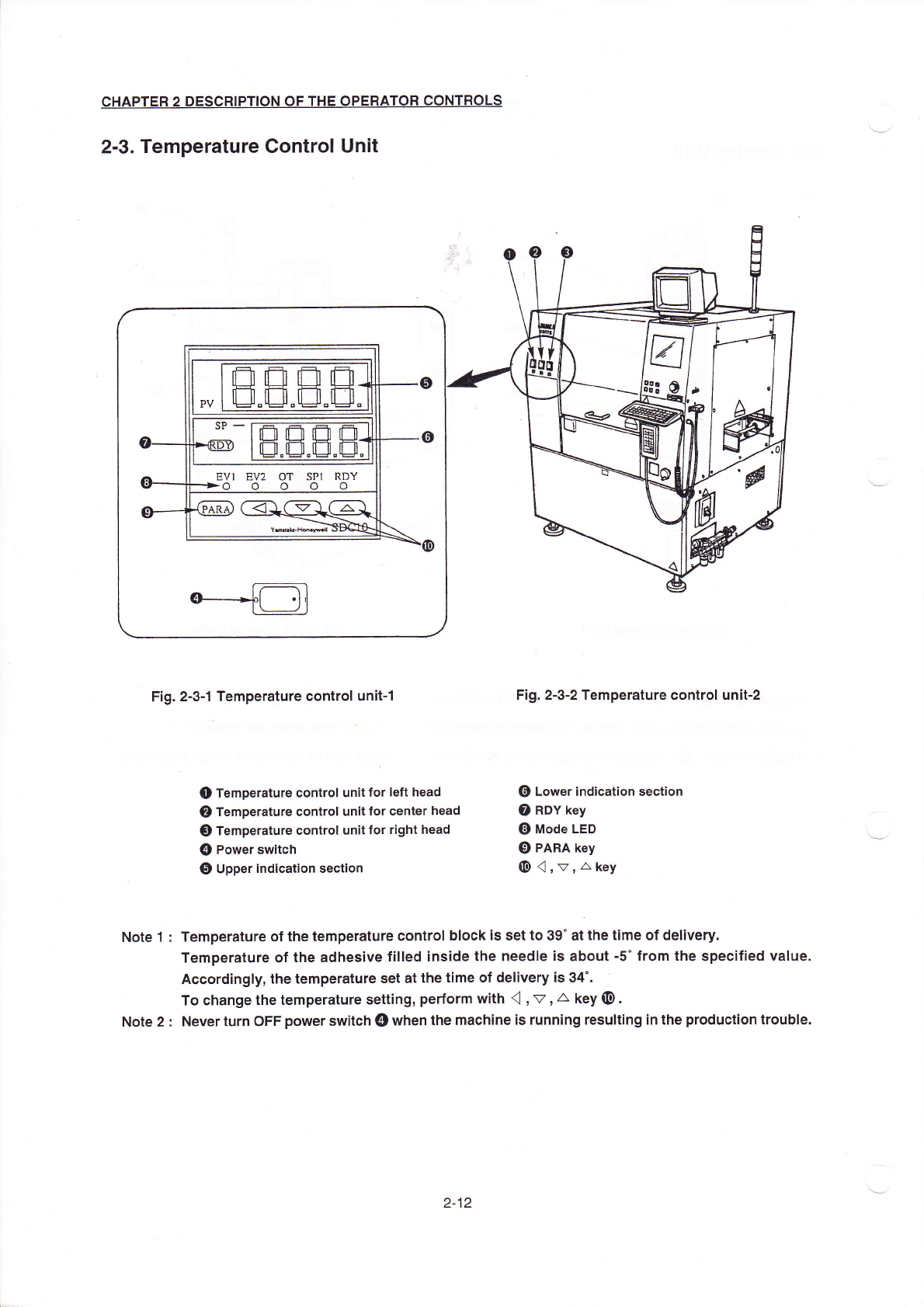
Temperature ControI Unit
Fig.2ˉ
3ˉ1Temperature contrOI unitˉ
1
●
Temperature control unit forIe⒒
head
②
Temperature controI un:t for center head
0Temperature controI unit for right head
④
Powersw"ch
⑤
Upper∶
ndication sec刂
on
F∶
g.2ˉ
3ˉ
2丁
emperature control unitˉ
2
⑥
Lowerind:cauon sec刂 °
n
⑦
RDˇ key
⑧
m°de LED
C)PARA key
⑩
创
,v,△
key
NOte1∶ Temperature ofthe temperature control bIock:s setto39°
atthe t"η e of deⅡ
very.
Temperature of the adhes∶
ve f"led inside the needle∶
s aboutˉ 5°
from the spec:fied vaIue.
Accordingly,the temperature set atthe ti1ne of de"very∶
s34° 。
TO change the temperature seuing,perform with(((l,v,∠
`key(11I〕
).
NOte2: Neverturn0FF poWersWⅡ
ch】
Dwhenthe:naChine is running resu∶
ting in the product∶on trouble.
2ˉ
12