JUKI KE775点胶机说明书1.pdf - 第61页
No. Key Ed"boX FormuIa bar 1 Character key Inputs the character∞ rrespⅡ 四 ng b扪 e key at小 e current cursor posmon,and moVes山 e ⑾ rsor"me山 aracterbⅡ 苔 Ⅱ 。 " ln the insert mode,the characters IOcated on the …
CHAPTER30PERATION CHECκ s
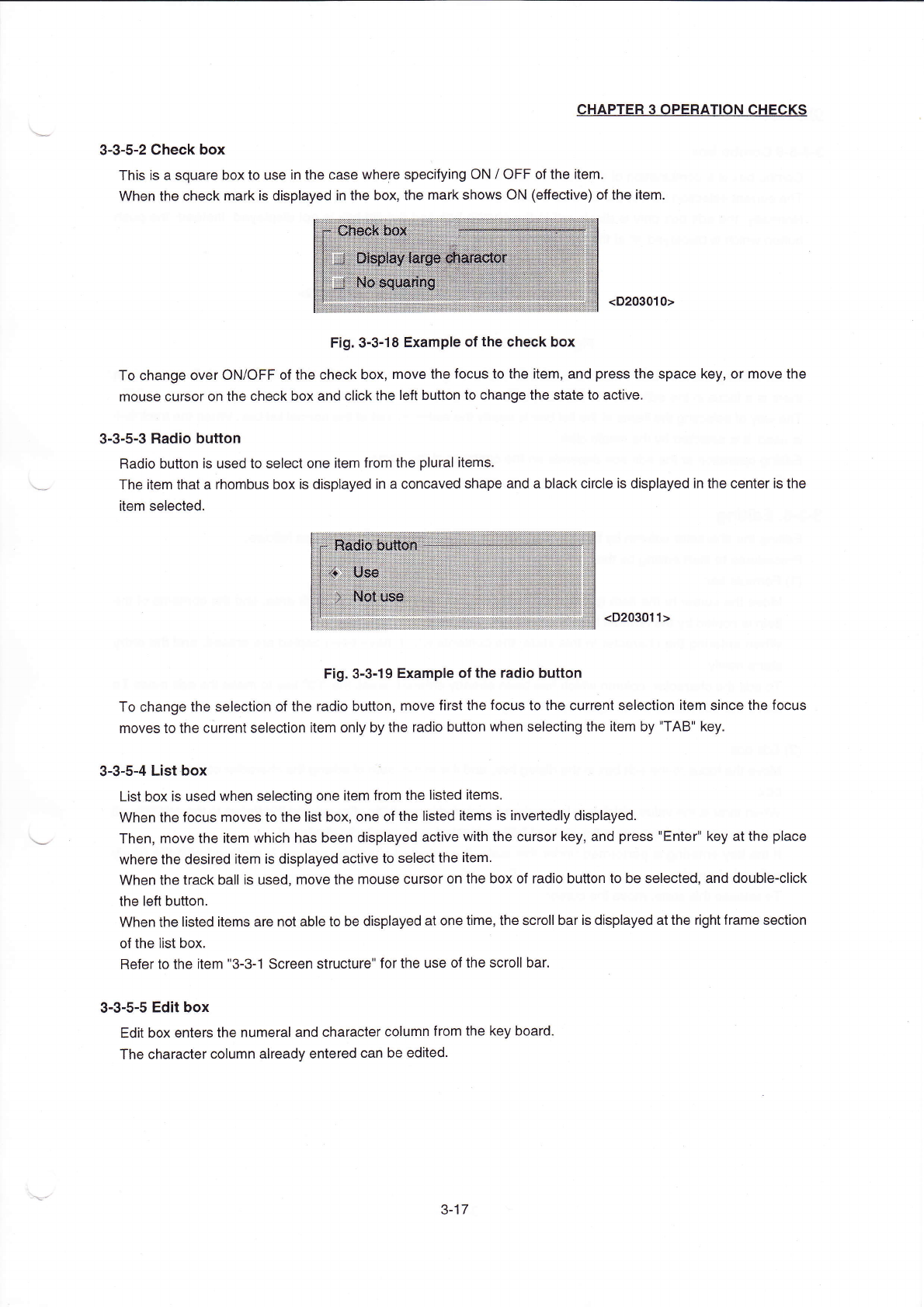
3ˉ3ˉ5ˉ2Check box
This is a square boX to use in the case where specifying0N/0FF Ofthe"em
When the cheCk markis displayed in the box,the mark shows0N(e矸
ediVe)of the"em.
<D203010>
Fig,3ˉ 3ˉ
18EXampIe ofthe check box
TO change over()N/oFF Ofthe check box,move the focus to the iten1,and press the space key,or rnove the
mouse cursor on the check box and cⅡ
ck the left button to change the state to actiVe.
3ˉ3ˉ
5ˉ 3Radio bu⒒ on
Radio button is used to seleCt one item from the pluraI"ems。
The"em that a rhombus box is displayed in a cOncaved shape and a black circle is dispIayed in the centeris the
"em selected,
<D203011)
Fig,3ˉ 3ˉ 19EXampIe ofthe rad:o buu°
n
To change the selection ofthe radio button,rnove first the focus to the current seIection iteΠ
η
since the focus
moves to the current se丨
ection item only by the radio button when selecting the item by"TABⅡ
key
3ˉ3ˉ
5ˉ4List boX
∷
List boX is used When seIecting one"em from the listed items,
llVhen the focus rnoves to the Iist boX,one ofthe listed items is invededly dispIayed
Then,rnove the item Which has been displayed ac"ve w"h the Cursor key,and press"Enter"key atthe pIace
Where the desired item is displayed a。
tive to seIeCt the item
VVhen the track ba"is used,rnove the rη
ouse cursor on the box of radio bu⒒
on to be seIected,and doubIeˉ
cⅡ ck
the|e仗 bu‖on.
When the Ⅱsted
Ⅱems are not able to be displayed at one tirne,the scro"baris dispIayed atthe rightframe section
of the Iist boX.
Referto the item"3ˉ
3ˉ
1sCreen struCture"forthe use ofthe scro"bar.
3ˉ
3ˉ5ˉ5Edit boX
Ed"boX enters the numeral and character cOIumn from the key board。
The character column already entered can be edited.
3ˉ 17
CHAPTER30PERATION CHECKs
3ˉ3ˉ5ˉ
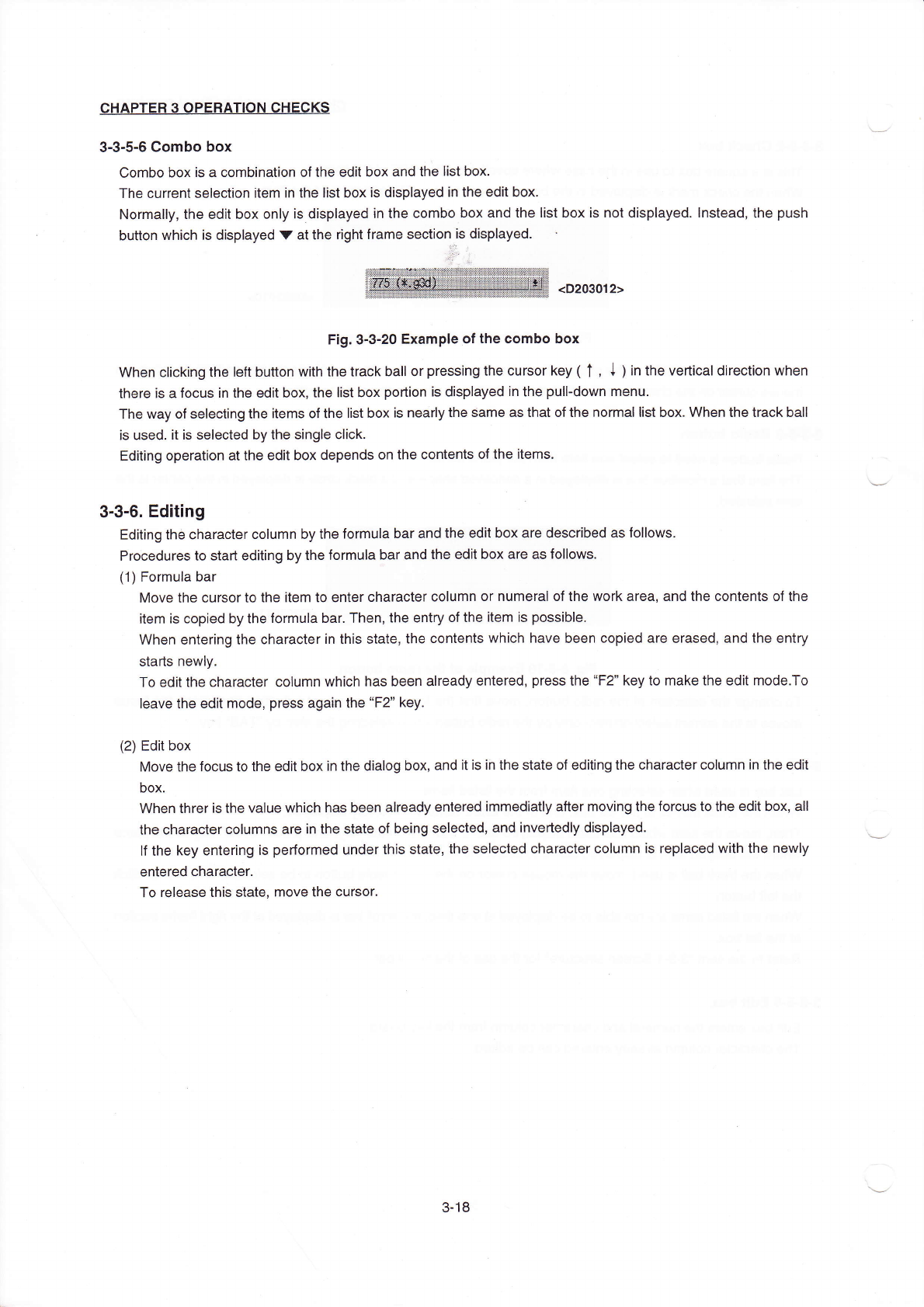
6Combo box
Combo box is a combination ofthe edit box and the Iist boX.
The Current selection item in the Iist boX is displayed in the ed"box.
NOrrna"y,the edit box only is dispIayed in the combo box and the list boX is not displayed.Instead,the push
button which is dispIayed V atthe rightframe sedion is displayed.
<D203012)
Fig.3ˉ
3ˉ20EXampIe ofthe combo box
When cIicking the|eft button w"h the traCk ball or pressing the cursor key(↑
,↓
)in the ve"ica丨
direc刂 on When
there is a foCus in the edit boX,the丨
ist boX podion is displayed∶
n the puⅡ
ˉ
down rnenu,
The way ofse丨
ecting the items ofthe list box is neor|y the same as that ofthe nor了
naIIist box When the track ba"
is used,"is seIected by the singIe c"ck.
Ed"ing operation atthe ed"boX depends on the contents ofthe"ems。
3Ⅱ3ˉ6.Editing
Editing th0Character cOIumn by the forrnula bar and the edⅡ
box are desc"bed as fo"oWs,
Procedures to staIt editing by the formuIa bar and the ed"box are as folloWs.
(1)Formula bar
Move the cursorto the item to enter character column or numeral ofthe Work area,and the contents ofthe
"em is copied by the forrnula bar.丁
hen,the entry ofthe item is possibIe.
VVhen entering the characterin this state,the contents which have been copied are erased,and the entry
stads nevvIy,
TO editthe character column which has been aIready entered,press the“
F2” key to rnake the edit rnode,To
leave the edit rnode,press again the“
F2”
key,
(2)Edit box
MOve the focus to the edⅡ
box in the dialog box,and itis ih the state of editing the character column in the edit
boX,
VVhen threris the vaIue which has been aIready entered iΠ
1mediatIy a付 er moVing the forcus to the edit box,a"
the character coIumns are in the state of being seIected,and invededIy displayed,
lf the key entering is performed underthis state,the seIected character coIumn is rep|aced
Ⅵ
`ith the newly
entered character.
To release this state,move the cursor。
3ˉ
18
No.
Key
Ed"boX
FormuIa bar
1
Character key
Inputs the character∞
rrespⅡ
四
ng b扪e key at小
e current cursor posmon,and moVes山
e
⑾
rsor"me山
aracterbⅡ
苔
Ⅱ
。
"
ln the insert mode,the characters IOcated on the rightˉ
hand side from the current Cursor
position is shined t° the right one by one‘
ln the oven″
rite mode,the character at the current cursor pos"ion is erased lnstead,"is
replaced wlth the character newIy input
VVhen the Character coIumn is seIected in the area,the character coIumn in the seleded area
is repIaced With the Character newIy input,and the CharaCter GoIumn located on the right-hand
side from the character column is shifted to the left,
2
lnsert
Changes over alternately the insert mode and the ove冂
vrite rnode,
3
Back space
Erases the character丨
ocated next on the leftˉ
hand side atthe current cursor positi°
n,and
moves the charaCter column丨
oCated on the right-hand side incIuding the oursor p°
sition by
one characterto the len Atthis tirne,The cursor position also rnoVes to the丨
e付 by one character
4
De丨ete
Erases the character atthe current cursor pos"ion,and rnoves the character cOIumn located
on the rightˉ
hand side from the cursorto the le仕
by one character
5
Cursor key Ce彳
t/"ght)
Moves the Current cursor p°
s"ion in the direction ofthe cursor key by one charaCter.
6
Shift+
Cursor key Ceft/"ghtl
Pressing"shi竹
Ⅱ
key,move the cursor by the cursor key Then,a"the character oolumns from
the cursor pos"ion When"shift"key vvas pressed to the Curent cursor pos"ion are in the
selected state
7
Home
MOves the cursorto the top character ofthe character cOIumn under editing
End
Moves the cursorto the neXtto the last character ofthe character co丨
umn under editing
Enter
Defines the CharaCter being in entry
proced ure, and performs the same
processlng as in case of
ρ
ressing the0K
button∶
Defines the character co!umn under editing
EsC
Erases the charaoter being ih entry
procedure, and performs the same
pr°
cessing as in case of pressing the Cance|
button,
Erases the character column being in entry
procedure,and returns to the state before
starting the entry
Tab/shift+Tab
Defines the character being edited,and
moVes the f0cus to the next(Tab)°
r the
preceeding(shi仕
+Tab)contrOI
Defines the character co丨
umn being ed"ed,and
moVes the editfieId to the!e付
(shi仕
+Tab)ort°
the"ght(Tab)
CHAPTER30PERATI0N CHECκ s
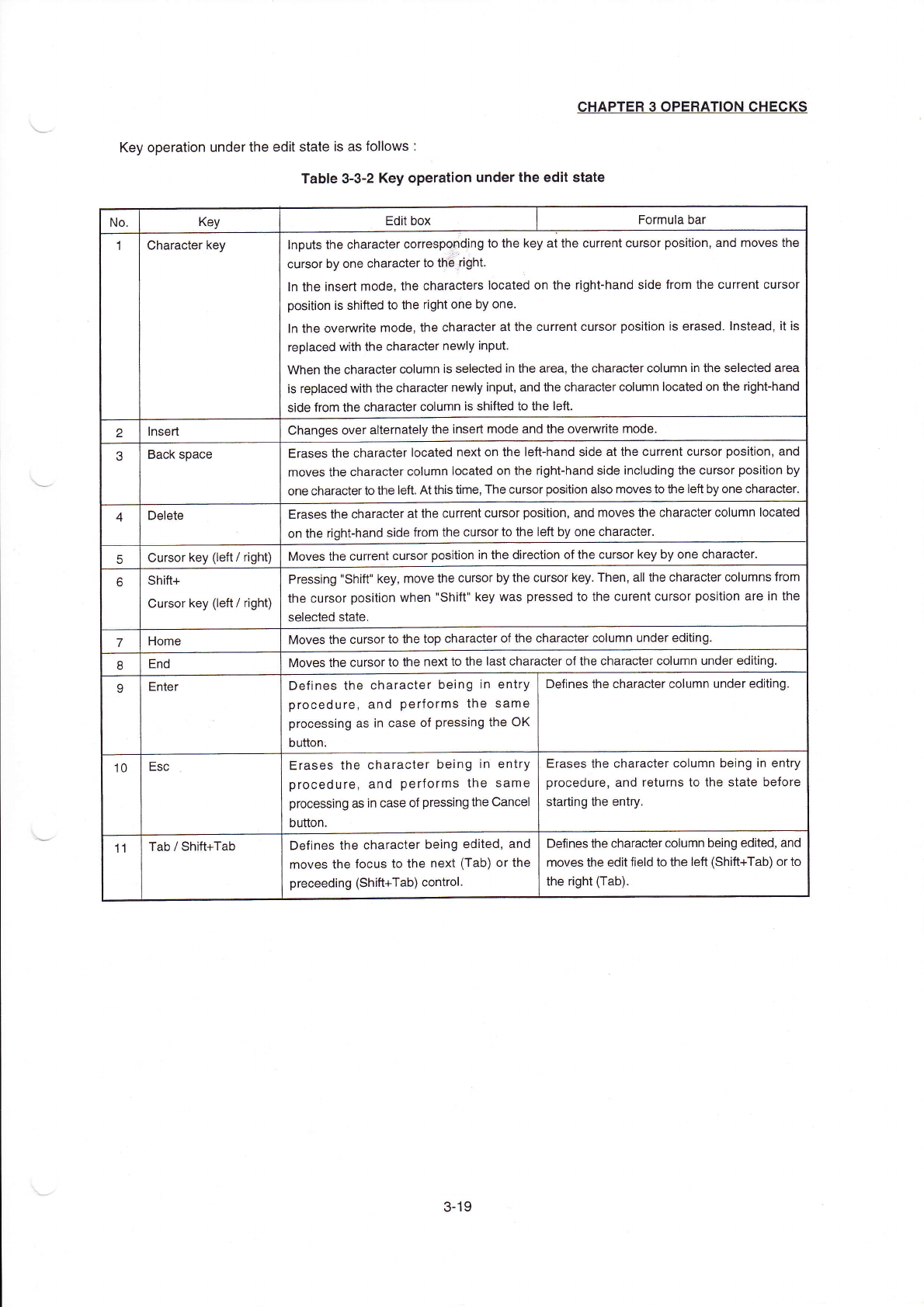
Key operation underthe edit state is as follovvs∶
TabIe3ˉ
3ˉ
2κey operation underthe edit state
3冖
19