JUKI KE775点胶机说明书1.pdf - 第48页
CHAPTER30PERATION CHECκ s 3ˉ 2ˉ 5。 EXit TO finish the work Ⅵ `ith the machine rnain un",seIect"1/F"eˉ +"9/Exit"from the top rnenu or"9/EXit-・ "1/EX"" from the top rnenu,orthe …
CHAPTER30PERATI0N CHECκ
s
3ˉ2ˉ4。 Returning t° h°me position ofthe board、
″idth
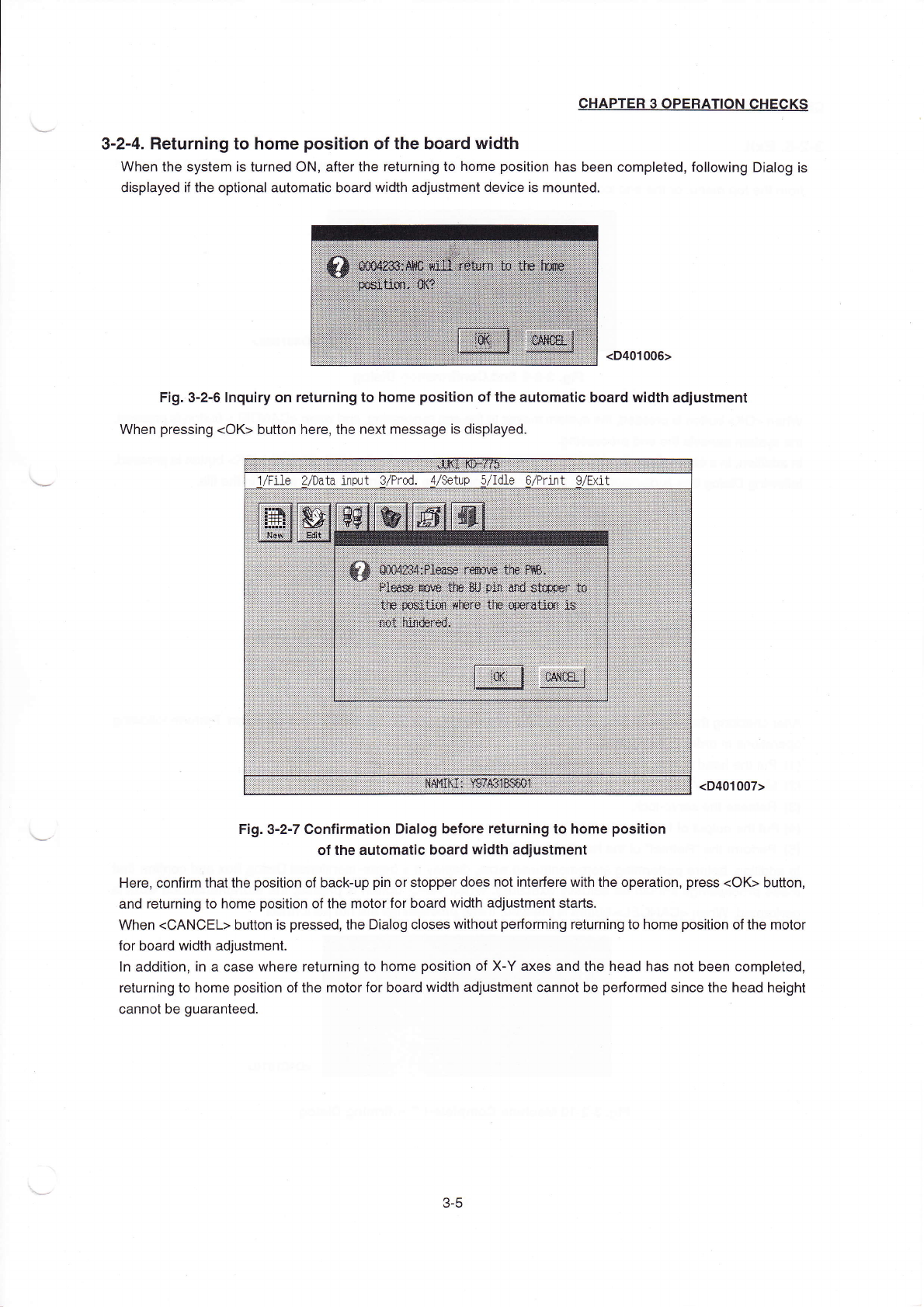
When the system is turned0N,afterthe returning to home pos"ion has been completed,fo"o、
ving Dia丨
og is
dispIayed if the optionaI automatic board、 Vidth adjustment device∶ s rnounted.
<D401006>
F∶
g.3ˉ
2ˉ6Inquiry on returning to home pos⒒
ion ofthe automatic board width adjustment
When pressing(oK>button here,the neXt rnessage is disp|ayed.
(D40,007)
Fig.3ˉ 2ˉ7Conf:rmation DiaIog before return∶
ngto home pos∶tion
ofthe automat:c board width adjustment
Here,confirrn that the pos"ion of backˉ
up pin or stopper does notinterfere with the operation,press(oK)bu⒒ on,
and returning to homρ
posⅡ
ion ofthe了notor for board VVidth adjustFη
ent starts。
VVhen<CANCEL>button is pressed,the Dialog cIoses vvithout perfornη
ing returning to home pos"ion ofthe rnotor
for board Width adjustment.
ln addition,in a case where returning to home pos"ion of Xˉ
Y aXes and the head has not been compIeted,
returning to home position ofthe rnotorfor board width adjustment cannot be perfor丫
ned since the head height
cannot be guaranteed.
1/File2/Data input3/PrOd.4/setup5/Idle6/Pr1nt9/EX】 t
姗 :∶ Ξ∶龉
3ˉ 5
CHAPTER30PERATION CHECκ
s
3ˉ2ˉ5。
EXit
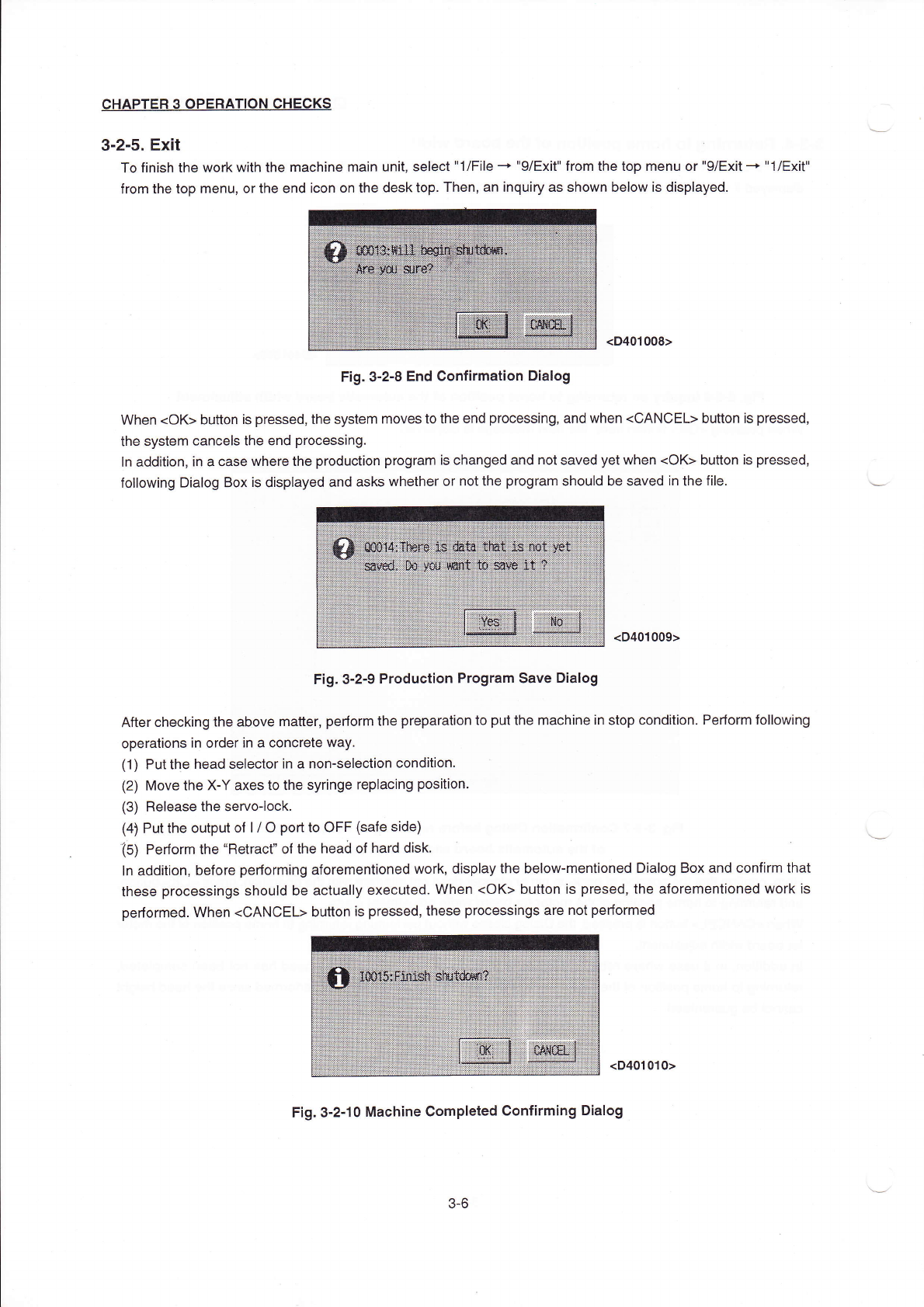
TO finish the work
Ⅵ
`ith the machine rnain un",seIect"1/F"eˉ
+"9/Exit"from the top rnenu or"9/EXit-・
"1/EX""
from the top rnenu,orthe end icon on the desktop Then,an inquiry as sho、
Vn beloW is disp丨 ayed
<D401008)
Fig.3ˉ
2ˉ 8End Confirmation DiaIog
When<oK)bu廿
on is pressed,the system moves to the end processing,and when<C/\NCEL)buuon is pressed,
the systenη
canceIs the end processing.
In addition,in a case where the production program is changed and not saved yet when(0K)buuon is pressed,
foⅢ oWing DiaIog Box is dispIayed and asks Whether or notthe progran1should be saved in the f"e
<D401009>
Fig.3ˉ
2ˉ9ProduC"on Program save DiaIog
After checking the aboVe rna‖
er,perform the preparation to putthe rnachine in stop condition.Perforrn fo"owing
operations in orderin a concrete way
(1) Puttne head selectorin a nonˉ
selection condⅡ
ion.
(2) Move the Xˉ
Y axes to the sy"nge rep丨
acing pos"ion.
(3) ReIease the servo丬
ock,
(4)Putthe° utput of l/0po吐
to0FF lsafρ
side)
(s)Pe亻
orm the“
Retracr°
fthe hea0of hard disk.
ln add"ion,before performing Oforementioned vvork,disp丨
ay the beIowˉ
mentioned Dialog Box and ConⅡ
rm that
these processings should be actua"y eXeCuted.llVhen<0K)button is presed,the aforementioned work is
pe汀
orrη ed When(CANCEL>button is pressed,these prOcessings are not perforrned
<D401010>
F:g.3ˉ
2冖 10MaChine CompIeted Confirm∶
ng DiaIog
3ˉ 6
CHAPTER30PERATION CHECKs
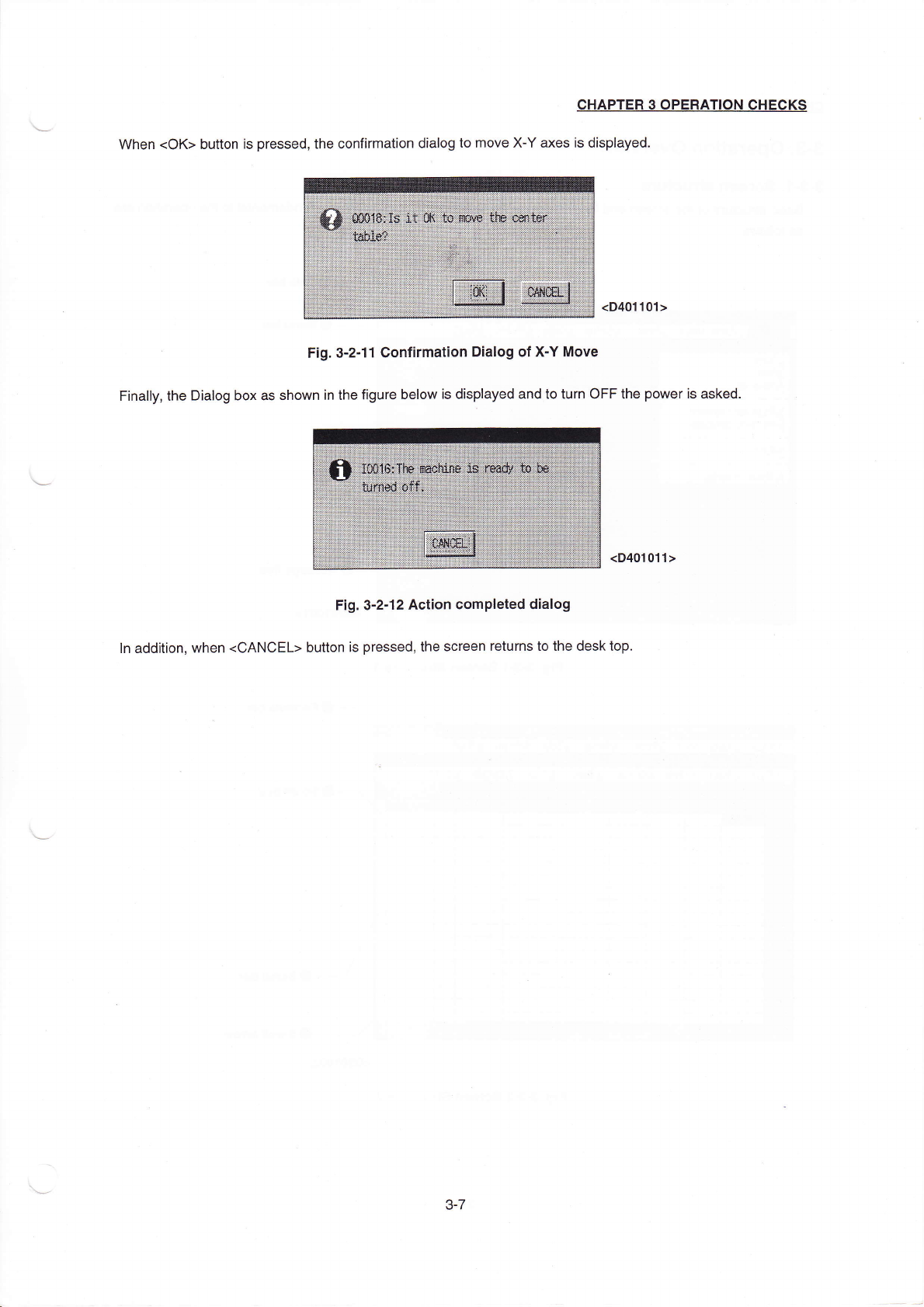
When(0K)button is pressed,the confirFnauon dia丨
°
g to rnove Xˉ
Y axes is displayed.
<D401101)
Fig.3ˉ
2丬 1ConJrmation DiaIog of Xˉ
Y
Ⅲ
oˇe
Fina"y,the Dialog box as shown in the figure beIOw is dispIayed and to turn0FF the poweris asked.
(D401011>
Fig.3ˉ
2ˉ12ACtion CompIeted dialog
ln addⅡ ion,Ⅵ
`hen(CANCEL)button is pressed,the sCreen returns to the desk top
3ˉ
7