00900057-02_IM_Performance_Monitor_2.1_EN.pdf - 第13页
ASM Performance Monitor 2.1 / Installation Manual 01/2021 Edition 13 Figure 4-2: Enabling automatic execution of integration servi ces ► Ente r and repeat a password in the two passwor d fields . The password can be free…
ASM Performance Monitor 2.1 / Installation Manual 01/2021 Edition
12
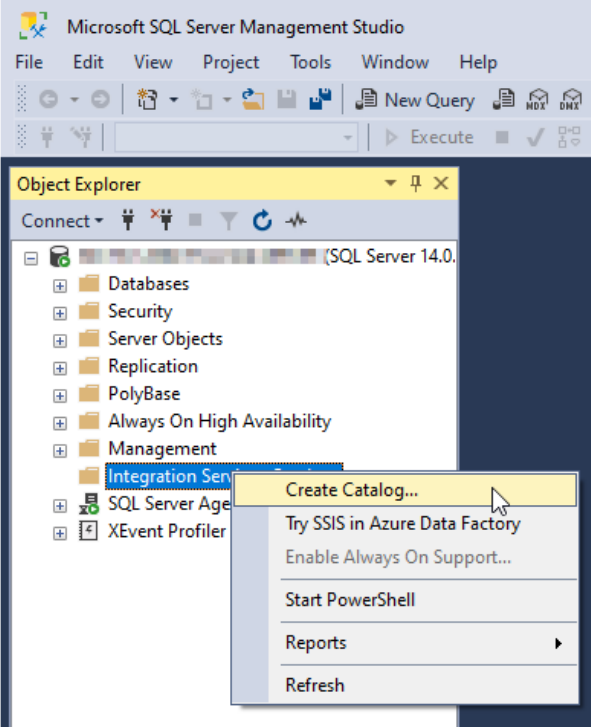
Figure 4-1: Create Catalog option
The Create Catalog dialog is displayed.
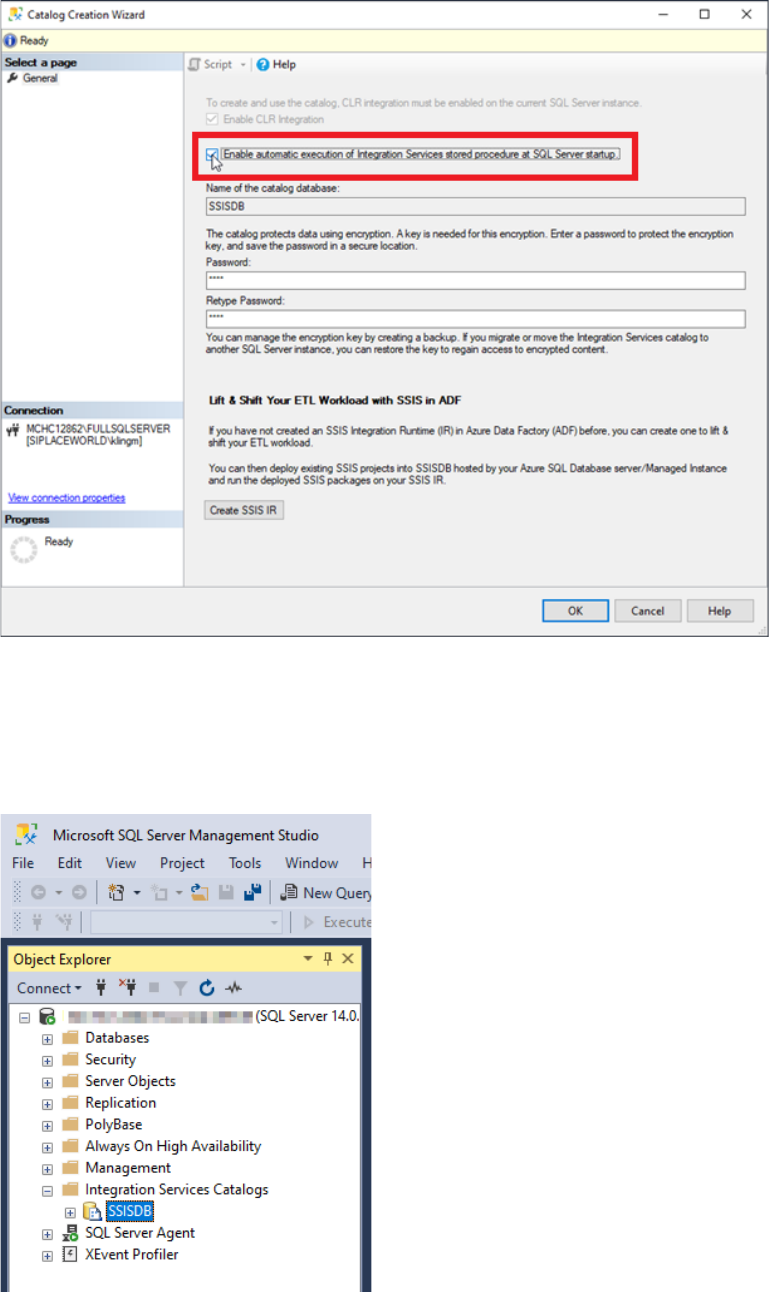
► Enable the automatic execution option of integration services.
ASM Performance Monitor 2.1 / Installation Manual 01/2021 Edition
13
Figure 4-2: Enabling automatic execution of integration services
► Enter and repeat a password in the two password fields. The password can be freely chosen.
Make sure to save the password in a secure location.
► Click the OK button.
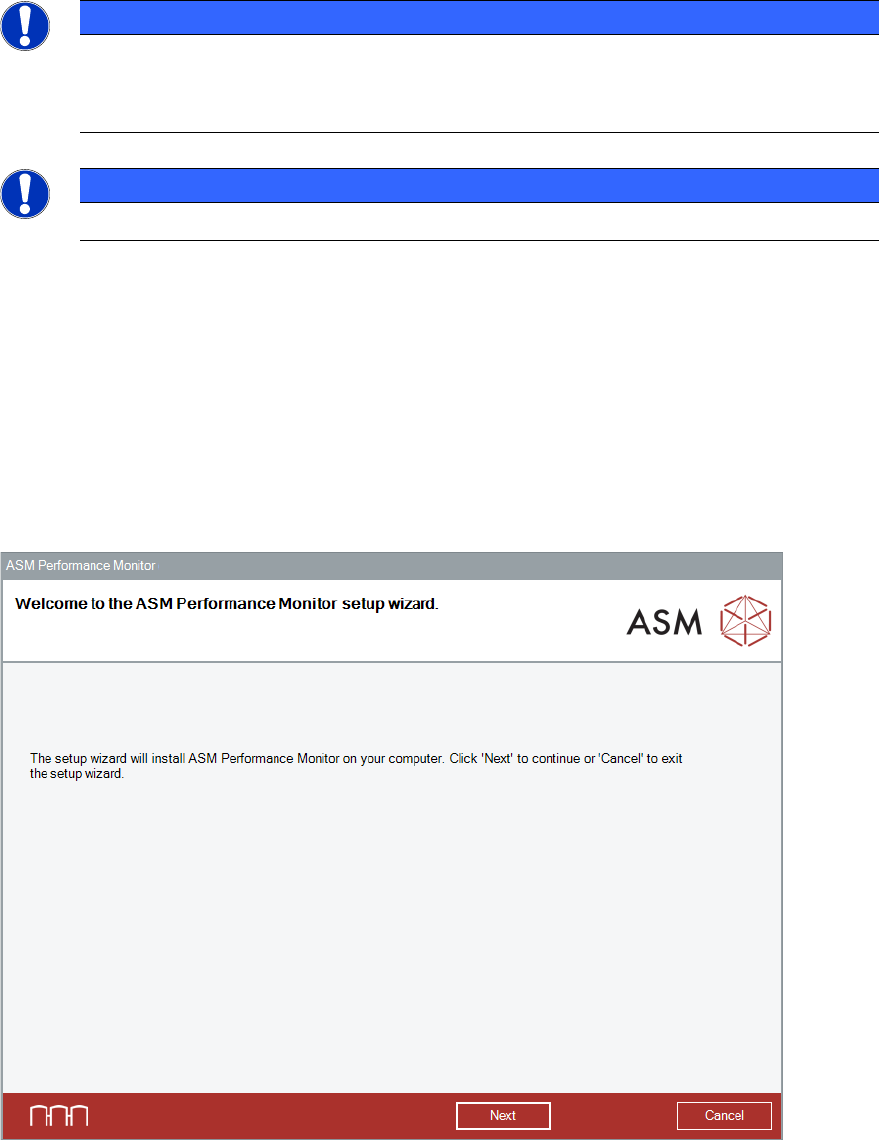
► Verify the SSISDB under the Integration Services Catalog node.
Figure 4-3: Verifying SSISDB
ASM Performance Monitor 2.1 / Installation Manual 01/2021 Edition
14
4.2 First Steps
NOTICE
Languages
The setup wizard is available in English only. After installation, other GUI languages can
be selected in ASM Performance Monitor.
NOTICE
You require administrator rights for the installation procedure!
Starting the Installation
► Log in using an administrative user account on the computer.
► Insert the installation media and mount the *.iso file.
► Open Windows Explorer.
► Double-click the ASMPerformanceMonitor_Installer.exe file to start installing ASM Performance
Monitor.
The Welcome dialog of the ASM Performance Monitor setup wizard is displayed.
Figure 4-4: Welcome dialog
► Click the Next button.
The Show License dialog is displayed.