00900057-02_IM_Performance_Monitor_2.1_EN.pdf - 第52页
ASM Performance Monitor 2.1 / Installation Manual 01/2021 Edition 52 Figure 7-6: Security Setti ngs – In ternet Zone 4. In the Scripting section, select Enabl e for the Active Scripting item. The following warning is dis…
ASM Performance Monitor 2.1 / Installation Manual 01/2021 Edition
51
7.2 IE 10 Fails to Load ASM Performance Monitor Application
Issue:
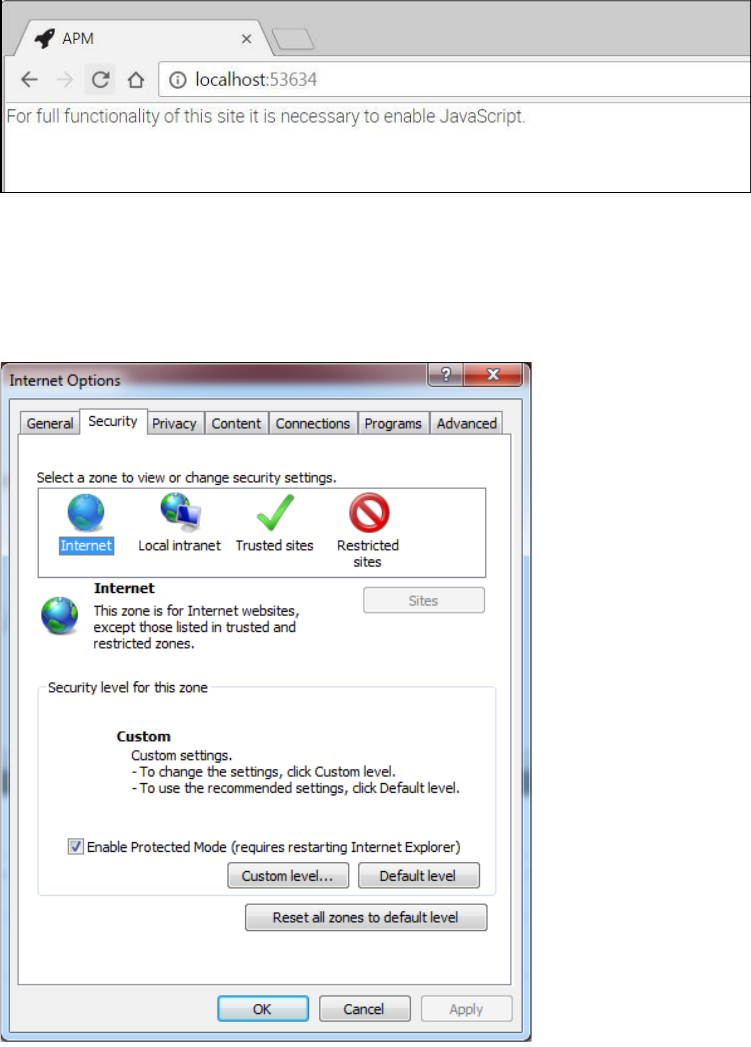
When you try to start ASM Performance Monitor in Internet Explorer 10, the following message is
displayed:
Figure 7-4: JavaScript has to be enabled
Solution:
1. Open Internet Explorer.
2. In the menu bar, select Tools – Internet Options – Security tab.
Figure 7-5: Internet Options - Security
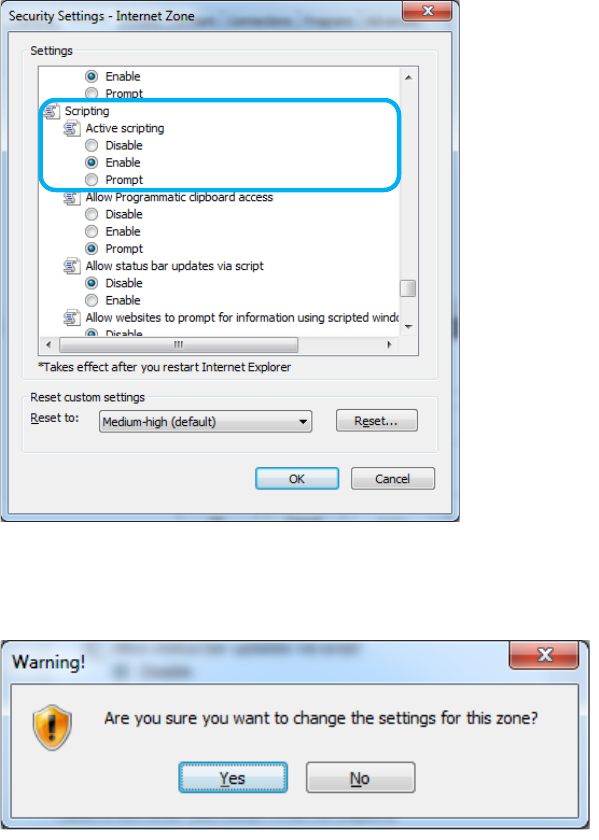
3. Click the Custom level… button.
The Security Settings – Internet Zone dialog opens.
ASM Performance Monitor 2.1 / Installation Manual 01/2021 Edition
52
Figure 7-6: Security Settings – Internet Zone
4. In the Scripting section, select Enable for the Active Scripting item.
The following warning is displayed.
5. Click Yes.
6. Click the OK button in the Internet Options window to exit.
7. Refresh the web browser and proceed to start ASM Performance Monitor.
ASM Performance Monitor 2.1 / Installation Manual 01/2021 Edition
53
7.3 IE 11 Fails to Download PDF and Excel Files
Issue:
Under IE Version 11, the user is unable to download the generated PDF and Excel files.
Solution:
In this case, File download and Font Download must be Enabled to download files in Internet
Explorer.
► Perform the steps described below:
1. Open Internet Explorer.
2. In the menu bar, select Tools – Internet Options – Security tab and select the Internet zone.
3. Click the Custom level… button.
The Security Settings – Internet Zone dialog opens.
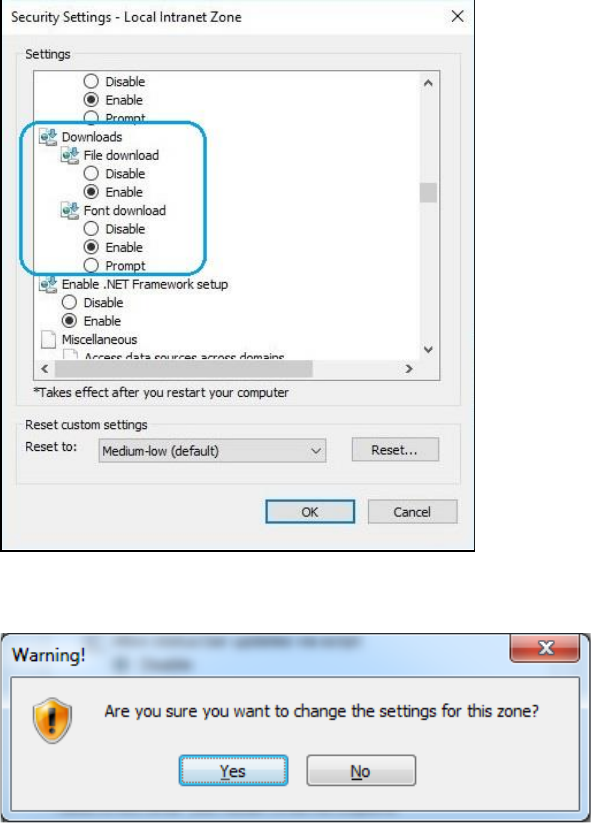
4. In the Downloads section, select Enable for the File download and Font download items.
Figure 7-7: Enabling File download and Font download
The following warning is displayed.
5. Click Yes.
6. Click the OK button in the Internet Options window to exit.
7. Refresh the web browser and proceed to start ASM Performance Monitor.