00900057-02_IM_Performance_Monitor_2.1_EN.pdf - 第60页
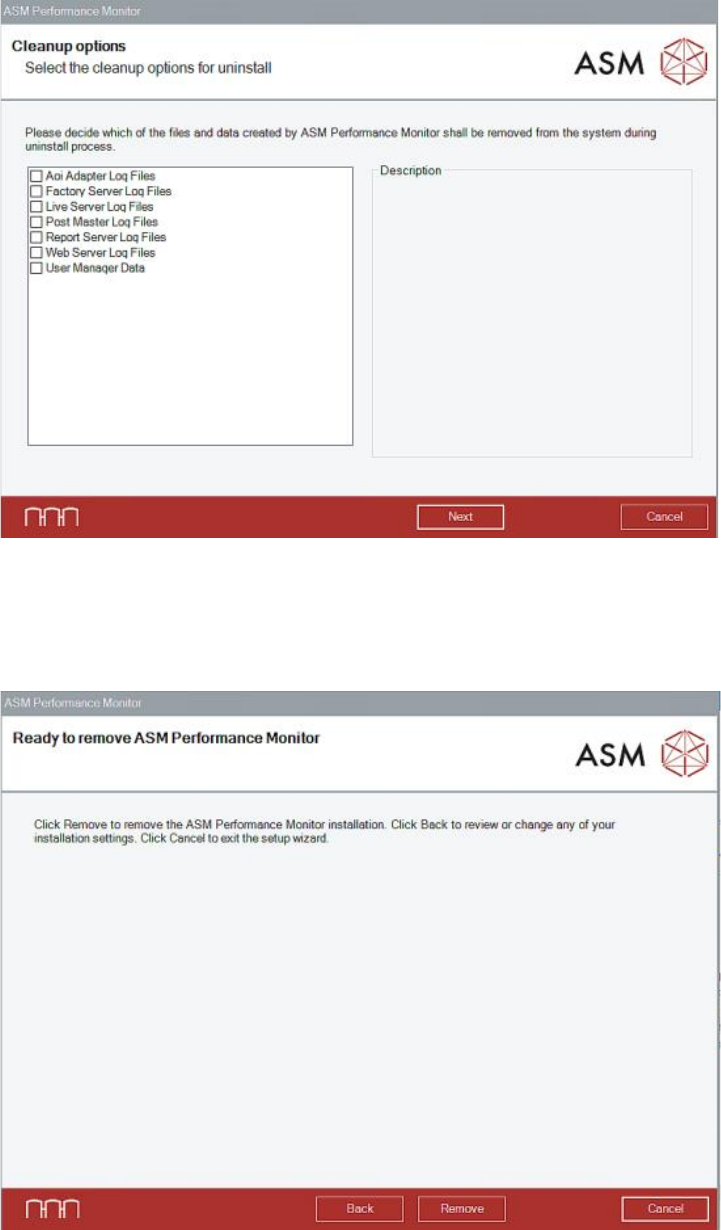
ASM Performance Monitor 2.1 / Installation Manual 01/2021 Edition 60 In the Cleanup options dialog, a list with the files created durin g runtime of ASM Performance Monitor is displayed. Figure 8-2: Cleanup options di al…
ASM Performance Monitor 2.1 / Installation Manual 01/2021 Edition
59
8 Modifying, Repairing or Removing ASM
Performance Monitor
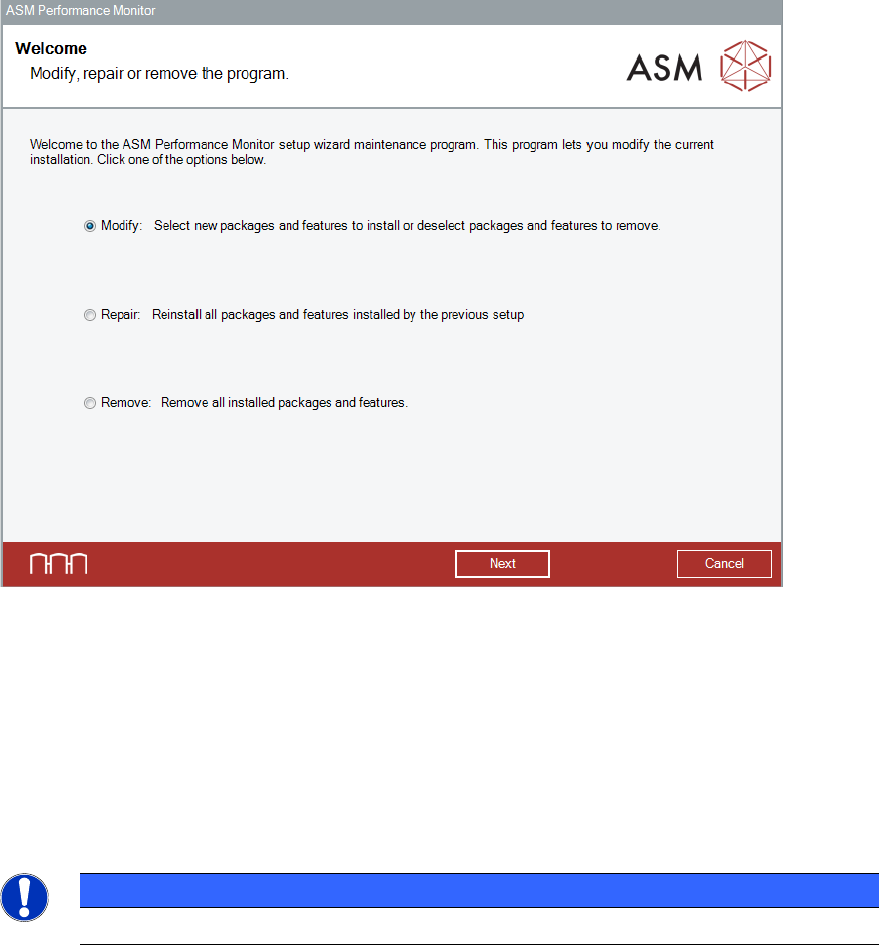
It is possible to modify, remove or repair the installation by starting the
ASMPerformanceMonitor_Installer.exe file on a computer on which ASM Performance Monitor is
installed. The Installer detects the installation automatically and offers the respective options.
Figure 8-1: Modify,repair or remove the program dialog
► Select the option that you want to perform.
The ASM Command Center setup wizard will guide you through the respective procedures.
8.1 Uninstalling ASM Performance Monitor via Control Panel
The ASM Command Center software can also be removed via the Control Panel.
NOTICE
You must be logged in as Administrator to uninstall the software .
► Open the Start menu and select Control Panel – (All) Programs – Uninstall a program.
► Click with the right mouse key on the ASM Performance Monitor entry in the list of installed
programs.
► Select Uninstall from the context menu.
A confirmation dialog is displayed.
► Click Yes to confirm uninstalling the ASM Command Center software.
ASM Performance Monitor 2.1 / Installation Manual 01/2021 Edition
60
In the Cleanup options dialog, a list with the files created during runtime of ASM Performance
Monitor is displayed.
Figure 8-2: Cleanup options dialog
► Select the files you want to uninstall additionally to the files installed by the setup.
► Click the Next button.
ASM Performance Monitor is now ready to be removed. The following dialog is displayed.
Figure 8-3: Ready to remove dialog
► Click the Remove button to confirm uninstalling the ASM Performance Monitor software.
If User Account Control is enabled, a corresponding dialog is additionally displayed before the
removal starts.
ASM Performance Monitor 2.1 / Installation Manual 01/2021 Edition
61
► Click the Yes button to allow the changes to your system.
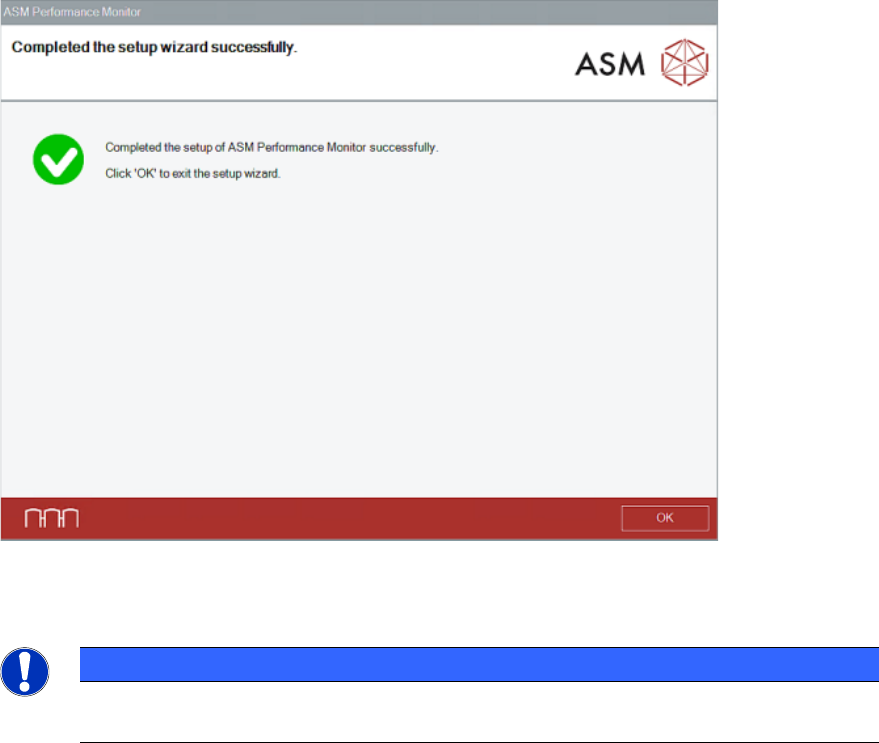
After successful removal, the following dialog is displayed.
Figure 8-4: Removal completed dialog
► Click the OK button to exit the setup wizard.
NOTICE
The ASM Performance Monitor database will not be deleted by the uninstalling
procedure!