00900057-02_IM_Performance_Monitor_2.1_EN.pdf - 第29页
ASM Performance Monitor 2.1 / Installation Manual 01/2021 Edition 29 Figure 4- 18 : Mobile App Communi cation Protocol dialog ► Select the Mobil e App Communication Protocol f rom the drop-down menu. In order to use HTTP…
ASM Performance Monitor 2.1 / Installation Manual 01/2021 Edition
28
4.10 Configuring Mobile App Settings
The following dialogs are only available if you selected to install APM Mobile in the Packages and
Features dialog.
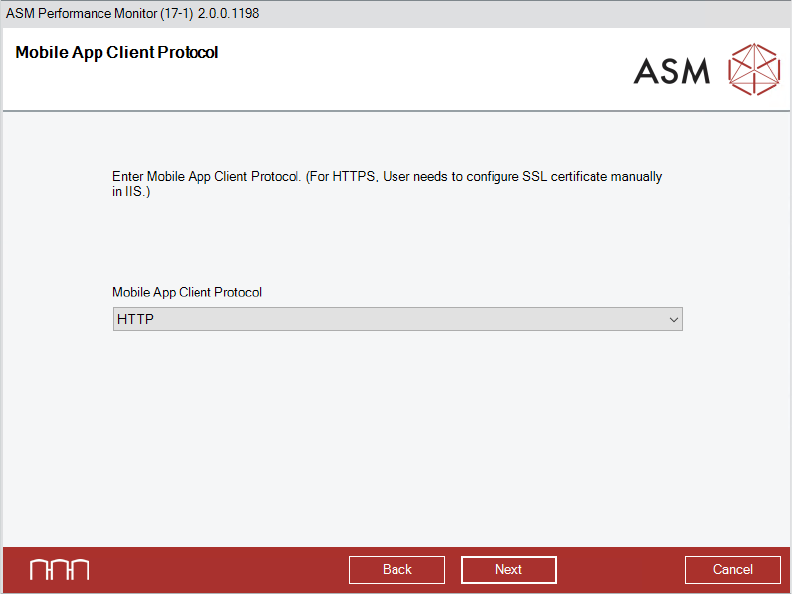
Figure 4-17: Mobile App Client Protocol dialog
► Select the Mobile App Client Protocol from the drop-down menu.
► Click the Next button.
The Mobile App Communication Protocol dialog is displayed.
ASM Performance Monitor 2.1 / Installation Manual 01/2021 Edition
29
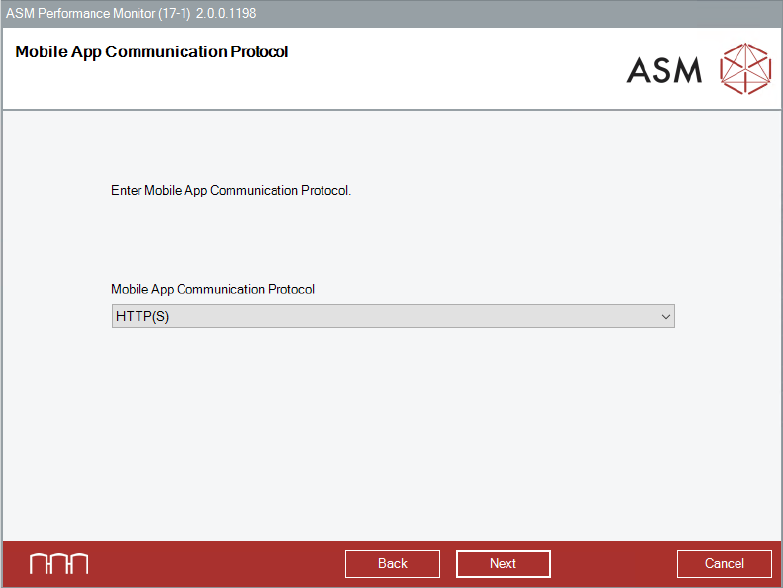
Figure 4-18: Mobile App Communication Protocol dialog
► Select the Mobile App Communication Protocol from the drop-down menu.
In order to use HTTPS, a certificate needs to be provided.
If the Mobile Web Server is deployed on a dedicated network (DMZ) for access outside the
secured factory network, HTTPS is recommended.
► Click the Next button.
The Mobile Service Host dialog is displayed.
ASM Performance Monitor 2.1 / Installation Manual 01/2021 Edition
30
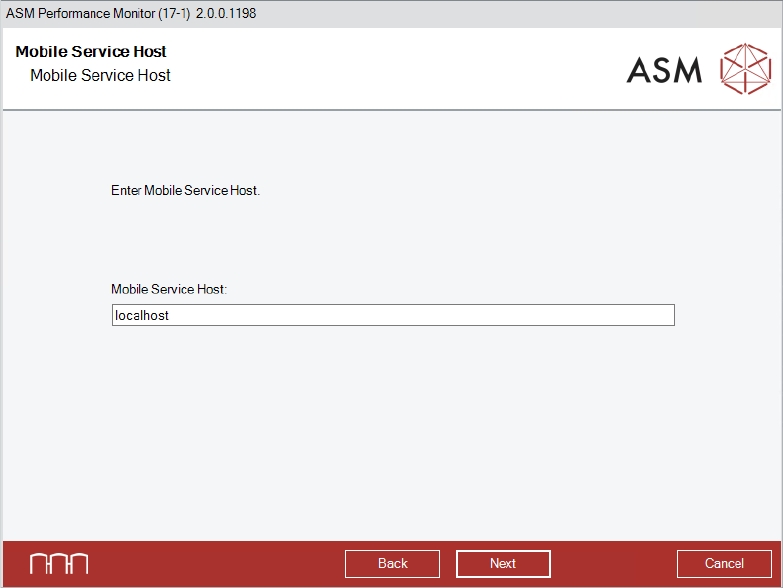
Figure 4-19: Mobile Service Host dialog
► Enter the Mobile Service Host.
► Click the Next button.
The APMDBA User dialog is displayed.