00900057-02_IM_Performance_Monitor_2.1_EN.pdf - 第19页
ASM Performance Monitor 2.1 / Installation Manual 01/2021 Edition 19 4.4 Selecting Destination Folder NOTICE Location of the database This selection only affect s the installation drive of the packag e. If you want to ch…
ASM Performance Monitor 2.1 / Installation Manual 01/2021 Edition
18
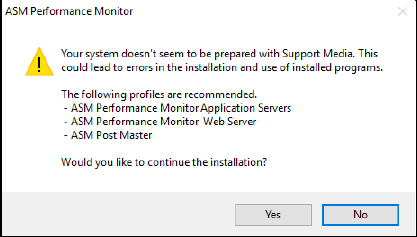
If you have not prepared your computer for ASM Performance Monitor using the Prerequisite
Analyzer from the ASM Support Media, an error message like the following appears:
Figure 4-7: No ASM Support Media preparation dialog
In this case, we strongly recommend the following:
► Click on the No button to cancel the setup and begin to prepare your computer using the ASM
Support Media.
Please refer to section 4.1 for more information.
ASM Performance Monitor 2.1 / Installation Manual 01/2021 Edition
19
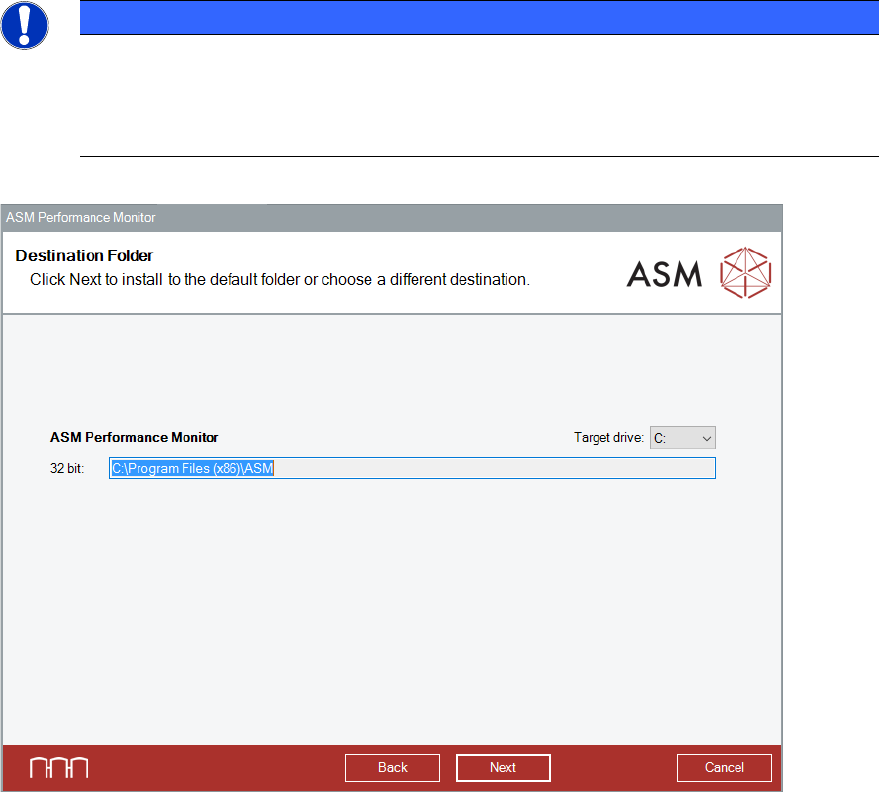
4.4 Selecting Destination Folder
NOTICE
Location of the database
This selection only affects the installation drive of the package. If you want to change the
location of the APMFactory database or its backup files, you must click the checkbox
displayed later to change the database settings.
Figure 4-8: Destination Folder dialog
► Select the drive in which you want to install the package.
► Click the Next button to continue the installation procedure.
The ASM OIB Core connection dialog is displayed.
ASM Performance Monitor 2.1 / Installation Manual 01/2021 Edition
20
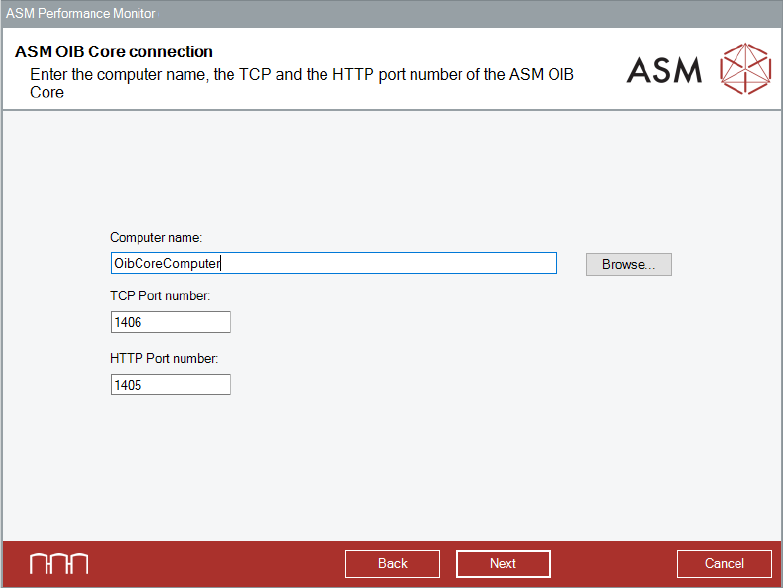
4.5 Specifying ASM OIB Core Connection
Figure 4-9: ASM OIB Core connection dialog
► Enter the computer name and port numbers of the computer on which the ASM OIB Server
component is installed.
► Click the Next button.
The Connect to SQL server dialog is displayed.