00900057-02_IM_Performance_Monitor_2.1_EN.pdf - 第15页
ASM Performance Monitor 2.1 / Installation Manual 01/2021 Edition 15 Accepting the License Conditions Figure 4-5: Show License di alog ► Read the license agreeme nt of ASM Assembly Systems Gmb H & Co. KG relating to …
ASM Performance Monitor 2.1 / Installation Manual 01/2021 Edition
14
4.2 First Steps
NOTICE
Languages
The setup wizard is available in English only. After installation, other GUI languages can
be selected in ASM Performance Monitor.
NOTICE
You require administrator rights for the installation procedure!
Starting the Installation
► Log in using an administrative user account on the computer.
► Insert the installation media and mount the *.iso file.
► Open Windows Explorer.
► Double-click the ASMPerformanceMonitor_Installer.exe file to start installing ASM Performance
Monitor.
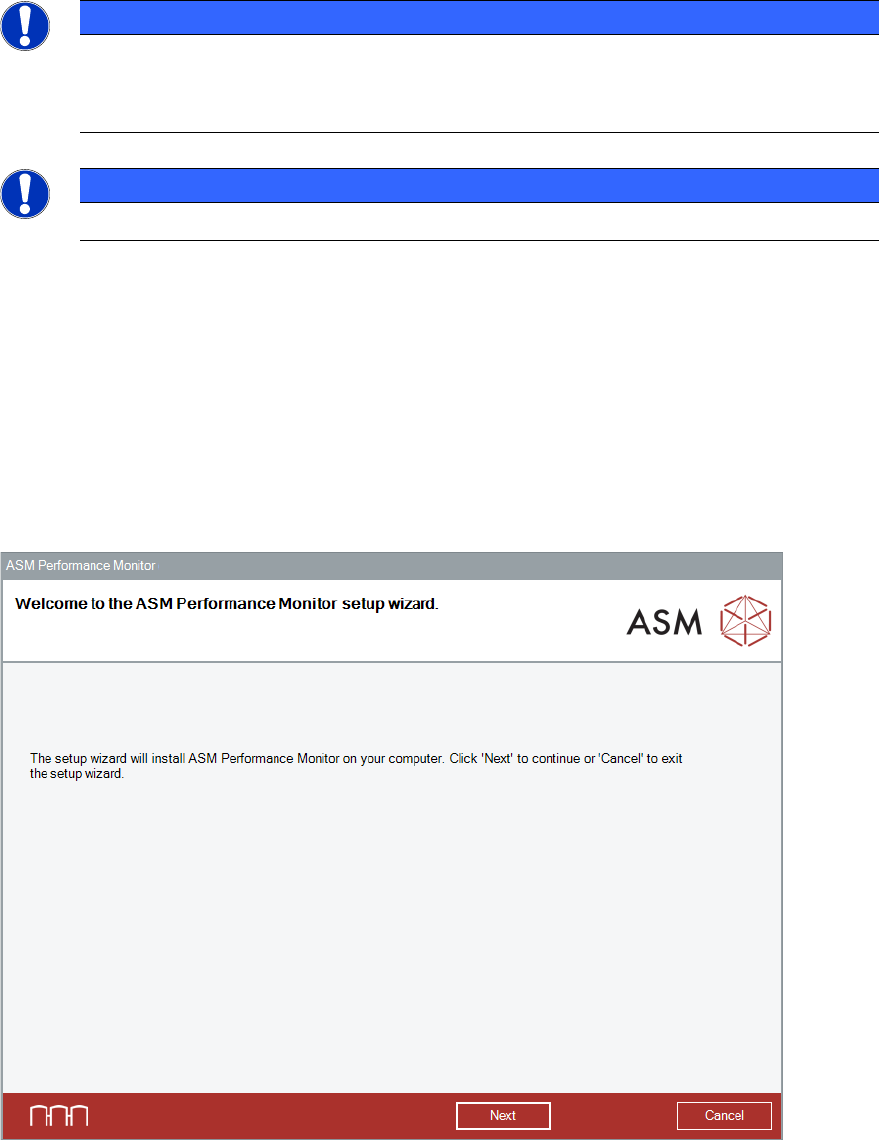
The Welcome dialog of the ASM Performance Monitor setup wizard is displayed.
Figure 4-4: Welcome dialog
► Click the Next button.
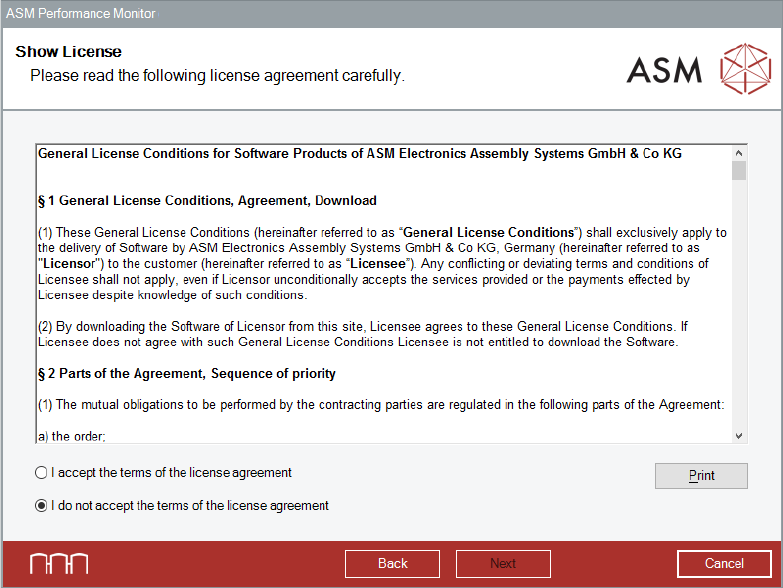
The Show License dialog is displayed.
ASM Performance Monitor 2.1 / Installation Manual 01/2021 Edition
15
Accepting the License Conditions
Figure 4-5: Show License dialog
► Read the license agreement of ASM Assembly Systems GmbH & Co. KG relating to use of this
software.
► Select I accept the terms of the license agreement to accept the license conditions.
► Click the Next button.
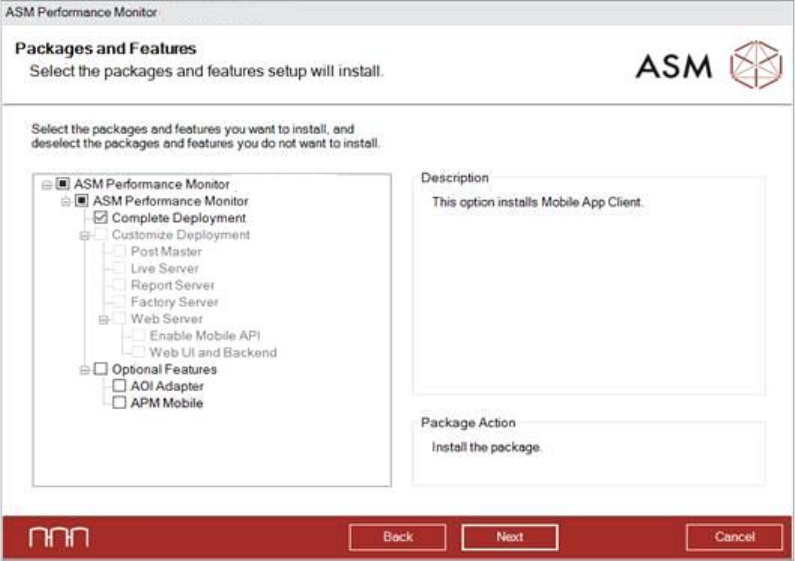
The Packages and Features dialog is displayed.
ASM Performance Monitor 2.1 / Installation Manual 01/2021 Edition
16
4.3 Selecting Packages and Features
Figure 4-6: Selecting Packages and Features dialog
The Complete Deployment is enabled by default.
► In default case, click the Next button.
By selecting Customize Deployment you can select single features to be installed.
As Optional Features, you can select to install the AOI Adapter for the AOI machine and install
the APM Mobile Web Server to connect mobile devices.
► Select the features you want to install and deselect the features you want to remove.
► Click the Next button.
The Destination Folder dialog is displayed.