00900057-02_IM_Performance_Monitor_2.1_EN.pdf - 第26页
ASM Performance Monitor 2.1 / Installation Manual 01/2021 Edition 26 4.8 Specifying Web Server Configuration Figure 4- 15 : Web Server Port Nu mber Configuration dial og ► Enter the Web Server po rt number to set up the …
ASM Performance Monitor 2.1 / Installation Manual 01/2021 Edition
25
► Enter the client port number to set up the Post Master.
► Click the Next button.
The default values are displayed in the wizard.
The Post Master Port Numbers dialog is displayed.
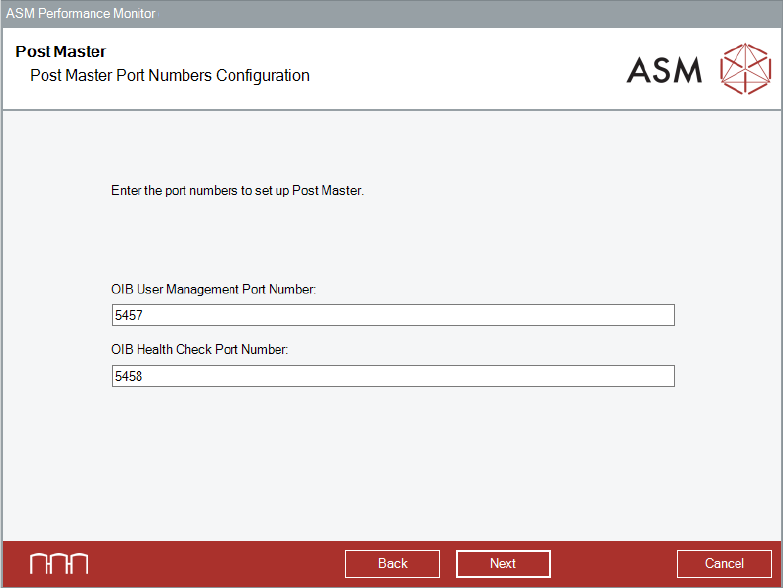
Figure 4-14: Post Master Port Numbers Configuration dialog
► Enter the OIB User Management port number and the OIB Health Check port number in the
respective dialog to set up the Post Master.
► Click the Next button.
The default values are displayed in the wizard.
The Web Server Port Number Configuration dialog is displayed.
ASM Performance Monitor 2.1 / Installation Manual 01/2021 Edition
26
4.8 Specifying Web Server Configuration
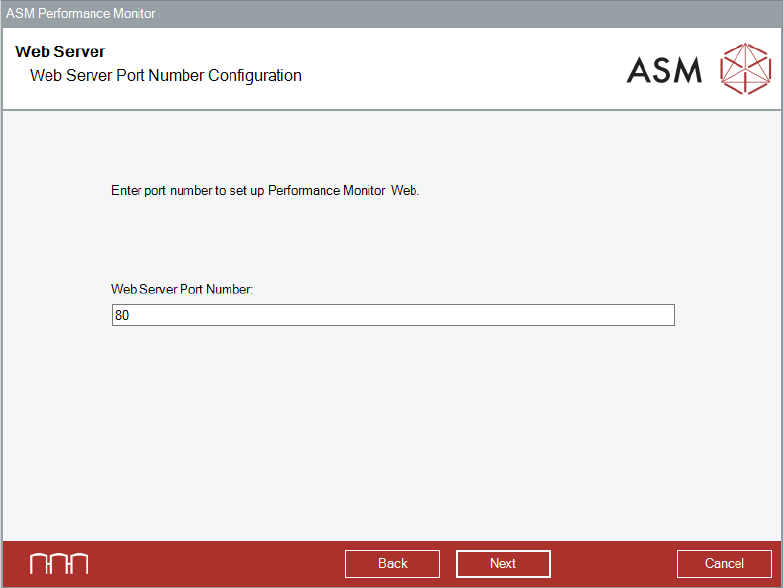
Figure 4-15: Web Server Port Number Configuration dialog
► Enter the Web Server port number to set up the Performance Monitor Web server.
► Click the Next button.
The default values are displayed in the wizard.
If you have selected to install Optional Features in the Packages and Features dialog, the
corresponding dialogs are displayed. If you have not selected any additional features, the
APMDBA User and APM_SSIS User dialogs are displayed, see section 4.11.
ASM Performance Monitor 2.1 / Installation Manual 01/2021 Edition
27
4.9 Specifying AOI Adapter Configuration
The Monitoring Folder dialog is only available if you selected to install the AOI Adapter in the
Packages and Features dialog.
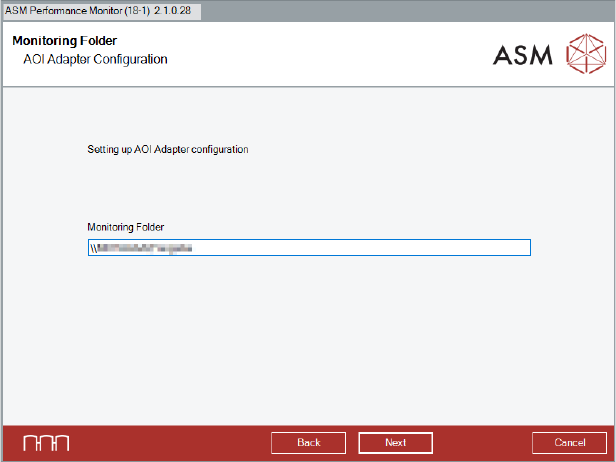
Figure 4-16: Monitoring Folder dialog
► Specify the destination of the Monitoring Folder. In the Monitoring Folder, XML-files are saved
which are used by the AOI Adapter to interpret AOI machine data.
It is recommended to use the central share or a distributed share drive as Monitoring Folder for
each line. Please make sure that there is read/write access to the Monitoring Folder.
► Click the Next button.
The Monitoring Folder is created.
For further information on the AOI Adapter, please refer to section 6.4.