00198005-02_VD_SIPLACE_Pro_13.1_DE_EN.pdf - 第26页
SIPLACE Pro V13.1 / Softw are Version Descriptio n 05/2016 Edition 26 4.13 L ong Boar d Option – New License Concept The Long Board Option ( LBO ) is a lic ensed feature. As of this SIPLACE Pro v ersion, there are two ad…
SIPLACE Pro V13.1 / Software Version Description 05/2016 Edition
25
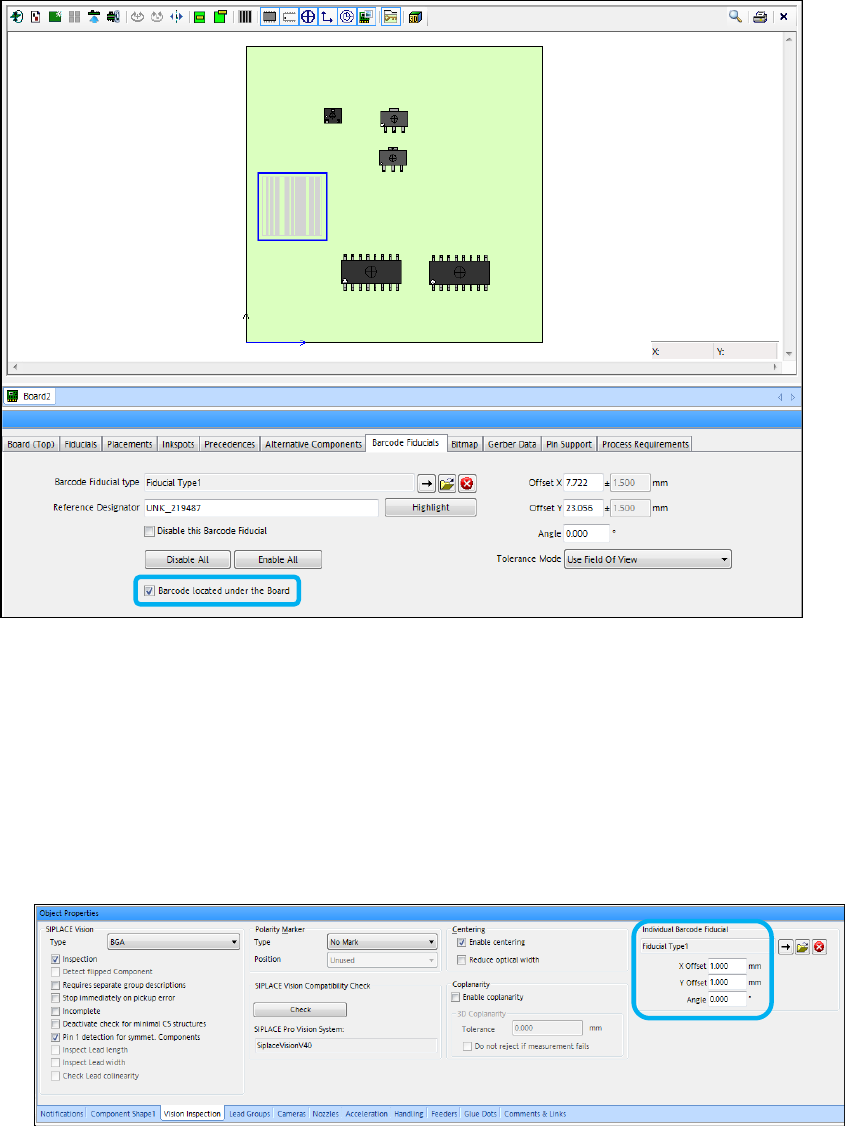
Figure 4-17: Defining barcode located under the board
4.12 Reading Individual Barcode Fiducials with Board Camera –
Enhancements
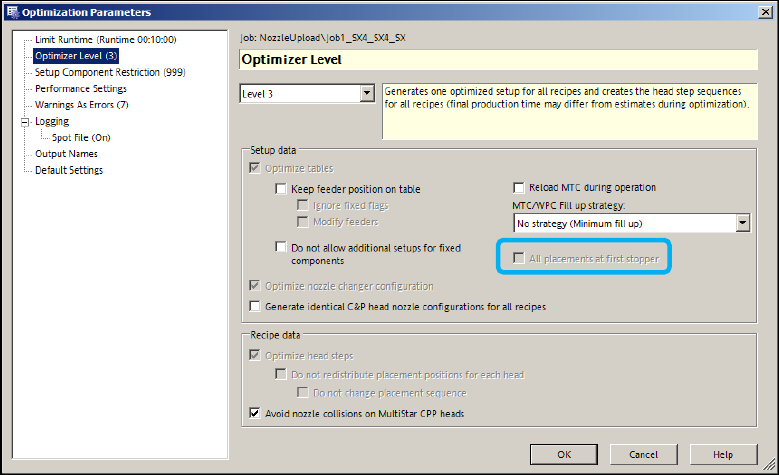
– Up til now, reading the individual barcode fiducials with the board camera was only possible for
components in a tape feeder. From this SIPLACE Pro version, the option can be used
independently of the packaging unit (tape, tray …). The individual barcode fiducial and its offset
have to be defined in the Vision Inspection tab of the Component Shape Editor.
Figure 4-18: Defining individual barcode fiducial
– If a component has a barcode positioned out of the focus height of the board camera and the
barcode cannot be recognized with good quality, the option has to be disabled for this
component.
– If reading the barcode fails, the component will be returned to the same position in the tray.
SIPLACE Pro V13.1 / Software Version Description 05/2016 Edition
26
4.13 Long Board Option – New License Concept
The Long Board Option (LBO) is a licensed feature. As of this SIPLACE Pro version, there are
two additional new licenses for this option which replace the previous "SIPLACE Long Board
Option" license. If LBO is used, the licenses are required as follows:
– SIPLACE Long Board Option – Machine Connection
This license is required for each placement machine with station software < 709 in the line.
– Long Board Option up to 850 mm – Machine Connection
This license is required for each placement machine with station software 709 or higher in the
line.
– Hardware SOKO: Long Board Option up to 1500 mm – Machine Connection
This license is required for each placement machine with station software 709 or higher in the
line.
The Long Board setting has to be enabled in the Line Editor for all LBO variants.
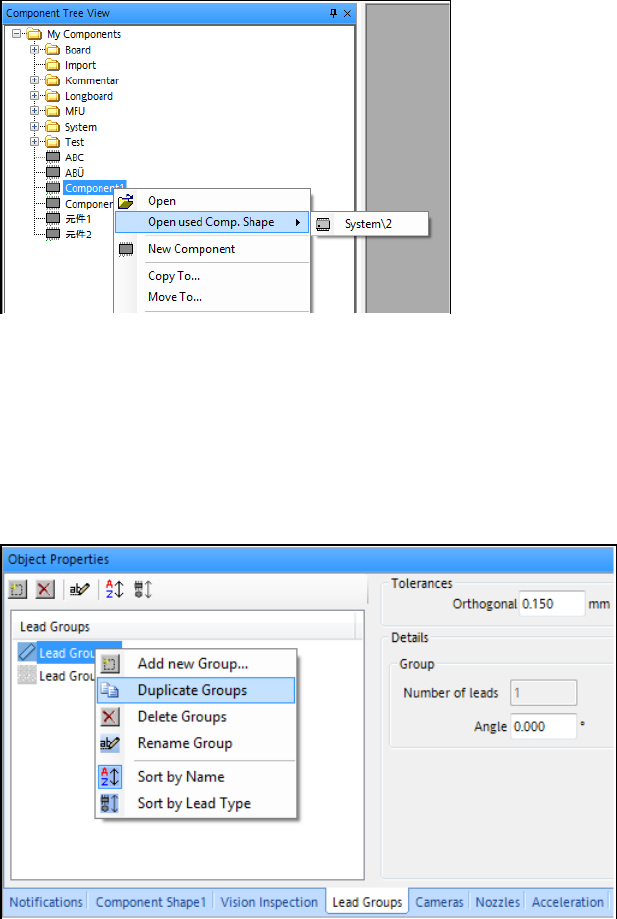
Additionally, the All placements at first stopper setting has to be enabled in the Optimization
Parameters for the LBO up to 1500 mm:
Figure 4-19: Enabling LBO up to 1500 mm
Detailed information can be found in the LBO User Manual, item no.: [00197085-xx].
SIPLACE Pro V13.1 / Software Version Description 05/2016 Edition
27
4.14 Miscellaneous SIPLACE Pro Improvements
4.14.1 Opening Component Shape via Context Menu in Component Tree View
To enable a faster work with SIPLACE Pro Desk the component shape of a selected component
can be opened by clicking the context menu in the Component Tree View and selecting the Open
used Comp. Shape menu item. If assigned, the component shape is displayed in a submenu. If
not, None is displayed.
Figure 4-20: Opening used component shape
4.14.2 Duplicating Lead Groups in Component Shape Editor
To enable faster programming in the Component Shape Editor, an existing lead group can be
selected and duplicated from the context menu of the Lead Groups list in the component shape
Lead Group tab. By selecting the Duplicate Groups menu item, the selected group will be
duplicated with a new name into the collection of lead groups.
Figure 4-21: Duplicating lead groups