00191021-02.pdf - 第130页
3 Calibration Functions User’s Manual Test Program S ITEST 3.11 Calibration of t he Coplanarity Laser Module (SIPLACE 80F4) Software Version 403.xx Edition 12/97 3 - 26 ● Click on t he Calibrate module button. The foc us…
User’s Manual Test Program SITEST 3 Calibration Functions
Software Version 403.xx Edition 12/97 3.11 Calibration of the Coplanarity Laser Module (SIPLACE 80F4)
3 - 25
3.11 Calibration of the Coplanarity Laser Module
(SIPLACE 80F
4
)
NOTE
Prior to the calibration of the coplanarity module, all calibration operations described earlier in this chapter
must have been performed.
●
Carry out the preparatory steps proceeding as described in section 3.1. However, place the coplanarity
calibration tool into the "calibration tool pocket" in lieu of the "normal" calibration tool (see Fig. 3.12.1).
●
In the "IC head" display (see Fig. 0.3.6) click on the icon to switch to the "Coplanarity
functions" display.
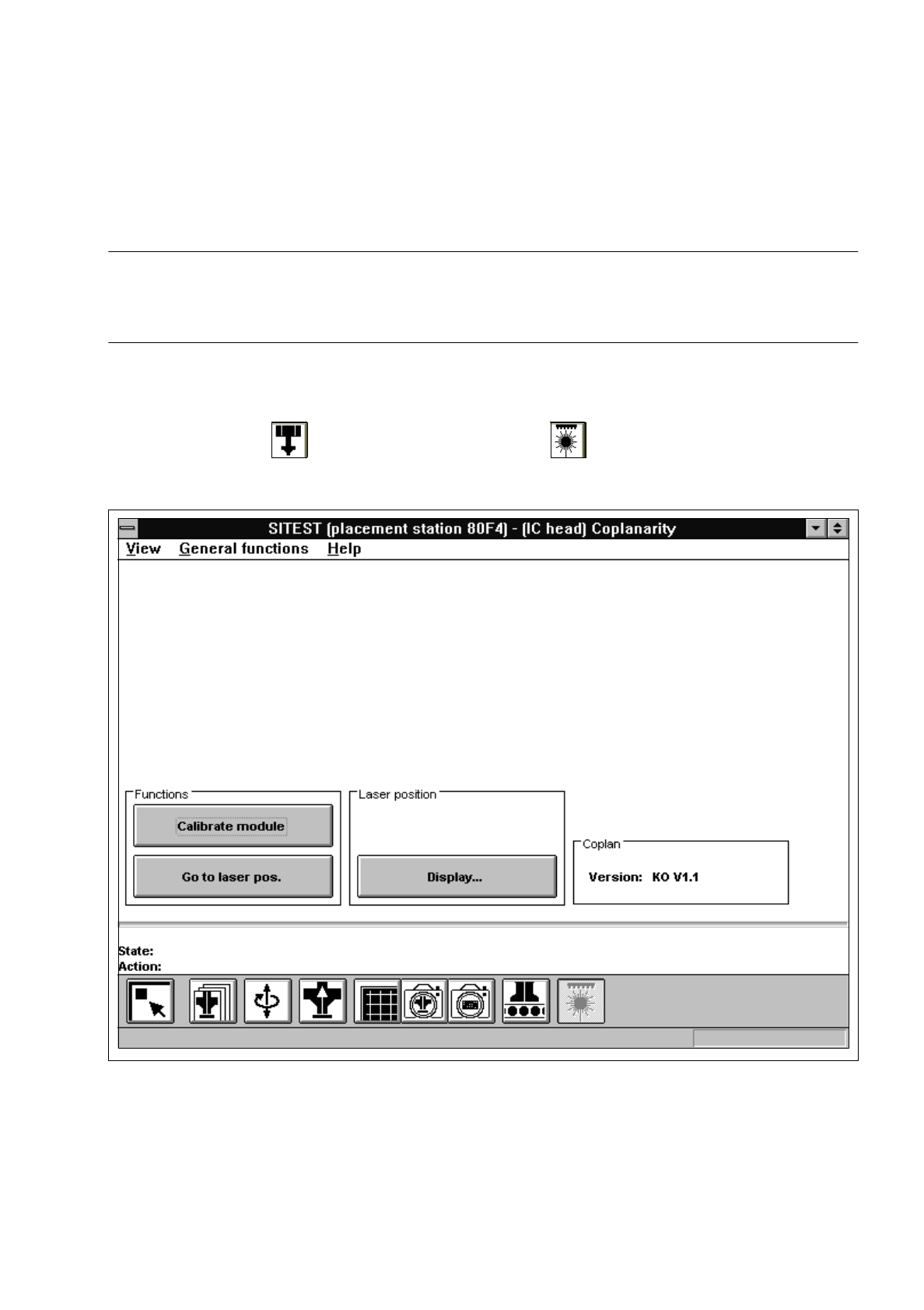
Fig. 3.11.1 "Coplanarity functions" Display
Overview of the functions:
–
Calibrate module to calibrate the coplanarity module
–
Go to laser pos. to approach the laser with the PCB camera to check the laser position
–
Display... to display the laser position and focus height determined

3 Calibration Functions User’s Manual Test Program SITEST
3.11 Calibration of the Coplanarity Laser Module (SIPLACE 80F4) Software Version 403.xx Edition 12/97
3 - 26
●
Click on the
Calibrate module
button.
The focus height is now measured and the x and y-positions of the laser determined.
●
If you wish to view the values determined for the laser position and focus height, click on the
Display...
button.
NOTE
The laser module’s version number is displayed in the "Coplan" field.
●
Click on the icon to return to the main view.

User’s Manual Test Program SITEST 3 Calibration Functions
Software Version 403.xx Edition 12/97 3.12 Measuring the Position of PCB Reference Corner I (and that of PCB Reference Corner II)
3 - 27
3.12 Measuring the Position of PCB Reference Corner
I
(and that of PCB Reference Corner
II
)
NOTE
Verify that the calibration data for the PCB camera, segment offset
II
(RV-PCB camera offset) and machine
zero point have already been determined.
●
Load a PCB with a light-colored surface into the center conveyor using the conveyor functions (see
chapt. 2, section 2.5).
NOTE
Measuring the PCB reference corner positions on the SIPLACE 80S-20 machine type can only be per-
formed by means of gantry 1.
If a dual conveyor is installed on the machine, a PCB must be loaded on the right conveyor track ("PCB
conveyor 1") and
on the left conveyor track ("PCB conveyor 2") in order to be able to determine the position
of PCB reference corners
I
and
II
. To this end, select the desired conveyor in each case before
the respec-
tive PCB is loaded (see chapt. 2, section 2.5).
The location of the PCB reference corners
I
and
II
differs depending on the conveyor type used.
The following graphical display gives a schematic view of the positions of the PCB reference corners.