00191021-02.pdf - 第99页
User’s Manual Test Program S ITEST 2 Functions for the Adjustment of the Machine Software Version 403.xx Edition 12/97 2.7 Waf flepack Changer Functions 2 - 35 ● In the s etting b ox click on the OK button. T he continu …
2 Functions for the Adjustment of the Machine User’s Manual Test Program SITEST
2.7 Wafflepack Changer Functions Software Version 403.xx Edition 12/97
2 - 34
●
Click on the
WPC reference run
button to reference the axes of the WPC.
●
Click on the
Go to refill position
button if you wish to position the "elevator" of the WPC so that all
wafflepack trays can be conveniently removed or loaded.
●
To complete the replenishing operation, click on the
Quit refill position
button.
The wafflepack trays loaded will be aligned during this procedure.
●
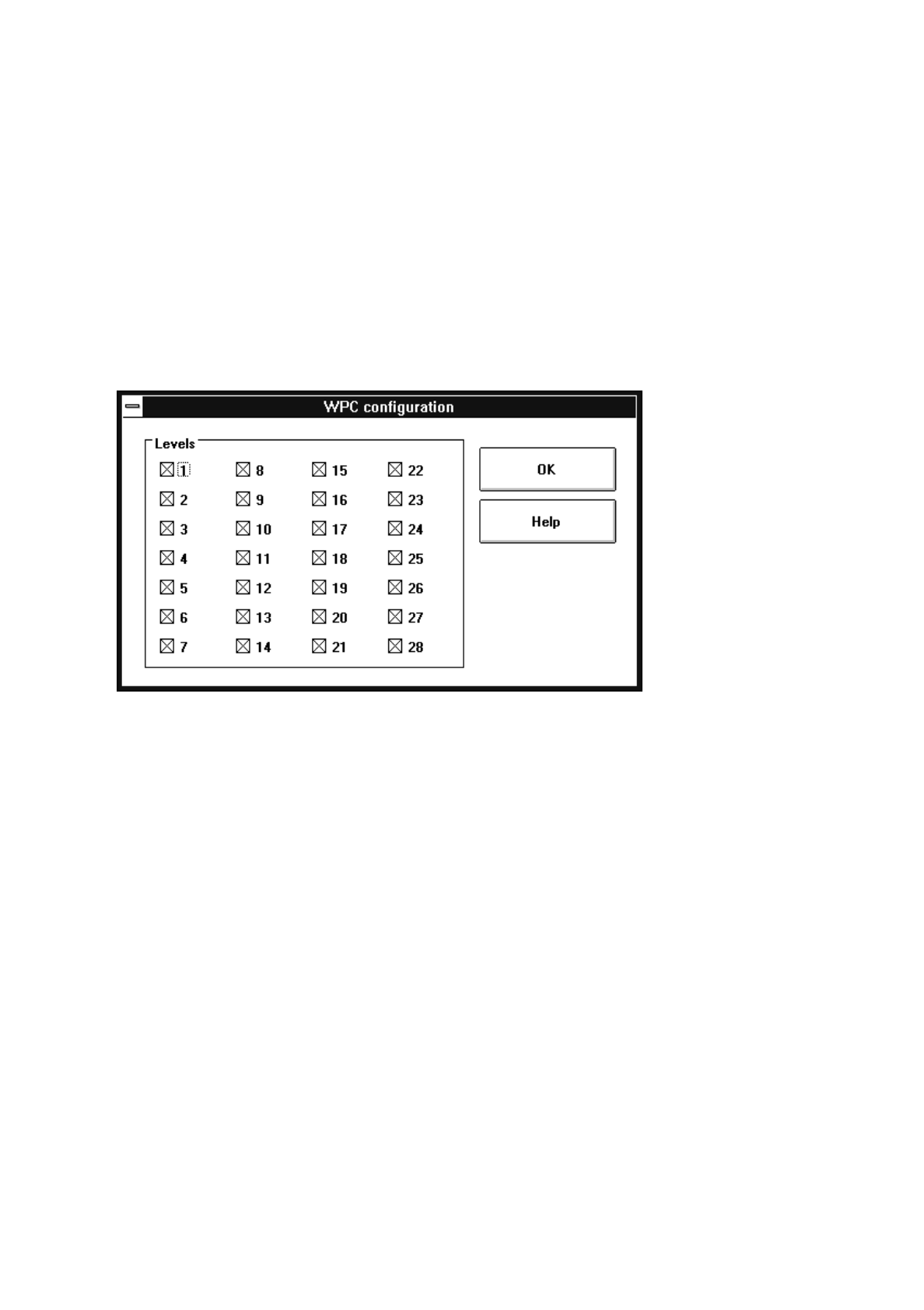
Click on the
Display configuration...
button to review and display the allocation of the trays to the
levels of the WPC.
The configuration of all 28 levels is displayed as shown in the dialog box below.
Occupied levels are identified by a cross in the box next to their numbers.
●
If the WPC is to be transported, click on the
Transport position
button.
The elevator will be moved to a pre-defined safe transport position.
●
To test the changeover time for a tray carrier on a specific level, click on the
Change tray carrier...
button. The setting box for selecting the level and the changeover speed opens.
●
Edit the desired level and change, if required, the speed (slow -> yes/no).
●
Click on the
Start
button in the setting box. The tray carrier on the selected level will be exchanged.
The changeover time is displayed in a dialog box.
●
Acknowledge the dialog box by clicking on
OK
.
●
To display and edit, if required, for each level and the lifting axis the percentage of the acceleration
with respect to the max. acceleration, click on the
Speed...
button.
The percentage values are displayed for each level and once for the lifting axis.
●
If you wish to perform a continuous run of the feed and lifting axes, click on the
Continuous run...
but-
ton. The setting box displaying the level configuration appears.
●
In the setting box click on the
Interrogate configuration
button to update the display.
●
If specific levels are to be excluded from the continuous run, deactivate them by clicking on the check
boxes next to the numbers of the respective levels.

User’s Manual Test Program SITEST 2 Functions for the Adjustment of the Machine
Software Version 403.xx Edition 12/97 2.7 Wafflepack Changer Functions
2 - 35
●
In the setting box click on the
OK
button. The continuous run starts and a dialog box displaying the
start time opens.
●
In the dialog box click on the
Cancel
button to terminate the continuous run.
The completion time of the continuous run is also displayed in the dialog box. The label of the
"Cancel" button changes to "OK".
●
Close the dialog box by clicking on
OK
.
2 Functions for the Adjustment of the Machine User’s Manual Test Program SITEST
2.7 Wafflepack Changer Functions Software Version 403.xx Edition 12/97
2 - 36
2.7.1 Wafflepack Changer Settings
CAUTION
∆
!
The improper performance of the settings described in the following may result in the wafflepack changer
becoming so maladjusted that it is no longer operable.
●
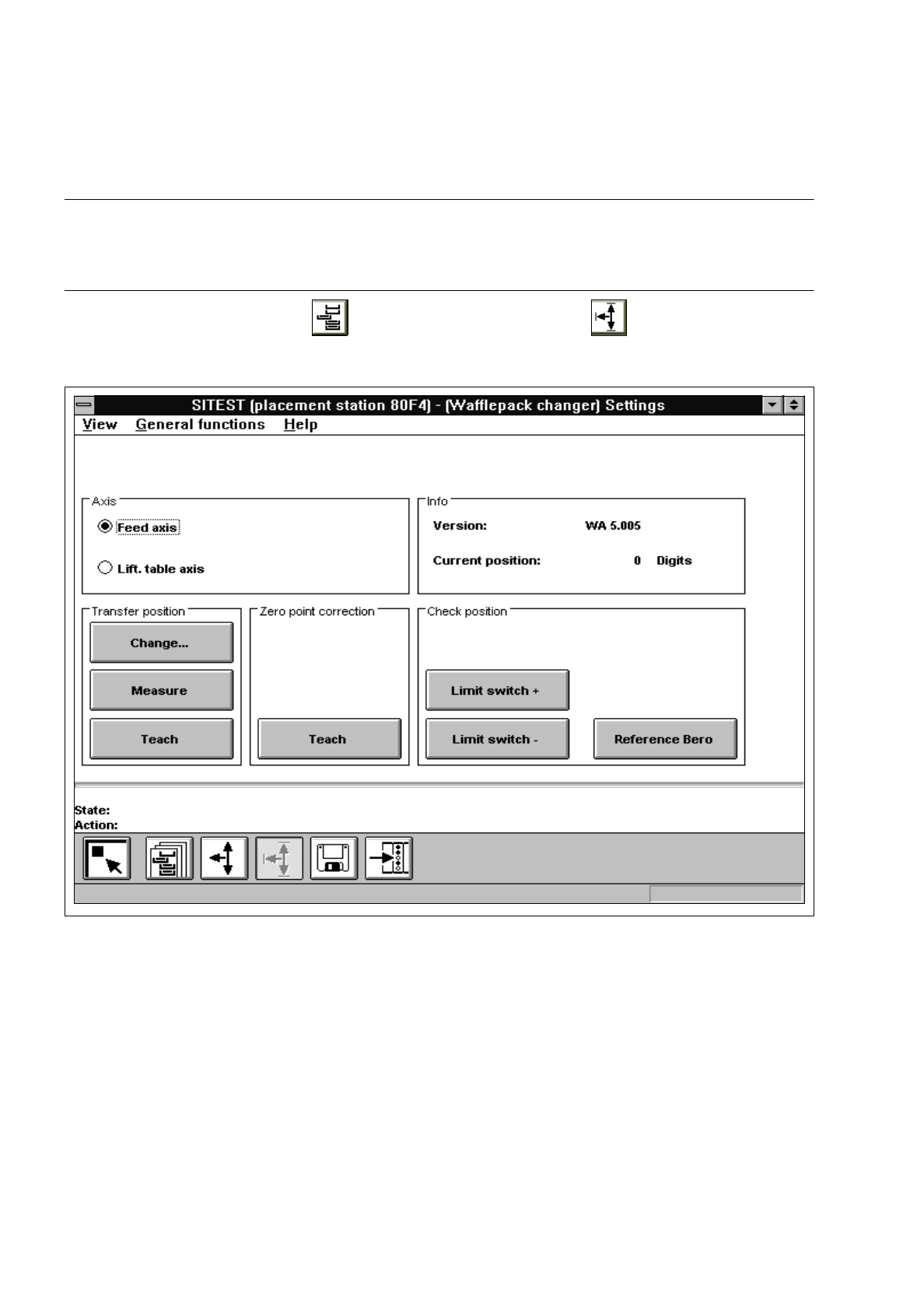
In the "Wafflepack Changer" display (see Fig. 2.7.1) click on the icon to switch to the
"WPC settings" display.
Fig. 2.7.2 "WPC settings" Display
The following functions are available in this display:
–
Change to edit the transfer position
–
Measure to determine and store the transfer position
–
Teach ("Transfer position" field)to teach and accept the transfer position
–
Teach ("Zero point cor.value" field)to teach and accept the zero point position
–
Limit switch + to check the maximum limit switch position
–
Limit switch - to check the minimum limit switch position
–
Reference Bero to check the position of the reference Bero