JO-072-006_w.pdf - 第83页
3-30 AKBEG-ID 7.2 "Errors" Window This window shows the contents of errors and simplied remedial procedures. Remove the cause of the error and reset the error status in the program. T o reset the error status,…
3-29
AKBEG-ID
0508-001
7. "Errors" Window
7. "Errors" Window
When an error occurs in a mechanical area or on the program, the contents
are displayed, prompting you to take some countermeasures against it.
When the [Error] button is pressed in each window, this window opens.
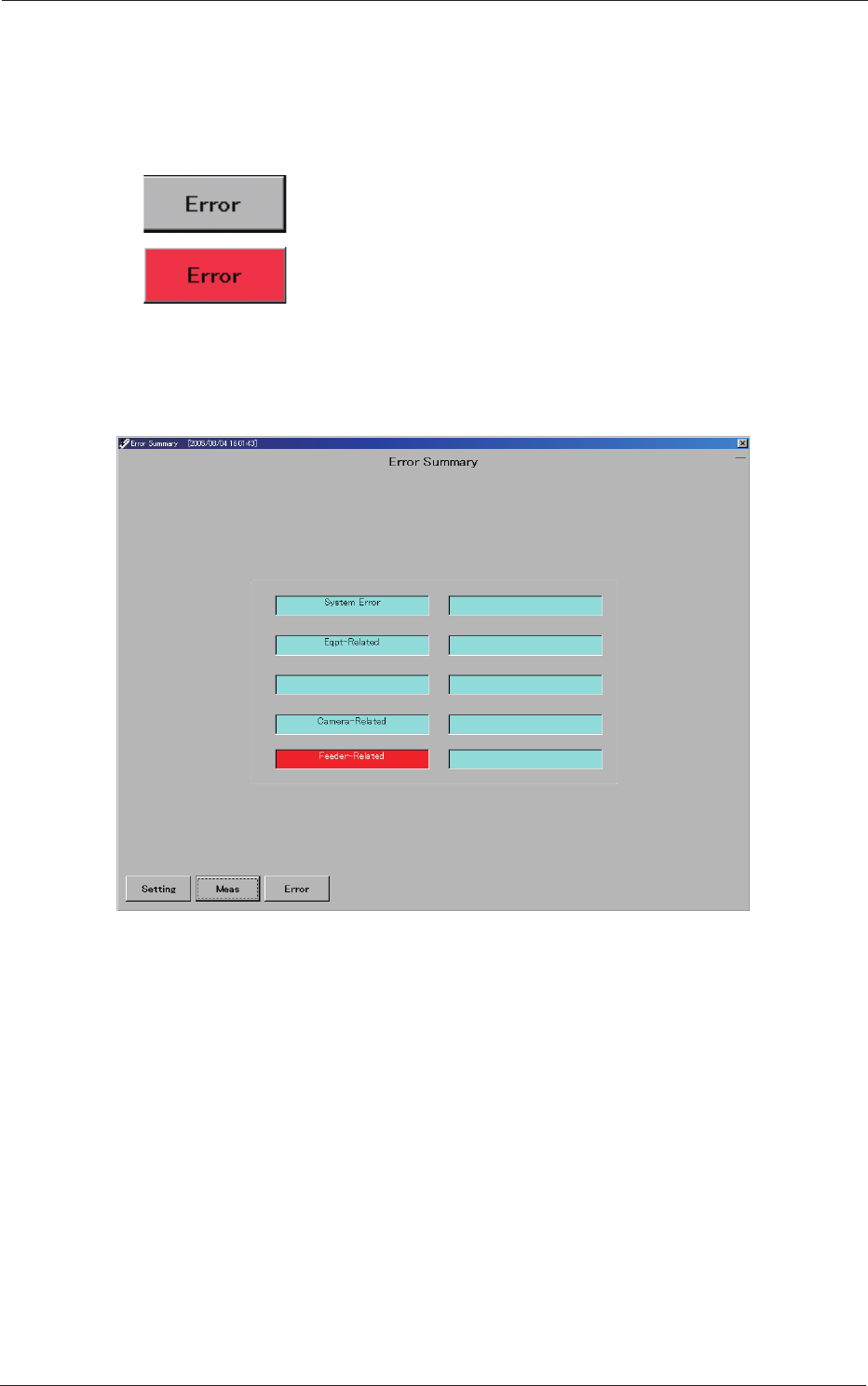
Normal Condition (No Error)
Error Occurrence
7.1 "Error Summary" Window
This window shows where errors have occurred.
Fig. C26 "Error Summary" Window
•
System Error
This is turned on when an error has occurred in an operating system or
internal state of the personal computer or in processing with its peripheral
equipment.
•
Eqpt-Related
This is turned on when an error has occurred in an mechanical area all
over the main machine.
•
Camera-Related
•
Feeder-Related
When you press the [Error] button again or the displayed area of the
summary in this window
, the "Errors" window opens.
3-30
AKBEG-ID
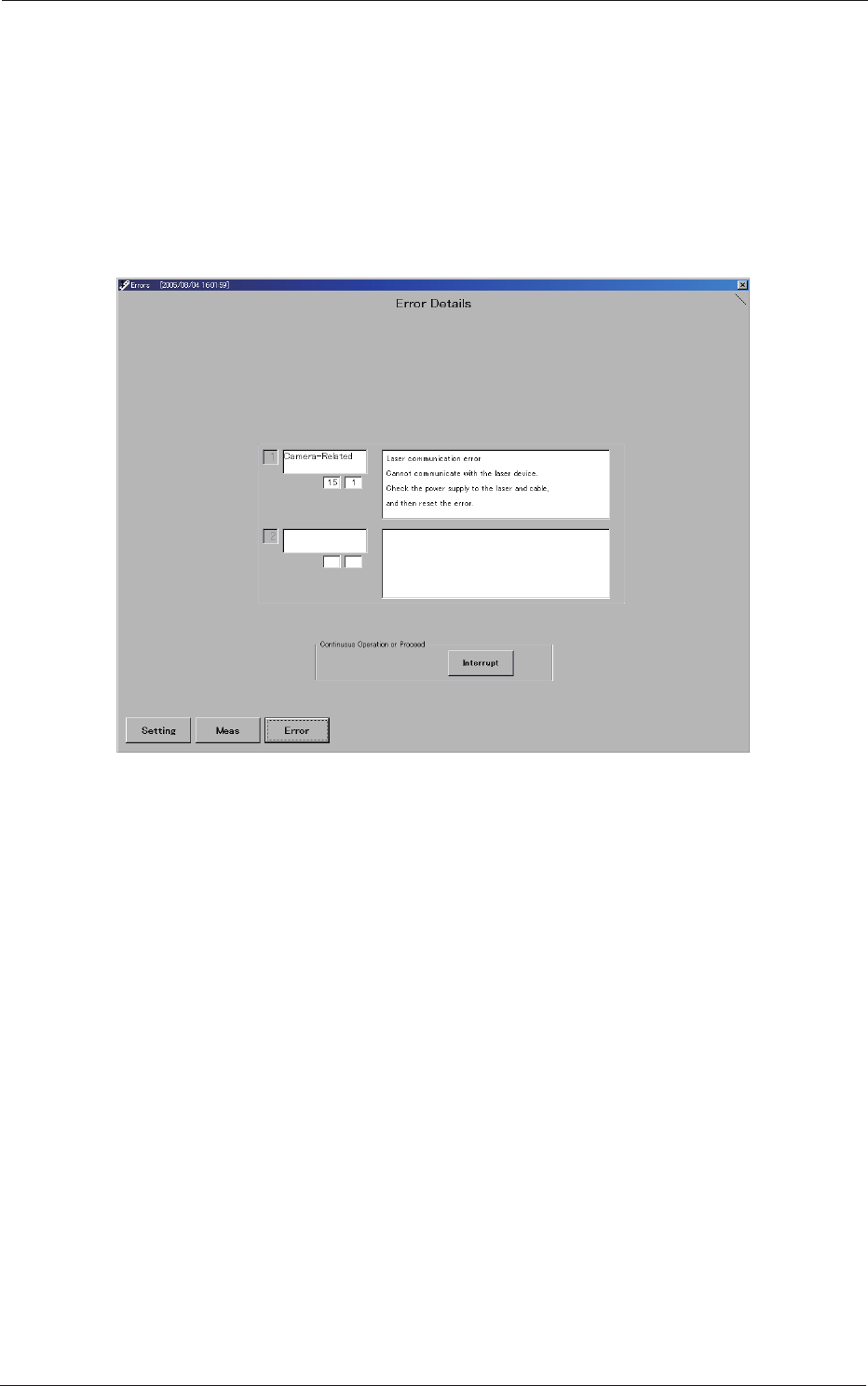
7.2 "Errors" Window
This window shows the contents of errors and simplied remedial
procedures.
Remove the cause of the error and reset the error status in the program.
To reset the error status, simply press the [Interrupt] button.
When an error is reset or while the inspection is being executed, the
inspection sequence is also reset.
Fig. C27 "Errors" Window
0508-001
7.2 "Errors" Window
4-A
AKBEG-ID
0508-001
Section 4
Feeder Measurement
This section describes how to measure the feeders.
•
Registration of Master Position (Jig Origin Adjustment)
•
Feeder Measurement
•
Measurement of Pickup Position Height
•
Default Setting of Program for Feeder Measurement