00197469-02_SM_Twin_Kunde_EN.pdf - 第33页
4 Pneumatic and pressure control valve (PRV) 4.3 Calibrating the digital PRV Service Manual SIPLACE TwinStar (Twin, Twin HF, Twin VHF) 07/2020 33 Fig.40: Select operator level ► Select the button. ► Select the button. ►…
4 Pneumatic and pressure control valve (PRV)
4.3 Calibrating the digital PRV
32 Service Manual SIPLACE TwinStar (Twin, Twin HF, Twin VHF) 07/2020
4.3.2 Calibrating the Closed Vacuum
NOTICE
From SW706 this function is run during automatic calibration of the Twin Head.
Tools
●
Nozzle 518
Calibration
► Pick up the nozzles from the nozzle changer.
NOTICE
Fitting the nozzle
If there are problems picking up nozzles, insert the calibration nozzle manually on the
sleeve. Make sure that the two sleeve adjust pins fit correctly into the nozzle.
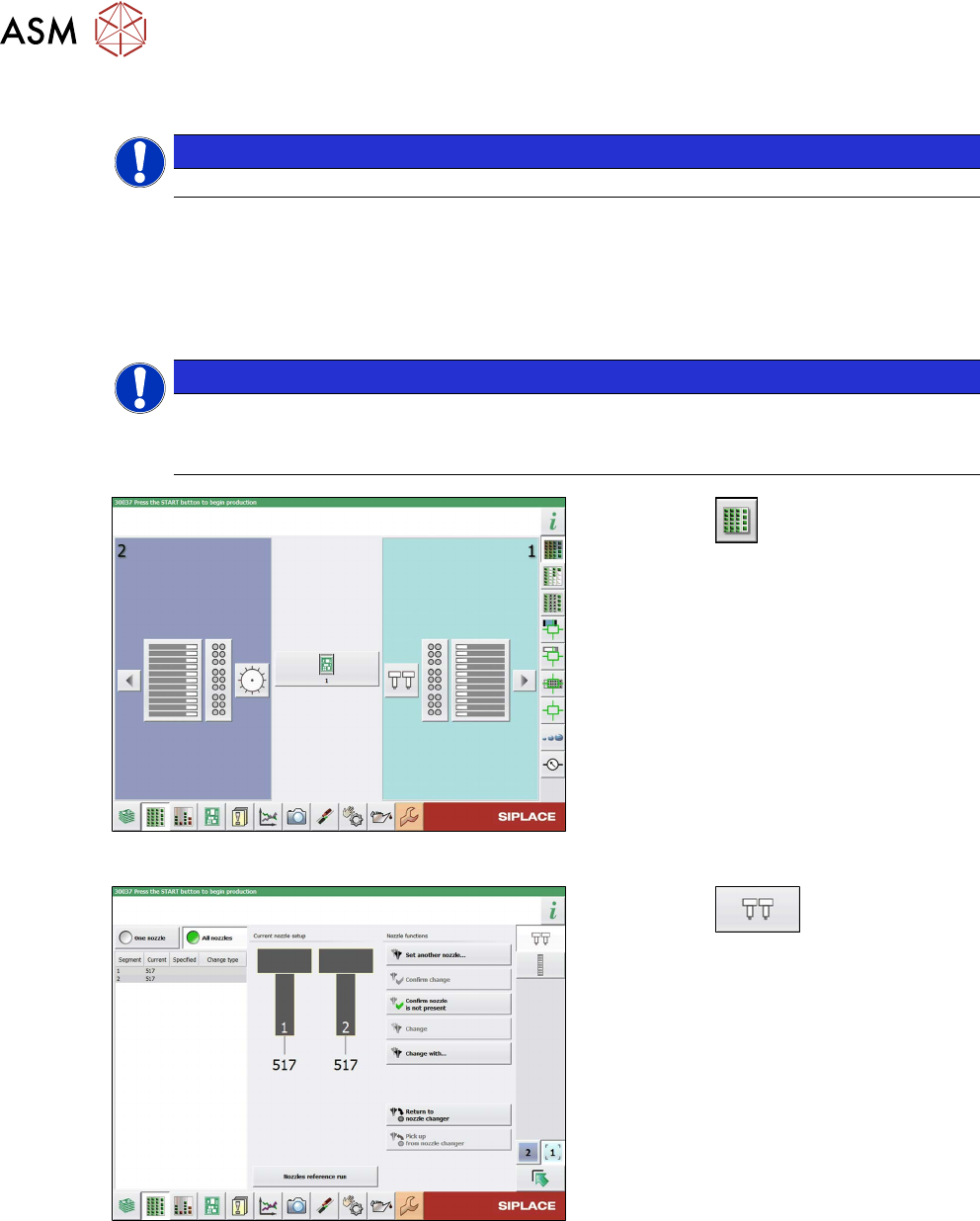
Fig.38: Feeders, Components and Nozzles menu
► Select the button.
► Select the placement head.
Fig.39: Nozzle Configuration menu
► Select the button.
► Select the Set another nozzle... but-
ton....
► Select the calibration nozzle and then
the OK
button.
4 Pneumatic and pressure control valve (PRV)
4.3 Calibrating the digital PRV
Service Manual SIPLACE TwinStar (Twin, Twin HF, Twin VHF) 07/2020 33
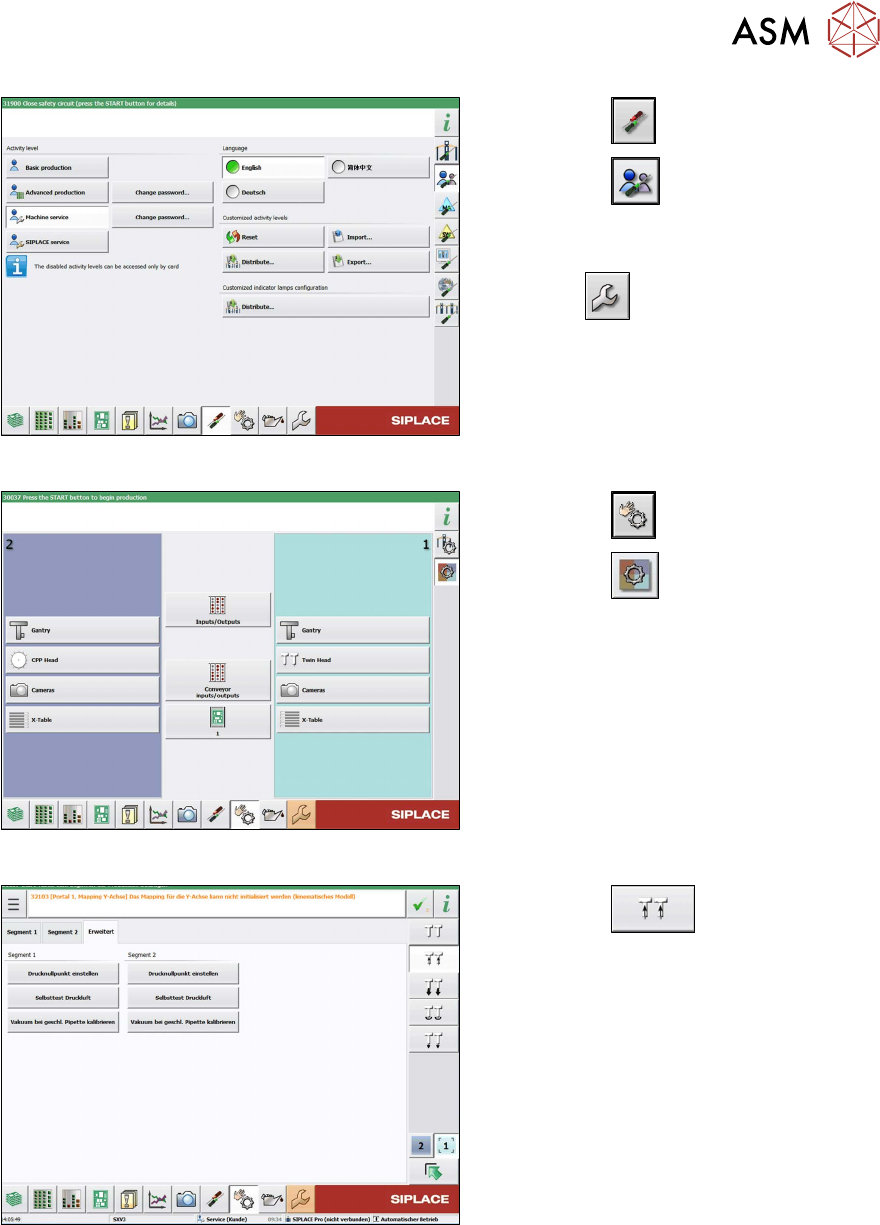
Fig.40: Select operator level
► Select the button.
► Select the button.
► Switch over to the operator level Ma-
chine service.
ð The button will be shown.
Fig.41: Sensors and Functions menu
► Select the button
► Select the button.
► Select the placement head.
Fig.42: Vacuum functions - Specialized (SW713)
► Select the button.
► Go to the Specialized tab.
► Select the Calibrate vacuum with
closed nozzle button for the relevant
segment (Twin module).
4 Pneumatic and pressure control valve (PRV)
4.3 Calibrating the digital PRV
34 Service Manual SIPLACE TwinStar (Twin, Twin HF, Twin VHF) 07/2020
4.3.3 Checking the Pressure Tightness of the Vacuum System
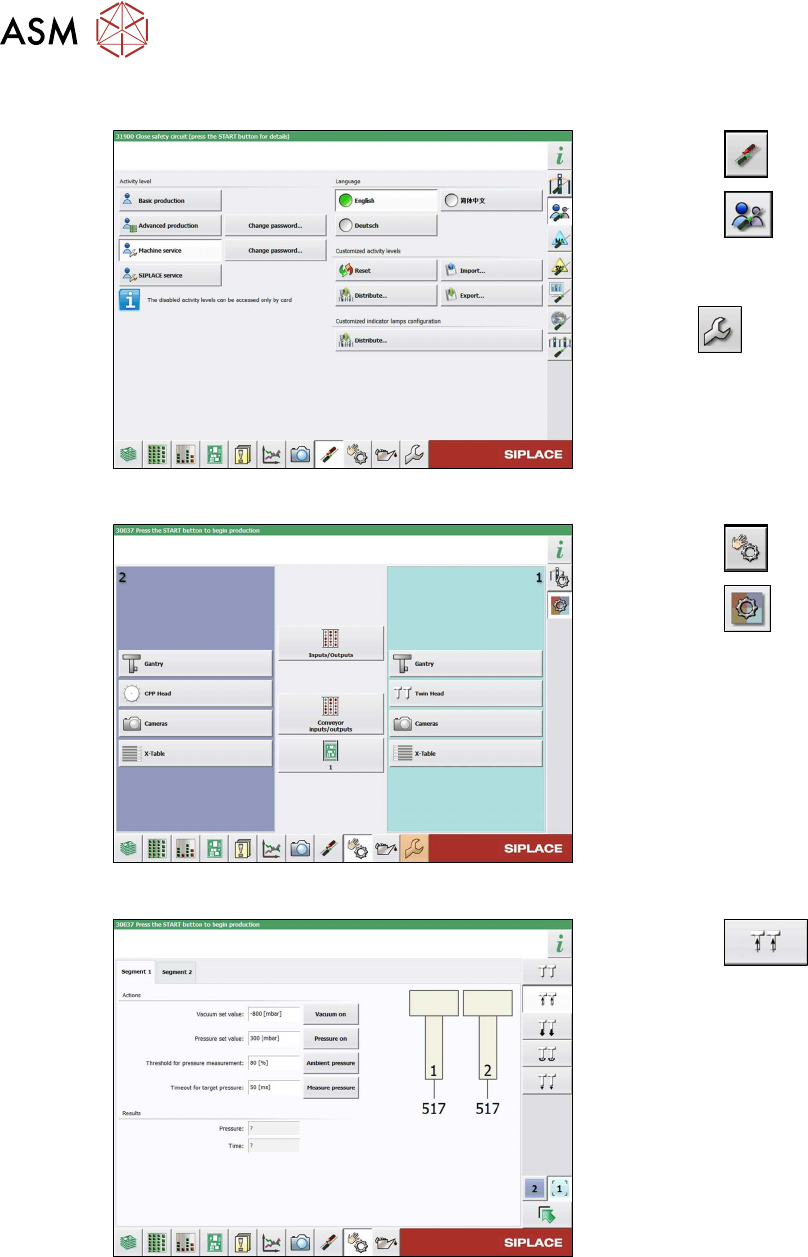
Fig.43: Select operator level
► Select the button.
► Select the button.
► Switch over to the operator level Ma-
chine service.
ð The button will be shown.
Fig.44: Sensors and Functions menu
► Select the button
► Select the button.
► Select the placement head.
Fig.45: Vacuum Functions menu
► Select the button.
► Switch over to the Segment 1 or Seg-
ment 2. tab.
► Select the Vacuum on. button.
► Seal the nozzle with a finger and select
the Measure pressure
button.