00197469-02_SM_Twin_Kunde_EN.pdf - 第76页
5 Boards and cables 5.5 Replacing the control cable 76 Service Manual SIPLACE TwinStar (Twin, Twin HF, Twin VHF) 07/2020 5.5 Replacing the control cable Parts ● Select the correct spare part: Head type Spare part Twin VH…
5 Boards and cables
5.4 Replacing the flat ribbon holder, Twin VHF (Twin VHF only)
Service Manual SIPLACE TwinStar (Twin, Twin HF, Twin VHF) 07/2020 75
5.4 Replacing the flat ribbon holder, Twin VHF (Twin VHF only)
Parts
●
Flat ribbon holder, Twin VHF [03104023‑xx]
Overview
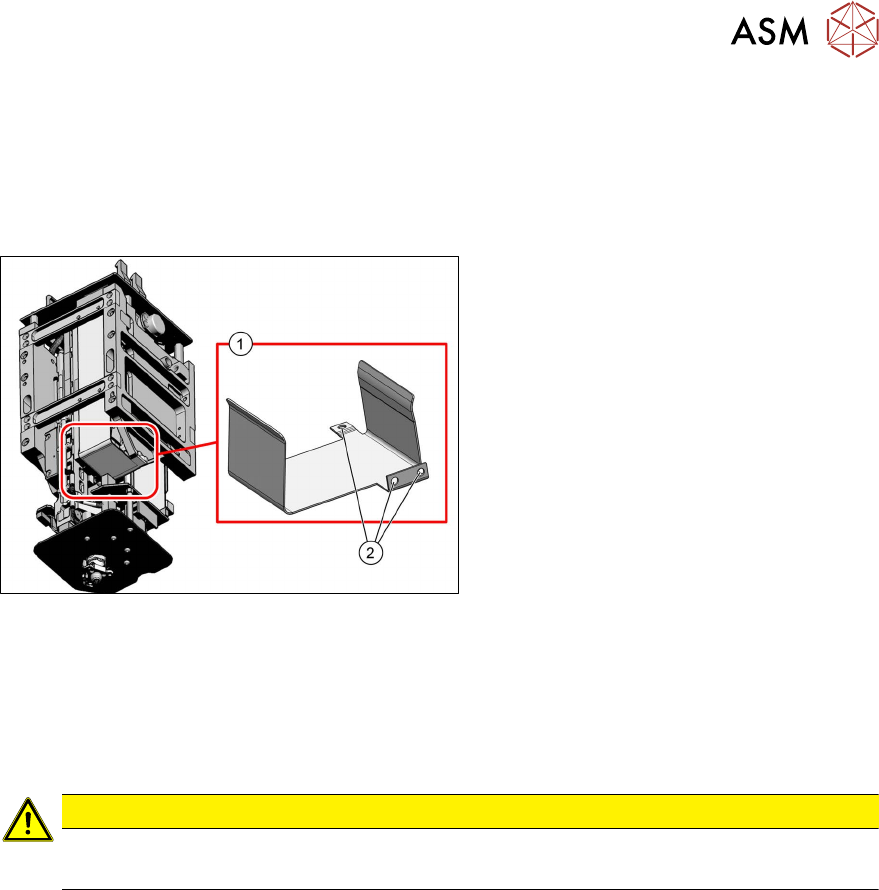
Fig.135: Flat ribbon holder, Twin VHF
1. Flat ribbon holder, Twin VHF
[03104023‑xx]
2. Three screws fastening the flat ribbon
holder
Preparation
► Remove the head from the machine. For details about removing and fitting the placement
head, refer to the service manual for your machine.
Removal
CAUTION
Do not damage the control cable
► Take care not to damage the control cable.
► Remove the three screws fastening the flat ribbon holder and remove the flat ribbon holder.
Installation
Follow the removal instructions in reverse order for installation.
5 Boards and cables
5.5 Replacing the control cable
76 Service Manual SIPLACE TwinStar (Twin, Twin HF, Twin VHF) 07/2020
5.5 Replacing the control cable
Parts
●
Select the correct spare part:
Head type Spare part
Twin VHF module [03096701‑xx] Control cable Twin VHF [03102124‑xx]
Control cable Twin VHF [03102124Sxx] (incl. locking
bracket)
Pick&Place module High Force R2
[03097486‑xx]
Control cable for DP unit, power sensor [03005289Sxx]
Pick&Place module THK R2
[03097485‑xx]
Overview
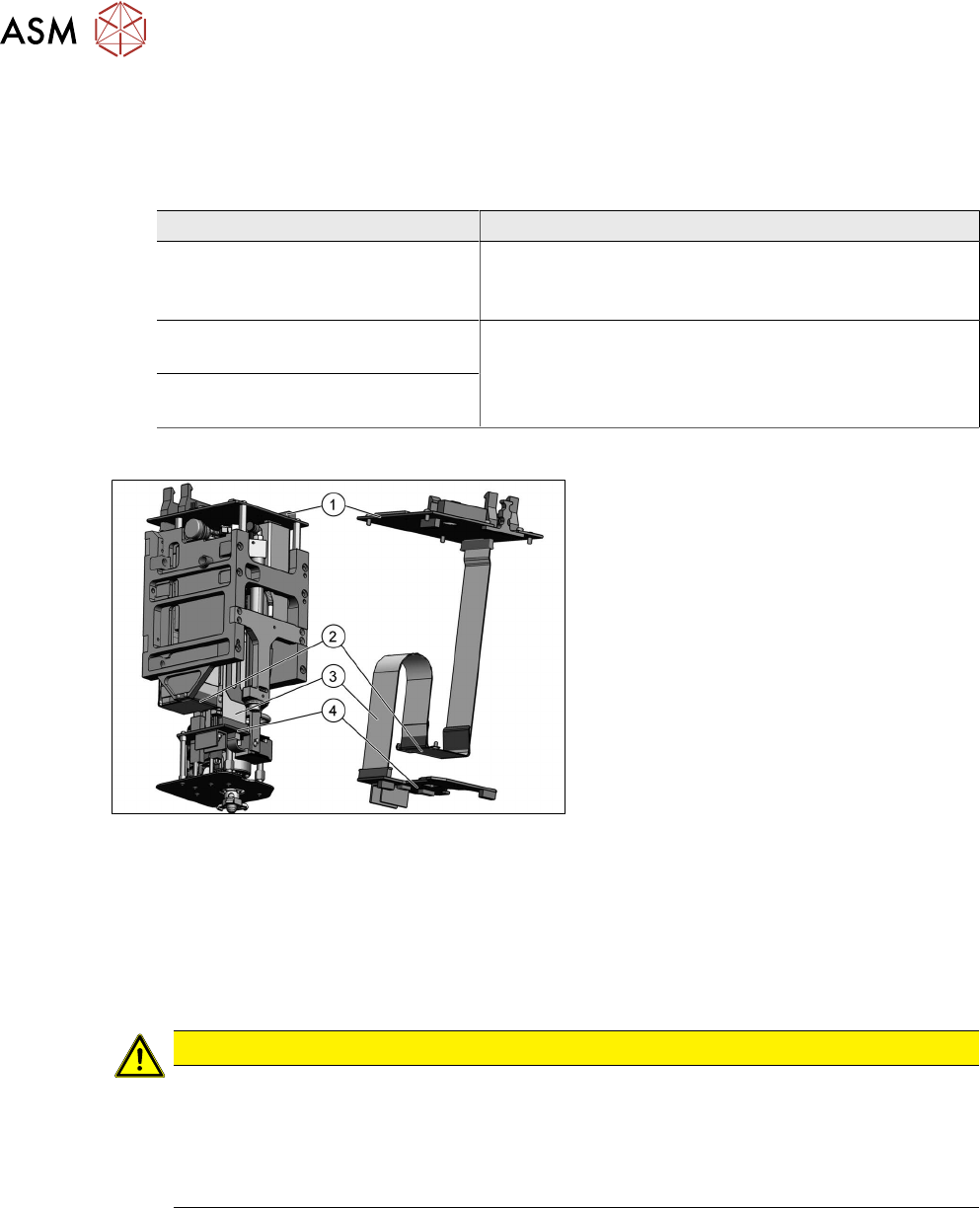
Fig.136: Overview of control cable (example of TwinVHF
shown)
1. Head main board
2. Flat ribbon holder, Twin VHF
3. Control cable
4. Force measuring unit VHF Twin
Preparation
► Remove the head from the machine. For details about removing and fitting the placement
head, refer to the service manual for your machine.
Removal
CAUTION
Control cable contacts
The control cable and the connector are sensitive parts.
► Make sure you note the correct contact position of the control cables during removal
and installation. The installation position is marked in blue.
► Make sure that the control cable is plugged in straight and is not bent.
► Remove the buffer of the return unit to improve the accessibility.
3.1 "Replacing the return unit buffer" [}17]
► Dismantle the head main board.
5.1 "Replacing the head main board" [}65]
5 Boards and cables
5.5 Replacing the control cable
Service Manual SIPLACE TwinStar (Twin, Twin HF, Twin VHF) 07/2020 77
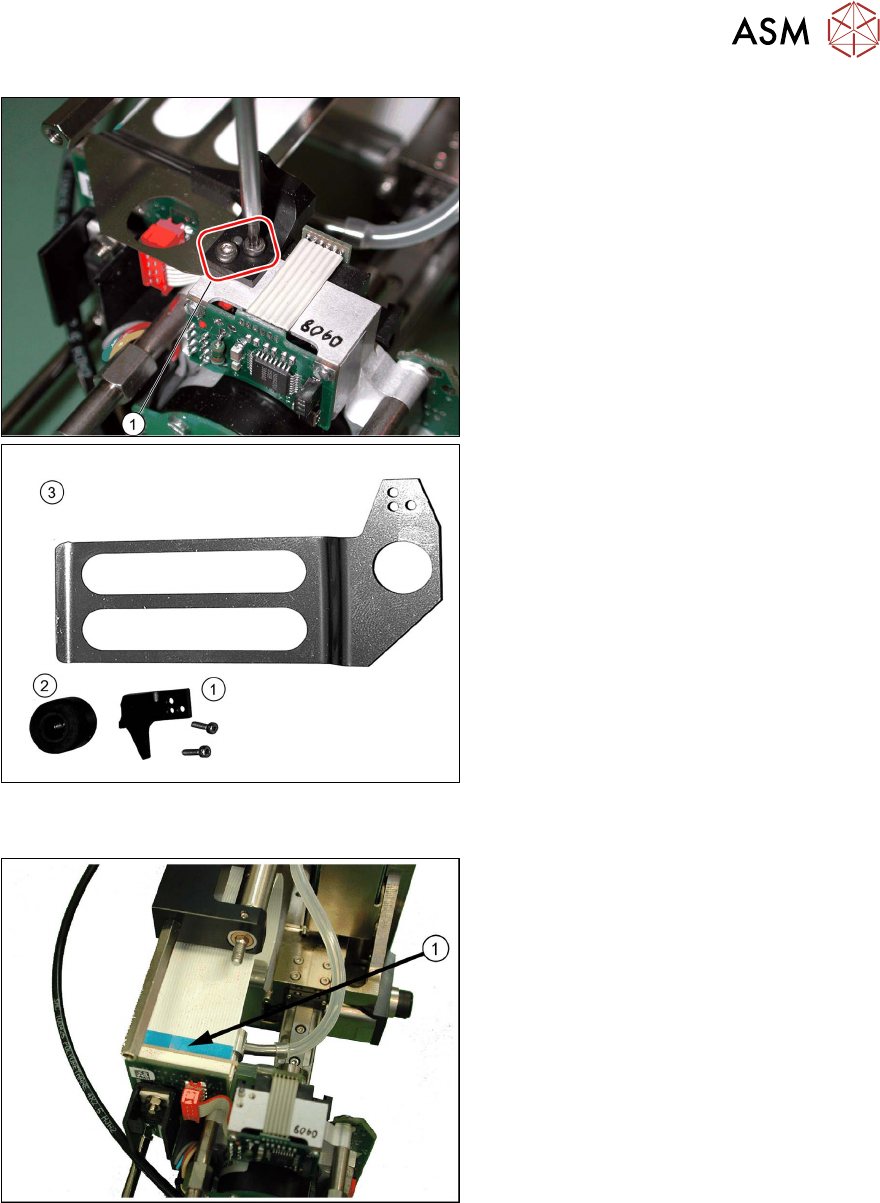
Fig.137: Stopper for return unit and flat ribbon baffle (exam-
ple of Twin / TwinHF shown)
1. Stopper for return unit
2. Return unit buffer assembly
3. Flat ribbon baffle
► Remove the two screws fastening the
stopper(1)
for the return unit.
► Remove the flat ribbon baffle(3).
See also 3.3
"Replacing the hose and
flat ribbon guide (Twin HF only)" [}23]
Fig.138: Removing the control cable (example of Twin /
TwinHF shown)
► Release the two locking levers on the
connector upwards and pull the control
cable(1)
carefully off the force meas-
urement board.
► Remove the control cable from the
placement head.